Vistumbler
Vistumbler is a free, open-source wireless scanner for mapping nearby access points with wireless and GPS data.
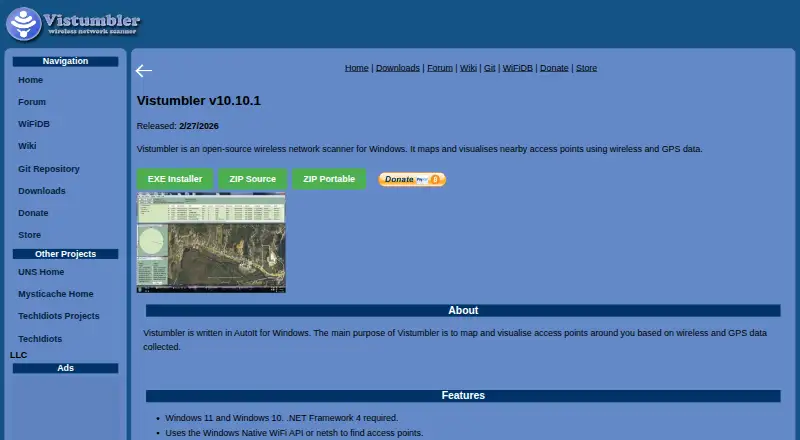
What Vistumbler is
Vistumbler is a free, open-source wireless scanner for mapping nearby access points with wireless and GPS data. Its stable Windows release finds networks through the Windows Native WiFi API or netsh and supports COM/NMEA GPS receivers. You can import and export access point data, save maps as KML or GPX, follow scans live in Google Earth, and use audio alerts. The stable release supports Windows 10 and 11 and requires .NET Framework 4. Official downloads include an installer, source code, and a portable ZIP. The project recommends checking provided checksums and using standard anti-malware practices. Vistumbler may collect GPS and WiFi location data while running; its website says device location is not collected unless explicitly submitted. WiFiDB accepts scan uploads, including Vistumbler scans, and turns them into statistics and maps. The project describes the software as intended for legitimate network analysis and mapping, and prohibits unauthorized access or nonconsensual monitoring. An experimental Windows and Android preview adds a live access point list, GPS map, channel graph, WiFiDB history layers, import and export, and Android background scanning; it may have missing features or bugs.
Good
- Free, open-source software licensed under GPLv2.
- Exports access point data, KML, and GPX.
- Tracks scans live in Google Earth.
- Official downloads include installer, source, and portable ZIP.
Watch out
- Stable release requires Windows 10 or 11 and .NET Framework 4.
- MAUI preview may have missing features or bugs.
- Scanning results may benefit from disconnecting from access points.
Who it suits
Vistumbler suits people mapping nearby wireless access points who can use its stable Windows release and have a compatible GPS receiver if they need location data. Android users can consider the experimental MAUI preview, with its stated Android 8.0-or-later requirement and in-development status.
Verdict
Vistumbler combines access point scanning, GPS mapping, and useful export options without a listed price. Check the stable release requirements or the experimental preview's limitations before choosing it, and use it only for authorized network analysis.
Plans and prices
From Vistumbler's own pricing page, checked 8 Oct 2026.
| Plan | Price | What it gives you |
|---|---|---|
| Vistumbler | Free | Free and open-source software · GPLv2 |
The facts
Each one read from Vistumbler's own pages, with the date it was checked.
What it does
- Downloads
- Official releases include installer, source, and portable ZIP downloads; the downloads page says official releases do not bundle third-party installers or adware.checked 8 Oct 2026
- Experimental status
- The maker says the MAUI preview is still in development and may have missing features, bugs, and changes between versions.checked 8 Oct 2026
- Exports
- It supports access point import and export, plus KML and GPX export.checked 8 Oct 2026
- Google Earth
- The stable release supports live Google Earth tracking and audio alerts.checked 8 Oct 2026
- GPS
- It supports COM/NMEA GPS receivers.checked 8 Oct 2026
- Integrations
- WiFiDB accepts wireless scan uploads, including scans gathered by Vistumbler or other scanners, and creates statistics and maps from them.checked 8 Oct 2026
- Intended use
- The terms describe the software as intended for legitimate network analysis and WiFi mapping, and prohibit unauthorized network access and nonconsensual monitoring.checked 8 Oct 2026
- License
- Vistumbler is free and open-source software licensed under GPLv2 unless an individual release specifies otherwise.checked 8 Oct 2026
- License and warranty
- Vistumbler is described as GPLv2 free and open-source software provided as is without warranty.checked 8 Oct 2026
- Limitations
- The project advises disconnecting from access points while scanning for best results and checking that the correct network adapter is selected if no access points appear.checked 8 Oct 2026
- Live tracking
- It offers live Google Earth tracking and audio alerts.checked 8 Oct 2026
- MAUI features
- The MAUI preview includes a live access point list, GPS map, WiFiDB history layers, channel graph, scan import and export, and Android background scanning.checked 8 Oct 2026
- Privacy
- The software can collect GPS and WiFi location data when run, while the website says it does not collect device location unless it is explicitly submitted, such as through WiFiDB.checked 8 Oct 2026
- Purpose
- Vistumbler is an open-source wireless network scanner for Windows that maps and visualises nearby access points using wireless and GPS data.checked 8 Oct 2026
- Requirements
- The stable release lists Windows 10 and 11 support and requires .NET Framework 4.checked 8 Oct 2026
- Scanning
- It finds access points through the Windows Native WiFi API or netsh.checked 8 Oct 2026
- Security
- The project recommends verifying provided checksums and using standard anti-malware practices when installing.checked 8 Oct 2026
- Security and downloads
- The maker says official releases do not bundle third-party installers or adware and recommends verifying checksums where provided.checked 8 Oct 2026
- Support
- The project directs questions about its terms or licensing to its forum or GitLab repository.checked 8 Oct 2026
- WiFiDB integration
- The MAUI preview supports WiFiDB accounts, including registration by QR code or link.checked 8 Oct 2026
Where it runs
- Experimental Android version
- Vistumbler MAUI is an experimental preview for Windows and Android, with Android 8.0 or later required.checked 8 Oct 2026
- Stable platform requirements
- The stable release supports Windows 10 and 11 and requires .NET Framework 4.checked 8 Oct 2026
The company
- Maker
- The site identifies TechIdiots LLC as the operator and lists its location as Rutland, Massachusetts.checked 8 Oct 2026
The full review of Vistumbler
Overview
Vistumbler is a free, GPLv2 open-source wireless scanner for discovering nearby access points and plotting them with GPS data. It is most useful to Windows users documenting local Wi-Fi coverage, collecting an inventory of visible networks, or exporting survey data for mapping. The stable Windows application is the dependable option; the Android-capable MAUI build is still a development preview.
Key features
On Windows, scans run through the Native WiFi API or netsh. Support for COM/NMEA GPS receivers lets you associate each observation with a position, which is more useful for site surveys and wardriving-style analysis than a simple list of network names. The project recommends disconnecting from access points while scanning for better results. If a scan is empty, selecting the correct wireless adapter is the first troubleshooting step.
Vistumbler can import and export access-point data and produces KML and GPX files for use in mapping workflows. Live Google Earth tracking shows movement and discoveries as a scan proceeds, while audio alerts can signal events without constant screen watching. These are practical tools for field work, although the product remains focused on local discovery: it includes asset inventory but no topology mapping.
WiFiDB accepts uploads from Vistumbler and other scanners, turning collected scans into statistics and maps. The MAUI preview adds a live access-point list, GPS map, WiFiDB history layers, a channel graph, scan import and export, Android background scanning, and WiFiDB account registration through a QR code or link. Those additions make the preview more appealing for mobile surveys, but its in-development status means missing features, bugs, and behavior changes between versions are part of the trade-off.
Pricing
Vistumbler — free. The software is free and open source under GPLv2, with no trial or paid tier. Official downloads include an installer, source package, and portable ZIP, and the project says these releases contain neither third-party installers nor adware. It is supplied as is without warranty, so organizations that require commercial support or contractual guarantees should look elsewhere. Verify checksums when provided and use normal anti-malware precautions during installation.
Platforms
The stable release supports Windows 10 and Windows 11 and requires .NET Framework 4. The experimental Vistumbler MAUI preview targets Windows and Android; Android 8.0 or later is required. The stable feature set, including live Google Earth tracking and audio alerts, is tied to the established release, while the preview's broader mobile functions remain subject to change.
Who it's for
Choose Vistumbler for authorized local network analysis, Wi-Fi mapping, and field inventories where GPS-linked exports matter. It suits technically inclined Windows users, surveyors, and researchers who value source availability and portable downloads. It is not a substitute for an enterprise topology or device-management system, and its terms prohibit unauthorized network access and nonconsensual monitoring. Users wanting Android should accept the MAUI preview's unfinished nature before relying on it for critical work.
Pros and cons
Pros
- GPS-aware mapping: COM/NMEA support plus KML and GPX export preserves where access points were observed.
- Useful field feedback: Google Earth live tracking and audio alerts help follow scans without repeatedly checking the display.
- Open distribution: GPLv2 licensing, source code, and portable ZIP downloads avoid a paid subscription and simplify controlled deployment.
- WiFiDB workflow: Uploads can become shared statistics and maps rather than remaining isolated scan files.
Cons
- Windows-centered stable release: Windows 10/11 and .NET Framework 4 are required for the established version.
- No topology view: Asset inventory and local discovery do not map broader network relationships.
- Preview risk on Android: MAUI may contain bugs, omissions, and version-to-version changes.
- Scanning caveats: Best results may require disconnecting from access points and choosing the correct adapter.
Alternatives
NetSpot is the better pick when you need Android, iOS, macOS, and Windows coverage, a free edition, and a trial path, with a paid annual Pro option for expanded use.
WiFiman fits readers seeking a free, ad-free multi-platform app; its desktop edition is limited to UniFi Device Discovery and Teleport VPN.
inSSIDer suits users who want Wi-Fi scanning and visualization with an optional MetaGeek Plus subscription at $200 a year.
Parkdale is a free alternative for Android, macOS, and Windows.
Kismet is worth choosing when a free, open-source scanner spanning Linux, macOS, Windows, APIs, and self-hosting is more important than Vistumbler's GPS-focused workflow.
DTNT offers a Windows free tier with Wi-Fi surveys, channel views, IP scanning, speed tests, saved history, and profile tools, plus a 59.00 USD one-time Pro plan.
Wi-Fi Scanner is a Windows choice with a free personal-use license and a 99.95 USD one-time business license.
iwScanner is a Linux-only free wireless scanner with source included.
For broader category browsing, see Wi-Fi Analyzer Software and Network Discovery Software.
Verdict
Vistumbler is a strong fit for Windows-based, authorized Wi-Fi mapping where GPS-linked records, open-source licensing, and export formats are the priority. Its focused local scope and unfinished Android preview are the main reasons to choose a broader, more mature alternative instead.
Alternatives to Vistumbler
- 1

Hamina Planner
iOSWebAPILinux7.6From $590 a year - 2

inSSIDer
Free planAndroidmacOSWindows7.6From $200 a year - 3

NetSpot
Free planAndroidiOSmacOSWindows7.4$199 one-time - 4

WiFiman
Free planAndroidiOSLinuxmacOS7.4Free plan - 5
DTNT
Free planWindows6.4$59 one-time - 6
Wi-Fi Scanner
Free planWindows6.4$99.95 one-time