webЯcade
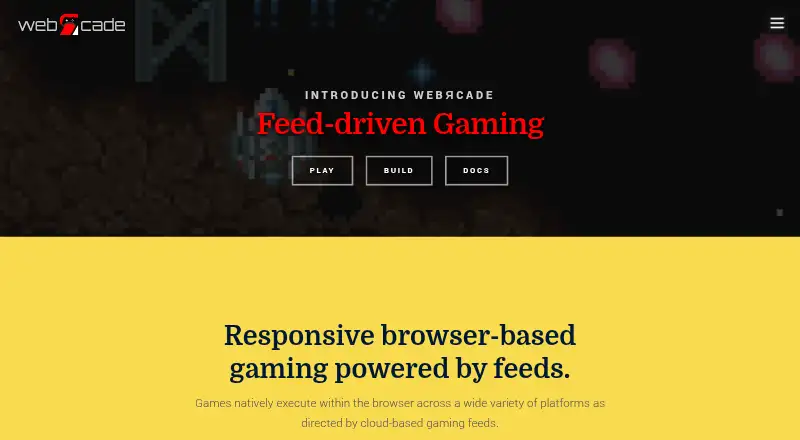
webЯcade is a free, open-source browser player for gaming content arranged in user-defined feeds.
What webЯcade is
webЯcade is a free, open-source browser player for gaming content arranged in user-defined feeds. Games run in the browser through JavaScript, WebAssembly, and HTML5 gamepad and audio interfaces rather than being streamed. Its graphical feed editor lets you build feeds without handling the underlying document format, and a ROM analyzer can identify application types and associated metadata and artwork. Supported content includes emulators and game engines, with examples such as Atari, Nintendo, Sega, Doom, Quake, and ScummVM. USB and Bluetooth gamepads work for navigation and gameplay. Most emulator-based applications offer eight save-state slots per game. Optional Dropbox linking can share save data and settings across devices and let the feed editor upload local files; access is limited to the Dropbox account’s /Apps/webrcade folder. Single-item links can be shared, added to mobile home screens, or embedded in web pages. webЯcade prioritizes popular-content compatibility and lower resource requirements over the latest emulator features.
Good
- Free and open-source.
- Feed editor creates feeds without document-format knowledge.
- ROM analyzer identifies application types and metadata.
- Eight save-state slots for most emulator-based applications.
- Single-item links can be shared or embedded.
Watch out
- Locally stored game content is not a primary focus.
- Touch-based virtual gamepad controls are not a primary focus.
- Dropbox access is limited to /Apps/webrcade.
Who it suits
webЯcade suits people who want to organize browser-playable gaming content into custom feeds and use a gamepad. It may also suit users who want to share single-item links or sync saves and settings through Dropbox.
Verdict
webЯcade combines feed-based game organization with browser execution and optional Dropbox sharing. Its stated focus is popular-content compatibility and low resource use, rather than the newest emulator capabilities.
Plans and prices
From webЯcade's own pricing page, checked 15 Oct 2026.
| Plan | Price | What it gives you |
|---|---|---|
| Free | Free | Browser-based access · user-provided feeds/content · Dropbox required for cloud uploads and save states · No paid tier; contributions optional |
| Free and open-source | Free | No paid plans or usage limits stated |
The facts
Each one read from webЯcade's own pages, with the date it was checked.
Where it runs
- Applications
- Supported application categories include emulators and game engines, with examples including Atari, Nintendo, Sega, Doom, Quake, and ScummVM.checked 30 Sep 2026
What it does
- Cheats
- Supported systems can use RetroArch-format cheat files or the built-in cheat database.checked 15 Oct 2026
- Compatibility focus
- The project emphasizes compatibility with popular content across platforms while minimizing resource requirements, rather than the latest emulator features and compatibility.checked 30 Sep 2026
- Controllers
- USB and Bluetooth gamepads are supported for front-end navigation and gameplay.checked 30 Sep 2026
- Controller support
- Bluetooth and USB gamepads work for both menu navigation and gameplay.checked 15 Oct 2026
- Default catalogue
- The public default feed contains publicly available games and demos for Atari, Nintendo and Sega systems.checked 15 Oct 2026
- Documentation depth
- Documentation includes user guides, platform setup, controller pairing, application mappings, feed creation and deployment instructions.checked 15 Oct 2026
- Drag and drop
- Users can drag URLs, files and folders into the editor; local-file drops upload through linked Dropbox storage.checked 15 Oct 2026
- Dropbox access
- When linked, webЯcade is restricted to the Dropbox account's /Apps/webrcade folder.checked 30 Sep 2026
- Dropbox integration
- Dropbox is the current cloud-storage integration and is restricted to the /Apps/webrcade folder.checked 15 Oct 2026
- Execution
- Games run in the browser using JavaScript, WebAssembly, and HTML5 gamepad and audio interfaces rather than being streamed.checked 30 Sep 2026
- Execution technology
- The player runs JavaScript and WebAssembly in the browser and uses HTML5 audio and gamepad interfaces.checked 15 Oct 2026
- Feed editor
- The editor can analyze ROM URLs, infer applications and metadata, and create feed items from URLs, Dropbox files or local files.checked 15 Oct 2026
- Feed model
- Feeds define game binaries, artwork, metadata and the application type used to launch each item.checked 15 Oct 2026
- HTTPS requirement
- HTTPS is recommended for full application compatibility because DOS and some other applications rely on browser multithreading features.checked 15 Oct 2026
- Independent assessment
- Unstore characterized webЯcade as a console-style launcher with curated, legally distributed games and a self-host option for adding libraries.checked 15 Oct 2026
- Integrations
- Optional Dropbox linking supports sharing save data and settings across devices and uploading local files from the feed editor.checked 30 Sep 2026
- Latest release
- GitHub lists version 0.2.3, released July 18, 2026, adding Bally Astrocade, Philips CD-i, Apple II and Apple IIGS emulators plus Nintendo DS homebrew SD-card support.checked 15 Oct 2026
- Licence
- The main webЯcade repository is licensed under Apache License 2.0.checked 15 Oct 2026
- Limit: catalogue size
- Unstore said webЯcade's curated catalogue is smaller than a personal ROM collection and that self-hosting is needed for personal libraries.checked 15 Oct 2026
- Limit: compatibility scope
- Microsiervos cautioned that webЯcade is not designed for maximum emulator performance and will not run every older ROM correctly.checked 15 Oct 2026
- Limit: content setup
- A Reddit commenter reported that an iCloud-hosted feed did not work and that a Dropbox feed produced a black screen for a non-default game.checked 15 Oct 2026
- Limit: feed workflow
- A Reddit user initially could not see saved feed changes in the player and had to export the feed and import it again.checked 15 Oct 2026
The company
- Company identity
- The project presents itself as the webЯcade open-source project and publishes the contact address [email protected]; no legal company name, headquarters or founding year is stated on the reviewed official pages.checked 15 Oct 2026
The full review of webЯcade
Overview
webЯcade is a browser-based player for games and other supported gaming applications, arranged in feeds users define. It best suits people who want a curated, shareable collection that runs in a browser across devices, rather than a locally focused setup. Its strength is approachable organization and broad popular-content compatibility; its trade-off is a deliberate emphasis on low resource use over the newest emulator features.
Key features
Games execute in the browser with JavaScript, WebAssembly, and HTML5 gamepad and audio interfaces; they are not streamed. That makes browser access the core of the experience, while people who prioritize playing locally stored games directly may find the design less suited to them. USB and Bluetooth gamepads work for navigation and gameplay, but touch-based virtual gamepad controls are not a primary focus.
The graphical feed editor creates collections without requiring users to work in the underlying document format. Its ROM analyzer can identify an application type and associated metadata and artwork, reducing manual catalog work. Supported categories span emulators and game engines, with examples including Atari, Nintendo, Sega, Doom, Quake, and ScummVM.
Optional Dropbox linking can share save data and settings across devices, and lets users upload local files through the editor. Access is limited to the Dropbox account’s /Apps/webrcade folder. Most emulator-based applications support save states, with eight slots per game. Stand-alone links can be shared, added to iOS or Android home screens, or embedded in a web page, making individual items easier to distribute than a feed alone.
Pricing
webЯcade is free and open source. The Free and open-source plan costs nothing, and there is no trial or paid plan to weigh against it. No usage caps are stated. The maker says the project will remain free and open source, with contributions appreciated but never expected.
Platforms
webЯcade supports Android, iOS, macOS, web, and Windows. The listed supported-platform category is web, consistent with its browser-based execution; Dropbox linking can carry saves and settings across devices. Popular-content compatibility and modest resource requirements are the stated priorities, not the latest emulator capabilities or compatibility. Those seeking advanced or cutting-edge emulation should consider a more specialized option.
Who it's for
Choose webЯcade if you want to organize supported games in feeds, build them with a graphical editor, and share individual entries or synchronize saves and settings through Dropbox. It is less compelling if your priority is direct local playback or touch-first controls, or if you need the newest emulator features. Questions, bug reports, and feature requests are directed to Discord, GitHub Issues, and GitHub Discussions.
Pros and cons
- Pro: The feed editor and ROM analyzer lower the effort of organizing collections by helping identify application types, metadata, and artwork.
- Pro: Browser execution, controller support, and shareable stand-alone links suit collections used across devices.
- Pro: Dropbox syncing and eight save-state slots per game support continuity, with Dropbox access confined to a dedicated app folder.
- Con: Direct local-content playback and virtual touch controls are not core priorities, limiting its fit for those play styles.
- Con: The focus on popular compatibility and low resource use means it is not aimed at the latest emulator features and compatibility.
Alternatives
For a free, open-source option with Android, iOS, Linux, macOS, web, and Windows platforms, consider RetroArch; its project dates to 2012. Choose MAME for a free option on Android, Linux, macOS, or Windows, bearing in mind ROMs and copyrighted software are generally not included. ClassicBoy Pro is an Android and Windows alternative with a free version that includes on-screen buttons and gamepad mapping.
Gearlynx is another free option, with platforms spanning Android, iOS, Linux, macOS, web, Windows, extensions, API, and self-hosted use. Pick ares for a free, open-source multi-system emulator on Linux, macOS, or Windows. ROCKNIX is a free Linux and self-hosted alternative, provided as-is with device-specific support. higan is free software for Linux, macOS, and Windows, with no warranty. Choose BizHawk for a free MIT-licensed emulator with Windows and Unix releases.
For category-specific comparisons, see TurboGrafx-16 Emulators and Sega CD Emulators.
Verdict
webЯcade is a strong fit for players who value browser-based access, feed organization, and easy sharing more than the newest emulator capabilities. Its free, open-source model and useful editor make it easy to choose for popular content; look elsewhere if local playback, touch controls, or cutting-edge emulation are central to your setup.
Getting started
- Open https://www.webrcade.com/ in a browser.
- Use the graphical feed editor to create a feed.
- Optionally link Dropbox for shared saves and settings or local-file uploads.
- Use a USB or Bluetooth gamepad for navigation and gameplay.
- Share a stand-alone link, add it to an iOS or Android home screen, or embed it in a web page.
Questions
Does webЯcade cost anything?
It is free and open-source, with a listed plan price of no cost.
Which platforms are listed?
The platform list includes Android, iOS, macOS, web, and Windows. The project also describes itself as browser-based.
Does webЯcade stream games?
No. Games run in the browser using JavaScript, WebAssembly, and HTML5 gamepad and audio interfaces.
Can it use Dropbox?
Dropbox linking is optional and supports sharing save data and settings across devices, as well as uploading local files from the feed editor. Linked access is limited to the account’s /Apps/webrcade folder.
Is webЯcade open source?
Yes. The maker says it is free and open-source and will remain so.
What support channels does the project point to?
It directs users to Discord, GitHub Issues, and GitHub Discussions for community, questions, bug reports, and feature requests.
Alternatives to webЯcade
- 1
Manic EMU
Free planOpen sourceiOSmacOSSelf-hosted8.2Free plan - 2

Provenance
Free planOpen sourceiOSmacOS8.2From $39.99 a year - 3
RetroArch
Free planAndroidiOSWebLinux7.7Free plan - 4
ares
Free planOpen sourceLinuxmacOSSelf-hostedWindows7.5Free plan - 5

OpenEmu
Free planOpen sourcemacOS7.3Free plan - 6
MAME
Free planAndroidLinuxmacOSWindows7.1Free plan