Wave Subs
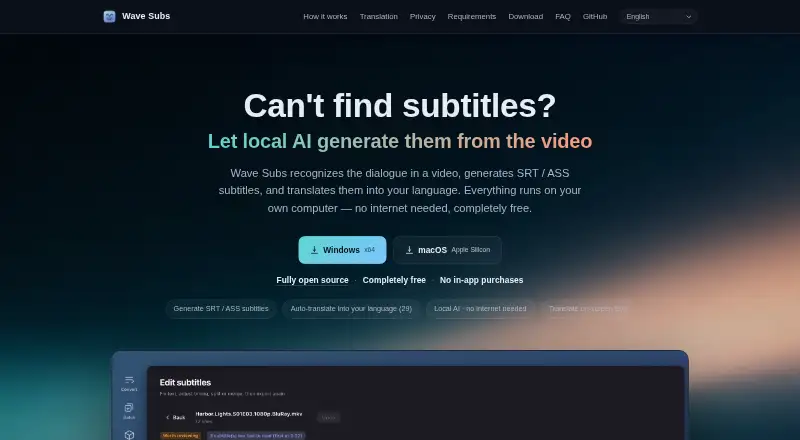
Wave Subs is a free subtitle app for macOS and Windows that recognizes dialogue in video, creates SRT or ASS subtitles, and translates them.
What Wave Subs is
Wave Subs is a free subtitle app for macOS and Windows that recognizes dialogue in video, creates SRT or ASS subtitles, and translates them. Speech recognition runs locally with whisper.cpp and detects the spoken language automatically. Translation offers 29 target languages, using a local Qwen3 model by default, with OpenAI-compatible interfaces also supported. The editor lets users change text and timing, add, delete, or merge lines, undo edits, and save automatically. A folder of files can be processed with shared settings, while subtitle track, audio track, or engine can be adjusted for individual files. The macOS version can also recognize and translate visible text in video, such as signs and messages. Inputs include MKV, MP4, MOV, TS, AVI, and audio files. After model downloads, recognition, alignment, translation, editing, and export can work offline. The site says video is never uploaded and the app has no account, analytics, or server. Wave Subs costs nothing, with no usage limits or membership; cloud translation may incur provider fees.
Good
- Recognizes speech locally with whisper.cpp
- Supports 29 target languages
- Can process folders of files
- Works offline after model downloads
Watch out
- Intel Macs are not supported
- Windows speech recognition runs on the CPU
- Cloud translation may incur provider fees
Who it suits
Wave Subs suits people who want to create or translate subtitles locally on macOS or Windows. It may be useful for batch work, offline workflows after model downloads, or translating visible video text on macOS.
Verdict
Wave Subs combines local speech recognition, subtitle editing, translation, and batch processing, with offline use after model downloads. Check the system requirements before choosing it, and note that optional cloud translation can result in provider charges.
Plans and prices
From Wave Subs's own pricing page, checked 12 Oct 2026.
| Plan | Price | What it gives you |
|---|---|---|
| Free | Free | No usage limits · no membership · optional cloud translation may incur provider fees · Permanent; no usage limits or membership |
The facts
Each one read from Wave Subs's own pages, with the date it was checked.
What it does
- Batch processing
- Users can process a folder of files with shared settings and adjust subtitle track, audio track, or engine for individual files.checked 12 Oct 2026
- Editing
- Its subtitle editor can change text and timing, add, delete, or merge lines, undo edits, and save automatically.checked 12 Oct 2026
- Offline use
- After model downloads, recognition, alignment, translation, editing, and export can work offline.checked 12 Oct 2026
- Privacy
- The site says videos are never uploaded and the app has no account, analytics, or server; processing runs locally.checked 12 Oct 2026
- Speech recognition
- It uses whisper.cpp locally to recognize speech and automatically detect its language.checked 12 Oct 2026
- Subtitle export
- other formatschecked 22 Sep 2026
- Supported systems
- Downloads are offered for macOS 12 or later on Apple Silicon and Windows 10 or later x64; Intel Macs are not supported.checked 12 Oct 2026
- Translation
- It offers 29 target languages, uses a local Qwen3 model by default, and supports OpenAI-compatible interfaces.checked 12 Oct 2026
- Video and audio formats
- The site lists MKV, MP4, MOV, TS, and AVI video, as well as audio files, as supported inputs.checked 12 Oct 2026
- Video text translation
- The macOS version can recognize and translate text shown in the video, such as signs and messages.checked 12 Oct 2026
- What it does
- Wave Subs recognizes dialogue in video, creates SRT or ASS subtitles, and can translate them.checked 12 Oct 2026
Money
- Cloud translation costs
- If users choose cloud translation, the translation provider charges them directly.checked 12 Oct 2026
- Free plan
- Yeschecked 22 Sep 2026
The company
- Maker
- The site footer identifies Jiesi Ma as the maker; it does not state a headquarters or founding date.checked 12 Oct 2026
Where it runs
- Windows requirement
- The Windows download page recommends 16 GB of memory and says speech recognition runs on the CPU.checked 12 Oct 2026
Alternatives to Wave Subs
- 1

Captions
Free planAndroidiOSWebAPI9.1From $4.99 a month - 2

Whisper
Free planOpen sourceAPILinuxmacOSSelf-hosted8.9$0.01 usage-based - 3

SRTGen
Free planWebAPI8.3From $4 a month - 4
Fluen AI Subtitle Generator
Free planWebAPIExtensionmacOS8.2Free plan - 5
ZapCap
Free planAndroidiOSWebAPI8.1From $8 a month - 6
ngram
Free planWebAPIExtension8.1From $29 a month