
Vivid Walls
Vivid Walls is a macOS app for using Wallpaper Engine scene files and setting video, web, GIF, and image wallpapers.
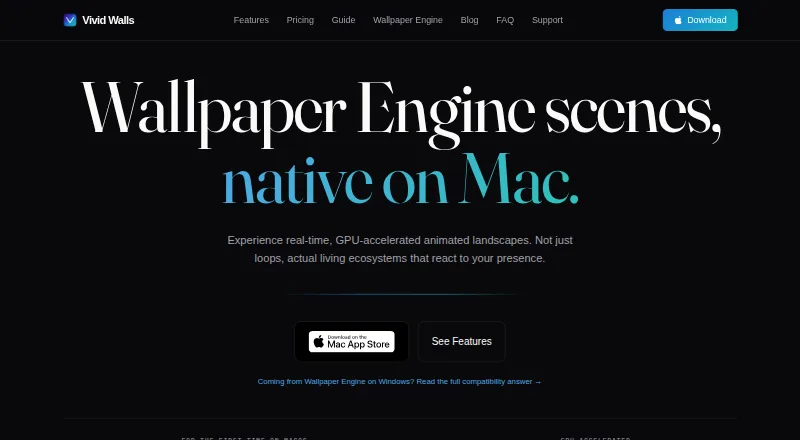
What Vivid Walls is
Vivid Walls is a macOS app for using Wallpaper Engine scene files and setting video, web, GIF, and image wallpapers. Its scene engine renders on Apple Silicon, and wallpapers can react to cursor movement, clicks, system audio, or focus modes. You can span a scene across multiple displays or assign separate scenes, then schedule them by time of day or focus mode. To limit resource use, the app pauses when the desktop is fully covered or an app is fullscreen, lowers its frame rate on battery, and respects Low Power Mode. Eight animated 1080p wallpapers are added to the library on first launch. A free Windows Companion can transfer a Wallpaper Engine library to the Mac over local Wi-Fi using a four-character code. The free plan keeps the bundled wallpapers; the full library costs $9.99 USD one-time. The app requires macOS 14.0 or later and Apple Silicon M1 or later, so Intel Macs are unsupported. The maker says some scenes may have rendering issues.
Good
- Supports video, web, GIF, and image wallpapers.
- Can set different scenes across multiple displays.
- Schedules scenes by time or focus mode.
- Includes eight animated 1080p wallpapers free.
- Pauses when covered or another app is fullscreen.
Watch out
- Requires macOS 14.0 or later.
- Requires Apple Silicon M1 or later; Intel Macs are unsupported.
- Some scenes may have rendering issues.
- Full library costs $9.99 USD one-time.
Who it suits
Vivid Walls suits Apple Silicon Mac users who want animated, video, web, GIF, or image wallpapers, including across multiple displays. It may also suit people moving a Wallpaper Engine library from Windows.
Verdict
Vivid Walls offers responsive and schedulable wallpapers, plus a free set of eight animated options. Confirm your Mac meets the system requirements and note that some scenes may not render as intended.
Plans and prices
From Vivid Walls's own pricing page, checked 15 Oct 2026.
| Plan | Price | What it gives you |
|---|---|---|
| Free | Free | Eight included animated wallpapers · 3-day full-app trial · video, web, GIF and image wallpapers |
| Full Library | $9.99, paid once | Unlocks imported Wallpaper Engine scenes and user wallpapers permanently · no subscription · one-time in-app purchase |
The facts
Each one read from Vivid Walls's own pages, with the date it was checked.
What it does
- API and SDKs
- The opened product materials describe file importing and a Windows companion but provide no public API, SDK or self-hosting instructions.checked 15 Oct 2026
- Audio reactivity
- Audio-reactive scenes can respond to system audio, while audio is processed locally and is not recorded or transmitted.checked 15 Oct 2026
- Battery and performance
- The app pauses when a desktop is fully covered or an app goes fullscreen, reduces frame rate on battery, and respects Low Power Mode.checked 29 Sep 2026
- Battery controls
- On battery the app can reduce rendering to 15 FPS or pause entirely, and it can pause for fullscreen apps, idle time and thermal pressure.checked 15 Oct 2026
- Bundled wallpapers
- Eight animated 1080p wallpapers load into the library on first launch without requiring a Windows PC.checked 29 Sep 2026
- Compatibility limit
- The maker says most supported Wallpaper Engine scenes render correctly, but some scenes may have rendering issues because of their varied effects and content.checked 29 Sep 2026
- Data handling
- Imported wallpaper files remain in the Mac app sandbox, and the maker says it does not upload, scan or analyze the library.checked 15 Oct 2026
- Displays and playlists
- Users can set spanned or independent scenes across multiple displays and schedule scenes by time of day or focus modes.checked 29 Sep 2026
- Documentation
- Official documentation consists of setup, compatibility, import, battery and FAQ guides plus email support.checked 15 Oct 2026
- GIF and image support
- GIFs and still images including PNG, JPEG, HEIC and WebP can be used as wallpapers.checked 15 Oct 2026
- GPU engine
- The maker describes procedural GPU rendering, real-time shaders, particles and dynamic lighting.checked 15 Oct 2026
- Included wallpapers
- Eight animated 1080p wallpapers are installed on first launch: City Lights, Aurora Scene, Beach Scene, Cherry Blossom, Fireplace HD, Nebula Journey, Rainy Street and Dense Forest.checked 15 Oct 2026
- Interactions
- Wallpapers can react to cursor movement, clicks, system audio, and focus modes.checked 29 Sep 2026
- License
- The terms grant a limited, non-exclusive, non-transferable license for use on Apple devices and prohibit reverse engineering, so the app is proprietary rather than open source.checked 15 Oct 2026
- Limit: crash recovery
- A scene that crashes during startup can leave the app repeatedly crashing until the remembered active-wallpaper state is cleared in Terminal.checked 15 Oct 2026
- Limit: hardware
- Intel Macs, iPhone and iPad are unsupported, and the maker says no iOS or iPadOS version is in progress.checked 15 Oct 2026
- Limit: import defect
- Dragging a folder onto the app window can silently do nothing; the documented workaround is using the Import Wallpapers button.checked 15 Oct 2026
- Limit: independent testing
- Gadget Hacks reported that independent testing confirmed video import but did not confirm reproduction of interactive scenes, and noted incomplete SceneScript, 3D-model and executable-wallpaper support.checked 15 Oct 2026
- Limit: scene compatibility
- The maker acknowledges that some scenes have wrong colors, missing effects, incomplete animation or black screens, especially complex scripted scenes.checked 15 Oct 2026
- Local audio processing
- Optional system audio is processed locally in real time and is not recorded, stored, or transmitted; the app says it never uses the microphone.checked 29 Sep 2026
- Localization
- The interface is available in English, German, French, Spanish, Portuguese, Japanese, Korean, Simplified Chinese and Traditional Chinese.checked 15 Oct 2026
- Lock-screen support
- Lock-screen wallpapers are exported as 4K HEVC video for macOS's aerial-wallpaper catalog rather than drawn directly by the app.checked 15 Oct 2026
Where it runs
- App Store review praise
- The visible App Store reviewer praised importing PC Wallpaper Engine backgrounds to Mac without making the computer laggy.checked 15 Oct 2026
The company
- Limit: Steam Workshop
- Vivid Walls cannot browse or download Steam Workshop wallpapers; users must already own Wallpaper Engine content or supply compatible files.checked 15 Oct 2026
The full review of Vivid Walls
Overview
Vivid Walls brings Wallpaper Engine scene files and several other wallpaper formats to compatible Apple Silicon Macs. It is best suited to Mac owners who want animated, responsive backgrounds or are moving an existing Windows wallpaper library. Its strongest case is breadth of scene controls; its biggest caveat is that some imported scenes may not render properly.
The app also supports video, web, GIF, and image wallpapers, with scenes rendered natively through a Metal engine. Eight animated 1080p wallpapers are added on first launch, so you can start without a Windows PC or an existing collection. A free Windows Companion can transfer a Wallpaper Engine library to the Mac over local Wi-Fi using a four-character code.
Compatibility is limited to Apple Silicon Macs with macOS 14.0 or later; Intel Macs are not supported. The maker says most supported Wallpaper Engine scenes render correctly, but varied effects and content can cause problems with some scenes.
Key features
Responsive scenes and scheduling
Wallpapers can react to cursor movement, clicks, system audio, and focus modes. That gives Vivid Walls more flexibility than a simple rotating-background tool, particularly for users who want the desktop to respond to activity. Optional audio processing happens locally in real time; it is not recorded, stored, or transmitted, and the app says it never uses the microphone.
For multi-display setups, you can span one scene across screens or assign separate scenes to different displays. Scheduling can change scenes by time of day or focus mode, which suits people who want their desktop to shift automatically with their routine.
Performance and privacy
Vivid Walls pauses when the desktop is fully covered or an app enters fullscreen, lowers its frame rate on battery, and respects Low Power Mode.
The maker says the app collects no personal information, usage data, analytics, telemetry, or crash reports, and imported wallpaper files stay on the Mac. No account, license key, or activation server is required. Users can email [email protected] about compatibility, bugs, questions, or feature requests.
Pricing
The Free plan costs nothing and includes the Mac app with eight bundled wallpapers that remain free. It is a straightforward way to use the starter collection, but it does not unlock the full wallpaper library.
Full Library costs $9.99, paid once as a one-time in-app purchase and unlocks the full wallpaper library. That is the relevant choice for people who want the broader library rather than only the eight included scenes. A 3-day trial is also offered; no recurring renewal is stated.
Platforms
Vivid Walls is a macOS app, requiring macOS 14.0 or later and an Apple Silicon Mac with an M1 chip or newer. Windows appears only as the platform for the free Companion used to transfer a Wallpaper Engine library; the app itself does not support Intel Macs.
Who it's for
Choose Vivid Walls if you have a compatible Apple Silicon Mac and want interactive scenes, video or other animated wallpaper formats, multi-monitor arrangements, or scheduled changes. It is especially relevant if you already have Wallpaper Engine scenes on Windows and want a local Wi-Fi transfer path. Look elsewhere if you use an Intel Mac, need guaranteed rendering for every particular scene, or want a broader platform fit.
Pros and cons
Pros
- Broad wallpaper support: Wallpaper Engine scenes, video, web, GIF, and image wallpapers give users several ways to customize the desktop.
- Useful control over multiple screens: Spanned or independent scenes and time- or focus-based scheduling reduce the need to manage displays manually.
- Free starting library and transfer tool: Eight animated 1080p wallpapers work without a Windows PC, while the Companion can move an existing library.
- Local-first privacy claims: The maker says there is no tracking or collection of personal or usage data, and imported files remain on the Mac.
Cons
- Strict Mac requirements: macOS 14.0 and Apple Silicon are required, leaving Intel Mac owners out.
- Scene compatibility can vary: Some Wallpaper Engine scenes may have rendering issues, so a particular favorite is not guaranteed to work as intended.
- Free tier is limited to eight bundled wallpapers: Access to the full wallpaper library requires the 9.99 USD one-time purchase.
Alternatives
Desktop Wallpaper Software is the broader category for comparing wallpaper tools across platforms and approaches.
DesktopHut is a better fit for someone who wants a free option spanning Windows, macOS, Android, web, and browser extension; its listed Studio Free plan is for Windows 10/11 and has no premium tier.
Waypaper suits users who prefer a free, open-source GUI wallpaper setter on Linux or macOS and can provide a compatible wallpaper backend.
PUSH Video Wallpaper is worth considering for Windows users: its free version enables all features but includes a visible watermark, while its Home License is a one-time perpetual license for home use on up to five PCs.
Lively Wallpaper is a free, open-source Windows alternative for users on Windows 10 1903 or later.
Plash is a free Mac-only option, but requires macOS 26.4 or later.
Palace is an alternative for users who want coverage across Android, iOS, Linux, macOS, web, and Windows, with a lifetime license priced at $4, paid once.
Day & Night is a macOS alternative for time-based wallpaper changes, with a free plan for custom refresh intervals and a 0.99 USD one-time Premium plan that adds running scripts on cycle changes and multi-monitor support.
LearnWell Languages is listed as another alternative.
Verdict
Vivid Walls is a strong choice for Apple Silicon Mac owners who want reactive scenes, multi-display control, scheduling, and a direct route for bringing over Wallpaper Engine libraries. The free eight-wallpaper set makes it easy to start, and the 9.99 USD one-time purchase unlocks the full library without a stated subscription renewal. Choose something else if you use an Intel Mac or cannot accept the possibility that a particular scene will render incorrectly.
Alternatives to Vivid Walls
- 1

Backdrops
Free planAndroidiOSWebmacOS8.0$1.99 one-time - 2

DesktopHut
Free planAndroidWebExtensionmacOS7.3Free plan - 3
Hydra
Free planOpen sourceWebAPILinuxSelf-hosted7.3Free plan - 4
EarthDesk
iOSmacOSWindows7.2From $14.99 a year - 5
Day & Night
Free planmacOS7.1$0.99 one-time - 6

Lively Wallpaper
Free planOpen sourceAPIWindows7.0Free plan