
Lively Wallpaper
Lively Wallpaper is a free, open-source application for animated wallpapers on Windows.
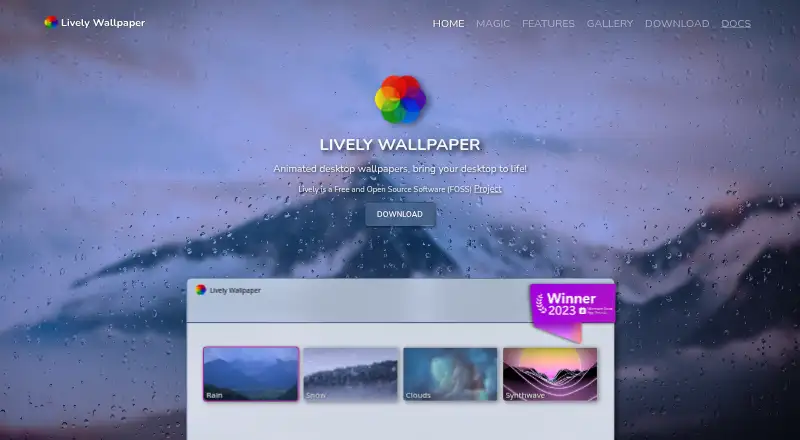
What Lively Wallpaper is
Lively Wallpaper is a free, open-source application for animated wallpapers on Windows. It can display video and GIF wallpapers through mpv or VLC, with filters and hardware acceleration, and can load HTML files or web addresses that run WebGL and JavaScript content. Other options include GLSL shaders, Shadertoy URLs, video streams, and Unity or Godot games; support for GUI applications as wallpapers is limited. Wallpapers can span or duplicate across any number of monitors, including HiDPI and ultrawide displays, and any wallpaper can be used as a Windows screensaver. The application supports command-line control and pairing with third-party scripting software such as AutoHotkey. Playback pauses when fullscreen applications or games run, reaching approximately 0% CPU and GPU usage. Lively says it does not collect, store, or share personal information, while operational window and process data stays local. The listed plan requires Windows 10 version 1903 or later and a 64-bit installer; only the latest release receives security patches.
Good
- Free and open source
- Supports video, GIF, web, and shader wallpapers
- Spans or duplicates wallpapers across any number of monitors
- Wallpapers can also serve as screensavers
- Playback pauses with fullscreen applications or games
Watch out
- Requires Windows 10 version 1903 or later
- Only the latest release receives security patches
- GUI applications have limited wallpaper support
Who it suits
Lively Wallpaper suits Windows users who want animated wallpapers across one or more monitors, including options based on video, web content, or shaders. Its command-line controls may suit users who want to pair it with scripting software.
Verdict
Lively Wallpaper offers several wallpaper formats and multi-monitor arrangements, with playback pausing during fullscreen use. Check the Windows requirement and security-patch policy before choosing it.
Plans and prices
From Lively Wallpaper's own pricing page, checked 15 Oct 2026.
| Plan | Price | What it gives you |
|---|---|---|
| Lively Wallpaper | Free | No paid tiers or feature paywalls stated · Windows desktop software |
The facts
Each one read from Lively Wallpaper's own pages, with the date it was checked.
Where it runs
- Application wallpapers
- Unity or Godot applications and games can run as interactive wallpapers in the installer build.checked 15 Oct 2026
- Machine learning
- The project documents machine-learning inference for creating dynamic wallpapers.checked 15 Oct 2026
- Rating on Apple App Store
- 3.9 out of 5 from 155 ratingschecked 15 Oct 2026
What it does
- Automation
- Command-line controls allow terminal automation and integration with Python or AutoHotKey.checked 15 Oct 2026
- Changelog news
- The 29 November 2025 beta update added libVLC, wallpaper search by tag and description, a lock-screen restart option, dependency security updates and Windows 10 crash fixes.checked 15 Oct 2026
- Developer API
- The API exposes hardware readings, audio graphs and music information for interactive wallpapers.checked 15 Oct 2026
- Distribution difference
- The Microsoft Store build does not support application or game wallpapers or additional wallpaper plugins, and screensavers require the app to remain running.checked 15 Oct 2026
- Documentation depth
- The GitHub wiki includes getting-started, video, API, interaction, system-data, command-line, building and troubleshooting guides.checked 15 Oct 2026
- Game integrations
- Lively supports Unity and Godot games as wallpapers and has limited support for GUI applications as wallpapers.checked 30 Sep 2026
- Independent recommendation
- Cinco Días recommends Lively as a free, open-source way to add live wallpapers to Windows 11.checked 15 Oct 2026
- License
- The source code is released under the GNU GPL version 3.checked 15 Oct 2026
- Limit: memory usage
- Windows Central measured about 245.5–255 MB RAM for ordinary use and about 800 MB with a YouTube video wallpaper.checked 15 Oct 2026
- Limit: rendering issue
- MemstechTips reports occasional wallpaper rendering failures on Windows 11 24H2 and 25H2 after installation.checked 15 Oct 2026
- Limit: YouTube experience
- Windows Central found YouTube wallpapers awkward because users must deal with ads and maximize the video.checked 15 Oct 2026
- Multi-monitor
- Lively supports any number of monitors, spanning or duplicating wallpapers and supporting HiDPI and ultrawide resolutions.checked 30 Sep 2026
- Open source
- Lively is Free and Open Source Software (FOSS).checked 30 Sep 2026
- Pause behavior
- Playback can pause for fullscreen apps, foreground applications, battery power and remote-desktop sessions.checked 15 Oct 2026
- Performance
- Wallpaper playback pauses when fullscreen applications or games run, reaching approximately 0% CPU and GPU usage.checked 30 Sep 2026
- Praise: customization
- Independent coverage highlights support for GIFs, videos, webpages, multi-monitor setups and user-added wallpapers.checked 15 Oct 2026
- Privacy
- The application says it does not collect, store, or share personal information; operational window and process data is kept local.checked 30 Sep 2026
- Purpose
- Lively is an animated desktop wallpaper application.checked 30 Sep 2026
- Rating on Microsoft Store
- 4.5 out of 5 from 6,319 reviewschecked 15 Oct 2026
The company
- Maker identity
- LinkedIn lists Lively Wallpaper as a self-employed software-development operation with one employee, Dani John.checked 15 Oct 2026
Money
- Praise: free and open source
- Windows Central and MemstechTips praise the product for being free, open source and a strong alternative to paid Wallpaper Engine.checked 15 Oct 2026
The full review of Lively Wallpaper
Overview
Lively Wallpaper is a free, open-source app for animated Windows desktop backgrounds. It is best suited to Windows users who want to use video, web content, or interactive creations as wallpaper, including across multiple monitors. Its format range and automation options stand out, while its Windows requirement and latest-release-only security patches narrow its appeal.
Key features
Video and GIF wallpapers run through mpv or VLC, with filters and hardware acceleration. That covers familiar media formats and offers playback flexibility; users looking for a broad wallpaper library rather than tools for bringing their own media should consider whether this format-first approach fits.
Lively can use HTML files and web addresses as wallpapers, including content built with WebGL and JavaScript. It also runs GLSL shaders in a browser and accepts Shadertoy.com URLs. Unity and Godot games can serve as wallpapers too, though GUI application support is limited, making that a less reliable route for turning ordinary desktop software into a background.
For streams, users can drop in a link, adjust video quality, and have wallpaper data filled in automatically. Any wallpaper can also be set as a Windows screensaver, including on multiple monitors.
Multi-monitor support covers any number of displays, with the choice to span or duplicate wallpapers and support for HiDPI and ultrawide resolutions. That makes Lively a strong fit for varied or expansive desktop setups. Playback pauses when a fullscreen app or game is running, bringing CPU and GPU usage to approximately 0%; this is a useful safeguard for gaming and fullscreen work.
Command-line controls can be paired with third-party scripting tools such as AutoHotkey. The Lively API exposes system information, an audio graph, and music information for interactive wallpapers, giving technically minded users ways to build responsive backgrounds. The app says personal information is not collected, stored, or shared; operational window and process data stays local. Security patches go only to the latest release, so users who need ongoing protection should keep current.
Pricing
Lively Wallpaper costs nothing. The free plan includes the Windows 64-bit installer for Windows 10 1903 or above, with no paid tier or recurring cost described. It is a straightforward choice for eligible Windows users who want animated or interactive wallpapers without a subscription. The trade-off is platform reach: Lively is for Windows, not a cross-platform option.
Platforms
Lively runs on Windows, with a Windows 64-bit installer requiring Windows 10 1903 or above. Its multi-monitor support includes spanning or duplicating wallpaper across displays, HiDPI, and ultrawide resolutions.
Who it's for
Choose Lively if you use Windows and want to turn video, streams, web pages, shaders, or supported games into desktop backgrounds, especially on multiple monitors. Its API and command-line controls also suit users who want to script or build interactive wallpaper behavior. It is a poor fit if you need macOS, Linux, or mobile support, or if staying on an older release is necessary while still receiving security patches.
Pros and cons
- Pros: Free and open source, with video, GIF, web, shader, and supported game wallpapers.
- Pros: Supports any number of monitors, including spanning or duplicated layouts and HiDPI and ultrawide resolutions.
- Pros: Pauses playback in fullscreen use, with approximately 0% CPU and GPU usage.
- Cons: Windows-only, with Windows 10 1903 or above required for the installer.
- Cons: Only the latest release receives security patches.
- Cons: GUI applications have limited support as wallpapers, so this is not a dependable general-purpose desktop-app background feature.
Alternatives
Desktop Wallpaper Software is a useful starting point for comparing wallpaper apps by category.
For a free option spanning Windows, macOS, Android, web, and extensions, consider DesktopHut; its Studio Free plan is a no-subscription Windows 10/11 64-bit option. Mac users can try Vivid Walls, which keeps eight bundled wallpapers free and offers a 9.99 USD one-time purchase for its full library. Palace is a paid alternative with a lifetime license listed at 4.00 USD once across six platforms; its Google Play plan is 7.99 USD once.
Windows users who want a free version with all features enabled but can accept a visible watermark may prefer PUSH Video Wallpaper; its Home License is a one-time payment for up to five PCs. For Linux or macOS users, Waypaper is a free, open-source GUI wallpaper setter that requires a compatible wallpaper backend. Wallpaper Engine is a paid Windows and Android alternative at 4.99 USD once; Windows wallpaper downloads, uploads, and updates use Steam.
Mac users seeking a free option can also consider Plash, which requires macOS 26.4 or later. Fresco is another free option for Linux.
Verdict
Lively Wallpaper is an easy recommendation for Windows users who want a no-cost, open-source way to put varied media and interactive content on the desktop, particularly across multiple monitors. Its fullscreen pause and scripting options add practical flexibility. Look elsewhere if you need another operating system, and keep Lively updated if security patches matter.
Alternatives to Lively Wallpaper
- 1

Backdrops
Free planAndroidiOSWebmacOS8.0$1.99 one-time - 2

Vivid Walls
Free planWebmacOSWindows7.5$9.99 one-time - 3

DesktopHut
Free planAndroidWebExtensionmacOS7.3Free plan - 4
Hydra
Free planOpen sourceWebAPILinuxSelf-hosted7.3Free plan - 5
EarthDesk
iOSmacOSWindows7.2From $14.99 a year - 6
Day & Night
Free planmacOS7.1$0.99 one-time