Waypaper
Waypaper is a graphical wallpaper setter for Linux window managers and macOS.
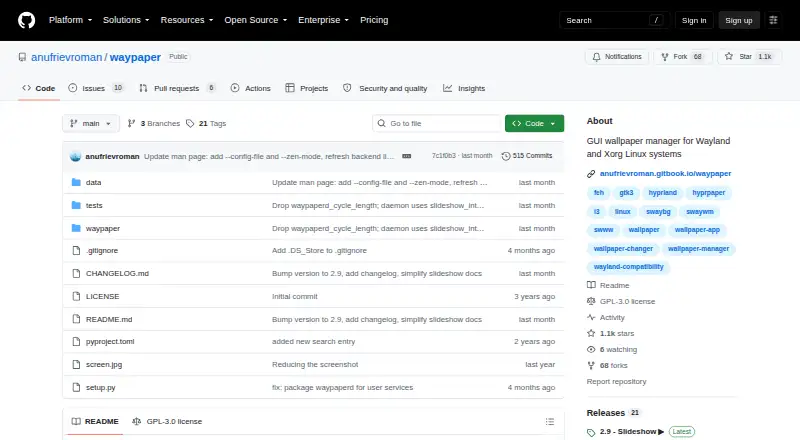
What Waypaper is
Waypaper is a graphical wallpaper setter for Linux window managers and macOS. It provides an interface to supported wallpaper backends, including swaybg, swww, awww, wallutils, hyprpaper, mpvpaper, gslapper, feh, xwallpaper, linux-wallpaperengine, and macOS. Waypaper itself is free and GPL-3.0 licensed, but it requires at least one compatible backend to work. It supports multiple monitors, Vim-style keyboard navigation, and restoring a wallpaper when a window manager starts. GIF animations work through selected backends, while video wallpaper support depends on mpvpaper, gslapper, or linux-wallpaperengine. Other documented options include caching, a Zen mode, post-change script hooks, and customizable CSS theming. Linux setup options include pipx and packages or repositories for Arch-based distributions, NixOS, OpenSUSE, and Fedora. On macOS, installation requires GTK3 and PyGObject via Homebrew before installing Waypaper with pipx. The documentation identifies Roman Anufriev as the developer and says development began in 2023.
Good
- Free and GPL-3.0 licensed.
- Supports multiple monitors and wallpaper restoration.
- Selected backends enable GIF and video wallpapers.
- Offers caching, Zen mode, script hooks, and CSS theming.
Watch out
- Requires a separately installed compatible wallpaper backend.
- macOS setup requires GTK3 and PyGObject via Homebrew.
- Video wallpapers depend on specific backends.
Who it suits
Waypaper suits Linux window-manager and macOS users who want a graphical way to manage wallpapers. It is especially relevant to users comfortable installing and configuring a compatible backend.
Verdict
Waypaper provides a free graphical interface with support for multiple monitors and several wallpaper backends. Users should check backend compatibility and installation requirements for their operating system.
Plans and prices
From Waypaper's own pricing page, checked 15 Oct 2026.
| Plan | Price | What it gives you |
|---|---|---|
| Waypaper | Free | Requires at least one wallpaper backend · Desktop application · Free and open source |
The facts
Each one read from Waypaper's own pages, with the date it was checked.
What it does
- Additional features
- The documentation lists caching, a distraction-free Zen mode, post-change script hooks, and customizable CSS theming.checked 3 Oct 2026
- Animated GIFs
- GIF wallpapers work through selected backends including swww, awww, mpvpaper and gslapper.checked 15 Oct 2026
- Animated wallpapers
- GIF animations are supported through selected backends, and video wallpapers through mpvpaper, gslapper, or linux-wallpaperengine.checked 3 Oct 2026
- Backend integrations
- It acts as a frontend for wallpaper backends including swaybg, swww, awww, wallutils, hyprpaper, mpvpaper, gslapper, feh, xwallpaper, linux-wallpaperengine, and macOS.checked 3 Oct 2026
- CLI controls
- Command-line options include random selection, folder selection, direct wallpaper setting, backend choice, monitor targeting and fill mode.checked 15 Oct 2026
- Community limit: configuration reliability
- A Reddit commenter reported occasional startup cases where the configuration became empty and no wallpaper appeared.checked 15 Oct 2026
- Community limit: startup persistence
- A Reddit user reported that Waypaper did not remember the wallpaper after reboot until advised to configure --restore.checked 15 Oct 2026
- Community usability issue
- A Reddit user initially thought backend and folder controls were missing because Zen mode hid them; pressing Z resolved the issue.checked 15 Oct 2026
- Configuration
- The first run creates a configuration file typically at ~/.config/waypaper/config.ini.checked 15 Oct 2026
- Dependencies
- Documented dependencies include GTK Python bindings, Pillow, imageio, imageio-ffmpeg, screeninfo and platformdirs.checked 15 Oct 2026
- Developer and start year
- The documentation identifies Roman Anufriev as developer and says development began in 2023.checked 15 Oct 2026
- Documentation depth
- Published documentation covers installation, usage, keybindings, configuration, troubleshooting and contribution.checked 15 Oct 2026
- Independent feature confirmation
- LinuxLinks independently confirms Wayland, Xorg, animated GIF, video, multi-monitor, Vim-key and restore capabilities.checked 15 Oct 2026
- Installation channels
- Installation is documented through pipx, Arch AUR, NixOS packages, Fedora repositories and macOS Homebrew prerequisites.checked 15 Oct 2026
- Installation requirement
- Users install Waypaper and at least one supported wallpaper backend for it to work as a frontend.checked 3 Oct 2026
- JSON listing
- The --list option outputs current wallpapers, monitors and backend information as JSON.checked 15 Oct 2026
- Keyboard navigation
- The interface provides Vim-style keyboard navigation.checked 15 Oct 2026
- Latest release
- Version 2.9 was released on 30 August 2026 and added GUI slideshows, improved macOS support, Zen mode and several fixes.checked 15 Oct 2026
- License
- The source repository contains the GNU General Public License version 3 dated 29 June 2007.checked 15 Oct 2026
- Maintainer profile
- GitHub identifies the account as Roman and shows 17 public repositories and 102 followers.checked 15 Oct 2026
The company
- Founded
- 2023checked 28 Sep 2026
Where it runs
- Linux distributions
- The project documents pipx installation and packages or repositories for Arch-based distributions, NixOS, OpenSUSE, and Fedora.checked 3 Oct 2026
- macOS setup
- The README says macOS installation requires GTK3 and PyGObject via Homebrew before installing Waypaper with pipx.checked 3 Oct 2026
- macOS support
- The documentation lists native macOS support using the macOS backend.checked 15 Oct 2026
The full review of Waypaper
Overview
Waypaper is a graphical wallpaper manager for Linux window managers and macOS, built for people who want to choose and manage desktop backgrounds through an interface rather than rely only on backend commands. Its main appeal is breadth: one frontend can work with several wallpaper-setting tools and support static, animated, or video backgrounds, though it requires a compatible backend installed separately.
Developed by Roman Anufriev, with development beginning in 2023, Waypaper is GPL-3.0 licensed. The backend requirement makes it a better fit for users comfortable setting up their desktop environment than for anyone expecting a self-contained wallpaper app.
Key features
Multiple backends and displays
Waypaper can front swaybg, swww, awww, wallutils, hyprpaper, mpvpaper, gslapper, feh, xwallpaper, linux-wallpaperengine, and macOS. That range gives Linux users flexibility to pair the interface with a supported tool already suited to their setup; it does not remove the need to install and configure at least one backend. Multiple-monitor support is useful for users managing more than one display, while automatic restoration can bring the wallpaper back when a window manager launches.
Animated backgrounds and workflow controls
Animated wallpaper support depends on the backend: GIFs work through selected backends, while video backgrounds use mpvpaper, gslapper, or linux-wallpaperengine. The project also documents interactive wallpapers and performance controls, but the way those capabilities behave depends on the selected backend. Vim-style keyboard navigation is a practical option for keyboard-oriented users. Caching, Zen mode, post-change script hooks, and CSS theming add ways to adapt the browsing and wallpaper-change workflow without changing the app’s basic role.
Pricing
Waypaper costs free. The free, open-source GUI requires a compatible wallpaper backend, so the app itself has no paid tier, but getting it working may require installing an additional tool. There is no free trial because there is no paid plan to trial.
Platforms
Waypaper supports Linux and macOS. Linux installation options include pipx and documented packages or repositories for Arch-based distributions, NixOS, OpenSUSE, and Fedora. On macOS, setup requires GTK3 and PyGObject installed through Homebrew before installing Waypaper with pipx. Those prerequisites make macOS support less plug-and-play than simply downloading a standalone app.
Who it's for
Waypaper suits Linux desktop users who want a graphical way to work with multiple wallpaper backends, manage backgrounds across monitors, or use supported animated and video wallpapers. It can also suit macOS users willing to install its GTK-related prerequisites. Users who want a self-contained wallpaper setter, or who do not want to choose and install a backend, should look elsewhere.
Pros and cons
- Pros: A broad set of supported backends lets users choose among multiple wallpaper-setting tools rather than being locked into one.
- Pros: Multi-monitor support, automatic restoration, and support for selected animated and video wallpaper backends cover more than basic image selection.
- Pros: Vim-style navigation, caching, Zen mode, script hooks, and CSS theming offer useful workflow customization.
- Cons: Waypaper requires a separately installed compatible backend, adding setup work and making the experience dependent on that tool.
- Cons: macOS installation requires GTK3 and PyGObject through Homebrew, a notable prerequisite burden for users seeking a conventional app install.
Alternatives
Desktop Wallpaper Software is the broader directory to consult when comparing wallpaper tools across categories.
- Waywallen is a free Linux wallpaper manager; consider it if you want a Linux-only alternative.
- Fresco is a free Linux option under GPL-3.0; consider it if you want another open-source wallpaper app.
- DesktopHut is free on Windows 10/11 64-bit, with no subscription, trial, or premium tier; choose it for that platform instead.
- John’s Background Switcher has a free Windows plan and supports macOS; consider it if you need a cross-platform alternative for those systems.
- Vivid Walls offers eight bundled wallpapers free on Mac, with a one-time 9.99 USD Full Library purchase; choose it if you want a curated library and are willing to pay once for the full collection.
- MuGen Wallpaper is a macOS freemium option with up to 10 dynamic wallpapers on its free plan and a one-time purchase to remove that limit; consider it if you specifically want dynamic wallpapers on Mac.
- PUSH Video Wallpaper is a Windows option whose free version enables all features with a visible watermark; consider it if Windows video wallpaper is the priority.
- Razer Axon is free on Windows and Android, with AI wallpaper generation using tokens that may be claimed in-app or purchased; consider it if those platforms and generation features matter more than Linux or macOS support.
Verdict
Choose Waypaper if you use Linux or macOS and want a flexible graphical frontend for supported wallpaper backends, especially for multiple displays or backend-enabled animated and video backgrounds. Its breadth and free GPL-3.0 license are compelling, but the separate backend requirement—and macOS setup prerequisites—make it a poor fit for users who expect a ready-to-run, self-contained wallpaper app.
Alternatives to Waypaper
- 1

Backdrops
Free planAndroidiOSWebmacOS8.0$1.99 one-time - 2

Vivid Walls
Free planWebmacOSWindows7.5$9.99 one-time - 3

DesktopHut
Free planAndroidWebExtensionmacOS7.3Free plan - 4
Hydra
Free planOpen sourceWebAPILinuxSelf-hosted7.3Free plan - 5
EarthDesk
iOSmacOSWindows7.2From $14.99 a year - 6
Day & Night
Free planmacOS7.1$0.99 one-time