Visiodocs
Visiodocs is a trial preparation platform for lawyers that combines document review, annotation, search, organization, and court-ready outputs.
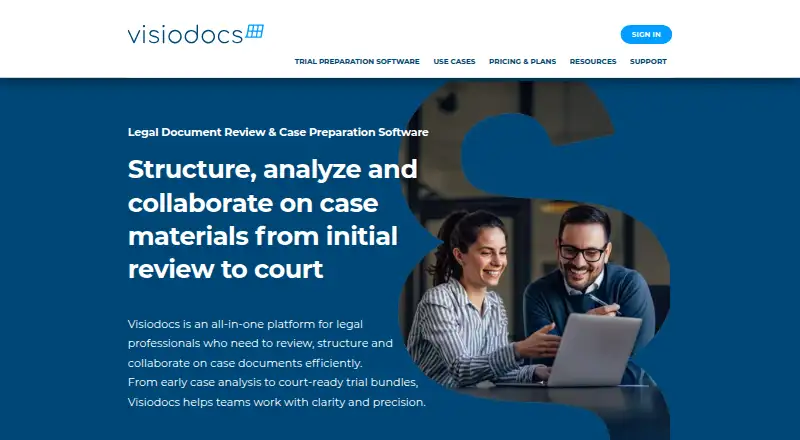
What Visiodocs is
Visiodocs is a trial preparation platform for lawyers that combines document review, annotation, search, organization, and court-ready outputs. It can find dates in documents and arrange files chronologically. Users can search documents, annotate them, categorize notes, and review annotations with others in real time. Uploaded office documents, presentations, spreadsheets, images, and email files can be converted to PDF. Visiodocs can produce electronic trial bundles, closing binders, annotation reports, and exhibit lists. A Free (Reviewer) plan includes 1 GB of storage, 25 documents in total, unlimited projects, review and annotation, OCR, and online annotation reports. Professional costs €107/user/mo billed annually and includes 25 GB of storage, unlimited documents and projects, unlimited reviewers, collaboration, trial bundles, redaction, OCR, and PDF annotation reports. A free trial is also listed. The platform supports macOS, Windows, and web, though its FAQ specifies current Chrome or Chromium-based Microsoft Edge on Windows and macOS computers. Project limits include 5,000 documents, 60,000 pages, 1,000 Mbytes per document, and 5,000 annotations. The company identifies law firms, in-house legal teams, and IP attorneys as customers.
Good
- Finds document dates and sorts files chronologically.
- Supports shared, real-time annotation review.
- Generates trial bundles, closing binders, and exhibit lists.
- Converts office files, images, and emails to PDF.
- Free plan includes unlimited projects.
Watch out
- Free plan allows 25 documents in total.
- Maximum project capacity is 5,000 documents and 60,000 pages.
- Safari, Firefox, Internet Explorer, Opera, and legacy Edge are unsupported.
- Professional costs €107/user/mo, billed annually.
Who it suits
Visiodocs is intended for law firms, in-house legal teams, and IP attorneys preparing matters for trial. It may suit teams that need shared annotation and organized court deliverables.
Verdict
Visiodocs brings chronology, collaborative review, and trial deliverables together for legal preparation. Compare the free plan's document allowance and the stated project limits with your case requirements.
Plans and prices
From Visiodocs's own pricing page, checked 8 Oct 2026.
| Plan | Price | What it gives you |
|---|---|---|
| Free (Reviewer) | Free | 1 GB storage · 25 documents in total · Unlimited projects · Review and annotate · OCR · Annotation report online · invoiced annually per user |
| Professional | €107 a month | 25 GB storage · Unlimited documents · Unlimited projects · Unlimited reviewers · Share & collaborate · Trial bundle · Redaction · OCR · Annotation report in PDF · Invoiced annually per named user |
The facts
Each one read from Visiodocs's own pages, with the date it was checked.
What it does
- Backups
- Project and user data that has changed is backed up daily, and users can restore backed-up data from within Visiodocs for up to 30 days.checked 8 Oct 2026
- Case analysis
- Users can search documents, annotate them, categorize notes, and review annotations in real time with others.checked 8 Oct 2026
- Chronology
- The platform searches for dates in documents and can sort documents chronologically.checked 8 Oct 2026
- Data residency
- Visiodocs says uploaded documents are stored in regions based on signup continent, with Europe and Africa data stored in the EU, the Americas in the United States, and Asia and Oceania in Asia.checked 8 Oct 2026
- Deliverables
- Visiodocs can generate electronic trial bundles, closing binders, annotation reports, and exhibit lists.checked 8 Oct 2026
- File conversion
- Uploaded office documents, presentations, spreadsheets, images, and email files can be converted to PDF.checked 8 Oct 2026
- Intended users
- The About page identifies law firms, in-house legal teams, and IP attorneys as customers.checked 8 Oct 2026
- Login integrations
- The FAQ lists Microsoft, Google, and Facebook federated login, as well as email and password login.checked 8 Oct 2026
- Project limits
- The FAQ lists maximum project capacity of 5,000 documents, 60,000 pages, 1,000 Mbytes per document, 1,000 Mbytes per bundle, and 5,000 annotations.checked 8 Oct 2026
- Purpose
- Visiodocs is a trial preparation platform for lawyers that combines document review, annotation, search, organization, and court-ready deliverables.checked 8 Oct 2026
- Security
- The security page says data is encrypted during transit and storage, and project access is restricted to invited members.checked 8 Oct 2026
- Support
- The FAQ directs technical support questions to [email protected] and account or billing questions to [email protected].checked 8 Oct 2026
- Supported environment
- The FAQ lists Windows and macOS computers with current Chrome or Chromium-based Microsoft Edge, and says Safari, Firefox, Internet Explorer, Opera, and legacy Edge are unsupported.checked 8 Oct 2026
The company
- Headquarters
- 3450 Allerød, Denmarkchecked 28 Sep 2026
The full review of Visiodocs
Visiodocs is a legal trial-preparation platform built around document review, chronology and case deliverables. It is best suited to law firms, in-house legal teams and IP attorneys preparing evidence collaboratively. Its value is strongest when a case needs a path from document review to trial bundle; the free tier’s small document allowance and the platform’s project ceilings call for careful fit-checking.
Overview
Visiodocs brings search, annotation, organization and date-based sorting into one workflow. It can convert office documents, presentations, spreadsheets, images and email files to PDF, which helps consolidate mixed evidence for review. Chronological sorting can help lawyers build a case timeline from dates found in documents, while categorized notes give teams a way to organize their analysis.
Project capacity is capped at 5,000 documents, 60,000 pages, 1,000 Mbytes per document, 1,000 Mbytes per bundle and 5,000 annotations. Those limits leave room for substantial matters, but teams with unusually large files, bundles or annotation volumes should check their needs against each ceiling before committing.
Key features
Review and chronology
Users can search documents, annotate them, categorize notes and review annotations with others in real time. Date search and chronological sorting make the platform particularly relevant when constructing a timeline from documentary evidence. That combination is more useful for trial preparation than a simple exhibit-display tool, though the free plan’s 25-document total is too restrictive for many live cases.
Deliverables and collaboration
Visiodocs can generate electronic trial bundles, closing binders, annotation reports and exhibit lists. Professional adds trial bundles, redaction, unlimited reviewers and annotation reports in PDF, making it the more complete fit for teams producing and sharing court-facing work. The free plan includes online annotation reports, but not the same stated bundle and PDF-report package.
Security and recovery
Data is encrypted in transit and at rest, and project access is limited to invited members. Uploaded documents are stored by signup continent: Europe and Africa in the EU, the Americas in the United States, and Asia and Oceania in Asia. Changed project and user data is backed up daily, with restoration available within Visiodocs for up to 30 days. These controls are useful for legal teams, though organizations with specific residency or retention requirements should confirm that the regional arrangement suits their obligations.
Pricing
Free (Reviewer) costs nothing, billed invoiced annually per user. It includes 1 GB of storage, 25 documents in total, unlimited projects, review and annotation, OCR, and an online annotation report. The unlimited-project allowance does not remove the document cap, so this plan is best for limited review or evaluating the workflow rather than handling a substantial case.
Professional costs €107 a month, billed invoiced annually per named user. It includes 25 GB of storage, unlimited documents and projects, unlimited reviewers, sharing and collaboration, a trial bundle, redaction, OCR, and an annotation report in PDF. The annual billing term and per-user pricing matter for team budgeting; in return, it removes the free plan’s document ceiling and adds the deliverables and collaboration features suited to active trial work.
A free trial is available. Professional’s project-level capacity limits still apply, even with unlimited documents, so large matters remain subject to the stated document, page, file, bundle and annotation ceilings.
Platforms
Visiodocs is available on the web, and its supported computer environment is Windows or macOS with current Chrome or Chromium-based Microsoft Edge. Safari, Firefox, Internet Explorer, Opera and legacy Edge are unsupported. Although macOS and Windows are supported, teams relying on an unsupported browser should plan to switch to a supported one.
Who it's for
Visiodocs is a strong fit for law firms, in-house legal teams and IP attorneys who need to review and organize evidence, build chronology, collaborate on annotations and prepare trial deliverables. It is less suitable for teams that need a free plan to hold more than 25 documents, require project capacity beyond the stated ceilings, or depend on an unsupported browser.
Pros and cons
- Pros: Date search and chronological sorting support case timeline work from documents.
- Pros: Trial bundles, closing binders, exhibit lists and annotation reports connect evidence review to court-ready outputs.
- Pros: Professional includes unlimited reviewers, sharing and collaboration for team review.
- Pros: Encryption, invited-member access, regional storage and daily backups provide defined security and recovery controls.
- Cons: The free plan is limited to 25 documents total and 1 GB of storage, restricting its use for active cases.
- Cons: Professional is billed annually per named user, which can raise the commitment for a team.
- Cons: Project limits cap documents, pages, individual documents, bundles and annotations, despite Professional's unlimited-document allowance.
- Cons: Browser support excludes Safari and Firefox, among others, narrowing the supported desktop setup.
Alternatives
For a broader comparison, see Legal Trial Presentation Software. Choose Lexel instead if its iOS or self-hosted options suit your deployment better; its free Basic Plan includes one user, 3 TB storage, files up to 100 GB and 180 days to restore.
eTrialToolkit is an alternative if self-hosting is important; its free licences mean judges and court registrars pay no license fees. Consider Exhibit Presenter Plus if you need a Windows option with a free demonstration version or a one-time $99 purchase.
AgileLaw may suit teams prioritizing on-demand depositions: its Starter plan is $195 per host session and includes one monthly active host, 5 GB storage and one active case. Choose LiveLitigation if local sessions and offline access are central; its Local Only plan is $399/year and includes unlimited local sessions, usage reports and pay-as-you-go remote usage.
Case Crafter is worth comparing if you need direct presentation with no restrictions; its annual Basic Plan is $50 a month, billed $599 yearly, and includes 10 active cases and email support. InTrial is another paid option available on iOS, web and Windows. LIT SUITE may fit an individual iOS or macOS user seeking a litigation app suite; its Solo Litigator plan is $50 a month, billed annually via the App Store, for individual use.
Verdict
Choose Visiodocs if your legal team needs chronology, collaborative evidence review and trial deliverables in one web-based workflow. Professional is the clear fit for active cases that outgrow the 25-document free tier, but its annual per-user billing and project ceilings deserve attention. Look elsewhere if your required browser, deployment model or case volume falls outside those limits.
Getting started
- Visit the Visiodocs website.
- Choose the Free (Reviewer) or Professional plan, or start the free trial.
- Sign in with Microsoft, Google, Facebook, or email and password.
- Use a Windows or macOS computer with current Chrome or Chromium-based Microsoft Edge.
- Upload case files to review, annotate, or convert to PDF.
Limits worth knowing
The Free (Reviewer) plan includes 1 GB of storage and 25 documents in total. Professional includes 25 GB of storage and unlimited documents, projects, and reviewers.
Questions
What does Visiodocs cost?
The Free (Reviewer) plan costs nothing. Professional costs €107 a month, billed annually per named user.
Is there a free trial?
Yes, Visiodocs offers a free trial.
Which platforms does it support?
The listed platforms are macOS, web, and Windows. The FAQ specifies current Chrome or Chromium-based Microsoft Edge on Windows and macOS computers.
What does the free plan include?
It includes 1 GB of storage, 25 documents in total, unlimited projects, review and annotation, OCR, and online annotation reports.
What login options are available?
The FAQ lists Microsoft, Google, and Facebook sign-in, as well as email and password.
How is project access handled?
Project access is restricted to invited members. Data is encrypted during transit and storage.
Alternatives to Visiodocs
- 1

AgileLaw
Free planAndroidiOSWebLinux8.1From $200 a month - 2
Lexel
Free planAndroidiOSWebSelf-hosted7.9Free plan - 3

Exhibit Presenter Plus
Free planWindows7.2From $249 a year - 4
Nextpoint
AndroidiOSWebAPI7.1 - 5

eTrialToolkit
Free planWebSelf-hosted6.8Free plan - 6

LiveLitigation
AndroidiOSWebmacOS6.7From $399 a year