
Exhibit Presenter Plus
Exhibit Presenter Plus is Windows software for attorneys and paralegals presenting exhibits in court.
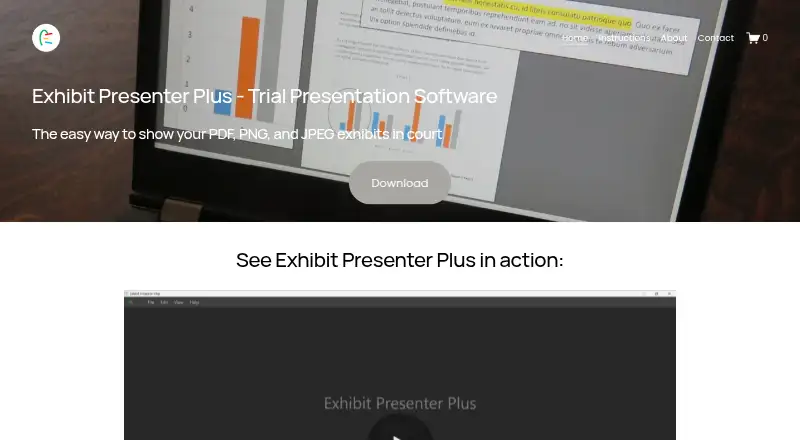
What Exhibit Presenter Plus is
Exhibit Presenter Plus is Windows software for attorneys and paralegals presenting exhibits in court. It opens PDF, PNG and JPEG files, with tools to add callouts, highlights, circles and underlines. Presentation controls let users zoom, rotate pages, jump to a page or blank the screen. Two documents can be displayed side by side, and users can save marked-up documents. Callouts can remain visible while scrolling through an exhibit. The software is designed for a PC running Windows 11 only. A license may be installed on more than one computer, provided the software is not used on multiple computers at the same time. A free demonstration version is available, alongside Exhibit Presenter at $99.00 USD once and Exhibit Presenter Plus at $249 a year. The company also offers help with courtroom graphics, deposition or other video editing, and courtroom hotseating. The license describes a limited warranty lasting 30 days after delivery and says submitted information will not be provided or sold to third parties.
Good
- Opens PDF, PNG and JPEG exhibits.
- Provides callouts, highlights, circles and underlines.
- Keeps callouts visible while scrolling.
- Can save marked-up documents.
- Offers side-by-side document viewing.
Watch out
- Designed for Windows 11 PCs only.
- Exhibit Presenter Plus costs $249 a year.
- The limited warranty lasts 30 days after delivery.
Who it suits
It suits attorneys and paralegals who need to display and annotate PDF or image exhibits in court. It requires a PC running Windows 11.
Verdict
Exhibit Presenter Plus focuses on courtroom exhibit display and annotation, with saved markups and presentation controls. Confirm the Windows 11 requirement and annual price suit your setup.
Plans and prices
From Exhibit Presenter Plus's own pricing page, checked 8 Oct 2026.
| Plan | Price | What it gives you |
|---|---|---|
| Exhibit Presenter - Free Demonstration Version | Free | Free demonstration version · $0.00 |
| Exhibit Presenter Free Demonstration Version | Free | Windows PC · fully functional tools · PDF exhibits |
| Exhibit Presenter | $99, paid once | Windows PC · trial presentation software · version 1.5 · one-time purchase |
| Exhibit Presenter Plus | $249 a year | For PCs · $249 per year |
| Exhibit Presenter Plus annual | $249 a year | PDF, PNG and JPEG exhibits · multiple documents · side-by-side viewing · annotations · saved markups · annual billing |
The facts
Each one read from Exhibit Presenter Plus's own pages, with the date it was checked.
What it does
- Annotations
- Users can add callouts, highlights, circles, and underlines to exhibits.checked 8 Oct 2026
- Callouts while scrolling
- Callouts can remain open while users scroll through an exhibit.checked 8 Oct 2026
- Documentation
- The official site provides an instructions page with illustrated usage material.checked 15 Oct 2026
- Ease of use
- The maker says the application was designed without a learning curve for attorneys and paralegals.checked 15 Oct 2026
- Feature: annotations
- The software provides callouts, zooming, highlighting and markup tools.checked 15 Oct 2026
- Feature: courtroom controls
- The maker describes page rotation, persistent callouts while scrolling, multi-color highlighting, direct page jumps and a one-click blank screen.checked 15 Oct 2026
- Feature: drag and drop
- Users can open PDF, PNG and JPEG documents by dragging and dropping them.checked 15 Oct 2026
- Feature: multiple documents
- Multiple documents can remain open at the same time.checked 15 Oct 2026
- Feature: saved markups
- Marked-up documents can be saved.checked 15 Oct 2026
- Feature: side-by-side
- Two documents can be displayed side by side.checked 15 Oct 2026
- Integration listed by SourceForge
- SourceForge lists Zoom as an integration.checked 15 Oct 2026
- License installation limit
- The license permits installation on more than one computer if the software is not used on more than one computer at the same time.checked 8 Oct 2026
- Limit: automation
- Gitnux says advanced automation, bulk ingestion and cross-system governance are weaker than API-led systems.checked 15 Oct 2026
- Limit: interface
- SoftwareFinder reports that some users have requested interface improvements.checked 15 Oct 2026
- Payment security
- The privacy policy says transactions are handled through Stripe.checked 15 Oct 2026
- Praise: independent ranking
- Gitnux scores Exhibit Presenter 8.5 out of 10 overall in its 2026 trial-exhibit-software comparison.checked 15 Oct 2026
- Praise: navigation
- Gitnux praises number-first exhibit navigation and binder-style indexing for keeping courtroom sequences aligned.checked 15 Oct 2026
The company
- Company experience
- The download page says the product has helped attorneys and paralegals since 2020.checked 8 Oct 2026
- Company founded
- LinkedIn lists the company as founded in 2020.checked 15 Oct 2026
- Company headquarters
- LinkedIn lists Los Angeles, California as headquarters.checked 15 Oct 2026
- Company legal name
- The maker identifies itself as Exhibit Presenter LLC.checked 15 Oct 2026
- Company size
- LinkedIn lists company size as 2–10 employees.checked 15 Oct 2026
- Ownership
- LinkedIn classifies Exhibit Presenter LLC as privately held.checked 15 Oct 2026
Where it runs
- Platform requirement
- The software is designed for a PC running Windows 11 only.checked 8 Oct 2026
The full review of Exhibit Presenter Plus
Exhibit Presenter Plus is courtroom software for attorneys and paralegals presenting document exhibits. It suits Windows 11 users who need annotation and focused presentation controls, rather than a broad evidence-management system. Its saved markups are a practical strength; the annual price and single-computer-at-a-time license are important limits.
Overview
The software opens PDF, PNG, and JPEG exhibits and combines markup with controls for navigating and presenting them. The focus is narrow: there is no exhibit management, video playback, or transcript support. That makes it a better fit for presenting documents than for organizing or playing back a full range of evidence. The company also offers assistance with courtroom graphics, deposition or other video editing, and courtroom hotseating.
Key features
Annotations and navigation
Callouts, highlights, circles, and underlines give presenters several ways to draw attention to evidence. Markups can be saved, and callouts can remain open while scrolling, which helps keep a point visible as the exhibit moves. Zooming, page rotation, and jumping to a page support more controlled navigation than advancing through a document in sequence.
Presentation controls
Users can blank the screen to hide an exhibit and place two documents side by side. These are useful controls for pausing a display or comparing documents without leaving the presentation workflow. They do not make the product a video or transcript tool, so cases that rely on those formats need another solution.
Pricing
Three plans cover a free demonstration, a one-time purchase, and an annual license. The free demonstration version costs nothing, billed $0.00. It gives prospective users a no-cost way to consider the software, but it is identified as a demonstration version, not a paid license.
Exhibit Presenter costs $99, paid once, billed $99, for trial presentation software for a Windows PC. It is the lower-cost paid option for someone who wants a one-time purchase. Exhibit Presenter Plus costs $249 a year, billed $249 per year, and is for PCs. The annual plan is the choice for users seeking the Plus edition, but it costs more over time than the one-time option. A free trial is also offered.
The license permits installation on more than one computer, provided the software is not used on more than one computer at the same time. That suits a user who needs installations on multiple machines but does not allow simultaneous use across them. The license states that submitted information will not be provided or sold to third parties, and describes a limited warranty lasting 30 days after delivery.
Platforms
Exhibit Presenter Plus is designed for a PC running Windows 11 only. That requirement rules it out for Mac, mobile, and web-based workflows, and users should confirm their PC meets it before choosing a plan.
Who it's for
This is a focused option for attorneys and paralegals who present PDF, PNG, or JPEG exhibits and want saved annotations, document comparison, and courtroom navigation controls. It is less suitable for teams looking for exhibit management, video playback, transcript support, or access from multiple computers at the same time. The download page says the product has helped attorneys and paralegals since 2020.
Pros and cons
- Pros: Saved markups and callouts that remain open while scrolling help presenters keep annotations usable as they move through an exhibit.
- Pros: Side-by-side documents, screen blanking, and page controls address practical presentation tasks without requiring a broader evidence platform.
- Cons: Windows 11 is the sole supported platform, excluding users on other systems.
- Cons: No exhibit management, video playback, or transcript support limits its role to document presentation.
- Cons: Plus is billed annually at $249 a year, and the license bars simultaneous use on multiple computers.
Alternatives
For a broader set of courtroom presentation options, browse Legal Trial Presentation Software. Visiodocs may suit readers who need Mac, web, or Windows access and want a free reviewer plan with 1 GB of storage, 25 documents, unlimited projects, review and annotation, and OCR. Lexel is another free-plan option for readers seeking iOS, web, or self-hosted access.
eTrialToolkit may be worth considering for a self-hosted or web workflow; its free licenses mean judges and court registrars pay no license fees. AgileLaw is a paid alternative with Android, iOS, Mac, web, and Windows support; its Starter plan is $195, paid once, billed $195 per host session.
LiveLitigation offers a paid alternative across mobile, Mac, web, and Windows, with a Local Only plan at $399 a year for unlimited local sessions and full offline access. Case Crafter is a paid option for iOS, Mac, or Windows users; its Basic Plan (annual) is $50 a month, billed $599 yearly, and includes 10 active cases.
InTrial is another paid option available on iOS, web, and Windows. LIT SUITE may fit readers on iOS or Mac who want a collection of litigation apps; its Solo Litigator plan is $50 a month, billed annually via the App Store.
Verdict
Choose Exhibit Presenter Plus if you present document exhibits on a Windows 11 PC and value saved markups, persistent callouts, and straightforward courtroom controls. Its main advantage is that focused document-presentation toolkit; look elsewhere if you need video, transcript support, exhibit management, another platform, or simultaneous use on multiple computers.
Getting started
- Open the Exhibit Presenter website
- Choose the free demonstration version, $99.00 USD one-time plan, or $249.00 USD yearly Plus plan
- Install it on a PC running Windows 11
- Add PDF, PNG, or JPEG exhibits
- Use annotation and presentation controls during your proceeding
Questions
Which platforms does Exhibit Presenter Plus support?
It is designed for a PC running Windows 11.
What files can it open?
It opens PDF, PNG, and JPEG exhibits.
Is there a free option?
A free demonstration version is available at $0.00 USD.
How much does the software cost?
Exhibit Presenter costs $99.00 USD once. Exhibit Presenter Plus costs $249 a year.
Can one license be installed on multiple computers?
Yes, if the software is not used on more than one computer at the same time.
Does it support courtroom annotations?
Yes. Evidence annotation includes callouts, highlights, circles, and underlines.
Alternatives to Exhibit Presenter Plus
- 1

AgileLaw
Free planAndroidiOSWebLinux8.1From $200 a month - 2
Lexel
Free planAndroidiOSWebSelf-hosted7.9Free plan - 3
Nextpoint
AndroidiOSWebAPI7.1 - 4
Visiodocs
Free planWebmacOSWindows6.9From €107 a month - 5

eTrialToolkit
Free planWebSelf-hosted6.8Free plan - 6

LiveLitigation
AndroidiOSWebmacOS6.7From $399 a year