Virtual Teleprompter
Virtual Teleprompter is a laptop teleprompter app for meetings, interviews, presentations, live streams, and recorded content.
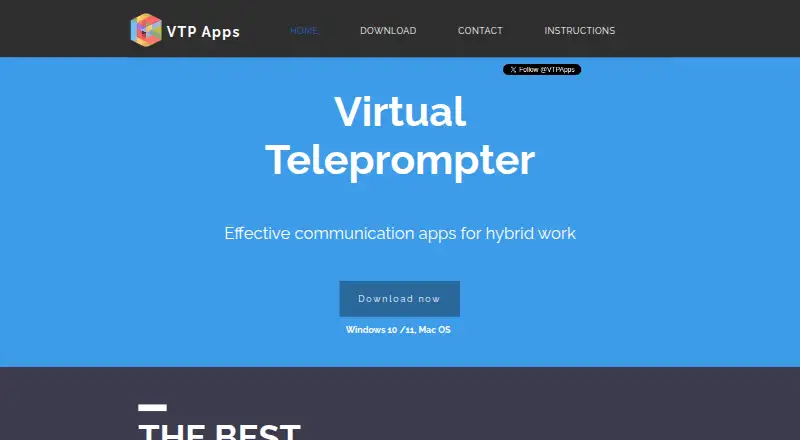
What Virtual Teleprompter is
Virtual Teleprompter is a laptop teleprompter app for meetings, interviews, presentations, live streams, and recorded content. It runs on Windows and macOS and is listed for use with Webex, Zoom, Microsoft Teams, Google Meet, GoTo Meeting, BlueJeans, webinars, and live streaming. Scripts can be scrolled manually or set to auto-scroll at an adjustable speed. Users can change fonts, colors, sizes, transparency, layout, and alignment, and use a timer, word counter, text formatting, and find-and-replace. The app can mirror text for beam-splitter use and supports multiple languages, including right-to-left languages such as Arabic and Hebrew. It works without internet connectivity, and scripts are stored locally on the user's PC; the maker says it has no cloud servers or cloud-storage requirements. The free Lite plan allows 1,000 characters. The maker says Windows support was developed for Windows 8, 10, and 11; it no longer tests Windows 7 builds, though it says they work.
Good
- Manual and adjustable-speed scrolling
- Works without an internet connection
- Scripts are stored locally on the PC
- Supports right-to-left languages
Watch out
- Lite plan is limited to 1,000 characters
- Windows 7 builds are no longer tested
Who it suits
The maker presents Virtual Teleprompter for virtual meeting presenters, live streamers, event and webinar speakers, and content creators. It may suit people who want local scripts and configurable scrolling on a Windows or macOS laptop.
Verdict
Virtual Teleprompter combines adjustable script display and editing tools with offline, local storage.
Plans and prices
From Virtual Teleprompter's own pricing page, checked 11 Oct 2026.
| Plan | Price | What it gives you |
|---|---|---|
| Lite | Free | 1000 characters |
| Pro | — | No limitations stated · one-off fee; amount not stated |
The facts
Each one read from Virtual Teleprompter's own pages, with the date it was checked.
What it does
- Analytics
- The maker says it receives non-identifying analytics from Microsoft and Apple, including failure counts, package version, country, device type, and operating-system details.checked 11 Oct 2026
- Intended users
- The maker presents the app for virtual meeting presenters, live streamers, events and webinar speakers, and content creators.checked 11 Oct 2026
- Languages
- The app supports multiple languages and right-to-left languages including Arabic and Hebrew.checked 11 Oct 2026
- Meeting compatibility
- The maker lists Webex, Zoom, Microsoft Teams, Google Meet, GoTo Meeting, BlueJeans, webinars, and live streaming as compatible platforms.checked 11 Oct 2026
- Mirroring
- The app can mirror text for beam-splitter use.checked 11 Oct 2026
- Offline and local storage
- The app does not require internet connectivity; scripts are stored locally on the user's PC, and the maker says it has no cloud servers or cloud storage requirements.checked 11 Oct 2026
- Product
- Virtual Teleprompter is a laptop teleprompter app for meetings, interviews, presentations, live streaming, and recorded content.checked 11 Oct 2026
- Script tools
- The app includes a timer, word counter, bold, underline, italic, and find-and-replace options.checked 11 Oct 2026
- Scrolling
- Users can manually scroll or auto-scroll at an adjustable speed.checked 11 Oct 2026
- Support
- The maker provides a contact form and lists [email protected] and Australia on its home page.checked 11 Oct 2026
Where it runs
- Appearance
- Users can adjust fonts, colors, sizes, transparency, layout, and alignment.checked 11 Oct 2026
- Platforms
- The maker offers downloads through the Microsoft Store for Windows 10/11 and the Apple Store for Mac.checked 11 Oct 2026
- Windows support
- The maker says the software was developed for Windows 8, 10, and 11; it no longer tests Windows 7 builds but says they work.checked 11 Oct 2026
Alternatives to Virtual Teleprompter
- 1

FluidPrompter
Free planAndroidiOSWebLinux8.0From $9 a month - 2
Teleprompterly
Free planAndroidiOSWebLinux8.0From $39.99 a year - 3
OtO
Free planAndroidmacOSWindows7.6From $9.90 a year - 4

Prompt+
Free planiOSmacOS7.4$19.99 one-time - 5

Teleprompter.com
Free planAndroidiOSWebmacOS7.4From $90 a year - 6

Speakflow
Free planAndroidiOSWebmacOS7.3From $19 a month