
Vimcal
Vimcal is a calendar and scheduling product for people managing busy schedules, particularly founders, executives, VCs, and others with many meetings.
What Vimcal is
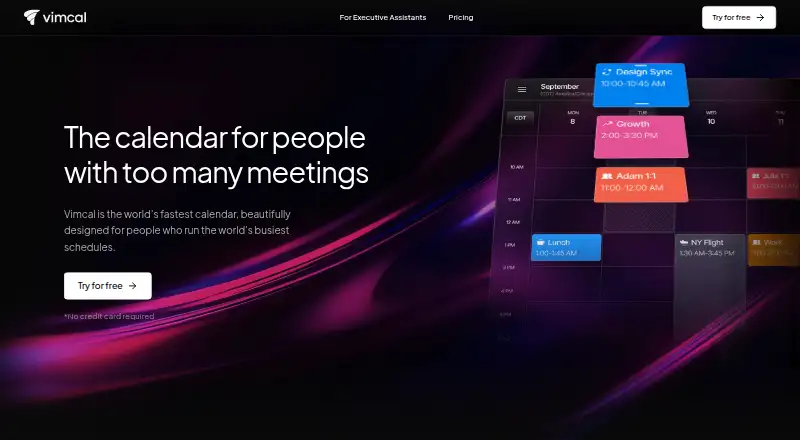
Vimcal is a calendar and scheduling product for people managing busy schedules, particularly founders, executives, VCs, and others with many meetings. It brings Google Calendar and Outlook together in a unified view with two-way sync. Users can share availability and schedule by typing proposed times, while the time-zone display shows overlapping work hours. Keyword-based event colors and a breakdown of time use add ways to review a calendar. Vimcal lists iOS, macOS, web, and Windows support, though its free plan is limited to iOS and iOS Calendar. Paid iOS & Desktop plans add booking links, group scheduling polls, team features, and Mac and PC desktop apps. Vimcal EA is aimed at assistant scheduling, with support for five simultaneous time zones and automatic calendar holds. Free access is available; iOS & Desktop costs $35 a month billed monthly or $25 a month billed yearly. EA Scheduling costs $85 a month billed monthly or $68.75 a month billed annually.
Good
- Syncs Google Calendar and Outlook in one view
- Shows overlapping work hours across time zones
- Free iOS plan includes availability sharing
- EA plans support five simultaneous time zones
- Lists GDPR and SOC 2 Type II compliance
Watch out
- Free plan is limited to iOS
Who it suits
Vimcal suits people coordinating many meetings across calendars or time zones. Its EA scheduling options are aimed at executive assistants managing scheduling workflows.
Verdict
Vimcal combines calendar coordination, availability sharing, and time-zone scheduling, with separate options for executive assistant workflows. The free plan is iOS-only, while desktop and EA features require paid plans.
Plans and prices
From Vimcal's own pricing page, checked 11 Oct 2026.
| Plan | Price | What it gives you |
|---|---|---|
| Free | Free | iOS only · iOS Calendar · availability sharing · multi-time-zone conversion · duplicate-event merging · dark mode |
| iOS & Desktop | $35 a month | Unlimited personal booking links · Polls for group scheduling · Desktop app for Mac and PC · Team scheduling features · Custom menu bar app for Mac · Monthly |
| Enterprise | — | SAML SSO with SCIM integration · Custom enterprise MSA and DPA · Advanced security and controls · Dedicated support manager · Custom billing |
| EA Scheduling | $85 a month | 5 simultaneous time zones · Monthly |
| EA Enterprise | — | Starts at 5 seats |
| Vimcal iOS & Desktop (yearly) | $25 a month | Unlimited personal booking links · group scheduling polls · Mac and PC desktop app · team scheduling · Mac menu bar app · remove Vimcal event signature · Yearly |
| Vimcal iOS & Desktop (monthly) | $35 a month | Unlimited personal booking links · group scheduling polls · Mac and PC desktop app · team scheduling · Mac menu bar app · remove Vimcal event signature · Billed monthly |
| EA Scheduling (annual) | $68.75 a month | 5 simultaneous time zones · auto-created and auto-deleted holds · polls and collaborative spreadsheets · calendar audits and weekly metrics · executive preferences · 1-on-1 onboarding · Billed annually |
| EA Scheduling (monthly) | $85 a month | 5 simultaneous time zones · auto-created and auto-deleted holds · polls and collaborative spreadsheets · calendar audits and weekly metrics · executive preferences · 1-on-1 onboarding · Billed monthly |
| Vimcal EA Enterprise | Priced on request | SAML SSO with SCIM · custom MSA and DPA · advanced security and controls · security questionnaires · 24/7 support · dedicated support manager · Custom billing; starts at 5 seats |
| Vimcal Enterprise | Priced on request | SAML SSO with SCIM · custom enterprise MSA and DPA · advanced security and controls · security questionnaires · dedicated support manager · Custom billing |
The facts
Each one read from Vimcal's own pages, with the date it was checked.
What it does
- AI privacy
- Vimcal says it does not use customer data to train AI models, retains zero customer data for AI features, and lets admins disable AI.checked 11 Oct 2026
- Audience
- Vimcal says it is designed for founders, executives, VCs, and people with a high volume of meetings.checked 11 Oct 2026
- Calendar data handling
- Vimcal says calendar data is fetched from Google or Microsoft and stored on the user’s device, with some event metadata possibly stored for Vimcal-specific features.checked 11 Oct 2026
- Calendar features
- Vimcal can color-code events by keyword and show a breakdown of how users spend their time.checked 11 Oct 2026
- Calendar sync
- two_waychecked 20 Sep 2026
- Data protection
- Vimcal says it encrypts data at rest with AES-256 and in transit with TLS 1.2 or higher.checked 11 Oct 2026
- EA scheduling
- Vimcal EA supports five simultaneous time zones and automatically creates and deletes calendar holds.checked 11 Oct 2026
- Integrations
- Vimcal syncs with Google Calendar and Outlook in a unified calendar view.checked 11 Oct 2026
- Product
- Vimcal is a calendar and scheduling product designed for people with busy schedules.checked 11 Oct 2026
- Scheduling
- The product lets users share availability and schedule by typing proposed times.checked 11 Oct 2026
- Scheduling links
- Yeschecked 20 Sep 2026
- Security
- Vimcal’s security page says it is GDPR compliant and SOC 2 Type II compliant, and describes ISO 27001 as in progress.checked 11 Oct 2026
- Speed
- The homepage states that Vimcal has instant response times under 100 ms and shortcuts for everything.checked 11 Oct 2026
- Support
- The EA plan includes 1-on-1 onboarding, and the EA Enterprise plan lists 24/7 support and a dedicated support manager.checked 11 Oct 2026
- Time zones
- Vimcal displays overlapping work hours across time zones.checked 11 Oct 2026
- Video conferencing
- Vimcal EA lists Outlook, Google Calendar, Zoom, Google Meet, and Teams among integrations.checked 11 Oct 2026
- Video meeting support
- Yeschecked 20 Sep 2026
Money
- Free plan
- Yeschecked 20 Sep 2026
Where it runs
- Mobile apps
- ioschecked 20 Sep 2026
Alternatives to Vimcal
- 1

Lark
Free planAndroidiOSWebAPI9.2From $6 a month - 2
EGroupware
Free planOpen sourceAndroidiOSWebAPI9.2From €21.90 a month - 3
Teamup
Free planAndroidiOSWebAPI9.0From $12 a month - 4
Twake Calendar
Open sourceAndroidiOSWebAPI9.0From €4 a month - 5
TimeFinder
Free planAndroidiOSWebmacOS8.9$119.99 one-time - 6

7shifts
Free planAndroidiOSWebAPI8.9From $39.99 a month