Video Collage Maker & Editor
Video Collage Maker & Editor combines photos and videos into collages or frames for saving and sharing.
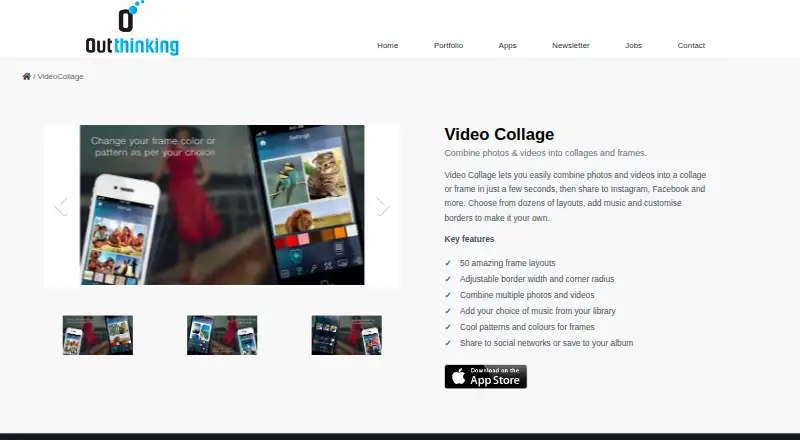
What Video Collage Maker & Editor is
Video Collage Maker & Editor combines photos and videos into collages or frames for saving and sharing. The product lists 50 frame layouts, with controls for border width and corner radius, plus frame patterns and colours. Users can add music from their Music Library, save finished work to an album, or share through built-in options for Facebook, Instagram, and email. The app runs on iPhone and iPad and requires iOS 18.0 or later. A free version is available, although some collage frames are unavailable without payment. The US App Store lists a Weekly Subscription for $2.99 that provides access to all features, along with Premium Features for $5.99 per once and All Premium Features for $29.99 per once as in-app purchases. Outthinking India says it develops mobile applications and games and has over 20 years of combined consumer-electronics experience. Apple’s disclosure reports possible tracking use for purchases, identifiers, usage data, and diagnostics, noting that Apple has not verified it.
Good
- 50 frame layouts
- Adjustable borders and corner radius
- Music Library support
- Save to albums or share socially
- Free version available
Watch out
- Requires iOS 18.0 or later
- Some frames unavailable in free version
- Weekly Subscription costs $2.99
- No desktop app
Who it suits
This app suits iPhone and iPad users who want photo-and-video collages with customizable frames, music, and built-in sharing. It requires iOS 18.0 or later.
Verdict
Video Collage Maker & Editor provides straightforward collage creation with layout, border, colour, and music controls. The free version is usable, but access to all frames and features requires the listed subscription or one-time purchases.
Plans and prices
From Video Collage Maker & Editor's own pricing page, checked 8 Oct 2026.
| Plan | Price | What it gives you |
|---|---|---|
| Premium Features | $5.99, paid once | In-app purchase |
| All Premium Features | $29.99, paid once | In-app purchase |
The facts
Each one read from Video Collage Maker & Editor's own pages, with the date it was checked.
What it does
- Borders
- Users can adjust border width and corner radius.checked 8 Oct 2026
- Frame customization
- The app offers frame patterns and colours.checked 8 Oct 2026
- Layouts
- The maker’s product page lists 50 frame layouts.checked 8 Oct 2026
- Music
- Users can add music from their library.checked 8 Oct 2026
- Privacy disclosure
- Apple’s listing says the developer reports that purchases, identifiers, usage data, and diagnostics may be used to track users across other companies’ apps and websites; Apple says this information has not been verified.checked 8 Oct 2026
- Purpose
- Video Collage combines photos and videos into collages or frames that users can share.checked 8 Oct 2026
- Sharing and saving
- Users can share to social networks or save their collage to an album.checked 8 Oct 2026
- Sharing options
- The App Store listing says users can share collages to Facebook, Instagram, or by email using its inbuilt option.checked 8 Oct 2026
- Subscription
- The US App Store listing offers a Weekly Subscription for $2.99 and says subscribing provides access to all features.checked 8 Oct 2026
Where it runs
- Device compatibility
- The App Store listing supports iPhone and iPad and requires iOS 18.0 or later.checked 8 Oct 2026
Money
- Free version limits
- The App Store listing says some collage frames are unavailable in the free version.checked 8 Oct 2026
The company
- Maker background
- Outthinking says it develops mobile applications and games and has over 20 years of combined consumer-electronics experience.checked 8 Oct 2026
- Maker location
- The maker’s contact page lists its mailing address in Bangalore, India.checked 8 Oct 2026
Alternatives to Video Collage Maker & Editor
- 1

Adobe Express Video
Free planAndroidiOSWebAPI8.4Free plan - 2

Picsart
Free planAndroidiOSWebAPI8.3From $10.50 a month - 3
Canva Video
Free planAndroidiOSWebmacOS7.9Free plan - 4

Kapwing
Free planWebmacOSWindows7.6From $16 a month - 5
VEED
Free planAndroidiOSWebExtension7.5Free plan - 6

CapCut
Free planAndroidiOSWebmacOS7.4Free plan