VIAVI Observer Analyzer
VIAVI Observer Analyzer is a Windows network monitoring and packet analysis tool for unified communications deployments, network security performance, applic…
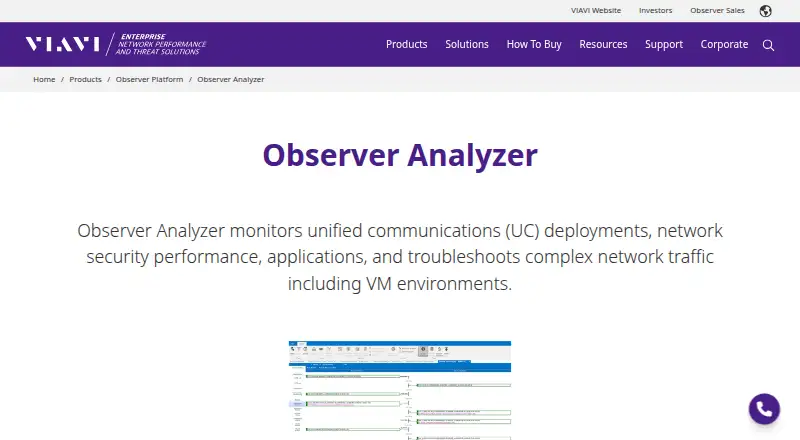
What VIAVI Observer Analyzer is
VIAVI Observer Analyzer is a Windows network monitoring and packet analysis tool for unified communications deployments, network security performance, applications, and complex traffic, including virtual machine environments. It captures, decodes, and filters packets, with decoding for more than 740 primary protocols and sub-protocols. Expert Analysis provides real-time and post-capture events for TCP, UDP, VoIP, wireless, and other traffic. Connection Dynamics visualizes network conversations and flags retransmissions and dropped packets. When configured activity levels are exceeded, it can send email, paging, or trouble-ticket alerts, or start a packet capture. VIAVI describes Standard, Expert, and Suite editions with different feature sets. The product integrates with IBM Tivoli and HP OpenView and is often used with GigaStor and Apex. It is frequently deployed on an engineer’s laptop; organizations may also centrally deploy Analyzer Suite for trending and alarm analysis. Pricing is available by quote. Downloads and full technical support are restricted to customers with an active hardware warranty or software maintenance agreement.
Good
- Decodes more than 740 primary protocols.
- Provides real-time and post-capture Expert Events.
- Flags retransmissions and dropped packets.
- Can trigger alerts or automated packet capture.
Watch out
- Supported operating systems listed are 64-bit Windows 10 and Windows Server 2016.
- Pricing is available by quote.
- Downloads and full support require an active customer agreement.
Who it suits
Observer Analyzer may suit network engineers and organizations that need packet analysis, traffic monitoring, and configurable alerts. Buyers should note its Windows requirements and the customer agreement required for downloads and full support.
Verdict
Observer Analyzer offers packet analysis, conversation diagnostics, and alerting across three editions. Organizations should confirm the edition and Windows environment they need and account for its customer-only download and support access.
Plans and prices
From VIAVI Observer Analyzer's own pricing page, checked 4 Oct 2026.
| Plan | Price | What it gives you |
|---|---|---|
| Observer Analyzer Expert Edition | Priced on request | Standard features plus Expert Analysis, Connection Dynamics, application analysis and stream reconstruction |
| Observer Analyzer Standard Edition | Priced on request | Packet capture, decode, statistics, trending, triggers and alarms |
| Observer Analyzer Suite | Priced on request | Expert features plus RMON, SNMP device management, switch station locator and web reporting |
The facts
Each one read from VIAVI Observer Analyzer's own pages, with the date it was checked.
What it does
- Conversation analytics
- Connection Dynamics graphically breaks down network conversations and flags retransmissions and dropped packets to help identify sources of issues.checked 4 Oct 2026
- Deployment
- Analyzer is most frequently deployed on a network engineer’s laptop, and organizations may also centrally deploy Analyzer Suite for ongoing trending and alarm analysis.checked 4 Oct 2026
- Download access
- Observer Platform software downloads are restricted to current customers with an active hardware warranty or software maintenance agreement; access can be requested.checked 4 Oct 2026
- Editions
- The product page describes Standard, Expert and Suite editions with different feature sets.checked 4 Oct 2026
- Integrations
- The page says Analyzer integrates with IBM Tivoli and HP OpenView and is often used with GigaStor and Apex.checked 4 Oct 2026
- Monitoring and alerts
- Analyzer can send email, paging and trouble-ticket alerts or start an automated packet capture when activity crosses configured levels.checked 4 Oct 2026
- Operating system
- VIAVI lists Observer Expert, Standard and Suite as supported on 64-bit Windows 10 and Windows Server 2016, with Windows Desktop Experience required.checked 4 Oct 2026
- Packet analysis
- It provides packet capture, decoding and filtering and supports decoding more than 740 primary protocols and countless sub-protocols.checked 4 Oct 2026
- Pricing
- The product page directs visitors to contact a sales expert or request a quote for pricing.checked 4 Oct 2026
- Purpose
- Observer Analyzer monitors unified communications deployments, network security performance, applications and complex network traffic, including VM environments.checked 4 Oct 2026
- Services
- Observer consulting services are available virtually and onsite for setup, configuration, implementation, dashboards and reports.checked 4 Oct 2026
- Support
- VIAVI says full technical support is provided to customers with an active hardware warranty or software maintenance agreement.checked 4 Oct 2026
- Troubleshooting
- Expert Analysis includes real-time and post-capture Expert Events for TCP, UDP, VoIP, wireless and other traffic.checked 4 Oct 2026
The company
- Headquarters
- Chandler, Arizona, United Stateschecked 28 Sep 2026
Alternatives to VIAVI Observer Analyzer
- 1

NETCAP
Free planOpen sourceWebAPILinuxmacOS8.1From €49 a month - 2

PacketSafari
Free planOpen sourceWebAPILinuxmacOS7.6Free plan - 3

A-Packets
Free planWebAPILinuxSelf-hosted7.5From $99 a year - 4
Wireshark
Free planOpen sourceAPILinuxmacOSSelf-hosted7.5Free plan - 5
Colasoft Capsa
Free planWindows7.4$295 one-time - 6
PcapAI
Open sourceWebAPILinuxmacOS7.4From $114 a year