Vensas PDF Editor
The facts below are what the maker publishes about Vensas PDF Editor, checked and dated. Our editors have not written about it yet.
Plans and prices
From Vensas PDF Editor's own pricing page, checked 12 Oct 2026.
| Plan | Price | What it gives you |
|---|---|---|
| Free | Free | No uploads · no accounts · no tracking · no analytics |
The facts
Each one read from Vensas PDF Editor's own pages, with the date it was checked.
What it does
- Accounts and tracking
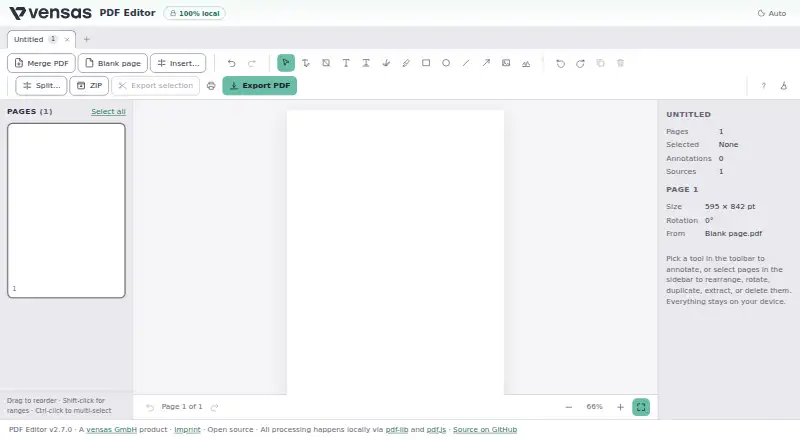
- The maker says the app requires no uploads or accounts and uses no tracking or analytics.checked 12 Oct 2026
- Annotations
- The editor supports text boxes, signatures, image or stamp placement, freehand drawing, highlights, and shapes.checked 12 Oct 2026
- Annotation tools
- Yeschecked 20 Sep 2026
- Document size
- Document sources, undo history, and exports use browser memory, and the maker says multi-hundred-megabyte scans may struggle, especially on mobile.checked 12 Oct 2026
- Encrypted PDF limit
- Encrypted PDFs are unsupported and password-protected files are rejected.checked 12 Oct 2026
- Encrypted PDFs
- Password-protected PDFs are detected and rejected; the maker advises decrypting them locally first.checked 12 Oct 2026
- Existing text
- Users can edit existing text in place, but edits do not reflow the surrounding text.checked 12 Oct 2026
- Export limitation
- Annotations are flattened into regular page content on export rather than preserved as editable PDF annotation objects.checked 12 Oct 2026
- Integrations
- The maker’s README names pdf-lib and pdf.js as the libraries used for local PDF processing.checked 12 Oct 2026
- Intended use
- The maker describes local processing as suitable for sensitive documents such as payslips, contracts, and invoices.checked 12 Oct 2026
- License
- The public project repository identifies the software as MIT licensed.checked 12 Oct 2026
- Local processing
- The maker says PDF processing happens locally in the browser and files never leave the user’s machine.checked 12 Oct 2026
- Memory limit
- Document sources, undo history, and exports use browser memory; very large scans may struggle, especially on mobile.checked 12 Oct 2026
- Object removal
- Object removal supports images and form XObjects, while inline vector paths are not detected.checked 12 Oct 2026
- Page tools
- Users can reorder, rotate, duplicate, delete, split, and export pages, including selected pages or one PDF per page in a ZIP.checked 12 Oct 2026
- Printing
- Users can print the edited document from the browser, including annotations and page edits.checked 12 Oct 2026
- Privacy
- The maker states that the tool has no uploads, accounts, tracking, or analytics and is a static page hosted on GitHub Pages.checked 12 Oct 2026
- Product
- The maker describes PDF Editor as a browser app for editing, splitting, merging, and annotating PDFs.checked 12 Oct 2026
- Purpose
- Vensas PDF Editor edits, splits, merges, and annotates PDFs in the browser.checked 12 Oct 2026
- Text and annotation limits
- Text annotations use Helvetica with WinAnsi, and annotations are flattened into regular page content on export.checked 12 Oct 2026
The company
- Company location
- vensas GmbH lists Saarbrücken, Germany as its location.checked 12 Oct 2026
- Headquarters
- Saarbrücken, Germanychecked 28 Sep 2026
Money
- Free plan
- Yeschecked 20 Sep 2026
Where it runs
- Supported platforms
- webchecked 20 Sep 2026
Alternatives to Vensas PDF Editor
- 1

Smallpdf
Free planAndroidiOSWebWindows8.9From $10 a month - 2

LightPDF
Free planAndroidiOSWebAPI8.8From $15.99 a year - 3
PDF2Go
Free planAndroidiOSWebAPI8.7$6.42 usage-based - 4
Foxit PDF Editor
AndroidiOSWebmacOS8.6 - 5
WPS PDF Editor
Free planAndroidiOSWebExtension8.5From $3 a year - 6

PDF Candy
Free planAndroidiOSWebLinux8.5From $4 a year