
VectorStyler
VectorStyler is a desktop vector graphics and illustration editor for creating scalable art for print and screen.
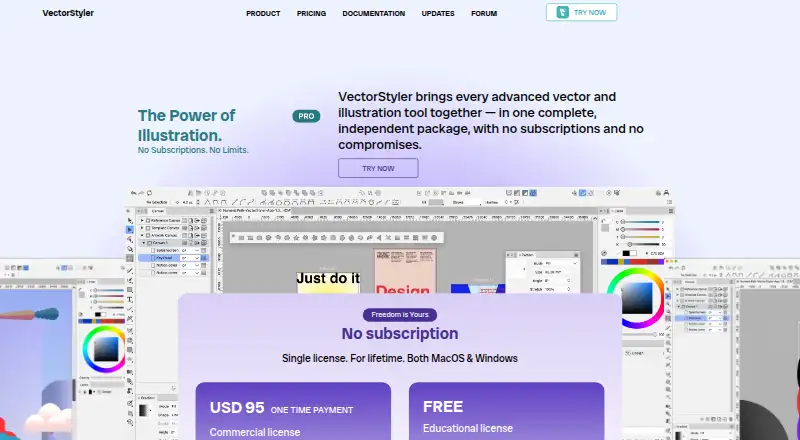
What VectorStyler is
VectorStyler is a desktop vector graphics and illustration editor for creating scalable art for print and screen. It runs on macOS and Windows and includes parametric shapes, non-destructive shape effects, path editing, and Boolean shape operations. Its vector brushes include artistic, pattern, scatter, and bristle types, alongside editable vector halftones. Typography options include text on a path, variable and color OpenType fonts, and flowing text across frames, artboards, and canvases. Users can customize shortcuts, menus, toolboxes, toolbars, and workspace profiles. VectorStyler imports native Adobe Illustrator files and supports formats including PDF, SVG, DWG, DXF, PSD, PNG, and TIFF. Batch export handles artboards, objects, and slices with reusable profiles and presets. The all-features trial lasts 42 days. AI files can be opened and edited, but cannot be saved or exported as AI files. The listed Single VectorStyler License is $95 a month, billed one time payment; an educational license is listed as free.
Good
- All features are enabled during the 42-day trial.
- Supports vector brushes and editable halftones.
- Batch export uses reusable profiles and presets.
- Imports native Adobe Illustrator files.
Watch out
- AI files cannot be saved or exported as AI files.
- The listed license is $95 a month, billed one time payment.
- Requires macOS 10.11 or later or Windows 10.
Who it suits
VectorStyler may suit illustrators and designers creating scalable artwork for print or screen. Its tools cover vector drawing, typography, file interchange, and batch export on macOS or Windows.
Verdict
VectorStyler combines vector drawing, typography, and batch export in a desktop editor with a 42-day all-features trial. Note that AI files must be saved in VectorStyler format.
Plans and prices
From VectorStyler's own pricing page, checked 15 Oct 2026.
| Plan | Price | What it gives you |
|---|---|---|
| Educational license | Free | schools and universities · teachers and professors · seminars and workshops · application required · free upgrades |
| Single VectorStyler License | $95, paid once | commercial license · MacOS and Windows · free upgrades · direct technical support · 14-day money-back guarantee · one time payment |
The facts
Each one read from VectorStyler's own pages, with the date it was checked.
Where it runs
- App size and compatibility
- The Mac App Store listing reports a roughly 96.3 MB app requiring macOS 10.11 or later.checked 15 Oct 2026
- Desktop app
- Yeschecked 23 Sep 2026
What it does
- Attribute selection
- Objects can be selected by style or other attributes matching the current selection.checked 15 Oct 2026
- Brushes and halftones
- It supports vector brushes including artistic, pattern, scatter, and bristle types, as well as editable vector halftones.checked 9 Oct 2026
- Color management
- Documents support calibrated gray, RGB and CMYK modes, profiles and embedded color profiles.checked 15 Oct 2026
- Color palettes
- Document and global palettes can be managed and loaded from external palette formats.checked 15 Oct 2026
- Customizable workspace
- Users can customize menus, shortcuts, toolboxes, toolbars and workspace profiles.checked 15 Oct 2026
- Data collection
- The maker says VectorStyler does not contain any data collection features.checked 9 Oct 2026
- Documentation depth
- The online manual includes sections covering drawing, colors, gradients, brushes, layers, effects, typography, import/export, printing and customization.checked 15 Oct 2026
- Document formats
- VectorStyler documents can be stored in compact, binary, JSON or XML formats.checked 15 Oct 2026
- Drawing and editing
- It includes parametric shapes, non-destructive shape effects, path editing, and Boolean shape operations.checked 9 Oct 2026
- Export workflow
- It supports batch exporting artboards, objects, and slices, with reusable export profiles and presets.checked 9 Oct 2026
- External scripting access
- The JSON and XML document modes expose the internal object hierarchy to third-party tools and external scripts.checked 15 Oct 2026
- File compatibility
- It imports and exports AI, PDF, SVG, DWG, DXF, PSD, PNG and TIFF files.checked 15 Oct 2026
- Halftones
- The software creates layered vector halftones, including stippling and color-separation variants.checked 15 Oct 2026
- Illustration tools
- Yeschecked 23 Sep 2026
- Illustrator compatibility
- The application can open, import or paste Adobe Illustrator artwork while retaining editable attributes.checked 15 Oct 2026
- Independent feature summary
- Wikipedia describes VectorStyler as supporting vector brushes, shape and image effects, mesh and shape gradients, collision snapping, multi-page documents and CMYK.checked 15 Oct 2026
- Independent format summary
- Wikipedia lists PDF, SVG, Illustrator, EPS and Photoshop import and export support for VectorStyler.checked 15 Oct 2026
- Independent license fact
- Wikipedia lists VectorStyler's license as proprietary and its price as a $95 one-time payment.checked 15 Oct 2026
- Independent release fact
- Wikipedia's comparison table records VectorStyler's first release as 2021.checked 15 Oct 2026
The company
- Company legal name
- The App Store identifies the provider and copyright holder as NumericPath Oy.checked 15 Oct 2026
- Headquarters
- The App Store lists NumericPath Oy at Tuhkelotie 4, Salo 24280, Finland.checked 15 Oct 2026
Money
- Free plan
- Nochecked 23 Sep 2026