Vector Paint
Vector Paint is a browser drawing program for creating vector artwork from points, lines, curves, and shapes.
What Vector Paint is
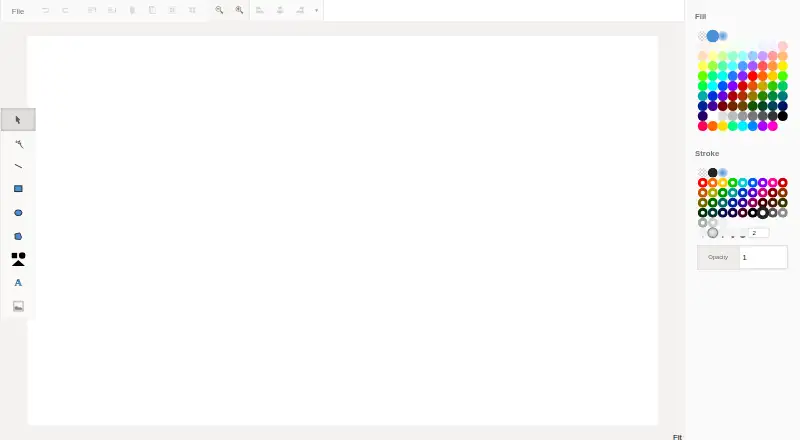
Vector Paint is a browser drawing program for creating vector artwork from points, lines, curves, and shapes. The editor includes tools for rectangles, ellipses, polygons, text, images, and other shapes, along with undo, redo, cloning, grouping, and deletion. Layer controls let users add, hide, merge, reorder, and move shapes between layers. Solid, gradient, and pattern fills and strokes, opacity settings, shape effects, and alignment or distribution tools are included. Artwork can be exported as PNG, JPEG, or SVG. Optional add-ons provide more than 1,000 fonts with spacing controls, path arrows and dots, masks and clip paths, repeating-image fills, and CSS generation for a web-page background. Core drawing and export features are free. Advanced text features cost $4.65 once.
Good
- Free core drawing and export features
- Browser-based editor
- PNG, JPEG, and SVG export
- Layer management tools
- Optional font and path add-ons
Watch out
- Advanced text features cost $4.65 once
- Add-ons are separate from the core editor
- Official page lists no support options
Who it suits
Vector Paint suits browser users who need basic vector drawing and exports without installing desktop software. It also fits users who want optional typography and path add-ons.
Verdict
Vector Paint covers common vector drawing, layer, color, and export tasks in a web app. Its free core is useful for basic work, while several specialized capabilities require add-ons.
Plans and prices
From Vector Paint's own pricing page, checked 11 Oct 2026.
| Plan | Price | What it gives you |
|---|---|---|
| Vector Paint | Free | Core drawing and export features |
| Advanced text features | $4.65, paid once | 1000+ extra high quality fonts · letter, word, and line spacing controls |
The facts
Each one read from Vector Paint's own pages, with the date it was checked.
What it does
- Advanced text
- An add-on offers 1000+ extra high quality fonts and controls for letter spacing, word spacing, and line height.checked 11 Oct 2026
- Alignment
- Alignment features include left, center, right, top, and bottom alignment, with options for relative alignment and distributing objects.checked 11 Oct 2026
- Color and effects
- The feature list includes solid, gradient, and pattern fills and strokes, opacity controls, and shape effects.checked 11 Oct 2026
- Developer tool
- An add-on generates CSS code to use an image as a web page background.checked 11 Oct 2026
- Drawing tools
- The editor supports lines, rectangles, ellipses, polygons, text, shapes, and images.checked 11 Oct 2026
- Editing
- The listed editing features include undo, redo, cloning shapes and nodes, grouping shapes, and deleting shapes, nodes, and layers.checked 11 Oct 2026
- File export
- The feature list includes exporting artwork as PNG and JPEG.checked 11 Oct 2026
- Integrations
- The page links to Google Fonts for browsing and choosing fonts.checked 11 Oct 2026
- Layer controls
- Users can add, hide, merge, reorder, and move shapes between layers.checked 11 Oct 2026
- Markers
- An add-on lets users add arrows and dots to the start, middle, or ends of paths and lines.checked 11 Oct 2026
- Masks and clip paths
- An add-on provides masks and clip paths to change visibility and transparency of object areas.checked 11 Oct 2026
- Pattern fills
- An add-on allows repeating images to be used as shape fills.checked 11 Oct 2026
- Purpose
- Vector Paint is a drawing program for drawing points, lines, curves, and shapes.checked 11 Oct 2026
- Support and security
- The opened official page does not state support options, security practices, or compliance certifications.checked 11 Oct 2026