UPX
UPX is a portable tool for compressing and packing executable programs and libraries on Windows, macOS, and Linux.
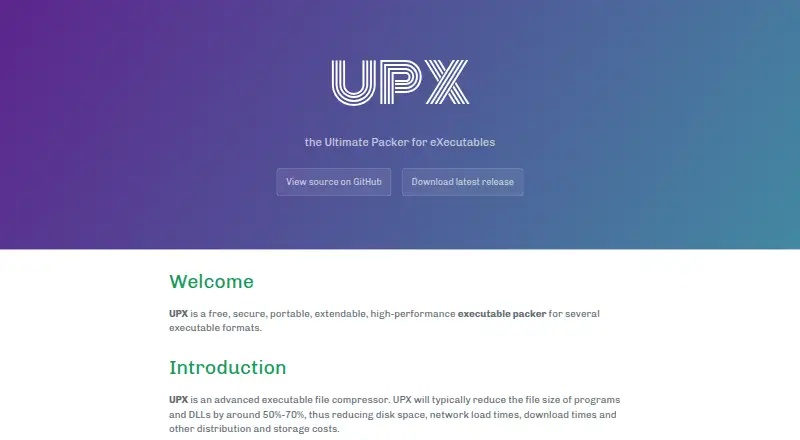
What UPX is
UPX is a portable tool for compressing and packing executable programs and libraries on Windows, macOS, and Linux. The project says it commonly reduces program and DLL file sizes by around 50%–70%. For most supported formats, packed files remain self-contained and run as before without runtime or memory penalties. UPX handles Windows programs and DLLs, macOS apps, and Linux executables, as well as formats such as PE, ELF, Mach-O, COFF, DOS, and Atari/TOS. It can list, test, and unpack files, and it keeps checksums for both compressed and original versions. The software is free under GPL v2 or later; a special exception allows unmodified UPX to compress commercial programs. UPX is not a protection or encryption tool, and its maintainers advise using it only with trusted files. Linux users should account for format-specific tradeoffs: compressed executables may require more RAM or swap when multiple processes run, and the generic Linux format recreates the original in /tmp before launch. The project is maintained by the UPX Team and accepts bug reports through GitHub issues.
Good
- Typically reduces program and DLL sizes by around 50%–70%.
- Packed programs are self-contained for most formats.
- Can list, test, and unpack executables.
- Free software under GPL v2 or later.
- Supports Windows, macOS, Linux, DOS, and Atari formats.
Watch out
- It does not provide protection or encryption.
- Use is advised only for trusted files.
- Concurrent Linux processes may need more RAM or swap.
- Generic Linux format creates a copy in /tmp.
Who it suits
UPX is for users who need to reduce executable file sizes or inspect and restore packed files across supported operating systems. Linux users should consider the documented runtime and temporary-file behavior.
Verdict
UPX offers executable compression and inspection tools across several operating systems and formats. It is not a security layer, and Linux users should account for its stated memory and temporary-file caveats.
Plans and prices
From UPX's own pricing page, checked 30 Sep 2026.
| Plan | Price | What it gives you |
|---|---|---|
| UPX | Free | Free software under GPL v2+; special license exception permits use with commercial programs |
The facts
Each one read from UPX's own pages, with the date it was checked.
What it does
- Compression
- The project says UPX typically reduces program and DLL file sizes by around 50%–70%.checked 30 Sep 2026
- Inspect and restore
- UPX can list, test, and unpack executables, and internally maintains checksums of compressed and uncompressed files.checked 30 Sep 2026
- License
- UPX is distributed with full source under GPL v2 or later, with a special exception allowing unmodified UPX to compress commercial programs.checked 30 Sep 2026
- Purpose
- UPX is a portable executable packer and file compressor for several executable formats.checked 30 Sep 2026
- Runtime behavior
- Compressed programs are self-contained and run as before with no runtime or memory penalty for most supported formats.checked 30 Sep 2026
- Security handling
- The project warns that UPX inherits the security context of files it handles and says to use it only on trusted files.checked 30 Sep 2026
- Security limits
- UPX describes itself as a packer and explicitly says it will not add protection or encryption features.checked 30 Sep 2026
- Support
- The project asks users to report bugs through its GitHub issues page.checked 30 Sep 2026
- Supported executable formats
- UPX supports formats including Windows programs and DLLs, macOS apps, and Linux executables.checked 30 Sep 2026
Where it runs
- Download platforms
- The latest release page provides Linux and Windows binaries, DOS builds, and a source tarball; it says each build handles all supported executable formats.checked 30 Sep 2026
- Linux runtime tradeoff
- The documentation says compressed Linux executables do not share RAM at runtime like file-mapped executables, so concurrent processes may need more RAM or swap.checked 30 Sep 2026
- Linux temporary files
- For its generic Linux format, UPX recreates a copy of the original file in /tmp before running it.checked 30 Sep 2026
The company
- Maker
- The homepage says UPX is maintained by the UPX Team and credits Markus F.X.J. Oberhumer, László Molnár, and John F. Reiser.checked 30 Sep 2026
The full review of UPX
UPX is a free, portable tool for shrinking executable files, best suited to developers and administrators who need to reduce distribution size across desktop platforms. Its compression and inspection tools are useful, but it is not a way to protect software from analysis or tampering.
Overview
UPX targets program and DLL size, with the project reporting typical reductions of around 50%–70%. For most supported formats, packed programs remain self-contained and run as before without a runtime or memory penalty. That makes UPX a practical option when smaller files matter and adding a separate runtime is undesirable.
It can list, test, and unpack executables, and maintains checksums of both compressed and uncompressed files. Those tools support inspection and restoration, but should not be mistaken for security safeguards: UPX explicitly offers no protection or encryption. It also inherits the security context of the files it handles, so the project recommends using it only with trusted files.
Key features
Broad executable format support
UPX handles PE, ELF, Mach-O, COFF, DOS/COM, DOS/EXE, DOS/SYS, and Atari/TOS formats, spanning Windows programs and DLLs, macOS apps, and Linux executables. Multi-architecture support makes it useful for projects that distribute across several systems, rather than just one desktop target. The advanced compression levels offer room to tune packing, though the stated 50%–70% reduction is typical, not a guarantee for every file.
Inspection and restoration
Listing and testing packed files can help check their state, while unpacking gives users a way to restore them. Checksums cover both packed and unpacked files. This is useful for handling and verifying executable files, but does not turn UPX into a security product.
Linux tradeoffs
Linux users should weigh two practical costs. Compressed executables do not share RAM at runtime like file-mapped executables, so running multiple instances may require more RAM or swap. With the generic Linux format, UPX recreates the original file in /tmp before launch, which may not suit environments with restrictive temporary storage policies.
Pricing
UPX is free software: its sole plan costs nothing and is licensed under GPL v2 or later. The license includes a special exception allowing unmodified UPX to compress commercial programs. It is a perpetual license model, with no free trial or paid tier described; this is a strong fit for users who need a no-cost packer, but the license terms still matter for redistribution and modification.
Platforms
UPX supports Windows, macOS, and Linux. The latest release page provides Linux and Windows binaries, DOS builds, and a source tarball; each build handles all supported executable formats. Users who need help or want to report a bug can use the project's GitHub issues page.
Who it's for
UPX suits developers, software distributors, and technical users who want smaller executable files and the ability to inspect or unpack them across multiple formats. It is less suitable when the requirement is code protection, encryption, or a secure boundary around untrusted files. Linux users with memory-constrained workloads or limited temporary-file space should also consider the runtime tradeoffs before adopting it.
Pros and cons
Pros
- Typical 50%–70% size reductions can make programs and DLLs easier to distribute.
- Support for multiple executable formats and desktop platforms suits cross-platform collections.
- Listing, testing, unpacking, and checksums provide useful file-handling tools alongside compression.
- The free GPL v2+ license includes an exception for using unmodified UPX on commercial programs.
Cons
- It provides no protection or encryption, so it cannot meet a software-hardening requirement.
- Linux packed executables can use more RAM or swap across concurrent processes.
- The generic Linux format writes a recreated original file to /tmp before running, a potential constraint in managed environments.
- Only Linux and Windows binaries are provided on the latest release page; macOS users may need the source tarball or another route to run the tool.
Alternatives
For a broader comparison, browse Executable Packers.
Obsidian is worth considering if you want a freemium alternative with a free plan and support spanning mobile, desktop, and browser-extension platforms.
StarForce Reader is another free option for readers who want a tool available across Android, iOS, Linux, macOS, and Windows.
MPRESS is a free alternative for users focused on macOS and Windows executable formats, including PE32, PE32+, .NET, and MAC-DARWIN.
AlushPacker is a free Windows-only option for users working within that platform.
Enigma Virtual Box is a free Windows application virtualization option, rather than a cross-platform executable packer.
Sentinel EMS is a paid alternative with a free trial and support for API, Linux, macOS, self-hosted, web, and Windows environments.
Virbox Protector is a paid option with a free trial and personal and enterprise license tiers priced in CNY.
Enigma Protector is a paid alternative with a free trial and Windows, Linux, API, and self-hosted platform support.
Verdict
Choose UPX when your priority is shrinking executable files across a wide range of formats without paying for a packer. Its inspection and unpacking tools add practical value, and the license allows unmodified use on commercial programs. Look elsewhere if you need protection or encryption, or if Linux's added memory and temporary-file costs conflict with your deployment environment.
Getting started
- Open the UPX website
- Choose a Linux, Windows, DOS, or source-tarball release
- Install or build the package for your platform
- Use UPX with a supported executable format
- List, test, compress, or unpack files as needed
Limits worth knowing
UPX does not provide protection or encryption. On Linux, concurrent compressed processes can need more RAM or swap, and the generic format uses /tmp for a recreated original file.
Questions
What does UPX cost?
UPX is free software, listed as free under GPL v2 or later.
Which platforms does UPX support?
Supported platforms are Windows, macOS, and Linux. Release downloads include Linux and Windows binaries, DOS builds, and a source tarball.
Which executable formats can it pack?
Formats include PE, ELF, Mach-O, COFF, DOS/COM, DOS/EXE, DOS/SYS, and Atari/TOS.
Does UPX encrypt or protect programs?
No. UPX describes itself as a packer and does not add protection or encryption features.
Can compressed files be restored?
Yes. UPX can list, test, and unpack executables, and it maintains checksums for packed and unpacked files.
Who maintains UPX?
The UPX Team maintains the project, with credits to Markus F.X.J. Oberhumer, László Molnár, and John F. Reiser.
Alternatives to UPX
- 1
Obsidian
Free planOpen sourceAndroidiOSExtensionLinux8.4From $48 a year - 2
Enigma Protector
WebAPILinuxSelf-hosted7.4 - 3

Virbox Protector
AndroidiOSLinuxmacOS7.1CN¥2,499 one-time - 4
VMProtect
LinuxmacOSWindows6.6 - 5
Crinkler
Free planWindows6.3Free plan - 6

Themida
Windows6.3From €79 a year