UniFi
UniFi is a business process automation platform for finance and other departments, designed for mid-market and enterprise organizations.
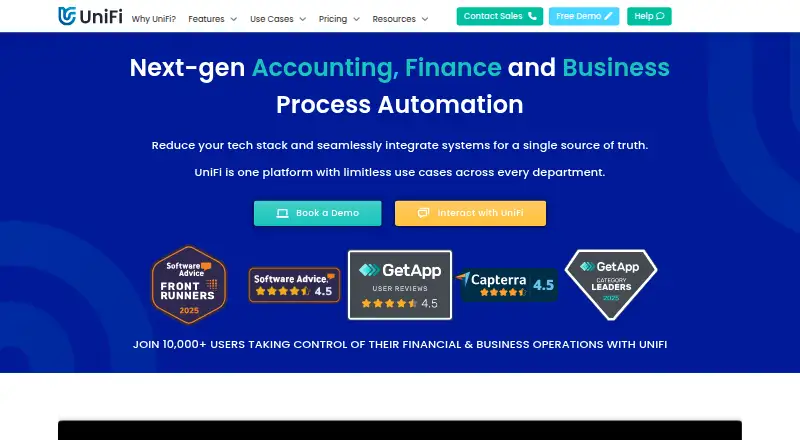
What UniFi is
UniFi is a business process automation platform for finance and other departments, designed for mid-market and enterprise organizations. Users can build and customize applications with a no-code drag-and-drop builder and process engine. For accounting workflows, UniFi can capture data when a process starts and automatically send journal transactions to a finance system. Middleware, data connectors, and an open API connect business systems, while an Excel add-in can retrieve UniFi data in real time and send spreadsheet data into the platform. Listed uses include purchasing, sales, financial accounting, reporting, expenses and travel, compliance, asset management, and budgeting and forecasting. UniFi is available on Android, iOS, and the web, with an API. The company states that it is ISO 27001 certified and SOC 2 Type 2 compliant, with annual independent audits. Support is offered by phone, email, portal, and TeamViewer, with training and help resources.
Good
- No-code builder and process engine for business apps.
- Can send journal transactions to finance systems.
- Open API and data connectors link business systems.
- Excel add-in exchanges data with UniFi in real time.
- Full-user pricing includes a 99.9% uptime guarantee.
Watch out
- No free plan is listed.
- Credit users cannot approve or create applications.
- Unused credit-user submissions do not carry over.
Who it suits
UniFi is aimed at mid-market and enterprise organizations, particularly those using ERP or accounting systems. It may suit teams automating finance processes alongside other business workflows.
Verdict
UniFi combines application building, accounting automation, and system connectivity for organizations with broader process needs. Full-user access starts at £9 per user per month billed annually, with shared storage and a stated uptime guarantee.
Plans and prices
From UniFi's own pricing page, checked 15 Oct 2026.
| Plan | Price | What it gives you |
|---|---|---|
| Self-Start Implementation | Free | Customer-led implementation at its own pace |
| Credit User | £3.50, paid once | Minimum 10 credits monthly · Credit users cannot approve · Unused credits expire after billing year · per submission; credits purchased in bulk and billed annually |
| Full User | £159 a month | All current and future features · 300GB storage per user, shared · 99.9% uptime guarantee · SSO · premium support · annually; price decreases with more users |
| Empower Implementation | £17,000, paid once | Remote implementation; on-site available |
| Bot User | — | One bot licence per autonomous process; RPA requires 2 bots · Generative AI requires at least 3 bots · annually |
| Consultant Implementation | Priced on request | Consultant-led implementation for complex or resource-constrained projects |
The facts
Each one read from UniFi's own pages, with the date it was checked.
What it does
- Accounting automation
- UniFi captures accounting data at process origin and automatically sends journals to finance systems.checked 15 Oct 2026
- API
- The public API can start and submit transactions, create or update reference data and read transaction or reference records.checked 15 Oct 2026
- API formats
- API requests and responses use JSON, while connectors can transform JSON, XML, CSV and fixed-width text.checked 15 Oct 2026
- Autonomous processes
- Eight bot-driven process types are listed: email extraction, autonomous data capture, scheduler, Connect Hub, RPA, generative AI, integration and webhooks.checked 15 Oct 2026
- Business intelligence
- Its BI tools combine data from multiple systems for real-time dashboards, analysis and drill-down reporting.checked 15 Oct 2026
- Business-process management
- The platform maps, monitors and automates process flows to standardise operations.checked 15 Oct 2026
- Connect Hub
- Connect Hub includes Companies House, 64 e-commerce platforms and Amadeus flight and hotel services, with more connections planned.checked 15 Oct 2026
- Documentation
- The help centre covers getting started, app building, reports, administration, technical reference, use cases and API examples.checked 15 Oct 2026
- Excel
- The Excel add-in can retrieve data from UniFi in real time and send data from Excel into UniFi.checked 8 Oct 2026
- Excel integration
- The Excel add-in supports two-way transfer, allowing users to retrieve UniFi data and send spreadsheet data back.checked 15 Oct 2026
- Inbound API and webhooks
- Inbound API connections use dedicated URLs and bot users; webhooks are unauthenticated fire-and-forget endpoints.checked 15 Oct 2026
- Included limits
- Full-user pricing includes a stated 300GB of storage per user, with total storage shared across all users, and a 99.9% uptime guarantee.checked 8 Oct 2026
- Integrations
- UniFi states that it integrates with SunSystems, NetSuite and other finance, ERP, CRM and HR systems.checked 15 Oct 2026
- Licence
- FinanSys describes UniFi as its proprietary automation platform, and no open-source licence is published.checked 15 Oct 2026
- Limit: implementation
- Some users report frustrating teething problems during setup and occasional transactions that do not complete correctly.checked 15 Oct 2026
- Limit: instability
- Independent reviewers report occasional bugs, system errors and instability, although support often resolves incidents quickly.checked 15 Oct 2026
Where it runs
- App builder
- Users can build and customise business applications with a no-code drag-and-drop builder and process engine.checked 8 Oct 2026
- Foundation apps
- Full users receive pre-installed foundation applications and future releases without additional module fees.checked 15 Oct 2026
The company
- Company founder
- FinanSys says Erol Kagan founded the company in 1998 as a financial-systems consultancy.checked 15 Oct 2026
- Company headquarters and size
- LinkedIn lists FinanSys as privately held, headquartered in London, founded in 1998 and employing 51–200 people.checked 15 Oct 2026
- Company history
- FinanSys, UniFi’s parent company, was founded in 1998; UniFi development began in 2008 and the product became publicly available in 2023.checked 8 Oct 2026
- Company legal identity
- FinanSys Solutions Limited is an active UK private limited company incorporated on 23 September 1998, company number 03636703.checked 15 Oct 2026
- Founded
- 2021checked 28 Sep 2026
- Headquarters
- UniFi says it is headquartered in London, United Kingdom.checked 8 Oct 2026
The full review of UniFi
UniFi is a business process platform for organisations that need finance workflows to work alongside processes in other departments. It suits mid-market and enterprise teams with ERP or accounting systems, especially when standard workflows are a poor fit. Its breadth is useful, but role-based licences and annual billing make it a deliberate platform investment rather than a lightweight tool.
Overview
UniFi brings application building, process automation and business-system connectivity into one platform. Its use cases include purchasing, sales, financial accounting, reporting, expenses and travel, compliance, asset management, and budgeting and forecasting. That range can help organisations connect work across departments; it is likely excessive for a small team looking to automate one isolated task.
FinanSys, UniFi’s parent company, was founded in 1998. Development of UniFi began in 2008, and the product became publicly available in 2023. It supports automated eliminations and reconciliation workflows, with six ERP integrations.
Key features
Build and automate processes
The no-code drag-and-drop builder and process engine let users create and customise business applications. That flexibility is valuable when a business needs workflows tailored to its own operations, but it also makes implementation and internal process ownership important considerations.
Connect finance and other systems
UniFi can capture accounting data when a process starts and send journal transactions automatically to a finance system. Middleware, data connectors and an open API support broader data movement between business systems. The Excel add-in can retrieve UniFi data in real time and send spreadsheet data back into the platform, a practical bridge for teams that still work in Excel.
Security and support
UniFi states that it is ISO 27001 certified and SOC 2 Type 2 compliant, with annual independent audits. Support includes phone, email, a portal and TeamViewer, alongside a dedicated customer training environment, help resources and free bi-weekly training. That support provision matters for organisations taking on a platform with implementation needs.
Pricing
There is no free plan. The free Self-Start Implementation option lets an organisation implement UniFi at its own pace, but it is not a free full-user licence.
- Credit User: £3.50 per submission, billed per submission. Credits are bought in bulk, with a minimum of 10 per month, and subscribed for 12 months. This optional add-on for full-user customers cannot approve or create applications, and unused credits do not carry over. It suits occasional submitters, but the role restrictions and commitment should be weighed against how consistently credits will be used.
- Full User: £9 per user per month, billed annually; pricing varies with user count. It includes full-user access, 300GB of storage per user shared across all users, and a 99.9% uptime guarantee. This is the core option for staff who need full access, though annual billing and shared rather than individually reserved storage affect the commitment.
- Bot User: £45 per bot user per month, billed annually. A bot licence is required for Autonomous Processes, adding a separate recurring cost where those processes are needed.
- Empower Implementation: £17,000 one-time for remote implementation; on-site implementation is also available. Consultants work with UniFi champions to build knowledge and enable staff training. It is a substantial upfront cost, best considered by organisations that want guided implementation rather than handling it at their own pace.
Platforms
UniFi supports Android, iOS and web, and provides an API. That mix accommodates mobile and browser access while allowing system connections; it does not change the product’s emphasis on organisational workflows.
Who it's for
UniFi is aimed at mid-market and enterprise organisations working with ERP or accounting systems and managing processes across finance and other departments. It is a stronger fit for teams that need configurable applications, accounting automation and system connectivity together than for small businesses seeking a simple standalone finance app.
Pros and cons
- Pros: The combination of a no-code builder, accounting automation and connectors can bring tailored departmental processes and finance-system updates into one workflow.
- Pros: Real-time Excel exchange, an open API and six ERP integrations provide several routes for moving data between UniFi and existing systems.
- Pros: Phone, email, portal and TeamViewer support, plus free bi-weekly training, give implementation teams multiple support and learning options.
- Cons: There is no free plan, and full-user pricing is billed annually, so it is a poor fit for teams wanting to try full access without a financial commitment.
- Cons: Credit users cannot create or approve applications, must subscribe for 12 months with a minimum of 10 credits per month, and lose unused credits.
- Cons: Bot licences add annual recurring cost for Autonomous Processes, while guided Empower implementation costs £17,000 one-time for remote delivery.
Alternatives
For a narrower intercompany-accounting requirement, Mayday is a freemium web option with a free plan for three same-currency intercompany balances, unlimited users and live-chat support; choose it if that limited scope is enough and a free entry point matters more than UniFi’s broader process platform. Translucent Intercompany also has a free web plan, covering up to four entities and loan and AP/AR discrepancy matrices, so it may suit teams whose needs stay within those limits.
OneStream is another paid platform, with pricing discussed through a demo. Epicor Kinetic offers platform-core, cloud-package, concurrent-user and industry-bundle choices, while SAP Business One uses quote-based pricing tied to business requirements. EntriesOne, Acumatica Field Service and Corpay Netting Manager are also options to compare; Corpay’s Netting Manager is free for Corpay customers to use or generate reports. For category-specific comparisons, see Intercompany Accounting Software and Supplier Onboarding Software.
Verdict
Choose UniFi if your organisation needs configurable business applications, finance automation and connections to ERP or accounting systems in a shared process platform. Its feature breadth and support make it a credible fit for complex, cross-department work. Look elsewhere if you need a free full-user plan, short-term licensing or a focused tool for a single workflow: annual user billing, restricted credit roles and the separate bot and implementation costs can make UniFi more platform than the job requires.
Getting started
- Visit https://unifiplatform.com/.
- Choose Self-Start Implementation at £0 to implement UniFi at your own pace, or Empower Implementation at £17,000 once for remote implementation; on-site implementation is also available.
- Select a user model: Full User starts at £9 per user per month billed annually, while Credit User costs £3.50 per submission and has a 12-month subscription.
- Use the no-code builder and process engine to create or customise applications.
- Connect business systems using middleware, data connectors, or the open API.
Limits worth knowing
Self-Start Implementation is an implementation option, not a free plan for using UniFi. Credit Users cannot approve or create applications; credits are purchased in bulk with a minimum of 10 per month, subscribed for 12 months, and unused credits do not carry over. Full-user storage is 300GB per user shared across all users.
Questions
Is UniFi free?
There is no free plan. Self-Start Implementation is listed at £0 as an implementation option.
How much does UniFi cost?
Credit User costs £3.50 per submission, subscribed for 12 months; Bot User is £45 per month billed annually.
Which platforms does UniFi support?
UniFi is available on Android, iOS, and the web, and it provides an API.
Can UniFi connect with accounting or ERP systems?
Yes. UniFi provides middleware, data connectors, and an open API, and it works with ERP or accounting systems.
What can Credit Users do?
Credit Users are an optional add-on for full-user customers, billed per submission. They cannot approve or create applications, and unused credits do not carry over.
What security certifications does UniFi state?
UniFi states that it is ISO 27001 certified and SOC 2 Type 2 compliant, with annual independent audits.
Alternatives to UniFi
- 1
Gravity Software
AndroidiOSWebAPI7.9 - 2
Oracle Fusion Cloud Expenses
AndroidiOSWebAPI7.7 - 3
Microsoft Dynamics 365 Sales
AndroidiOSWebAPI7.6 - 4
Mayday
Free planWebExtension7.4Free plan - 5

Intuit Enterprise Suite for Nonprofits
AndroidiOSWebAPI7.3From $7,800 a year - 6

Translucent Intercompany
Free planWeb7.3Free plan