Uncrop AI
Uncrop AI is a free web photo editor for expanding image boundaries and making several other image edits.
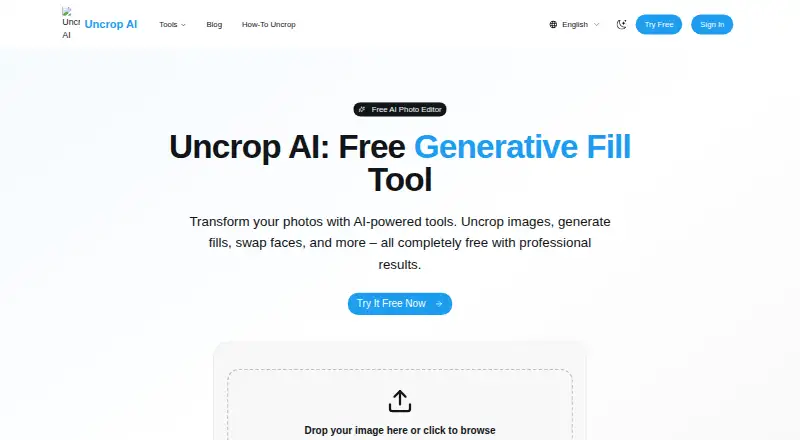
What Uncrop AI is
Uncrop AI is a free web photo editor for expanding image boundaries and making several other image edits. Its uncrop tool generates background content beyond a photo's original edges, with multiple aspect ratios available for reshaping the image. The site also lists generative fill, face swap, hairstyle generation, headshot generation, and watermark removal. The workflow is to upload an image, let it process, and download the result, without creating an account. Homepage uploads accept JPG, PNG, and WebP files up to 10MB, and the site says its tools are free with no watermarks. Suggested uses for uncropping include e-commerce photography, social media, print design, and web design. For stronger results, the site recommends high-quality images with clear subjects, good lighting, and simple or patterned backgrounds. The free plan is listed as free and includes unlimited usage, no signup requirement, and no watermarks. Uncrop AI runs on the web and does not offer a free trial.
Good
- Uncrop supports multiple aspect ratios.
- Includes generative fill, face swap, and other tools.
- No signup is required, according to the site.
- Homepage says tools are free with no watermarks.
Watch out
- Uploads are limited to JPG, PNG, and WebP.
- Homepage upload limit is 10MB.
Who it suits
Uncrop AI suits people who need to extend photos for e-commerce, social posts, print, or web layouts, as well as users looking for its other listed editing tools. It is a fit for browser-based workflows involving JPG, PNG, or WebP images up to 10MB.
Verdict
Uncrop AI combines image expansion with several other editing tools in a browser workflow. Its listed upload formats and 10MB limit are worth checking before choosing it for a particular image.
Plans and prices
From Uncrop AI's own pricing page, checked 9 Oct 2026.
| Plan | Price | What it gives you |
|---|---|---|
| Free | Free | Unlimited free usage · no signup required · no watermarks · JPG, PNG, WebP up to 10MB |
The facts
Each one read from Uncrop AI's own pages, with the date it was checked.
Where it runs
- Aspect ratios
- The uncrop tool supports multiple aspect ratios.checked 9 Oct 2026
What it does
- Best results
- The uncrop page recommends high-quality images with clear subjects, good lighting, and simple or patterned backgrounds.checked 9 Oct 2026
- Image extension
- Its uncrop tool extends photos beyond their original boundaries by generating matching background content.checked 9 Oct 2026
- Input limits
- The homepage upload supports JPG, PNG, and WebP images up to 10MB.checked 9 Oct 2026
- Other tools
- The site lists generative fill, face swap, hairstyle generation, headshot generation, and watermark removal tools.checked 9 Oct 2026
- Privacy claim
- The homepage describes the tools as privacy protected, but its linked privacy policy returned a 404 when opened.checked 9 Oct 2026
- Product
- Uncrop AI is a free online photo editor with tools to uncrop images, generate fills, swap faces, and more.checked 9 Oct 2026
- Suggested uses
- The uncrop page lists e-commerce photography, social media, print design, and web design as use cases.checked 9 Oct 2026
- Support
- The homepage lists support at [email protected].checked 9 Oct 2026
- Watermarks
- The homepage says its tools are free with no watermarks.checked 9 Oct 2026
- Workflow
- The site describes uploading an image, AI processing, and downloading the result, with no signup required.checked 9 Oct 2026