UltraMon
UltraMon is a Windows utility for managing systems with multiple monitors and organizing the desktop around them.
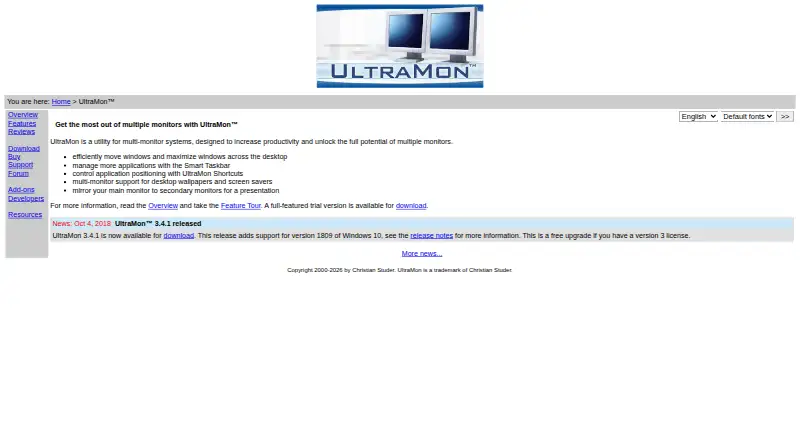
What UltraMon is
UltraMon is a Windows utility for managing systems with multiple monitors and organizing the desktop around them. It adds window buttons for moving windows between screens or maximizing one window across the full desktop. Its Smart Taskbar extends Windows 8 and later’s built-in multi-monitor taskbar, while Windows 7 and earlier can receive taskbars on secondary monitors. Display profiles change settings for one or more monitors and can apply those settings at login. Wallpaper can differ by monitor or stretch across the desktop, and secondary screens can run or blank screen savers. UltraMon can mirror a primary monitor or one application to secondary displays, including displays with different resolutions. The Display Settings applet supports more than 10 monitors. Scripts and the UltraMon SDK support automation and COM-based additions. It requires standard multi-monitor driver mode; span/stretch mode and Matrox DualHead2Go or TripleHead2Go are unsupported.
Good
- Moves or maximizes windows across monitors
- Adds secondary taskbars on supported Windows versions
- Profiles display settings and applies them at login
- Mirrors screens or applications across resolutions
- Supports configurations with more than 10 monitors
Watch out
- Windows only
- No free plan
- Span/stretch display mode is unsupported
- Phone support is unavailable
Who it suits
UltraMon suits Windows users working with multiple monitors who need window movement, taskbar, display-profile, mirroring, or scripting controls. It also fits large monitor setups and teams buying multiple licenses.
Verdict
UltraMon provides broad controls for Windows multi-monitor desktops, from window placement and taskbars to profiles, mirroring, and scripting. Its paid license starts at 39.95 USD one-time, with a 30-day trial, but hardware using span mode is excluded.
Plans and prices
From UltraMon's own pricing page, checked 7 Oct 2026.
| Plan | Price | What it gives you |
|---|---|---|
| 100+ licenses | $19.95, paid once | Each license |
| 50–99 licenses | $22.95, paid once | Each license |
| 26–49 licenses | $25.95, paid once | Each license |
| 11–25 licenses | $29.95, paid once | Each license |
| 5–10 licenses | $32.95, paid once | Each license |
| 2–4 licenses | $36.95, paid once | Each license |
| Single license | $39.95, paid once | 1 license |
The facts
Each one read from UltraMon's own pages, with the date it was checked.
What it does
- Display profiles
- Display profiles can quickly change settings for one or more monitors and can be applied at login.checked 7 Oct 2026
- Large monitor setups
- The included Display Settings applet supports configuring more than 10 monitors.checked 7 Oct 2026
- Mirroring
- UltraMon can mirror a primary monitor or a single application to secondary monitors, including across different resolutions.checked 7 Oct 2026
- Payment
- Payment processing is handled by PayPal, and all major credit cards are accepted.checked 7 Oct 2026
- Purpose
- UltraMon is a utility for multi-monitor systems designed to increase productivity and unlock the potential of multiple monitors.checked 7 Oct 2026
- Scripting and developer tools
- The UltraMon SDK provides documentation and samples for using UltraMon's COM components, and scripts can automate tasks or add functionality.checked 7 Oct 2026
- Support
- Support is provided free by email; phone support is unavailable, and support for a release ends when it is replaced or the product is no longer sold.checked 7 Oct 2026
- Taskbars
- Its Smart Taskbar extends Windows 8 and later's built-in multi-monitor taskbar and adds taskbars to secondary monitors on Windows 7 and earlier.checked 7 Oct 2026
- Unsupported Matrox mode
- Matrox DualHead2Go and TripleHead2Go are not supported because they always use span mode.checked 7 Oct 2026
- Updates
- Version 3 licenses cover minor version 3 upgrades and previous versions, while a free upgrade is provided if the next version is released within a year of purchase.checked 7 Oct 2026
- Video card requirements
- UltraMon is video card-independent but requires a driver with standard multi-monitor mode; span/stretch mode is not supported.checked 7 Oct 2026
- Wallpaper and screen savers
- UltraMon supports a different wallpaper on each monitor or one image stretched across the desktop, and can run or blank screen savers on secondary monitors.checked 7 Oct 2026
- Window management
- UltraMon adds window buttons to move windows between monitors or maximize a window across the desktop.checked 7 Oct 2026
The company
- Maker
- Realtime Soft owner and UltraMon developer Christian Studer is based in Grindelwald, Switzerland; the company was founded in 1998.checked 7 Oct 2026
Alternatives to UltraMon
- 1

DisplayFusion
Free planAndroidiOSAPIWindows7.9$34 one-time - 2

TaskbarX
Free planOpen sourceWindows7.6$1.09 one-time - 3

GitHub CodeQL
Free planWebExtensionLinuxmacOS7.5From $30 a month - 4
Winstep Nexus Dock
Free planWindows6.7$12.95 one-time - 5

Deskloom
Free planWindows6.4Free plan - 6
MyDockFinder
Windows6.4$4.99 one-time