TrueCloud
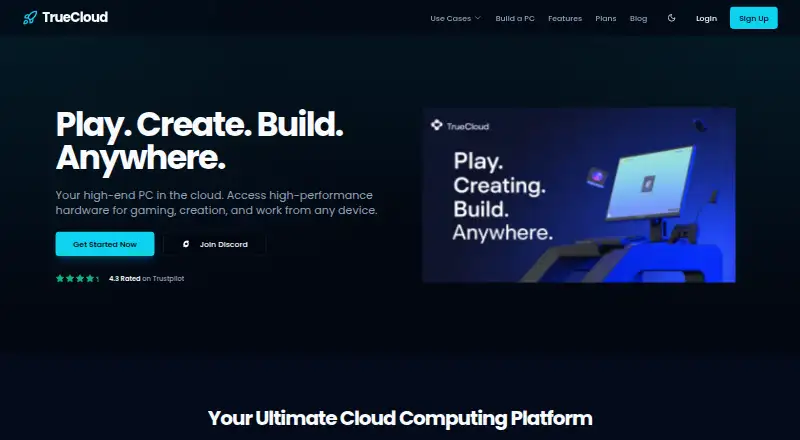
TrueCloud describes its service as a high-end PC in the cloud for gaming, creation, and work from supported devices.
What TrueCloud is
TrueCloud describes its service as a high-end PC in the cloud for gaming, creation, and work from supported devices. It says users can stream PC games with low latency and high FPS without owning a high-end PC. Its cloud systems are also intended for 4K video editing, 3D modeling, graphic design, code compilation, virtual machines, and application testing. Access platforms include Windows, macOS, Linux, iOS, Android, and web. Listed streaming clients include Moonlight, Parsec, Steam Remote Play, and Sunshine; compatible software includes Adobe Premiere Pro, Adobe After Effects, Blender, DaVinci Resolve, and Unreal Engine 5. TrueCloud says storage, CPU, RAM, and GPU can be adjusted without an additional charge for changing the entire plan. The paid plans vary in hardware, storage, and usage allowances: Night Owl 2060Super costs ₹520 a month, while Pro costs ₹2,499 a month. Other listed plans include options with six hours per day, midnight-to-8-AM access, or unlimited usage. There is no free plan. TrueCloud warns that Valorant, Fortnite, and PUBG PC may not work by default in a virtualized environment and directs users to select its Anti-Cheat Plan at checkout. Support is available 24x7 via Discord and an in-app ticket system.
Good
- Supports access from six listed platform types.
- Lists tools for video editing and 3D work.
- Hardware resources can be adjusted without an added plan-change charge.
- 24x7 support is available through Discord and in-app tickets.
Watch out
- There is no free plan.
- Some games may not work by default in a virtualized environment.
- Night Owl 2060Super is limited to midnight–8 AM.
- Some plans limit use to six hours per day.
Who it suits
TrueCloud suits users seeking cloud computing for gaming, creative workloads, or development tasks across its supported platforms. Buyers should check each plan’s usage allowance and consider the listed anti-cheat limitation for certain games.
Verdict
TrueCloud offers cloud PCs for gaming, creative work, and development, with plans that differ in hardware and usage time. It is paid only, and some games may require the Anti-Cheat Plan.
Plans and prices
From TrueCloud's own pricing page, checked 8 Oct 2026.
| Plan | Price | What it gives you |
|---|---|---|
| Night Owl 2060Super | ₹520 a month | 2060 SUPER · 18 GB · 10v Cores · 250GB · 100 · Midnight - 8 AM Only · ₹520.00/mo (shown alongside ₹650.00) |
| Night Owl | ₹799.20 a month | RTX 5060/4060 · 22GB · Ryzen 7 5700X · 300GB · 100 · Midnight - 8 AM Only · ₹799.20/mo (shown alongside ₹999.00) |
| Basic | ₹999 a month | 2060 Super · 18GB · 10V cores · 250GB · 6 hour per day · ₹999.00/mo |
| Casual Gamer | ₹1,259.10 a month | 3060TI · 18 GB · 8v cores · 300GB · 6 Hours Day · ₹1259.10/mo (shown alongside ₹1399.00) |
| Regular | ₹1,599.20 a month | 2060 SUPER · 18GB · 10v Cores · 500GB · Unlimited · ₹1599.20/mo (shown alongside ₹1999.00) |
| Unlimited(Z) | ₹1,994.05 a month | 3060 Ti · 20GB · 8v Cores · 500GB · Unlimited · ₹1994.05/mo (shown alongside ₹2099.00) |
| Pro | ₹2,499 a month | RTX 5060/4060 · 22GB · Ryzen 7 5700X · 500GB · Unlimited · ₹2499.00/mo |
| Pro 6 Months | ₹12,000 a year | RTX 5060/4060 · 22GB · Ryzen 7 5700X · 750GB · Unlimited · ₹12000.00/6mo (shown alongside ₹15000.00) |
The facts
Each one read from TrueCloud's own pages, with the date it was checked.
What it does
- Anti-cheat limitation
- The site says Valorant, Fortnite, and PUBG PC may not work by default in a virtualized environment and directs users to choose its Anti-Cheat Plan at checkout.checked 8 Oct 2026
- Compatible software
- The supported apps page lists Adobe Premiere Pro, Adobe After Effects, Blender, DaVinci Resolve, and Unreal Engine 5.checked 8 Oct 2026
- Creator workloads
- TrueCloud says its cloud PCs support 4K video editing, 3D modeling, and complex graphic design.checked 8 Oct 2026
- Developer workloads
- The site says users can compile code, run virtual machines, and test applications on its cloud systems.checked 8 Oct 2026
- Gaming
- The service says users can stream PC games with low latency and high FPS without owning a high-end PC.checked 8 Oct 2026
- Hardware configuration
- The features page says users can adjust storage, CPU, RAM, and GPU without an additional charge for changing the entire plan.checked 8 Oct 2026
- Streaming clients
- The supported apps page lists Moonlight, Parsec, Steam Remote Play, and Sunshine as streaming clients.checked 8 Oct 2026
- Support
- The landing page says 24x7 support is available via Discord and an in-app ticket system.checked 8 Oct 2026
- What it is
- TrueCloud describes its service as a high-end PC in the cloud for gaming, creation, and work from any device.checked 8 Oct 2026
The company
- Company founders
- The About page identifies Yash Gupta as CEO and co-founder and Jay Shroff as COO and co-founder.checked 8 Oct 2026
- Headquarters
- Jhansi, Uttar Pradesh, Indiachecked 28 Sep 2026
- Headquarters address
- The site lists Civil Lines, Rise India, Jhansi, Uttar Pradesh 284201.checked 8 Oct 2026
Where it runs
- Platforms
- The landing page lists Android, iOS, Mac, Windows, and Linux as supported platforms.checked 8 Oct 2026
The full review of TrueCloud
TrueCloud is a cloud-PC service aimed at people who need gaming, creative, or development hardware without buying a high-end desktop. It suits users who can work within scheduled or metered plans, and its configurable components make the service more adaptable than a fixed virtual machine. The main trade-off is that access time and anti-cheat compatibility vary by plan and workload.
Overview
TrueCloud presents a Windows PC hosted in the cloud and streamed to devices running Android, iOS, Linux, macOS, or the web, with Windows listed as the desktop operating system. The service targets PC gaming, 4K video editing, 3D modelling, graphic design, software development, virtual machines, and application testing. Streaming can use Moonlight, Parsec, Steam Remote Play, or Sunshine, giving users several established client options rather than a single access method.
Its hardware controls are a practical strength: storage, CPU, RAM, and GPU can be adjusted without an extra charge for changing the whole plan. That flexibility is useful when a video project needs more graphics power or a development task needs additional memory, but the published plans still determine the baseline resources and usage window.
Key features
Gaming and creative workloads
TrueCloud says it can stream PC games with low latency and high frame rates, avoiding the cost of owning a high-end gaming PC. The listed software support covers Adobe Premiere Pro, Adobe After Effects, Blender, DaVinci Resolve, and Unreal Engine 5, so the service is positioned for editing, 3D, motion work, and game development as well as play.
Anti-cheat restriction
Valorant, Fortnite, and PUBG PC may not run by default in a virtualized environment. Players of those games need to select TrueCloud’s Anti-Cheat Plan at checkout; without that provision, the service is a poor fit for an anti-cheat-dependent library.
Support
Support is offered 24x7 through Discord and an in-app ticket system, which is valuable when a streamed workstation or game session fails outside normal business hours.
Pricing
TrueCloud is paid-only. Plans combine GPU, memory, CPU, storage, and access limits, with several prices shown as reduced billing alongside a higher reference amount.
- Night Owl 2060Super: ₹520 a month (billed ₹520.00/mo, shown alongside ₹650.00), with a 2060 SUPER, 18 GB, 10v cores, 250GB, and access from midnight to 8 AM only. It is the lowest-cost option for overnight users who can schedule sessions.
- Night Owl: ₹799.20 a month (billed ₹799.20/mo, shown alongside ₹999.00), with an RTX 5060/4060, 22GB, Ryzen 7 5700X, 300GB, and midnight–8 AM access. It offers stronger listed hardware than the cheaper night plan but keeps the same severe time restriction.
- Basic: ₹999 a month, with a 2060 Super, 18GB, 10V cores, 250GB, and six hours per day. This suits light or scheduled use, not all-day gaming or sustained production.
- Casual Gamer: ₹1,259.10 a month (billed ₹1259.10/mo, shown alongside ₹1399.00), with a 3060TI, 18 GB, 8v cores, 300GB, and six hours per day. The GPU is aimed at gaming, while the daily cap limits long sessions.
- Regular: ₹1,599.20 a month (billed ₹1599.20/mo, shown alongside ₹1999.00), with a 2060 SUPER, 18GB, 10v cores, 500GB, and unlimited access. It is the straightforward choice for users who value time over a newer GPU.
- Unlimited(Z): ₹1,994.05 a month (billed ₹1994.05/mo, shown alongside ₹2099.00), with a 3060 Ti, 20GB, 8v cores, 500GB, and unlimited access. It raises graphics capability while retaining fewer listed cores than Regular.
- Pro: ₹2,499 a month, with an RTX 5060/4060, 22GB, Ryzen 7 5700X, 500GB, and unlimited access. This is the strongest monthly fit for demanding creative or development workloads among the listed monthly plans.
- Pro 6 Months: ₹12,000 a year (billed ₹12000.00/6mo, shown alongside ₹15000.00), with the Pro hardware, 750GB, and unlimited access. It lowers the effective commitment for users ready to pay six months in advance.
The cheaper plans give up either hours or storage, and the night plans also confine use to a narrow overnight window. No free tier is provided.
Platforms
TrueCloud supports Android, iOS, Linux, macOS, web, and Windows access, while the cloud desktop itself runs Windows. That breadth is useful for switching between computers and mobile devices, provided the connection and chosen streaming client suit the workload.
Who it's for
TrueCloud is best for gamers without a high-end PC, creators needing GPU-backed editing or 3D software, and developers who need compilation, virtual machines, or application testing. Night plans fit users whose sessions fall between midnight and 8 AM; Basic and Casual Gamer fit shorter daily use. Regular, Unlimited(Z), and Pro are better for frequent users who cannot work within a six-hour cap. Anti-cheat titles require the separate Anti-Cheat Plan.
Pros and cons
Pros
- Broad device coverage: Android, iOS, Linux, macOS, web, and Windows clients make the cloud PC accessible across common devices.
- Adjustable hardware: CPU, RAM, storage, and GPU can be changed without an extra whole-plan change charge.
- Serious software scope: Premiere Pro, After Effects, Blender, DaVinci Resolve, and Unreal Engine 5 cover major creative and development workflows.
- Unlimited options: Regular, Unlimited(Z), Pro, and Pro 6 Months remove the daily-hour ceiling.
Cons
- No free plan: every user must commit to a paid tier.
- Uneven access limits: Basic and Casual Gamer allow six hours per day, while both Night Owl plans are restricted to midnight–8 AM.
- Anti-cheat uncertainty: Valorant, Fortnite, and PUBG PC may need an additional Anti-Cheat Plan.
- Entry storage is modest: the lowest plans provide 250GB, which can fill quickly with games and media projects.
Alternatives
See the Cloud PC Services list for more options. Choose LoLa Cloud PCs if a free personal remote-desktop option matters; its free plan is for one person and requires your own compatible PC. Amazon WorkSpaces is the better fit for business users who want a free trial and broad platform support, with Windows single-session user fees starting at $4.19 a month plus provisioned instance-hour charges. Pick Dizzion Cloud PC when you need a dedicated persistent desktop and prefer contacting the provider for Core or Complete CPU/GPU configurations.
Shadow PC suits users who prefer fixed session-hour allowances, such as 120 hours per month on Neo Lite for 29.99 USD or 210 hours on Neo for 37.99 USD. Vagon Cloud Computer is a better match for minute-billed, pay-as-you-go use, starting with Sand at $0.25 per hour. Ace Cloud Hosting Desktop as a Service targets larger teams and offers an Enterprise team-desktop plan with a free trial. Fantom Cloud PC is preferable for one-off access through day passes, while Infosaic Cloud Virtual Desktop offers fixed-resource virtual desktops with published RAM, CPU, and storage tiers.
Verdict
Choose TrueCloud if you want a Windows cloud PC for gaming, creative applications, or development and need the freedom to adjust its core hardware. Its strongest case is the combination of broad device support, creator software compatibility, and unlimited higher tiers. Look elsewhere if you need a free entry point, predictable all-day access at the lowest price, or guaranteed support for anti-cheat games without selecting an additional plan.
Alternatives to TrueCloud
- 1

Amazon WorkSpaces
Free planAndroidiOSWebAPI8.2From $3.25 a month - 2

LoLa Cloud PCs
Free planAndroidiOSWebExtension8.0Free plan - 3

Oracle Cloud Compute
Free planAndroidiOSWebAPI7.6Free plan - 4

Ace Cloud Hosting Desktop as a Service
AndroidiOSWebLinux7.2From $352.19 a month - 5

V2 Cloud
AndroidiOSWebLinux7.2From $35 a month - 6
Shells
AndroidiOSWebLinux7.0From $14.95 a month