
LoLa Cloud PCs
LoLa Cloud PCs offers remote access to a compatible Windows computer and optional hosted Windows machines.
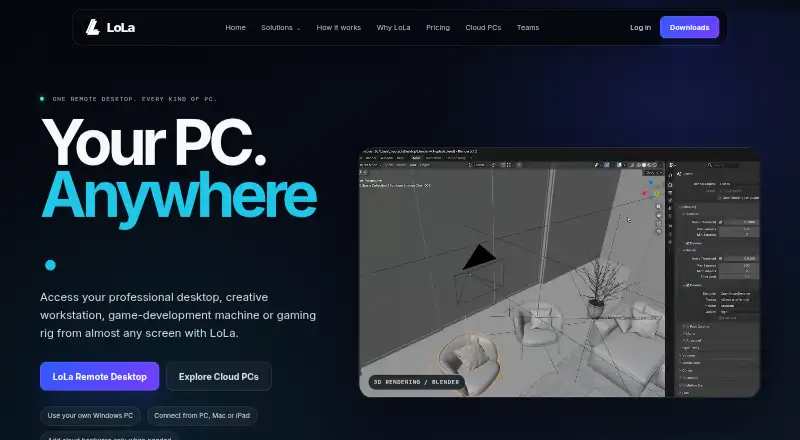
What LoLa Cloud PCs is
LoLa Cloud PCs offers remote access to a compatible Windows computer and optional hosted Windows machines. LoLa Remote Desktop streams the host to a supported device, while apps, files, and GPU workloads stay on the host during a session. The maker presents it for professional work, creative production, game development, and remote gaming. Listed client routes include Windows, macOS, iPhone and iPad, Android, Chrome, and Raspberry Pi. Creators can connect workflows involving Blender, After Effects, and Premiere Pro; gaming integrations include Steam, Battle.net, and Epic. Hosted Cloud PCs come in hourly or monthly usage-capped packages, with configurations and current final prices confirmed in the shop. Remote Desktop Personal is free for one person using their own compatible PC for personal, non-commercial purposes. Remote Desktop Premium is listed at £7.99 per user per month for professional and commercial use, without Cloud PC hardware. Team includes an admin console, shared machines and workspaces, permissions, access policies, basic access logs, centralized billing, and onboarding support. Performance depends on several conditions, with no universal figure provided.
Good
- Remote Desktop Personal has a free personal-use plan.
- Streams a compatible Windows host to supported devices.
- Team plan includes shared machines and access policies.
- Cloud PCs offer hourly or monthly usage-capped packages.
Watch out
- Personal free plan excludes commercial use.
- Cloud PC hardware is not included with Remote Desktop Premium.
- Cloud PC final prices and included usage are confirmed in the shop.
- Performance varies with host, network, workload, and other conditions.
Who it suits
LoLa may suit individuals who want to connect to their own Windows PC, or teams and studios working with creative, engineering, or CAD workflows. It also offers hosted machine packages for gaming and creative work.
Verdict
LoLa combines remote access to a user-owned Windows PC with optional hosted Cloud PCs. Check the usage caps and final shop prices for hosted packages, and consider the Team controls if several people need shared access.
Plans and prices
From LoLa Cloud PCs's own pricing page, checked 15 Oct 2026.
| Plan | Price | What it gives you |
|---|---|---|
| Starter | Free | 1 user · limited commercial use · 1 saved machine/workspace · standard streaming · not stated |
| Remote Desktop Personal | Free | 1 person · own compatible PC · non-commercial · no Cloud PC · personal use |
| Solo | £7 a month | 1 user · multiple machines/workspaces · multi-monitor · creator mode · priority support · annual billing; £9 monthly |
| Professionals Cloud PC | £7.99 a month | 2 CPUs · 4 GB RAM · no dedicated GPU · secure/private · monthly |
| Remote Desktop Premium | $7.99 a month | Commercial use · own compatible PC · Cloud PC hardware excluded · per user per month |
| Team | £24 a month | 3+ users · shared machines/workspaces · admin console · permissions · access logs · onboarding · annual billing; £29 monthly |
| Gaming Cloud PC | £27.99 a month | 8 CPUs · 32 GB RAM · RTX graphics · Steam/Battle.net/Epic · monthly |
| Creators Cloud PC | £27.99 a month | 8 CPUs · 32 GB RAM · dedicated GPU · Blender/After Effects/Premiere Pro · monthly |
| Cloud PC Professionals | — | 2 CPUs · 4 GB RAM · no dedicated GPU · included usage and final price confirmed in shop · £7.99 per month |
| Cloud PC Gaming | — | 8 CPUs · 32 GB RAM · RTX-powered graphics · included usage and final price confirmed in shop · £27.99 per month |
| Cloud PC Creators | — | 8 CPUs · 32 GB RAM · dedicated GPU · included usage and final price confirmed in shop · £27.99 per month |
The facts
Each one read from LoLa Cloud PCs's own pages, with the date it was checked.
What it does
- API and SDK documentation
- The public documents index contains legal, privacy, partner, MoonShine and component-reference documents but no API or SDK guide.checked 15 Oct 2026
- Cloud hardware options
- Cloud PCs are offered for general Windows work, creative GPU workloads and RTX gaming workloads.checked 15 Oct 2026
- Cloud PC packages
- Cloud PCs are available through hourly or monthly usage-capped packages, with machine configurations and current prices in the live shop.checked 9 Oct 2026
- Data location
- Apps, files, and GPU workloads remain on the host machine during remote sessions.checked 9 Oct 2026
- Documentation depth
- Public support documentation covers installation, Cloud PC launch, MoonShine pairing, PC Hub setup and keyboard shortcuts.checked 15 Oct 2026
- Gaming compatibility limitation
- LoLa warns that anti-cheat systems, launcher rules, controller support and cloud-hosting restrictions can prevent some games from working.checked 15 Oct 2026
- Google Play data disclosure
- Google Play shows the developer declaring no data shared with third parties and no data collected.checked 15 Oct 2026
- Independent editor score
- iTechGuides rates LoLa Cloud PCs 6.8 out of 10 and lists it as starting at £7.99 per month.checked 15 Oct 2026
- Independent limit: GPU availability
- iTechGuides notes that the Professionals plan has no dedicated GPU and that Creators and Gaming cost £27.99 monthly.checked 15 Oct 2026
- Independent limit: variable capacity
- iTechGuides says storage configurations and usage caps vary by package.checked 15 Oct 2026
- Independent praise: low entry tier
- iTechGuides highlights the £7.99 Professionals tier with 2 CPUs and 4 GB RAM as a strength.checked 15 Oct 2026
- Integrations
- The Gaming Cloud PC listing names Steam, Battle.net and Epic as supported game launchers.checked 15 Oct 2026
- Intended users
- The Team page describes use by studios, creative teams, engineering and CAD workflows, contractors, and project-based users.checked 9 Oct 2026
- Limit: launch reliability
- A Google Play reviewer reported the launch button freezing and the Cloud PC never starting.checked 15 Oct 2026
- Limit: MoonShine complexity
- A G2 reviewer found MoonShine has too many streaming settings, although advanced users may value them.checked 15 Oct 2026
- Limit: pricing complaint
- A Google Play reviewer requested a two-hour trial or lower hourly pricing and described the service as expensive.checked 15 Oct 2026
- Limit: product maturity
- A G2 reviewer said the company needs more visibility and the technology needs further streamlining.checked 15 Oct 2026
Money
- Billing limitation
- The Cloud PC page instructs buyers to confirm storage persistence, cancellation rules, usage caps and exact machine specifications before long projects.checked 15 Oct 2026
- Free-hour offer
- The Google Play description says users can purchase a Cloud PC or use a one-hour free PC.checked 15 Oct 2026
The company
- Company headquarters
- Companies House lists the registered office at 1 Bond Street, Colne, Lancashire, United Kingdom, BB8 9DG.checked 15 Oct 2026
- Company legal name
- The operating company is Theo Technologies Ltd, company number 13073324.checked 15 Oct 2026
- Founded year
- Theo Technologies Ltd was incorporated on 9 December 2020.checked 15 Oct 2026
- Headquarters
- Colne, United Kingdomchecked 28 Sep 2026
Where it runs
- Devices
- The maker lists Windows, macOS, iPhone and iPad, Android, Chrome, and Raspberry Pi client routes.checked 9 Oct 2026
The full review of LoLa Cloud PCs
LoLa Cloud PCs combines remote access to a compatible Windows computer you own with optional hosted Windows PCs. It suits individuals who want to reach their own machine and teams that need shared workspaces; hosted plans merit a close look at their usage caps and final shop prices.
Overview
LoLa’s two parts serve different needs. Remote Desktop streams a Windows host to a supported client, leaving apps, files and GPU workloads on that host; Cloud PCs provide an optional hosted computer instead. That distinction matters: the free personal plan requires your own compatible PC, while hosted packages bring their own usage limits and hardware configurations.
The maker positions the service for professional work, creative production, game development and remote gaming. Performance has no universal guarantee: it depends on the host, client, workload, software version, network route, geography and test conditions. A strong fit on paper is not a promise of a consistent session across every setup.
Key features
Remote access and hosted PCs
Remote Desktop can make an existing Windows PC reachable from another supported device, without moving its files or GPU workloads off the host. That is useful for people who already have a suitable machine; it is less suitable if they need a computer that runs independently of their own hardware. Cloud PCs address that need, with hourly or monthly packages and configurations sold through the live shop.
Creative and gaming options
The pricing page associates Blender, After Effects and Premiere Pro with Creators, and Steam, Battle.net and Epic with Gaming. The Creators package includes a dedicated GPU, while Gaming specifies RTX-powered graphics. These are clearer workload distinctions than the Professionals package, which has no dedicated GPU.
Team controls and security
Team includes an admin console, centralized billing, shared machines and workspaces, permissions, access policies, basic access logs and onboarding support. That makes it the more relevant route for studios, engineering and CAD groups, contractors and project-based teams that need managed shared access. Solo and Team list privacy mode and secure session controls. LoLa’s privacy policy says it processes personal identifiers and payment details under UK GDPR.
Pricing
The free Remote Desktop Personal plan is free for one person’s personal, non-commercial use with their own compatible PC; it does not require a Cloud PC. Its trade-off is strict: it is not for commercial work and provides no hosted computer.
Cloud PC Professionals is billed £7.99 per month and specifies 2 CPUs, 4 GB RAM and no dedicated GPU. It is the entry hosted configuration for professional use, but its included usage and final price are confirmed in the shop. Cloud PC Gaming is billed £27.99 per month, with 8 CPUs, 32 GB RAM and RTX-powered graphics. Cloud PC Creators is also billed £27.99 per month, with 8 CPUs, 32 GB RAM and a dedicated GPU. Both hosted packages are usage-capped, and the shop confirms included usage and final price, so the monthly billing figure alone does not establish how much use is included.
Remote Desktop Premium is billed £7.99 per user per month for professional and commercial use. It is a remote-access plan, not a hosted PC: Cloud PC hardware is not included. Team pricing is custom pricing. Solo and Team list priority support, while support is also available through a support form and community Discord.
Platforms
LoLa lists Windows, macOS, iPhone and iPad, Android, Chrome and Raspberry Pi client routes; the access-platform list names Windows, macOS, iOS, Android and Chrome. These are client routes for accessing a Windows host or Cloud PC, not a claim that the desktop operating system itself is available beyond Windows. The extra Raspberry Pi route may suit a particular client setup, but the published access-platform list does not include it.
Who it's for
Choose the free plan if you want personal, non-commercial access to your own compatible Windows PC. Premium is the better fit when that remote access is for professional or commercial work. Choose a Cloud PC package if you need a hosted Windows computer, selecting among Professionals, Gaming and Creators by workload and hardware needs. Teams that need shared machines, permissions and centralized administration should consider Team; solo users do not need its team-oriented controls.
Pros and cons
- Pro: Remote Desktop can use a compatible Windows PC you already own, and the free personal plan has no Cloud PC requirement.
- Pro: The Gaming and Creators configurations specify 8 CPUs and 32 GB RAM, with RTX-powered graphics or a dedicated GPU respectively.
- Pro: Team combines shared workspaces and machines with permissions, access policies, basic logs and centralized billing.
- Con: Hosted packages are usage-capped, and the shop determines included usage and final price, making the monthly billing amount only part of the cost picture.
- Con: Professionals has 4 GB RAM and no dedicated GPU, so it is a poor match for GPU-heavy creative or gaming workloads.
- Con: Remote performance depends on several parts of the connection and setup, with no universal performance figure to rely on.
Alternatives
Browse Cloud PC Services if you want to compare this category more broadly. Amazon WorkSpaces is worth considering for its free trial and Windows single-session user fee of $4.19 a month, plus provisioned instance-hour charges. Dizzion Cloud PC may suit teams seeking a dedicated persistent desktop with Core or Complete tiers and CPU or GPU workload configurations, with pricing available by contacting Dizzion.
Shadow PC offers fixed monthly plans with specified monthly hours and session-length limits, a useful alternative if those caps match your expected use. TrueCloud is another paid cloud-PC option. Vagon Cloud Computer charges by the hour and by the minute, which may suit workloads that do not need a monthly package. Ace Cloud Hosting Desktop as a Service offers an Enterprise Team Desktops plan for 100 users and a free trial. Fantom Cloud PC offers one-time day passes. Infosaic Cloud Virtual Desktop has monthly plans with specified RAM, virtual cores and drive capacity.
Verdict
LoLa is a sensible choice for people who want remote access to a Windows PC they already own, and for teams that need shared machines and access controls. Its strongest hosted options distinguish creative and gaming hardware needs, but the usage caps and shop-confirmed final prices make it harder to judge hosted cost from the monthly billing figures alone. Look elsewhere if you need predictable performance or a hosted package whose full usage and price are clear upfront.
Getting started
- Visit the LoLa website.
- Choose Remote Desktop for a compatible Windows host or a Cloud PC package.
- For personal, non-commercial use, select the free Remote Desktop Personal plan.
- For professional or commercial remote access, consider Remote Desktop Premium at £7.99 per user per month.
- For a hosted machine, review the hourly or monthly usage-capped options and confirm configuration and price in the shop.
- Connect from a listed client route, such as Windows, macOS, iPhone or iPad, Android, or Chrome.
Limits worth knowing
Remote Desktop Personal is for one person’s personal, non-commercial use and requires their own compatible PC. Cloud PC packages have usage caps, and included usage and final prices are confirmed in the shop.
Questions
Is there a free plan?
Yes. Remote Desktop Personal is free for one person using their own compatible PC for personal, non-commercial use.
How much does LoLa cost?
Remote Desktop Premium is £7.99 per user per month. Cloud PC Professionals is billed at £7.99 per month, while Cloud PC Gaming and Creators are billed at £27.99 per month; included usage and final prices are confirmed in the shop.
Which devices can connect?
Listed routes include Windows, macOS, iPhone and iPad, Android, Chrome, and Raspberry Pi.
Does LoLa include a hosted computer?
Cloud PCs are optional hosted Windows computers, offered through hourly or monthly usage-capped packages.
What does the Team plan include?
The listed controls include an admin console, centralized billing, shared machines and workspaces, permissions, access policies, basic access logs, and onboarding support.
Alternatives to LoLa Cloud PCs
- 1

Amazon WorkSpaces
Free planAndroidiOSWebAPI8.2From $3.25 a month - 2

Oracle Cloud Compute
Free planAndroidiOSWebAPI7.6Free plan - 3

Ace Cloud Hosting Desktop as a Service
AndroidiOSWebLinux7.2From $352.19 a month - 4

V2 Cloud
AndroidiOSWebLinux7.2From $35 a month - 5
Shells
AndroidiOSWebLinux7.0From $14.95 a month - 6
ubiDesktop
AndroidiOSLinuxmacOS7.0From $10.90 a month