Trio Kiosk Management
Trio Kiosk Management helps IT teams turn tablets, phones, and desktops into dedicated kiosks managed from one console.
What Trio Kiosk Management is
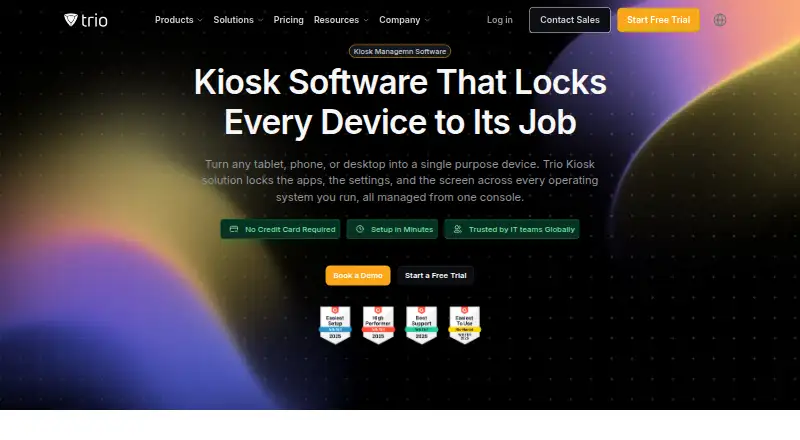
Trio Kiosk Management helps IT teams turn tablets, phones, and desktops into dedicated kiosks managed from one console. It offers single-app and multi-app lockdown, with approved apps deployed and updated silently, allowlists maintained, and settings pushed to devices. Kiosk screens can cycle through local images and video or show web content, with scheduled sleep and wake times. Enrollment options include Apple Business Manager, Android Zero Touch, and Windows AutoPilot. The product supports iOS, iPadOS, Android, Windows, macOS, ChromeOS, and Linux. Security controls include factory reset protection, enforced device encryption, and records of configuration and deployment changes; automated evidence collection supports SOC 2 and HIPAA reporting. Trio lists integrations such as Auth0, Slack, Google Play, Okta, Google, Splunk, Jira, Microsoft Teams, Microsoft Entra ID, and Office 365. Essentials costs $5 a month per device, Secure $8 a month per device, and Zero Trust $11 a month per device. Each starts with 20 devices and includes a 14-day free trial.
Good
- Single-app and multi-app kiosk modes
- Silent app deployment and updates
- Scheduled display sleep and wake
- Automated evidence collection for SOC 2 and HIPAA
- 24/7 support is advertised
Watch out
- No free plan
- Paid plans start with 20 devices
- Essentials costs $5 a month per device
Who it suits
It suits IT teams managing dedicated devices across settings such as retail. The listed platform support and enrollment options cover a range of kiosk environments.
Verdict
Trio combines kiosk lockdown, app management, and digital signage controls in one console. The 14-day trial offers a way to evaluate it, but there is no free plan and plans start at 20 devices.
Plans and prices
From Trio Kiosk Management's own pricing page, checked 30 Sep 2026.
| Plan | Price | What it gives you |
|---|---|---|
| Essentials | $5 a month | 14 days free trial · starts with 20 devices · Per device, per month |
| Secure | $8 a month | 14 days free trial · starts with 20 devices · Per device, per month |
| Zero Trust | $11 a month | 14 days free trial · starts with 20 devices · Per device, per month |
The facts
Each one read from Trio Kiosk Management's own pages, with the date it was checked.
Where it runs
- App deployment
- Admins can silently deploy and update approved apps, manage allowlists, and push preconfigured app settings.checked 30 Sep 2026
- Supported kiosk systems
- The product page lists iOS, iPadOS, Android, Windows, macOS, ChromeOS, and Linux kiosk support.checked 30 Sep 2026
The company
- Company
- Trio describes itself as a TrioSoft product and names Berlin as its head office; the company page does not state a founding year.checked 30 Sep 2026
What it does
- Compliance
- Trio says automated evidence collection supports SOC 2 and HIPAA reporting.checked 30 Sep 2026
- Digital signage
- Kiosk devices can loop local images and video, show web content, and follow scheduled sleep and wake settings.checked 30 Sep 2026
- Enrollment
- The page describes zero-touch enrollment through Apple Business Manager and Android Zero Touch, plus Windows AutoPilot.checked 30 Sep 2026
- Integrations
- The kiosk page names Auth0, Slack, Google Play, Okta, Google, Splunk, IDAP, Jira, Microsoft Teams, Microsoft Entra ID, and Office 365.checked 30 Sep 2026
- Intended users
- The page presents the product for IT teams managing dedicated devices across environments including retail.checked 30 Sep 2026
- Lockdown
- It offers single-app and multi-app kiosk modes, enforced using platform-native management capabilities.checked 30 Sep 2026
- Purpose
- Trio manages kiosks from one console, turning tablets, phones, and desktops into single-purpose devices.checked 30 Sep 2026
- Security
- The page describes enforced device lockdown, factory reset protection, device encryption enforcement, and audit records for configuration and deployment changes.checked 30 Sep 2026
- Support
- The page advertises 24/7 support, live chat response under one minute, email response under one hour, and ticket resolution under six hours.checked 30 Sep 2026
The full review of Trio Kiosk Management
Trio Kiosk Management turns phones, tablets, and computers into dedicated kiosks controlled from one console, with device lockdown, app deployment, and signage tools. It is best suited to IT teams overseeing purpose-built devices across locations and operating systems. Its breadth is appealing, but the 20-device starting point makes it a poor fit for a small pilot or a handful of kiosks.
Overview
Trio combines single-app and multi-app kiosk modes with management for approved apps and on-screen content. Lockdown relies on each platform’s native management capabilities, while administrators can deploy and update apps silently, maintain allowlists, and push preconfigured settings. That makes Trio relevant to teams that need both device restrictions and ongoing app administration, rather than signage playback alone.
Signage devices can loop local images and video, display web content, and follow scheduled sleep and wake settings. Zero-touch enrollment is described for Apple Business Manager, Android Zero Touch, and Windows AutoPilot. Security controls include factory reset protection, enforced encryption, and audit records for configuration and deployment changes. Trio also says automated evidence collection supports SOC 2 and HIPAA reporting.
Key features
- Flexible kiosk lockdown: Single-app and multi-app modes suit devices with one fixed task as well as those that need a limited set of approved tools.
- App and policy administration: Silent deployment, updates, allowlists, preconfigured app settings, and policy management reduce the need to configure each device individually.
- Digital signage: Local media, web content, and scheduled sleep and wake settings cover basic signage needs alongside kiosk use.
- Remote controls: Remote reboot, configuration, and wipe give administrators options for routine maintenance and device recovery.
- Integrations: Named services include Auth0, Slack, Google Play, Okta, Google, Splunk, IDAP, Jira, Microsoft Teams, Microsoft Entra ID, and Office 365.
- Support: Trio advertises 24/7 support, live chat responses under one minute, email responses under one hour, and ticket resolution under six hours.
Pricing
Trio has no free plan and offers a 14-day free trial. All three published plans are billed per device, per month and start with 20 devices, so the entry threshold matters as much as the per-device price.
- Essentials — $5 a month: The lowest-cost route for teams that need core kiosk management. The published plan details do not distinguish its included features from the higher tiers.
- Secure — $8 a month: A middle-priced option, but the plan details do not identify what it adds over Essentials.
- Zero Trust — $11 a month: The highest-priced published tier; its specific additions are not described.
Because the tier-by-tier inclusions are not differentiated, buyers should not assume which security or management features require an upgrade. The 14-day trial provides a limited evaluation window, but the 20-device minimum may rule Trio out for smaller deployments.
Platforms
Trio supports Windows, macOS, iOS, Android, ChromeOS, and Linux, with kiosk support also described for iPadOS. Its deployment model is cloud-based, and it covers laptops, desktops, smartphones, and tablets. That breadth can suit mixed-device fleets; teams seeking a self-hosted deployment should consider another option.
Who it's for
Trio is aimed at IT teams managing dedicated devices, including retail environments. It is a stronger fit for organizations that need one console for lockdown, app administration, enrollment, and signage across several operating systems than for a small operator seeking a free or very small-scale setup.
Pros and cons
Pros
- Broad operating-system coverage: Support spans major desktop and mobile platforms, including ChromeOS and Linux.
- More than screen lockdown: App deployment, settings, enrollment, and remote controls extend its use into ongoing fleet administration.
- Signage in the same console: Local media, web content, and schedules can serve devices used for display as well as restricted interaction.
- Documented security and reporting controls: Encryption enforcement, reset protection, audit records, and evidence collection are relevant to managed business fleets.
Cons
- No free plan: There is no ongoing no-cost option for a small deployment.
- 20-device starting point: Even the lowest-priced plan begins at 20 devices, which limits its appeal for trials involving only a few units.
- Unclear tier differences: The published plan descriptions do not explain what Secure and Zero Trust add for their higher prices.
Alternatives
Compare kiosk management software if you want to review the category before choosing a product.
- KioskCore is worth considering if a free plan or a small Android, iOS, Windows, web, or self-hosted deployment matters more than Trio’s described breadth; its free tier covers up to two devices.
- Moki may suit teams focused on Android and iOS management with API access; its Moki MDM plan caps API calls at 500 per hour per account and users at 10 before additional users cost $15 per month each.
- Quantem Kiosk Software is a lower-entry-price option at $2.40 per device per month on Essential, which includes QR enrollment, one private app up to 50 MB, three console users, and five scheduled reports.
- SiteKiosk is another paid option with Android, Windows, web, and self-hosted platforms.
- Canopy is a paid alternative covering web, Windows, Linux, iOS, and Android.
- FrontFace is a paid option for Android and Windows, with subscription and on-premises offerings.
- Atashi Kiosk Management Platform is a paid alternative for web and Windows.
- KioskGrid offers Android and web support, with a Monthly plan at €7 per device per month for 1 to 30 devices.
Verdict
Choose Trio if your IT team needs kiosk lockdown, app administration, enrollment, and signage in one cloud console across a mixed fleet. Its operating-system coverage and fleet controls are compelling for larger deployments, but the 20-device minimum, lack of a free plan, and unclear tier distinctions weaken the case for small rollouts. If you need only a few devices or want clearly differentiated plan inclusions, compare alternatives before committing.
Alternatives to Trio Kiosk Management
- 1
Kiosk
Free planOpen sourceAndroidiOSWebExtension8.0Free plan - 2

KioskCore
Free planAndroidiOSWebSelf-hosted7.3From €4 a month - 3

Canopy
AndroidiOSWebAPI7.2From $2,500 a month - 4
Kiosk Browser
AndroidWebAPI7.2From $1.60 a month - 5

Quantem Kiosk Software
AndroidiOSWebLinux6.9From $24 a year - 6
SiteKiosk
AndroidWebSelf-hostedWindows6.9From $239 a year