TrashMe 3
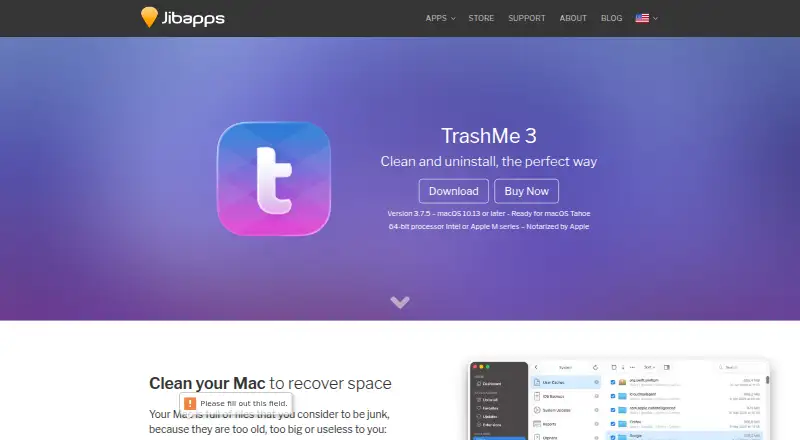
The facts below are what the maker publishes about TrashMe 3, checked and dated. Our editors have not written about it yet.
The facts
Each one read from TrashMe 3's own pages, with the date it was checked.
Where it runs
- App Store restrictions
- The Mac App Store edition cannot delete files requiring an administrator password, hides Maintenance by default, and omits CPU temperature and fan speed in Smart Mode; a free extension restores some functions.checked 11 Oct 2026
- App updates
- TrashMe can check for updates to installed apps, including apps bought from the Mac App Store.checked 11 Oct 2026
- Mac App Store limits
- The Mac App Store version cannot delete files requiring an administrator password by default, hides the Maintenance section, and lacks CPU temperature and fan speed in Smart Mode.checked 11 Oct 2026
What it does
- Compatibility
- The product page lists macOS 10.13 or later and 64-bit Intel or Apple Silicon processors as requirements.checked 11 Oct 2026
- Disk cleanup
- It can scan a folder for duplicate files and show disk usage in an interactive map.checked 11 Oct 2026
- Disk overview
- Its interactive disk map shows space used by files and folders and lets users select items for deletion.checked 11 Oct 2026
- Distribution
- TrashMe 3 is sold through Jibapps’ webstore and the Mac App Store; the maker says the selling price is the same.checked 11 Oct 2026
- Duplicate finder
- It scans folders for duplicate files so users can compare versions and choose which to remove.checked 11 Oct 2026
- Favorites
- Users can save app registration information and documents in Favorites and protect access with a password or Touch ID.checked 11 Oct 2026
- Favorites security
- Favorites can store registration details; access can be protected with the macOS account password or Touch ID, and exported archives can be encrypted.checked 11 Oct 2026
- Leftover scan
- Yeschecked 22 Sep 2026
- Other tools
- Features include app update checks, cache cleanup, startup item controls, maintenance scripts, hidden settings, and selective Trash emptying.checked 11 Oct 2026
- Permissions
- The maker says Full Disk Access is needed for best cleaning and uninstall results and to access the Trash and enable automatic uninstallation.checked 11 Oct 2026
- Privacy permissions
- The maker says Full Disk Access is needed for best cleaning and uninstall results and to access the Trash; automatic uninstallation will not work without it.checked 11 Oct 2026
- Purchase and support
- The maker sells the app through its webstore and the Mac App Store, and its webstore advertises instant activation, premium support, and a 30-day money-back guarantee.checked 11 Oct 2026
- Purpose
- TrashMe 3 removes junk files and uninstalls Mac apps, including related preferences, caches, and logs.checked 11 Oct 2026
- Requirements
- TrashMe 3 requires macOS 10.13 or later and a 64-bit Intel or Apple Silicon processor; the maker says it is notarized by Apple.checked 11 Oct 2026
- Smart Mode
- Smart Mode can detect apps moved to the Trash and display system information such as CPU load, temperature, memory, and battery status in the menu bar.checked 11 Oct 2026
- Support
- The webstore lists instant activation, premium support, and a 30-day money back guarantee.checked 11 Oct 2026
- System monitoring
- Smart Mode can show CPU load and temperature, memory, battery, graphics, and network information in the macOS menu bar.checked 11 Oct 2026
The company
- Founded
- 2009checked 28 Sep 2026
- Headquarters
- Francechecked 28 Sep 2026
- Maker
- Jibapps is an independent macOS app studio in Loire Atlantique, France, developing Mac apps since 2009.checked 11 Oct 2026
Money
- Free plan
- Nochecked 22 Sep 2026
Alternatives to TrashMe 3
- 1
IObit Uninstaller
Free planWindows8.2Free plan - 2

Wise Program Uninstaller
Free planWindows8.0From $14.95 a year - 3

Geek Uninstaller
Free planWindows7.6Free plan - 4
Argente Uninstall Manager
Free planWindows7.6From €9 a year - 5

Uninstall Tool
Windows7.5$24.95 one-time - 6
Revo Uninstaller
Windows7.4