Translate.Video
Translate.Video is a web service for translating videos and preparing captioned or dubbed versions.
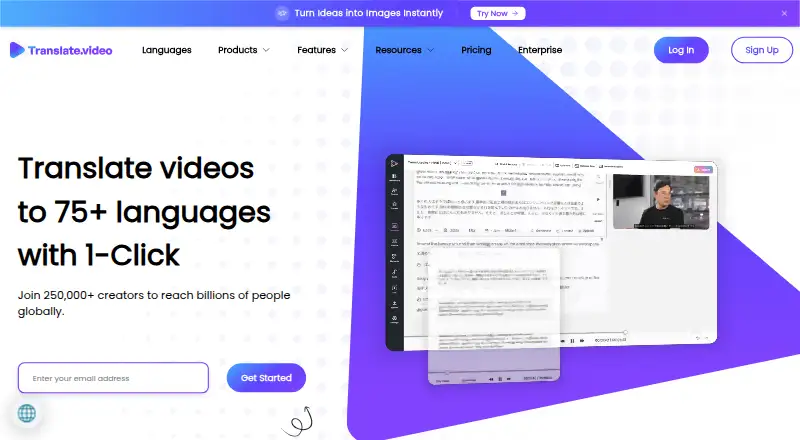
What Translate.Video is
Translate.Video is a web service for translating videos and preparing captioned or dubbed versions. It offers automated transcripts, closed captions, subtitle generation and translation, plus dubbing, AI voice-over and voice recording. The service says it can translate videos into 75+ languages and lists 81 supported languages. Users can create a voice clone from 50 seconds of audio; the clone is described as speaking 75+ languages. SRT, VTT and MP4 are among its listed formats. YouTube and Instagram integrations support publishing translated videos, including management of multiple YouTube channels and localized Instagram captions and hashtags. Teams can add members, assign roles and restrict access. The listed Basic plan includes 20 dubbing minutes, 20 caption or subtitle minutes, 20 export minutes and 2 GB of storage. Displayed plans list English-only multi-speaker diarization. Data deletion after cancellation is listed at 14 days for Basic and Pro, and 7 days for Premium.
Good
- Subtitle generation and translation are listed.
- YouTube and Instagram publishing integrations are available.
- Teams can assign roles and restrict access.
- Basic includes 20 dubbing minutes and 2 GB storage.
Watch out
- The free plan lists zero dubbing and caption minutes.
- Displayed plans list English-only multi-speaker diarization.
- Basic and Pro data deletion is listed at 14 days after cancellation.
- Premium data deletion is listed at 7 days after cancellation.
Who it suits
Translate.Video may suit video creators or teams that need translated captions, subtitles or dubbing and publishing through YouTube or Instagram. Its Pro plan is described for content creators and small teams, while Premium is described for large teams and enterprises.
Verdict
Translate.Video combines translation, captioning, voice tools and publishing integrations for video workflows. Check plan limits, especially the displayed diarization language restriction and the listed post-cancellation deletion periods.
Plans and prices
From Translate.Video's own pricing page, checked 20 Sep 2026.
| Plan | Price | What it gives you |
|---|---|---|
| Free | Free | 0 dubbing minutes · 0 auto-caption/subtitle minutes · 0 MB storage · 81 languages · billed monthly |
| Basic | $29 a month | 20 dubbing minutes · 20 auto-caption/subtitle minutes · 20 export minutes · 2 GB storage · 20-minute maximum upload length · 1 GB maximum upload size · billed monthly |
| Pro | $99 a month | 100 dubbing minutes · 5,000 TTS words · 10 lip-sync minutes · 10 GB storage · 60-minute maximum upload length · 1 GB maximum upload size · billed monthly |
| Premium | $299 a month | 330 dubbing minutes · 25,000 TTS words · 30 lip-sync minutes · 30 GB storage · 180-minute maximum upload length · Unlimited maximum upload size · billed monthly |
| Free Plan | Free | 0 dubbing/TTS/lip-sync/caption/export minutes · 81 languages · 14-day data deletion · $0/month |
| Basic Plan | $9 a month | 20 dubbing/caption/export minutes · 2 GB storage · 20-minute uploads · 1080p · 2 languages/process · $29$9/month |
| Pro Plan | $99 a month | 100 dubbing/caption/export minutes · 5,000 TTS words · 10 lip-sync minutes · 10 GB storage · 81 languages/process · $99/month |
| Premium Plan | $299 a month | 330 dubbing/caption/export minutes · 25,000 TTS words · 30 lip-sync minutes · 30 GB storage · 180-minute uploads · unlimited upload size · $299/month |
The facts
Each one read from Translate.Video's own pages, with the date it was checked.
What it does
- Accuracy limitation
- Terms warn that AI-generated results may be inaccurate and recommend human supervision for critical uses.checked 21 Oct 2026
- API and SDK claim
- The homepage says capabilities can be called through MCP, API, SDK and CLI interfaces.checked 21 Oct 2026
- API documentation
- No public endpoint or SDK reference documentation was found; independent directories list API availability as unavailable.checked 21 Oct 2026
- Availability limitation
- Terms disclaim guaranteed availability and warn that maintenance or technical problems can cause interruptions and errors.checked 21 Oct 2026
- Captions and subtitles
- The service offers automated transcripts and closed captions, and subtitle generation and translation.checked 30 Sep 2026
- Changelog
- The changelog records Beta v2.6.0 on December 12, 2025 with subtitle playback and synchronization improvements.checked 21 Oct 2026
- Corporate registration
- CompanyCheck lists Apex Future Labs Private Limited as incorporated on June 19, 2020 in Bangalore and associated with Translate Video and Vitra.checked 21 Oct 2026
- Data retention
- The privacy policy says personal information is generally not kept longer than one year, subject to legal exceptions.checked 21 Oct 2026
- Dubbing and voiceover
- The site lists video dubbing, AI voice-over, voice recording, and transcript features.checked 30 Sep 2026
- Enterprise API
- The enterprise offering advertises API integration for dubbing, subtitles and lip-sync workflows.checked 21 Oct 2026
- Exports
- The homepage lists SRT, VTT, and MP4 among its video tools and output formats.checked 30 Sep 2026
- Funding news
- Vitra.ai's newsroom reports that IIFL Fintech Fund acquired a 10% stake in July 2024.checked 21 Oct 2026
- Instagram publishing
- The integration page says users can publish translated videos to Instagram feeds and stories, with localized captions and hashtags.checked 30 Sep 2026
- Integrations
- Translate.Video says it integrates directly with YouTube and Instagram for translating and publishing videos.checked 30 Sep 2026
- Intended users
- The pricing page describes Pro as for content creators and small teams, and Premium as for large teams and enterprises.checked 30 Sep 2026
- Language coverage
- The homepage advertises 120 languages and 12,000-plus voices in Vitra.ai Universe, while legacy plans list 81 languages.checked 21 Oct 2026
- License
- Terms state that source code, databases and software are owned or licensed by the company and grant only a limited personal license.checked 21 Oct 2026
- Limit: accuracy and bugs
- Reviewers report pronunciation or translation errors, lag, editing bugs and occasional failures on complex videos.checked 21 Oct 2026
Where it runs
- Browser access
- Aikiwi reports that Translate.Video runs in a browser without a dedicated desktop or mobile installation.checked 21 Oct 2026
The company
- Company founding
- LinkedIn lists the Translate Video company as founded in 2018 with headquarters in Barcelona and 2–10 employees.checked 21 Oct 2026
- Company headquarters
- The official footer gives a Bengaluru, Karnataka, India address for Apex Future Labs Pvt. Ltd.checked 21 Oct 2026
- Company legal name
- The service identifies its legal maker as Apex Future Labs Pvt. Ltd.checked 21 Oct 2026
- Headquarters
- Bengaluru, Karnataka, Indiachecked 28 Sep 2026
Money
- Free plan
- Yeschecked 20 Sep 2026
The full review of Translate.Video
Overview
Translate.Video is a web-based service for translating and localizing videos, best suited to creators and teams publishing in multiple languages. Its mix of captions, dubbing, voice tools and social publishing is unusually broad, but the zero-minute Free allowance and monthly quotas make it a poor fit for sustained use without a paid plan.
It brings transcript and subtitle work together with voice generation and publishing connections. That breadth can simplify a localization workflow; the trade-off is that the plan limits and the English-only multi-speaker diarization restriction may constrain some projects.
Key features
Captions, transcripts and subtitles
Automated transcripts and closed captions sit alongside subtitle generation and translation. This combination suits creators who need localized text as well as dubbed audio. Basic allows 20 minutes of auto-caption and subtitle work per month, while Pro and Premium allow 100 and 330 minutes respectively. Export minutes are also capped, so a large captioning allowance does not mean unlimited finished output.
Dubbing and voice tools
Translate.Video offers AI dubbing and voice-over, voice recording, and lip sync. Its voice-cloning feature can build a clone from 50 seconds of audio that speaks more than 75 languages. The workflow is compelling for creators adapting their own videos, but minutes and text-to-speech words are finite: Pro includes 100 dubbing minutes, 5,000 TTS words and 10 lip-sync minutes; Premium raises those allowances to 330 minutes, 25,000 words and 30 lip-sync minutes.
Publishing and collaboration
The YouTube integration supports multiple channels and direct publication of translated videos. Instagram publishing covers feeds and stories, with localized captions and hashtags. Team controls let administrators add members, assign roles and restrict access, which is useful when localization involves several contributors. These workflow features are more relevant to active publishing teams than to someone translating a single video occasionally.
Exports include SRT, VTT and MP4. The displayed plans limit multi-speaker diarization to English, a meaningful drawback for projects that need speaker separation in other languages.
Pricing
Translate.Video is freemium, but its Free plan is not a practical production tier: it provides zero dubbing minutes, zero caption or subtitle minutes, zero export minutes and zero storage. Treat it as a no-cost entry point rather than a usable monthly allowance.
The pricing details show two different Basic presentations. One gives Basic as $29 a month, with 20 dubbing minutes, 20 auto-caption/subtitle minutes, 20 export minutes, 2 GB storage, a 20-minute maximum upload and a 1 GB file-size limit. Another shows Basic Plan at $9 a month, with the same core quotas plus 1080p output and two languages per process. Because those displayed prices conflict, verify the price and included limits for the plan offered at checkout before subscribing.
Pro costs $99 a month. It is described for content creators and small teams, and includes 100 dubbing minutes, 100 auto-caption/subtitle minutes, 100 export minutes, 5,000 TTS words, 10 lip-sync minutes and 10 GB storage. Uploads can be up to 60 minutes and 1 GB; the plan also specifies 1080p and 81 languages per process. It is the more credible choice for regular publishing, though its quotas remain restrictive for high-volume output.
Premium costs $299 a month and targets large teams and enterprises. Its 330 dubbing, caption/subtitle and export minutes, 25,000 TTS words, 30 lip-sync minutes and 30 GB storage support heavier workloads; uploads can run to 180 minutes, with unlimited maximum file size, 1080p and 81 languages per process. Basic and Pro data is deleted 14 days after cancellation; Premium data is deleted after 7 days, leaving less time to retrieve work after ending the subscription.
Platforms
Translate.Video is available on the web. API access is also offered, giving teams another route to connect the service with their workflows.
Who it's for
Choose Translate.Video if you need captions, translated subtitles, dubbing and social publishing within one web workflow, particularly when you manage recurring YouTube or Instagram output. Its collaboration controls can help small teams coordinate access. It is less suitable for occasional users who expect a genuinely usable free tier, or for multilingual projects that require multi-speaker diarization beyond English.
Pros and cons
- Pros: Captions, subtitles, dubbing, voice cloning and lip sync cover several localization tasks in one service.
- Pros: Direct YouTube and Instagram publishing can reduce handoffs for creators distributing localized versions.
- Pros: Team roles and access restrictions support shared workflows rather than single-user editing alone.
- Cons: The Free plan has zero working minutes and storage, so it does not support a production project.
- Cons: Monthly minutes, TTS words and storage cap output, and the displayed Basic price differs between plan presentations.
- Cons: Multi-speaker diarization is limited to English on the displayed plans.
- Cons: Data deletion follows cancellation quickly: seven days on Premium and 14 on Basic and Pro.
Alternatives
pyVideoTrans is the stronger fit for buyers prioritizing open-source software and platform flexibility: it is free, runs across desktop, web and self-hosted environments, and has no feature limits, though third-party API charges are paid separately.
HeyGen is worth considering when a small free allowance is enough: its free plan permits up to three videos monthly, each no longer than one minute.
CAMB.AI offers a lower-cost paid entry point, with Essentials at $5 a month and Pro at $20 a month; choose it when that pricing structure better suits your budget.
Perso Dubbing may suit a light trial workflow: its free plan includes one generation at sign-up for dubbing, speech-to-text and audio separation, and it offers a free trial.
Vidby is an alternative with a free plan that includes 30 credits, 70 languages, watermarking, original and subtitle downloads, and automatic voice cloning.
videodubbing.com is another freemium option for readers comparing video dubbing services.
BlipCut AI Video Translator offers a weekly plan at $16.99 a month, with 30 credits per week that can be used for translation, subtitles, clipping or voice-over.
Wavel AI provides trial access through one-time credits rather than an unlimited free plan: its free offer is 15 credits for seven days, with watermarked videos.
For more options, browse Video Localization Software and AI Video Caption Generators.
Verdict
Translate.Video is a strong candidate for creators and teams that need a connected route from translated captions and dubbing to YouTube or Instagram publishing. Its breadth is the main reason to choose it; the empty Free allowance, capped monthly quotas, English-only diarization and conflicting Basic pricing are good reasons to compare alternatives first.
Alternatives to Translate.Video
- 1

Captions
Free planAndroidiOSWebAPI9.1From $4.99 a month - 2

Whisper
Free planOpen sourceAPILinuxmacOSSelf-hosted8.9$0.01 usage-based - 3

SRTGen
Free planWebAPI8.3From $4 a month - 4
Fluen AI Subtitle Generator
Free planWebAPIExtensionmacOS8.2Free plan - 5
ZapCap
Free planAndroidiOSWebAPI8.1From $8 a month - 6
ngram
Free planWebAPIExtension8.1From $29 a month