TouchCursor
The facts below are what the maker publishes about TouchCursor, checked and dated. Our editors have not written about it yet.
Plans and prices
From TouchCursor's own pricing page, checked 12 Oct 2026.
| Plan | Price | What it gives you |
|---|---|---|
| Free | Free | Windows 2000, XP, 2003 and Vista |
The facts
Each one read from TouchCursor's own pages, with the date it was checked.
What it does
- Background operation
- TouchCursor runs automatically in the background and can be configured to start when the user logs in to Windows.checked 12 Oct 2026
- Customization
- Users can customize key bindings and choose a different activation key.checked 12 Oct 2026
- Downloads
- The maker offers a Windows installer and a ZIP version for portable use, including running from a USB drive.checked 12 Oct 2026
- Key combinations
- Cursor bindings can be combined with Shift, Ctrl, and Alt like normal cursor keys.checked 12 Oct 2026
- Known limitations
- The manual says Space does not produce a space until released and does not auto repeat; users can disable TouchCursor for selected programs or choose another activation key.checked 12 Oct 2026
- License
- TouchCursor is free software under GNU GPL version 3 or, at the user's option, any later version.checked 12 Oct 2026
- Purpose
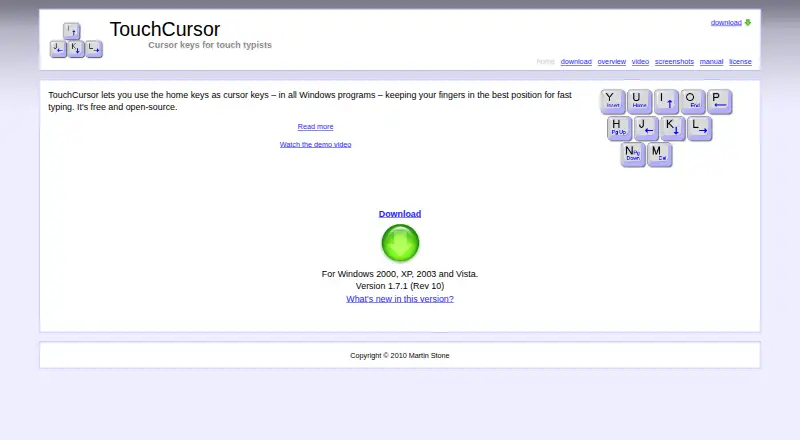
- TouchCursor lets users use home keys as cursor keys in Windows programs to reduce hand movement while typing.checked 12 Oct 2026
- Space bar mode
- Holding Space activates cursor mode, and releasing it returns to normal typing.checked 12 Oct 2026
- Supported operating systems
- windowschecked 23 Sep 2026
- Training
- The built in training mode can disable real cursor keys to help users learn TouchCursor.checked 12 Oct 2026
- Update checks
- The manual says TouchCursor can check the web weekly for newer versions.checked 12 Oct 2026
- Version history
- The maker's changelog lists version 1.7.1 dated 16 February 2010.checked 12 Oct 2026
Money
- Free plan
- Yeschecked 23 Sep 2026
Where it runs
- Per app controls
- Users can restrict cursor mode and training mode to specified programs or exclude specified programs.checked 12 Oct 2026
- Virtual machines and remote desktop
- The maker says TouchCursor normally works with virtual machines and remote desktop without installation on the guest or remote machine, though some VMware versions require disabling enhanced virtual keyboard.checked 12 Oct 2026
Alternatives to TouchCursor
- 1
SteelSeries GG
Free planAndroidiOSWebAPI8.3Free plan - 2
be quiet! IO Center
Free planWebLinuxmacOSWindows7.9Free plan - 3

Akko Cloud Driver
Free planWebmacOSWindows7.8Free plan - 4
MonsGeek Driver
Free planWebLinuxmacOSWindows7.8Free plan - 5
ROCCAT Swarm II
Free planAndroidiOSWindows7.8Free plan - 6
Rebind
Free planmacOSWindows7.7$140 one-time