Tizen Studio
Tizen Studio is Samsung’s development environment for building web and native applications for Tizen, including TV apps.
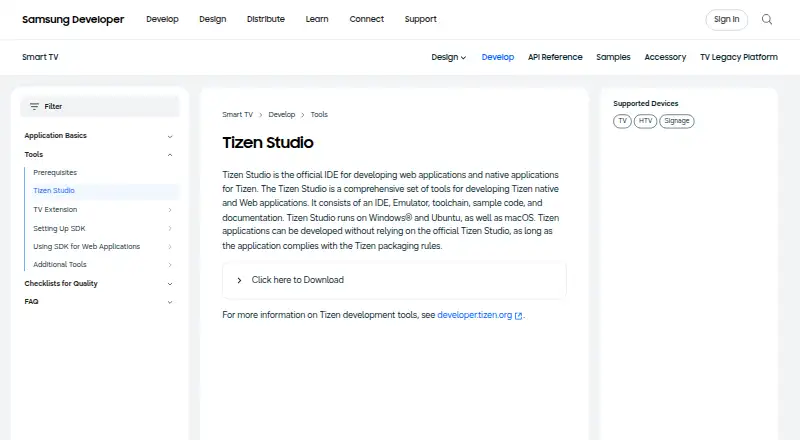
What Tizen Studio is
Tizen Studio is Samsung’s development environment for building web and native applications for Tizen, including TV apps. It brings an IDE, emulator, toolchain, sample code, and documentation together, with support for HTML5, CSS, JavaScript, C, and C++. Developers can package applications and debug or test them on an emulator or target device using tools such as a JavaScript log console and privilege checker. The software runs on Windows, Ubuntu, and macOS, and Tizen apps can also be developed through other workflows that follow Tizen packaging rules. The TV emulator requires hardware-assisted virtualization and OpenGL ES acceleration; it does not support camera devices, Bluetooth, UHD resolution, or secure WebSockets. Samsung also provides a TV extension for VS Code and a Tizen MCP Server that connects AI assistants to SDK tools. The software is free, and Samsung Developer offers FAQs, forums, and one-to-one technical support.
Good
- Includes IDE, emulator, toolchain, samples, and documentation
- Supports HTML5, CSS, JavaScript, C, and C++
- Debugs on emulator and target devices
- Free to use
Watch out
- TV emulator requires hardware-assisted virtualization and OpenGL ES acceleration
- Emulator lacks camera, Bluetooth, UHD, and secure WebSockets support
Who it suits
It suits developers creating web or native applications for Tizen, including Tizen TV applications. Developers can use the integrated tools or another workflow that complies with Tizen packaging rules.
Verdict
Tizen Studio combines the core tools for building, packaging, and debugging Tizen applications at no cost. Check the TV emulator requirements and feature limits if your workflow depends on simulated hardware or unsupported capabilities.
Plans and prices
From Tizen Studio's own pricing page, checked 7 Oct 2026.
| Plan | Price | What it gives you |
|---|---|---|
| Tizen Studio | Free | No price stated on the opened product page |
The facts
Each one read from Tizen Studio's own pages, with the date it was checked.
What it does
- AI assistant integration
- Samsung’s Tizen MCP Server connects AI assistants such as Cline and Cursor to the Tizen TV SDK and supports natural-language control of SDK tools.checked 7 Oct 2026
- Alternative workflows
- Tizen applications can be developed without Tizen Studio if they comply with Tizen packaging rules.checked 7 Oct 2026
- Debugging
- Tizen Studio provides tools to debug and test applications on an emulator and target device, including a JavaScript log console and privilege checker.checked 7 Oct 2026
- Emulator limitations
- The TV emulator does not support features including camera devices, Bluetooth, UHD resolution, and secure WebSockets.checked 7 Oct 2026
- Emulator requirements
- The TV emulator requires hardware-assisted virtualization and OpenGL ES acceleration on the host computer.checked 7 Oct 2026
- Included tools
- The suite consists of an IDE, emulator, toolchain, sample code, and documentation.checked 7 Oct 2026
- Intended users
- The product is for developers creating web or native applications for Tizen, including Tizen TV applications.checked 7 Oct 2026
- Operating systems
- Samsung says Tizen Studio runs on Windows, Ubuntu, and macOS.checked 7 Oct 2026
- Purpose
- Tizen Studio is Samsung’s official IDE for developing web and native applications for Tizen.checked 7 Oct 2026
- Support
- Samsung Developer offers FAQs, forums, and one-to-one technical support for Samsung SDKs and tools.checked 7 Oct 2026
- TV SDK requirements
- The TV SDK prerequisites page lists Windows, Ubuntu 14.x or higher, and Intel-based macOS among supported operating systems; it also lists 4 GB RAM and 6 GB disk space or more.checked 7 Oct 2026
- VS Code integration
- Samsung’s Tizen TV VS Code extension adds TV-specific development features and includes Flutter project commands for running, cleaning, and analyzing projects.checked 7 Oct 2026
Alternatives to Tizen Studio
- 1
Codename One
Free planOpen sourceAndroidiOSWebAPI8.4From $25 a month - 2

Unity
Free planAndroidiOSWebAPI8.4Free plan - 3

Felgo
Free planAndroidiOSWebAPI8.2Free plan - 4

GeneXus
Free planAndroidiOSWebAPI8.2From $99 a year - 5
Qt Creator
Free planAndroidiOSWebLinux7.7From €546 a year - 6

Visual Studio
Free planAPIWindows7.6Free plan