TinyCAD
TinyCAD is an open-source schematic drawing program available as desktop software and as a browser app.
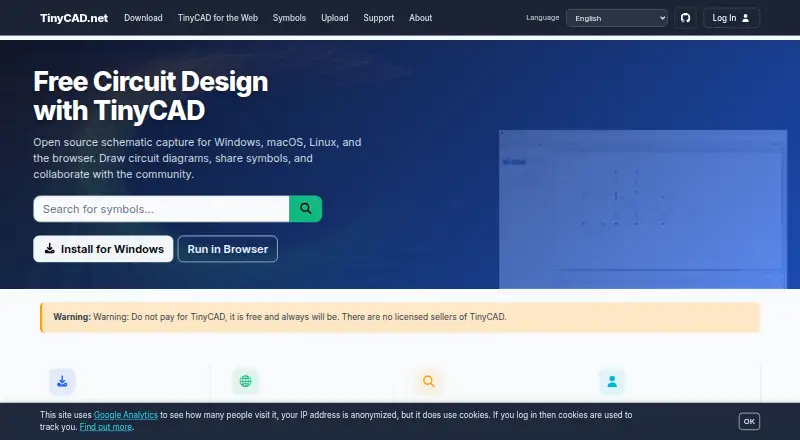
What TinyCAD is
TinyCAD is an open-source schematic drawing program available as desktop software and as a browser app. TinyCAD Web runs without installation and uses the same .dsn drawings and .tclib libraries as the desktop version. The tools support multi-sheet diagrams with labels, buses, shapes, annotations, automatic junction placement, search, undo, and redo. Both versions can import symbols from KiCad, export SVG, and produce SPICE output. TinyCAD can also generate netlists for downstream PCB tools, including PADS, Eagle SCR, Protel, and gEDA PCB. The browser version can export PDF; VHDL output is limited to desktop. A Design Rules Check flags common wiring and pin-type errors, but cannot confirm that a circuit works correctly. In browser local-file mode, work remains in the browser and is not sent to TinyCAD servers. Google Drive mode saves drawings to Drive and requires permission to access Google files. The project is free and community-driven, supplied as-is, and may have bugs or incomplete features.
Good
- Free, open-source project
- Browser app runs without installation
- Supports multi-sheet drawings and automatic junctions
- Exports netlists for several PCB tools
- Local-file mode keeps work in the browser
Watch out
- VHDL output is unavailable in the browser
- Design checks do not prove circuit correctness
- Project may contain bugs or incomplete features
Who it suits
TinyCAD suits people who need to draw circuit schematics on Windows, macOS, Linux, or in a browser. It may also suit users who want netlist, SPICE, or SVG output, provided they check designs carefully.
Verdict
TinyCAD offers schematic drawing in both desktop and browser forms, with several output options and a free plan. Its checks are limited, so users need to verify their designs independently.
Plans and prices
From TinyCAD's own pricing page, checked 8 Oct 2026.
| Plan | Price | What it gives you |
|---|---|---|
| TinyCAD | Free | Free-of-charge open-source project · supplied as-is |
The facts
Each one read from TinyCAD's own pages, with the date it was checked.
What it does
- Analytics
- TinyCAD says it uses Google Analytics to track site usage volumes.checked 8 Oct 2026
- Design checks
- The Design Rules Check looks for common wiring and pin-type errors but does not guarantee that a circuit is functionally correct.checked 8 Oct 2026
- Export
- TinyCAD can generate netlists for PCB layout and other downstream tools, including PADS, Eagle SCR, Protel, and gEDA PCB formats.checked 8 Oct 2026
- Export limits
- The browser and desktop versions export SVG images; the browser can export PDF, and VHDL output is unavailable in the browser version.checked 8 Oct 2026
- Google Drive
- Google Drive mode stores drawings in the user's Drive and requires access permission to Google files; TinyCAD says it sends no work or other files to its servers.checked 8 Oct 2026
- KiCad integration
- TinyCAD browser and desktop versions can import symbols from KiCad.checked 8 Oct 2026
- Local privacy
- In local-file mode, TinyCAD runs in the browser, stores work locally, and sends no work or other files to TinyCAD servers.checked 8 Oct 2026
- Other outputs
- TinyCAD supports SPICE output in browser and desktop versions, while VHDL output is available in the desktop app only.checked 8 Oct 2026
- Project caveat
- The project is community-driven, supplied as-is, and may contain bugs or incomplete features; its manual advises users to back up work and check designs carefully.checked 8 Oct 2026
- Purpose
- TinyCAD is an open-source schematic capture program for drawing circuit diagrams.checked 8 Oct 2026
- Schematic features
- TinyCAD supports multi-sheet drawings, labels, buses, shapes, annotations, drawing search, undo and redo, and automatic junction placement.checked 8 Oct 2026
- Support
- The TinyCAD Web quick-start page links to a Discord support community.checked 8 Oct 2026
Where it runs
- Browser app
- TinyCAD Web runs in a browser without installation and uses the same .dsn drawing and .tclib library formats as the desktop app.checked 8 Oct 2026
- Platform availability
- TinyCAD v4 desktop is offered for Windows, macOS, and Linux, and TinyCAD Web is intended for Windows, Mac, Chromebooks, and Linux.checked 8 Oct 2026
The full review of TinyCAD
TinyCAD is a free, open-source schematic capture tool for drawing circuit diagrams, with both installed and browser-based editions. It suits students, hobbyists, and engineers who need structured schematics and export files without a subscription, provided they are prepared to verify designs themselves.
Overview
TinyCAD v4 is available as a desktop application for Windows, macOS, and Linux, while TinyCAD Web runs on Windows, Mac, Chromebooks, and Linux through a browser. The two editions share the .dsn drawing and .tclib symbol-library formats, so a project can move between desktop and browser workflows without a format conversion. Offline use is supported through the desktop software and the browser's local-file mode.
Local-file mode keeps drawings on the device and sends no work or other files to TinyCAD servers. A Google Drive mode stores drawings in the user's Drive and requires permission to access Google files; TinyCAD says that mode also sends no work or other files to its servers. The project uses Google Analytics to measure site-usage volumes. TinyCAD is community-driven and supplied as-is, with possible bugs or incomplete features, so backups and independent checking are part of using it responsibly.
Key features
Multi-sheet drawings, labels, buses, shapes, annotations, drawing search, undo and redo, and automatic junction placement cover the essential work of building and maintaining circuit schematics. These tools make TinyCAD suitable for organized diagrams that would outgrow a single-page sketch, while remaining focused on capture rather than full electrical simulation or automated design validation.
Design Rules Check can identify common wiring and pin-type errors, which is useful for catching routine connectivity mistakes before export. It does not establish that a circuit functions correctly, so it cannot replace engineering review or other verification.
Netlist generation supports handoff to PCB-layout and downstream tools in PADS, Eagle SCR, Protel, and gEDA PCB formats. SPICE output works in both desktop and browser editions. VHDL output is available only in the desktop app, an important distinction for hardware-description workflows. Both editions export SVG images; the browser edition additionally exports PDF. Symbol import from KiCad is supported in both versions, easing reuse of existing libraries.
Pricing
TinyCAD: free (free-of-charge open-source project, supplied as-is). There are no paid tiers, seat charges, quotas, renewal dates, or trial conversion terms. That makes it a straightforward choice for classrooms, personal projects, and teams that can accept community-supported software. The trade-off is that the free project does not come with a commercial service commitment, and incomplete features or bugs remain possible.
Platforms
The desktop application targets Windows, macOS, and Linux. TinyCAD Web runs in modern browser environments intended for Windows, Mac, Chromebooks, and Linux, and can work with local files or Google Drive. Browser use avoids installation and supports PDF export, but it does not provide VHDL output. A quick-start page links to a Discord support community.
Who it's for
TinyCAD fits makers, students, educators, and electronics developers who need multi-sheet schematic capture, symbol reuse, and netlists or simulation-oriented output at no cost. It is especially practical when the same project must be opened on different operating systems or in a browser. Look elsewhere if you require guaranteed functional verification, a vendor-backed support contract, or a polished commercial lifecycle; the project is community-driven and its checks are limited to common classes of errors.
Pros and cons
Pros
- Free and open source: the complete plan costs nothing, with no subscription or seat terms.
- Desktop and browser parity: shared .dsn and .tclib formats simplify moving projects between installations and web sessions.
- Useful downstream exports: netlists, SPICE, SVG, and browser PDF output support later PCB, simulation, documentation, and sharing work.
- Privacy-conscious browser modes: local-file storage keeps work on the device, while Drive mode keeps drawings in the user's own Drive.
Cons
- Checks are not functional proof: Design Rules Check can miss behavior-level faults, so designs need independent verification.
- VHDL is desktop-only: browser users cannot produce that output.
- As-is project status: bugs or incomplete features are possible, and users are advised to back up their work.
- Analytics are present: TinyCAD uses Google Analytics for site-usage volumes.
Alternatives
Browse the 2D CAD Software category when you want a wider field of drafting tools. Choose RoomSketcher instead for floor plans and 3D snapshots on mobile and desktop, with a freemium credit model. ProfiCAD is a better fit if you want a Windows/macOS desktop schematic package with a 30-day full-feature trial and a home license option.
Pick CMS IntelliCAD for DWG, DXF, and DWF-oriented 2D/3D CAD and paid professional plans. LiberoDraft is another free browser-based 2D CAD choice that saves drawings locally but requires registration to unlock its start link. LibreCAD offers free open-source 2D CAD without subscriptions or annual fees, while QElectroTech provides a zero-cost GNU/GPL option for electrical diagrams.
Choose AutoCAD when you need a paid, cross-platform commercial CAD suite with mobile, web, and desktop coverage. Draft it suits Windows users seeking an indefinitely free edition with printing and metric or imperial units, plus paid upgrades.
Verdict
TinyCAD is a strong choice for cost-conscious users who need genuine schematic structure, cross-platform access, and practical export paths. Its main reason to choose it is the combination of open-source pricing and shared desktop/browser formats; its main reason to look elsewhere is the community-supported, as-is model and the fact that rule checks cannot confirm a circuit's real-world correctness.
Alternatives to TinyCAD
- 1

RoomSketcher
Free planAndroidiOSWebAPI8.3From $12 a month - 2
AutoCAD
AndroidiOSWebmacOS7.5 - 3
GstarCAD
AndroidiOSWebAPI7.3From $239 a year - 4
ProfiCAD
Free planAndroidmacOSWindows7.1$277 one-time - 5
Solid Edge
AndroidiOSWebWindows7.1 - 6
ZWCAD Professional
AndroidiOSWindows7.1