
TestDisk
TestDisk is a free, open-source utility for recovering lost partitions and restoring boot capability to disks affected by faulty software or human error.
What TestDisk is
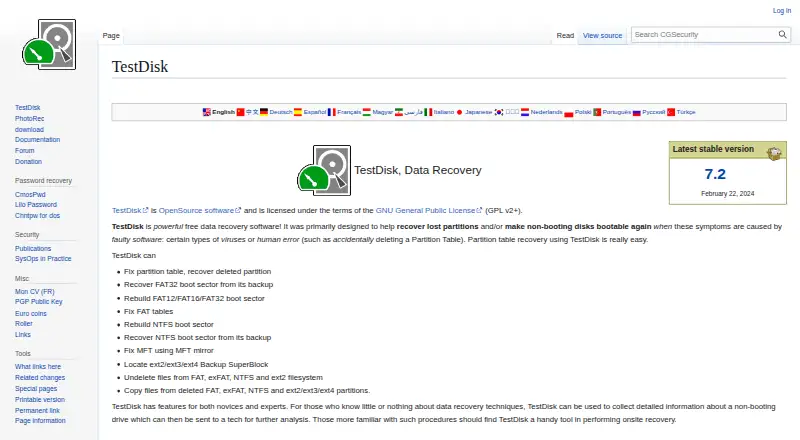
TestDisk is a free, open-source utility for recovering lost partitions and restoring boot capability to disks affected by faulty software or human error. It can repair partition tables, recover deleted partitions, and rebuild or restore FAT and NTFS boot sectors. Other repair options include fixing FAT tables and repairing an MFT using its mirror. TestDisk can undelete files from FAT, exFAT, NTFS, and ext2, and copy files from deleted FAT, exFAT, NTFS, and ext2/ext3/ext4 partitions. Listed partition-recovery formats include APFS, FAT, exFAT, HFS+, ext2/ext3/ext4, NTFS, XFS, and ZFS. It works with hard drives, USB drives, memory cards, disk images, DAS, SAN, and Linux RAID devices. The software is portable: users extract the files and run it without an installer. It is listed for Windows, macOS, Linux, DOS, FreeBSD, NetBSD, OpenBSD, and SunOS, and is licensed under GNU GPL v2 or later. The download page lists version 7.2 dated February 22, 2024, and a 7.3-WIP beta.
Good
- Repairs partition tables and recovers deleted partitions.
- Can restore FAT and NTFS boot sectors.
- Undeletes files from FAT, exFAT, NTFS, and ext2.
- Portable use requires no installer.
- Free software with optional donations.
Watch out
- The listed 7.3-WIP release is beta.
- The listed version 7.2 dates to February 22, 2024.
- Support requests require a problem description and log file.
Who it suits
TestDisk may suit people trying to recover partitions, files, or bootability after software faults or human error. Its listed audience includes novices and experts, including users who collect drive information for a technician or perform onsite recovery work.
Verdict
TestDisk covers partition, boot-sector, and file recovery across a broad set of listed formats and systems. Its portable, free distribution may appeal to users comfortable extracting files and following the support forum process.
Plans and prices
From TestDisk's own pricing page, checked 2 Oct 2026.
| Plan | Price | What it gives you |
|---|---|---|
| TestDisk | Free | Partition recovery · boot sector repair · file undelete · Free software; donations are optional |
The facts
Each one read from TestDisk's own pages, with the date it was checked.
What it does
- Bootable recovery
- Yeschecked 21 Sep 2026
- Boot repair
- It can rebuild or restore FAT and NTFS boot sectors, fix FAT tables, and repair an MFT using its mirror.checked 2 Oct 2026
- Developer contact
- The support page directs bug reports and feature requests to the developer by email.checked 2 Oct 2026
- File preview
- Yeschecked 21 Sep 2026
- File recovery
- It can undelete files from FAT, exFAT, NTFS, and ext2, and copy files from deleted FAT, exFAT, NTFS, and ext2/ext3/ext4 partitions.checked 2 Oct 2026
- Filesystem support
- The maker lists partition recovery support for filesystems and formats including APFS, FAT, exFAT, HFS+, ext2/ext3/ext4, NTFS, XFS, and ZFS.checked 2 Oct 2026
- License
- TestDisk is open source software licensed under GNU GPL v2 or later.checked 2 Oct 2026
- Memory card recovery
- Yeschecked 21 Sep 2026
- Operating systems
- Windows; macOS; Linux; DOS; FreeBSD; NetBSD; OpenBSD; SunOSchecked 21 Sep 2026
- Partition recovery
- It can fix partition tables and recover deleted partitions.checked 2 Oct 2026
- Portable download
- TestDisk is distributed as a portable application: extract the files to use it, with no installer required.checked 2 Oct 2026
- Privacy
- The maker says TestDisk does not connect to the internet or send information about the user, computer, or data.checked 2 Oct 2026
- Purpose
- TestDisk helps recover lost partitions and make non-booting disks bootable again when the cause is faulty software or human error.checked 2 Oct 2026
- RAID recovery
- Yeschecked 21 Sep 2026
- Recovery sources
- hard drives; USB drives; memory cards; disk images; DAS; SAN; Linux RAID deviceschecked 21 Sep 2026
- Release
- The download page lists TestDisk & PhotoRec 7.3-WIP as beta and version 7.2 dated February 22, 2024.checked 2 Oct 2026
- Support
- Users can request support through the forum by posting a problem description, the testdisk.log file, and information about previous partitions.checked 2 Oct 2026
- Usage audience
- The maker describes features for novices and experts, including collecting drive information for a technician and onsite recovery work.checked 2 Oct 2026
The company
- Founded
- 1998checked 23 Sep 2026
Money
- Free plan
- Yeschecked 21 Sep 2026
Where it runs
- Platforms
- The maker lists Windows, Windows Server, Linux, Mac OS X, DOS, FreeBSD, NetBSD, OpenBSD, and SunOS among supported systems.checked 2 Oct 2026
The full review of TestDisk
Overview
TestDisk is an open-source utility for recovering lost partitions, repairing boot structures, and retrieving certain deleted files. It is best suited to people who can work with a portable recovery tool or share its logs and drive history with a technician. Its breadth of filesystem and storage support is compelling for a free tool, but its focused recovery scope and forum-based support make it a poor fit for anyone expecting a guided, general-purpose recovery service.
Key features
- Partition recovery: TestDisk can repair partition tables and recover deleted partitions. Support spans APFS, FAT, exFAT, HFS+, ext2/ext3/ext4, NTFS, XFS, and ZFS, giving it reach across many common filesystems. Its central strength is restoring partition structures, not serving as a catch-all file recovery product.
- Boot repair: It can rebuild or restore FAT and NTFS boot sectors, fix FAT tables, and repair an MFT using its mirror. That makes it relevant when a disk's boot problem stems from damaged structures of those types, rather than a broader hardware failure.
- File recovery: It can undelete files from FAT, exFAT, NTFS, and ext2, and copy files from deleted partitions using those formats plus ext3 and ext4. File preview is supported, but the undelete and copy functions cover a narrower set of filesystems than its partition recovery support.
- Broad recovery sources: The supported sources include hard drives, USB drives, memory cards, disk images, DAS, SAN, and Linux RAID devices. Memory card, RAID, and bootable recovery are supported, making the utility useful beyond a single internal drive.
- Portable and private: The download is used by extracting its files; no installer is required. The maker says TestDisk does not connect to the internet or send information about the user, computer, or data. This suits users who value a portable tool and local operation, though it does not replace human support.
Pricing
TestDisk costs 0.00 USD per Free software. The free plan includes partition recovery, boot sector repair, and file undelete; donations are optional. There is no paid tier or free trial to weigh, so the trade-off is not a restricted quota but whether its focused tools and support process suit the recovery job.
TestDisk is open source under GNU GPL v2 or later. The download page offers version 7.2, dated February 22, 2024, and a 7.3-WIP beta; users who prefer a non-beta release can choose version 7.2.
Platforms
The application platforms are Linux, macOS, and Windows. Supported operating systems also include DOS, FreeBSD, NetBSD, OpenBSD, and SunOS, extending its stated compatibility across several Unix-like and legacy systems.
Who it's for
TestDisk is a strong choice for technically comfortable users who need to recover a partition, repair supported boot structures, or undelete files from one of its supported filesystems without paying for software. It can also help novices gather drive information for a technician, and its stated use cases include onsite recovery work. Users seeking a guided workflow or extensive direct support should look elsewhere: support is requested through a forum post with a problem description, testdisk.log, and information about previous partitions. Bug reports and feature requests go to the developer by email.
Pros and cons
- Pro: Free, open-source access to partition, boot-sector, and file recovery avoids a license cost for supported cases.
- Pro: Support across numerous filesystems and storage sources, including Linux RAID devices and memory cards, gives the tool wide recovery scope.
- Pro: Portable distribution requires extraction rather than installation, and the maker says the software does not transmit user, computer, or data information.
- Con: File undelete applies to FAT, exFAT, NTFS, and ext2, narrower than the filesystems covered by partition recovery.
- Con: Support requires preparing logs and partition history for a forum post, which is less direct than a guided help channel.
- Con: Using an extracted portable application is a less familiar path for users who expect an installer.
Alternatives
For other partition and recovery choices, browse Partition Recovery Software, Data recovery software, SD Card Recovery Software, RAID Data Recovery Software, and Photo Recovery Software.
- Active@ Partition Recovery is worth considering if you want a Windows or Linux alternative with a free toolkit that detects and previews partitions and files; its Professional plan adds Active@ Disk Editor, LastChance recovery, and File Organizer.
- DMDE is another freemium option for Linux, macOS, and Windows, with an Express one-year license priced at $20 a year as a one-time purchase.
- DiskGenius is a Windows-only alternative with a free edition and a trial; choose it if you want to compare edition differences or consider its $69.90 a month Professional One-Month plan, which has no renewal.
- EaseUS Data Recovery Wizard covers Android, iOS, macOS, and Windows, and may suit readers seeking a broader set of device platforms; its One-Month plan costs $69.95 a month as a one-time fee with no renewal fees.
- UFS Explorer is a paid option for Linux, macOS, and Windows; its Standard Recovery Personal plan costs $69.95 a month, with unlimited use in time and 360 days of free updates.
- Lazesoft Recovery Suite is a freemium option with a free trial and a Home Edition for non-commercial use that combines data and Windows recovery with password recovery, disk imaging, and cloning.
- Hetman RAID Recovery is a paid alternative with a free trial and a Home perpetual license for personal, non-commercial use on one computer.
- MiniTool Power Data Recovery is a freemium macOS and Windows option; its free home-user license caps recovery at 1 GB.
Verdict
Choose TestDisk if you need free partition recovery or boot repair across its supported systems and are comfortable extracting a portable tool and using forum support. Its breadth and lack of a license cost are persuasive; look elsewhere if your priority is broad file recovery or a more direct support experience.
Getting started
- Open the TestDisk website and download the portable package.
- Choose the package matching your operating system.
- Extract the files to a location on the computer.
- Launch TestDisk from the extracted files.
- Select the storage source and recovery operation.
Questions
Is TestDisk free?
Yes. TestDisk is free software, and donations are optional.
Which operating systems are supported?
Listed systems include Windows, macOS, Linux, DOS, FreeBSD, NetBSD, OpenBSD and SunOS.
What can TestDisk recover?
It can recover deleted partitions, repair partition and boot structures, undelete files and copy files from deleted partitions.
Does TestDisk require installation?
No. It is distributed as a portable application; extract the files to use it.
Is TestDisk open source?
Yes. It is licensed under GNU GPL v2 or later.
Does TestDisk send data online?
The maker says it does not connect to the internet or send information about the user, computer or data.
Alternatives to TestDisk
- 1
EaseUS Data Recovery Wizard
Free planAndroidiOSmacOSWindows9.0Free plan - 2

Disk Drill
Free planmacOSWindows8.4From $89 a year - 3
MiniTool Power Data Recovery
Free planmacOSWindows8.2From $89 a year - 4
DoYourData Recovery
Free planiOSmacOSWindows8.2From $69 a year - 5
AOMEI FastRecovery
Free planWindows8.1Free plan - 6

Hetman Partition Recovery
LinuxmacOSWindows7.9$97.95 one-time