MiniTool Power Data Recovery
MiniTool Power Data Recovery is a Windows and Mac utility for recovering files from storage devices and data-loss situations.
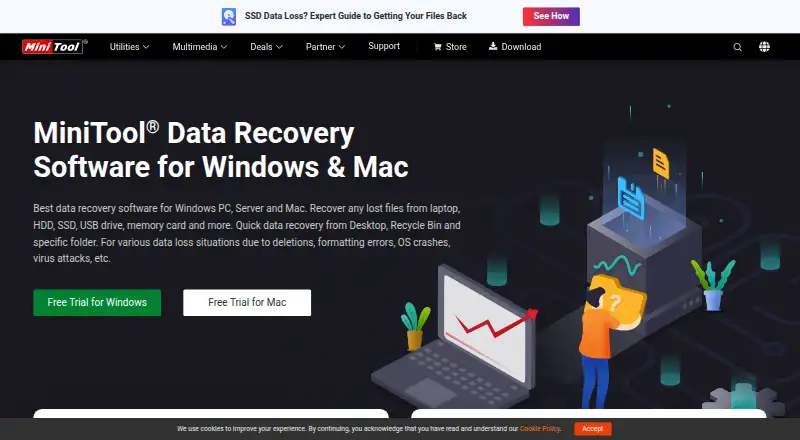
What MiniTool Power Data Recovery is
MiniTool Power Data Recovery is a Windows and Mac utility for recovering files from storage devices and data-loss situations. Listed sources include hard drives, external disks, SSDs, USB drives, RAID, memory cards, digital cameras, camcorders, CDs, DVDs, and pen drives. It covers deletion, formatting errors, operating-system crashes, virus attacks, RAW partitions, and drive failure. Features include file previews, bootable recovery, memory-card recovery, and RAID recovery; the comparison specifically lists RAID-5 support under dynamic disk volumes. Windows support covers PCs, servers, HDDs, SSDs, USB drives, SD cards, and memory cards; the Mac version works with Mac computers and compatible external devices. The free license is for home users and limits recovery to 1 GB. The Personal Monthly Subscription costs $69 a month for one PC and renews automatically unless canceled. Personal plans include email support; business plans include email and phone support. The software page lists a 30-day money-back guarantee.
Good
- Supports HDDs, SSDs, USB drives, and memory cards
- Covers deletion, formatting errors, and drive failure
- Includes file preview and bootable recovery
- The page lists a 30-day money-back guarantee
Watch out
- The free home-user license has a 1 GB limit
- The $69.00 USD monthly plan renews unless canceled
Who it suits
It suits Windows or Mac users trying to recover files from listed storage devices or data-loss situations. The free license is for home users with a 1 GB recovery limit.
Verdict
MiniTool Power Data Recovery covers a broad set of devices and common data-loss situations on Windows and Mac. Check the recovery limit and renewal terms before choosing a license.
Plans and prices
From MiniTool Power Data Recovery's own pricing page, checked 28 Sep 2026.
| Plan | Price | What it gives you |
|---|---|---|
| Free | Free | Free license for home users with a 1GB data recovery limit. · 1 GB recovery |
| Personal Monthly Subscription | $69 a month | Valid for one month and automatically renewed unless unsubscribed before the next term. · 1 PC · License is valid for one-month usage; subscription automatically renews unless canceled |
| Personal Yearly Subscription | $89 a year | 1 PC · License is valid for one-year usage; subscription automatically renews unless canceled |
| Personal Ultimate | $129 a month | 3 PCs · Perpetual license valid for lifetime usage |
| Business Standard | $159 a month | 1 PC/Server · Perpetual license valid for lifetime usage |
| Business Deluxe | $199 a month | 1 PC/Server · Perpetual license valid for lifetime usage |
| Business Enterprise | $399 a month | 99 PCs/Servers · Perpetual license valid for lifetime usage |
| Business Technician | $499 a month | 299 PCs/Servers · Perpetual license valid for lifetime usage |
| Personal Annual Subscription | $89 a year | Valid for one year and automatically renewed unless unsubscribed before the next term. |
| Personal Ultimate Perpetual License | $129, paid once | Lifetime usage for home users; licensed for 3 PCs. |
| Business Standard Perpetual License | $159, paid once | Lifetime business usage; licensed for 1 PC or Server. |
| Business Deluxe Perpetual License | $199, paid once | Lifetime business usage; licensed for 1 PC or Server. |
| Business Enterprise Perpetual License | $399, paid once | Lifetime business usage; licensed for 99 PCs or Servers. |
| Business Technician Perpetual License | $499, paid once | Lifetime business usage; licensed for 299 PCs or Servers. |
The facts
Each one read from MiniTool Power Data Recovery's own pages, with the date it was checked.
What it does
- Bootable recovery
- Personal and business licenses include a WinPE bootable builder for system crashes.checked 28 Sep 2026
- Business PC limits
- Business licenses cover 1, 1, 99, or 299 PCs/Servers depending on the plan.checked 28 Sep 2026
- File preview
- Paid personal licenses include a full file preview before recovery.checked 28 Sep 2026
- Loss situations
- It covers deletion, formatting errors, OS crashes, virus attacks, RAW partitions, and drive failure.checked 28 Sep 2026
- Memory card recovery
- Yeschecked 21 Sep 2026
- Operating systems
- Windows 11/10/8.1/8 and Windows Server 2022/2019/2016/2012/2012 R2/2008/2008 R2/2003checked 21 Sep 2026
- RAID recovery
- Yeschecked 21 Sep 2026
- RAID support
- The comparison lists RAID-5 support under dynamic disk volumes.checked 28 Sep 2026
- Recovery sources
- It recovers files from PCs, HDDs, SSDs, USB drives, SD cards, memory cards, and more.checked 28 Sep 2026
- Refund guarantee
- The software page lists a 30-day money-back guarantee.checked 28 Sep 2026
- Safety guarantee
- The product page states that the data recovery software is 100% safe.checked 28 Sep 2026
- Subscription renewal
- Monthly and annual personal subscriptions automatically renew unless unsubscribed.checked 28 Sep 2026
- Support channels
- Personal plans provide email support; business plans provide email and phone support.checked 28 Sep 2026
- Technical support
- The product page advertises 24/7 technical support.checked 28 Sep 2026
The company
- Company addresses
- The page lists addresses in Vancouver, British Columbia, and Hong Kong.checked 28 Sep 2026
- Company name
- The copyright holder is MiniTool Software Limited.checked 28 Sep 2026
- Headquarters
- Vancouver, British Columbia, Canada; Hong Kongchecked 28 Sep 2026
Money
- Free plan
- Yeschecked 21 Sep 2026
- Free recovery limit
- The free license allows 1GB of data recovery.checked 28 Sep 2026
- Free trial platforms
- Free trials are offered for Windows and Mac.checked 28 Sep 2026
- Starting paid price
- US$69 for the Personal Monthly Subscription.checked 28 Sep 2026
Where it runs
- Mac support
- The Mac version recovers data from Mac computers and Mac-compatible external devices.checked 28 Sep 2026
- Windows support
- The Windows version supports PCs, servers, HDDs, SSDs, USB drives, SD cards, and memory cards.checked 28 Sep 2026
The full review of MiniTool Power Data Recovery
MiniTool Power Data Recovery is a Windows and Mac recovery utility for people facing anything from accidental deletion to a failed drive. Its broad media support and recovery tools make it a capable option for home users and businesses, but the 1 GB free cap and sharply different license terms call for a close look before paying.
Overview
The software covers hard drives, SSDs, external disks, USB and pen drives, memory cards, cameras, camcorders, CD/DVD media, and RAID. It addresses deletion, formatting errors, OS crashes, virus attacks, RAW partitions, and drive failure, so it can suit households or IT providers dealing with varied devices and failure types rather than one narrow recovery job.
File preview helps identify recoverable files before committing to a recovery, and bootable recovery is relevant when Windows will not start normally. RAID recovery includes RAID-5 support under dynamic disk volumes. These are meaningful additions beyond basic undelete coverage, though no feature changes the practical constraint of the free edition: it stops at 1 GB.
Key features
- Wide device and loss coverage: Memory cards, cameras, optical discs, removable drives, and RAID sit alongside internal disks. This breadth is useful when the source of lost files is uncertain.
- Preview and bootable recovery: Preview can help prioritize files, while bootable recovery addresses a PC that cannot load its operating system.
- Windows and Mac editions: Windows support covers PCs, servers, HDDs, SSDs, USB drives, SD cards, and memory cards. The Mac edition recovers from Mac computers and Mac-compatible external devices.
- Support: Personal plans include email support; business plans include email and phone support. The product also advertises 24/7 technical support.
Pricing
| Plan | Price | License and fit |
|---|---|---|
| Free | free | Home use; 1 GB recovery limit. Suitable for small losses, not a large drive cleanup. |
| Personal Monthly Subscription | $69 a month | One PC, valid for one month and automatically renewing unless canceled. A short-term option, but the renewal needs attention. |
| Personal Yearly Subscription | $89 a year | One PC, valid for one year and automatically renewing unless canceled. The lower recurring cost suits ongoing personal use. |
| Personal Ultimate Perpetual License | $129, paid once | Lifetime home use on 3 PCs, avoiding subscription renewal. |
| Business Standard Perpetual License | $159, paid once | Lifetime business use on 1 PC or server. |
| Business Deluxe Perpetual License | $199, paid once | Lifetime business use on 1 PC or server. |
| Business Enterprise | $399 a month | Perpetual lifetime usage; 99 PCs/servers. |
| Business Technician | $499 a month | Perpetual lifetime usage; 299 PCs/servers. |
Free trials are offered for Windows and Mac, and the software page states a 30-day money-back guarantee. Monthly and annual personal subscriptions renew automatically unless unsubscribed. The business options scale from one machine to 299 PCs or servers, which matters for service teams; the Standard and Deluxe plans both cover one machine, so the higher-priced Deluxe option is difficult to distinguish on the stated license scope alone.
Platforms
The product supports macOS and Windows. Windows coverage includes Windows 11, 10, 8.1, and 8, plus Windows Server 2022, 2019, 2016, 2012, 2012 R2, 2008, 2008 R2, and 2003. Mac recovery is aimed at Mac computers and compatible external devices.
Who it's for
Choose it if you need one tool for varied storage media, want preview or bootable recovery, or handle RAID as well as ordinary PC and removable-drive losses. The 1 GB free edition is a sensible first step for a small recovery. Users with larger jobs should compare the lifetime license with the subscription terms, while business buyers should match the PC/server count to the license. It is not the strongest fit for someone expecting substantial free recovery or a simple, uniform pricing ladder.
Pros and cons
- Pro: Supports a broad mix of storage sources and loss scenarios, making it useful when the affected device or cause varies.
- Pro: Preview, bootable recovery, and RAID-5 support extend its usefulness beyond basic file undelete.
- Pro: A 1 GB free recovery allowance and free trials for Windows and Mac permit a limited no-cost start.
- Con: The free recovery cap is modest for large recoveries.
- Con: Personal subscriptions automatically renew, so users who need only one recovery must cancel in time or consider the perpetual option.
- Con: Business Deluxe costs more than Standard while both cover one PC or server; the stated scope offers no clear reason for a one-machine buyer to pay extra.
Alternatives
EaseUS Data Recovery Wizard is worth considering for readers who also need Android or iOS coverage; it lists Windows, Mac, Android, and iOS, and its One-Month plan is a one-time fee with no renewal fees.
Disk Drill may suit a Windows user with a very small recovery: its free edition allows up to 100 MB on Windows, while MiniTool allows 1 GB.
RecoverHelper is a free option with no paid tiers or license fees.
Microsoft Quick Assist is another free option.
Tenorshare 4DDiG Data Recovery is a competing free-trial option; its free recovery allowance is up to 2 GB on Windows and up to 500 MB on Mac.
TestDisk is a free choice for partition recovery, boot-sector repair, and file undelete.
DiskGenius is a Windows alternative with a free edition and a professional plan.
Lexar Recovery Tool is free to download and requires no license.
Browse more options in data recovery software, including focused roundups of photo recovery software, SD card recovery software, and partition recovery software.
Verdict
MiniTool Power Data Recovery is a strong fit for people who need broad Windows or Mac media coverage, especially when preview, bootable recovery, or RAID support matters. Its 1 GB free cap is useful for a small loss, and the lifetime personal license avoids recurring renewal. Look elsewhere if you need a larger free allowance or want a more straightforward business plan choice.
Getting started
- Open the MiniTool Power Data Recovery website
- Choose the Windows or Mac version
- Select a plan or use the Free home-user license
- Install the software on the supported computer
- Connect the storage device containing the lost data
- Use recovery and preview features to locate files
Limits worth knowing
The Free license for home users is limited to 1 GB of recovered data. The Personal Monthly Subscription is valid for one month, covers one PC, and renews automatically unless canceled.
Questions
Which operating systems does it support?
It supports macOS and Windows. Windows listings include Windows 11, 10, 8.1, 8, and several Windows Server versions.
What devices can it scan?
Listed sources include hard drives, external disks, SSDs, USB and pen drives, RAID, memory cards, digital cameras, camcorders, CDs, and DVDs.
How much recovery is included free?
The Free home-user license includes a 1 GB data recovery limit.
What does the Personal Monthly Subscription cost?
It costs US$69 per month, is valid for one month, covers one PC, and automatically renews unless unsubscribed.
Does it offer a money-back guarantee?
The software page lists a 30-day money-back guarantee.
What support do plans provide?
Personal plans provide email support. Business plans provide email and phone support, and the product page advertises 24/7 technical support.
Alternatives to MiniTool Power Data Recovery
- 1
EaseUS Data Recovery Wizard
Free planAndroidiOSmacOSWindows9.0Free plan - 2

Disk Drill
Free planmacOSWindows8.4From $89 a year - 3
DoYourData Recovery
Free planiOSmacOSWindows8.2From $69 a year - 4
AOMEI FastRecovery
Free planWindows8.1Free plan - 5

Hetman Partition Recovery
LinuxmacOSWindows7.9$97.95 one-time - 6
Dr.Fone Toolkit
AndroidiOSWebmacOS7.8From $99.95 a year