Active@ Partition Recovery
Active@ Partition Recovery is a toolkit for recovering deleted or damaged logical drives and partitions in Windows, WinPE recovery disk, and Linux LiveCD env…
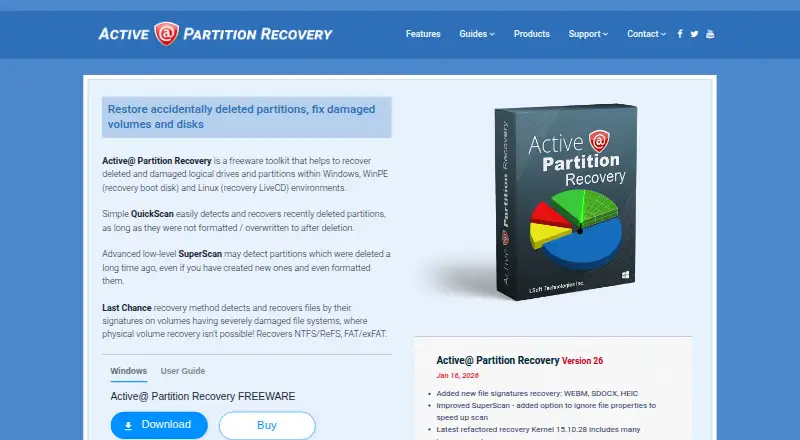
What Active@ Partition Recovery is
Active@ Partition Recovery is a toolkit for recovering deleted or damaged logical drives and partitions in Windows, WinPE recovery disk, and Linux LiveCD environments. QuickScan looks for recently deleted partitions that have not been formatted or overwritten, while SuperScan uses a low-level scan to find older deletions, including partitions later formatted. Last Chance can recover files by signature when file systems are severely damaged and volume recovery is not possible. Supported file systems include NTFS, ReFS, exFAT, FAT, HFS+, APFS, UFS, XFS, JFS, Ext2/3/4, and BtrFS. Supported media include SATA, eSATA, SCSI, SSD, NVMe, RAID arrays, USB flash disks, memory cards, and external USB drives. The software can repair damaged MBR and GPT structures, back up partition information, roll back recovery changes, and create or open raw and compressed disk images, including VMware images. Freeware detects and previews partitions and files, but does not include recovery in place, boot-sector repair, or MBR/GPT backups and restores. Ultimate includes boot media for unbootable systems.
Good
- QuickScan and SuperScan address different deletion cases
- Last Chance recovers files by signature
- Supports a wide range of file systems
- Supports RAID arrays and disk images
- Freeware detects and previews partitions and files
Watch out
- Freeware excludes recovery in place
- Freeware lacks boot-sector repair
- Freeware omits MBR/GPT backups and restores
- License purchases are nonrefundable
Who it suits
It suits users trying to recover deleted or damaged partitions across the listed file systems and storage types. Those needing boot media for unbootable systems should note that it is included with Ultimate.
Verdict
Active@ Partition Recovery offers multiple scan approaches, file-signature recovery, and support for varied storage and file systems. Its Freeware tier has recovery and repair exclusions, so check package limits before choosing a license.
Plans and prices
From Active@ Partition Recovery's own pricing page, checked 30 Sep 2026.
| Plan | Price | What it gives you |
|---|---|---|
| Freeware | Free | Freeware toolkit; detects and previews partitions and files |
| Professional | — | Adds Active@ Disk Editor, LastChance recovery, File Organizer and Copy All Data; personal or corporate license; includes one year of free updates and technical support |
| Standard | — | Windows application; personal or corporate license; includes one year of free updates and technical support |
| Ultimate | — | Adds Active@ File Recovery, WinPE Boot Disk and Linux LiveCD; personal, corporate or unlimited license; includes one year of free updates and technical support |
The facts
Each one read from Active@ Partition Recovery's own pages, with the date it was checked.
What it does
- Boot media
- Ultimate includes WinPE-based Active@ Boot Disk Lite and Linux-based Active@ LiveCD for recovery on unbootable systems.checked 30 Sep 2026
- Disk images
- The software supports creating and opening raw and compressed disk images, and opening VMware disk images.checked 30 Sep 2026
- Disk repair
- The feature page says the software can fix damaged MBR and GPT structures, back up partition information and roll back recovery changes.checked 30 Sep 2026
- File systems
- The product lists support for NTFS, ReFS, exFAT, FAT, HFS+, APFS, UFS, XFS, JFS, Ext2/Ext3/Ext4 and BtrFS.checked 30 Sep 2026
- Last Chance
- Last Chance detects and recovers files by signature on severely damaged file systems when physical volume recovery is not possible.checked 30 Sep 2026
- License terms
- The EULA states that purchases are nonrefundable and advises obtaining a free demo to understand the software before purchase.checked 30 Sep 2026
- Package limits
- The comparison page says recovery in place, boot-sector repair and MBR/GPT backups and restores are not included in Freeware.checked 30 Sep 2026
- Purpose
- The toolkit recovers deleted or damaged logical drives and partitions in Windows, WinPE recovery disk and Linux LiveCD environments.checked 30 Sep 2026
- QuickScan
- QuickScan detects recently deleted partitions if they have not been formatted or overwritten after deletion.checked 30 Sep 2026
- Storage
- Supported media include SATA, eSATA, SCSI, SSD, NVMe, RAID arrays, USB flash disks, memory cards and external USB drives.checked 30 Sep 2026
- SuperScan
- SuperScan uses a low-level scan to detect partitions that were deleted long ago, including partitions that have since been formatted.checked 30 Sep 2026
- Support
- The maker offers a customer communication center, a knowledge base and ticket system, email, and phone support options.checked 30 Sep 2026
The company
- Company
- LSoft Technologies Inc. says it is a privately owned North American software company founded in 1999.checked 30 Sep 2026
- Founded
- 1999checked 23 Sep 2026
- Headquarters
- Mississauga, Ontario, Canadachecked 23 Sep 2026
The full review of Active@ Partition Recovery
Overview
Active@ Partition Recovery is a recovery toolkit for deleted or damaged partitions and logical drives, with Windows, WinPE recovery-disk and Linux LiveCD environments. It suits people who need several ways to search for lost partitions or recover files from a damaged file system; the main caveat is that Freeware excludes important recovery and repair functions.
Its range of scan modes, file-system support and disk-image tools makes it a flexible option for varied storage, while the paid packages divide features in ways worth checking before purchase.
Key features
QuickScan looks for recently deleted partitions that have not been formatted or overwritten. That makes it the targeted first approach when the deletion is recent and the volume has not changed much. SuperScan searches at a lower level for older deletions, including partitions that have since been formatted; its broader remit is useful when QuickScan is unlikely to find the partition.
When a file system is severely damaged and the volume itself cannot be recovered, Last Chance searches for files by signature. This provides another recovery route, but it is a file-recovery fallback rather than a way to restore the physical volume.
The product lists MBR and GPT partition tables and support for NTFS, ReFS, exFAT, FAT, HFS+, APFS, UFS, XFS, JFS, Ext2/Ext3/Ext4 and BtrFS. Supported media range from SATA, eSATA, SCSI, SSD and NVMe to RAID arrays, USB flash disks, memory cards and external USB drives. This breadth is useful for mixed storage environments, though support for a format or device is not by itself a promise that every damaged volume can be recovered.
Disk tools include fixing damaged MBR and GPT structures, backing up partition information and rolling back recovery changes. The software can create and open raw and compressed disk images and open VMware disk images, giving users options to work with images as well as drives. Bootable recovery media is also supported; Ultimate includes a WinPE-based Active@ Boot Disk Lite and Linux-based Active@ LiveCD for systems that will not boot normally.
Pricing
Active@ Partition Recovery uses a freemium model. Freeware costs nothing and detects and previews partitions and files. That is useful for assessing what may be recoverable, but it is not a full recovery license: recovery in place, boot-sector repair, and MBR/GPT backups and restores are excluded.
Professional has custom pricing and adds Active@ Disk Editor, LastChance recovery, File Organizer and Copy All Data. It is offered with a personal or corporate license and includes one year of free updates and technical support. It is the package to consider when those added tools matter, but its feature description does not include the Ultimate boot media.
Standard also has custom pricing. It is the Windows application, with personal or corporate licensing and one year of free updates and technical support. Its package description is narrower than Professional and Ultimate, so buyers should compare the included functions against their recovery needs before choosing it.
Ultimate has custom pricing and adds Active@ File Recovery, WinPE Boot Disk and Linux LiveCD. It offers personal, corporate or unlimited licensing, plus one year of free updates and technical support. Its boot media make it the clearest fit for recovery on unbootable systems. Purchases are nonrefundable, and the EULA advises obtaining a free demo before buying.
Platforms
The toolkit supports Windows and Linux. Recovery environments include Windows, WinPE recovery disk and Linux LiveCD; Ultimate specifically includes WinPE-based and Linux-based boot media. The product also supports disk-image recovery and RAID recovery, broadening its use beyond a single local drive.
Who it's for
Active@ Partition Recovery is a sensible shortlist choice for users who need both partition-level scans and a file-signature fallback, or who work across a range of file systems and storage media. It is less suitable for anyone expecting the Freeware tier to repair boot sectors, restore partition structures or perform recovery in place. Users who require boot media should focus on Ultimate rather than assume every paid tier includes it.
Pros and cons
- Pro: QuickScan, SuperScan and Last Chance address recent deletions, older or formatted partitions, and severely damaged file systems respectively.
- Pro: Support spans many file systems and media types, including SSD, NVMe, RAID, memory cards and VMware disk images.
- Pro: Ultimate includes WinPE and Linux boot media, useful when the system itself will not start.
- Con: Freeware is limited to detection and preview for key workflows; recovery in place and specified repair and backup functions are excluded.
- Con: Paid plans have custom pricing, so the listed package distinctions and included support period matter more than a simple price comparison.
- Con: Purchases are nonrefundable, making the recommended free demo especially relevant before committing.
Alternatives
For a broader shortlist, see Partition Recovery Software.
- TestDisk is the straightforward pick for readers who want free software across Linux, macOS and Windows; its free package covers partition recovery, boot-sector repair and file undelete.
- DMDE is another freemium option for Linux, macOS and Windows users; its Express one-year license is $20 a year as a one-time purchase and is time limited.
- DiskGenius is a Windows-only freemium alternative with a free edition and a free trial, worth considering if the reader wants to compare edition differences before choosing a paid package.
- EaseUS Data Recovery Wizard suits readers seeking a freemium tool spanning Android, iOS, macOS and Windows; its One-Month plan is $69.95 a month as a one-time fee with no renewal fees.
- UFS Explorer is a paid alternative for Linux, macOS and Windows users who prefer a personal license with unlimited time; Standard Recovery Personal is $69.95 a month, billed unlimited in time, and includes 360 days of free updates.
- Lazesoft Recovery Suite is a freemium alternative for Linux and Windows users, with a free trial and a home edition for non-commercial use.
- Hetman RAID Recovery is a paid, trial-enabled alternative for Linux, macOS and Windows.
- MiniTool Power Data Recovery is a freemium option for macOS and Windows; its free home-user license caps recovery at 1 GB.
Verdict
Choose Active@ Partition Recovery if you need multiple partition scans, a file-signature fallback and support for varied file systems and storage, especially when Ultimate's boot media would help with an unbootable system. Look elsewhere if you need a fully capable free recovery tool or want a published paid-plan price before deciding: Freeware excludes significant recovery and repair functions, while the paid plans use custom pricing.
Alternatives to Active@ Partition Recovery
- 1
EaseUS Data Recovery Wizard
Free planAndroidiOSmacOSWindows9.0Free plan - 2

Disk Drill
Free planmacOSWindows8.4From $89 a year - 3
MiniTool Power Data Recovery
Free planmacOSWindows8.3From $89 a year - 4
DiskGenius
Free planWindows8.1From $99.90 a year - 5
Lazesoft Recovery Suite
Free planLinuxWindows7.6$27.95 one-time - 6

Ontrack EasyRecovery
Free planmacOSWindows7.4Free plan