
UFS Explorer
UFS Explorer is file recovery software for Windows, macOS, and Linux.
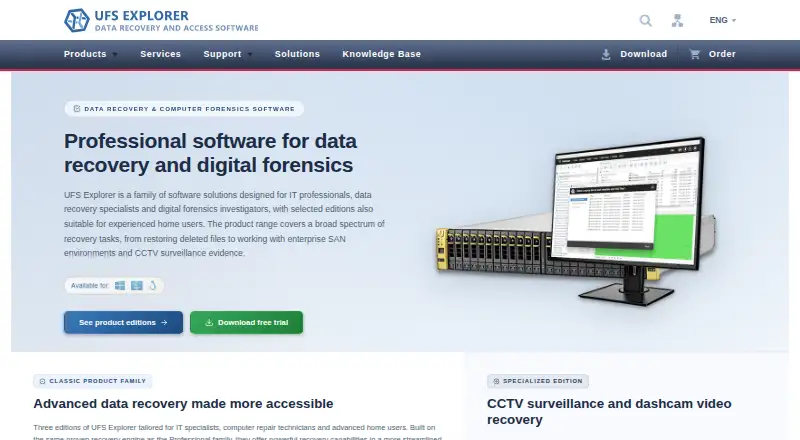
What UFS Explorer is
UFS Explorer is file recovery software for Windows, macOS, and Linux. It can work with data on internal and external hard drives, SSDs, USB flash drives, SD and memory cards, disk images, virtual disks, NAS devices, and RAID systems. The listed capabilities include memory card recovery, RAID recovery, and file preview. Licenses are offered in several editions and usage scopes, including personal, commercial, and corporate options. Standard Recovery Personal is listed at $69.95 per month, billed for unlimited time, and covers one computer and one user with 360 days of free updates. Other plans cover standard recovery, RAID recovery, network RAID, and professional recovery, with different prices and allowances for users, computers, or seats. The listed professional recovery licenses range from one seat to up to ten seats. The software has no free plan. Its listed starting price is $69.95, and the maker, UFS Explorer, was founded in 2008 and is headquartered in Kyiv, Ukraine.
Good
- Runs on Windows, macOS, and Linux
- Supports recovery from memory cards and RAID systems
- Works with NAS devices and virtual disks
- Includes file preview
- Plans include 360 days of free updates
Watch out
- No free plan
- Listed starting price is $69.95
- License prices and allowances vary by edition
Who it suits
UFS Explorer may suit users seeking recovery software for a range of storage devices, including memory cards, NAS devices, and RAID systems. Its license options include personal, commercial, and corporate use.
Verdict
UFS Explorer supports recovery across a broad range of storage sources and includes file preview. Buyers should compare the edition-specific prices and license allowances before choosing a plan.
Plans and prices
From UFS Explorer's own pricing page, checked 21 Sep 2026.
| Plan | Price | What it gives you |
|---|---|---|
| Standard Recovery Personal | $69.95 a month | 1 computer · 1 user · Unlimited in time; 360 days of free updates |
| Standard Recovery Commercial | $139.95 a month | 1 computer · Any number of users · Unlimited in time; 360 days of free updates |
| Standard Recovery Corporate | $209.95 a month | Up to 10 computers · Any number of users · Unlimited in time; 360 days of free updates |
| RAID Recovery Personal | $149.95 a month | 1 computer · 1 user · Unlimited in time; 360 days of free updates |
| RAID Recovery Commercial | $259.95 a month | 1 computer · Any number of users · Unlimited in time; 360 days of free updates |
| RAID Recovery Corporate | $469.95 a month | Up to 10 computers · Any number of users · Unlimited in time; 360 days of free updates |
| Network RAID Personal | $229.95 a month | 1 computer · 1 user · Unlimited in time; 360 days of free updates |
| Network RAID Commercial | $484.95 a month | 1 computer · Any number of users · Unlimited in time; 360 days of free updates |
| Network RAID Corporate | $839.95 a month | Up to 10 computers · Any number of users · Unlimited in time; 360 days of free updates |
| Professional Recovery 1 seat | $699.95 a month | 1 seat · Any number of users · Unlimited in time; 360 days of free updates |
| Professional Recovery Up to 3 seats | $1,189.95 a month | Up to 3 seats · Any number of users · Unlimited in time; 360 days of free updates |
| Professional Recovery Up to 10 seats | $2,369.95 a month | Up to 10 seats · Any number of users · Unlimited in time; 360 days of free updates |
The facts
Each one read from UFS Explorer's own pages, with the date it was checked.
What it does
- File preview
- Yeschecked 21 Sep 2026
- Memory card recovery
- Yeschecked 21 Sep 2026
- Operating systems
- Windows,macOS,Linuxchecked 21 Sep 2026
- Paid from
- 69.95checked 21 Sep 2026
- RAID recovery
- Yeschecked 21 Sep 2026
- Recovery sources
- internal and external hard drives,SSDs,USB flash drives,SD cards,memory cards,disk images,virtual disks,NAS devices and RAID systemschecked 21 Sep 2026
The company
- Founded
- 2008checked 23 Sep 2026
- Headquarters
- Kyiv, Ukrainechecked 23 Sep 2026
Money
- Free plan
- Nochecked 21 Sep 2026
The full review of UFS Explorer
UFS Explorer is data-recovery software for Windows, macOS, and Linux, covering everything from removable media to NAS and RAID sources. It suits people who need broad source support, especially those recovering RAID data. Its main trade-off is a wide range of paid editions with sharply different prices and user or seat allowances.
Overview
The recovery scope is a clear strength: UFS Explorer supports internal and external drives, SSDs, USB flash drives, SD and memory cards, disk images, virtual disks, NAS devices, and RAID systems. File preview can help assess recoverable files before committing to a recovery. This breadth makes it a plausible single tool for mixed storage, rather than a narrow choice for one removable-media type.
The product family spans Standard Recovery, RAID Recovery, Network RAID, and Professional Recovery. That gives buyers options for different recovery needs and deployment sizes, but makes edition choice consequential: the entry price applies only to Standard Recovery Personal, not to the more specialized RAID and Professional tiers.
Key features
- Broad recovery sources: Support for disks, cards, disk images, virtual disks, NAS, and RAID systems suits users dealing with varied storage. For someone recovering only a single kind of media, that breadth may be more than needed.
- RAID and memory-card recovery: Both are supported, so the product can address recovery needs beyond ordinary hard drives. Network RAID has its own higher-priced edition.
- File preview: Preview provides a way to inspect files before recovery, a useful step when deciding what to retrieve.
- Three desktop platforms: Windows, macOS, and Linux support broadens its fit across operating systems.
Pricing
UFS Explorer is paid, with no free plan. Every listed plan has a 360-day free-updates allowance and is marked “billed Unlimited in time”; the quoted monthly prices therefore come with an unlimited-in-time billing term rather than a stated short license period. The plans differ in recovery edition and who or how many computers they cover.
- Standard Recovery: Personal is $69.95 a month for 1 computer and 1 user; Commercial is $139.95 a month for 1 computer and any number of users; Corporate is $209.95 a month for up to 10 computers and any number of users. Personal is the lowest-cost entry for one user; the higher tiers make sense when multiple users or computers need coverage.
- RAID Recovery: Personal is $149.95 a month for 1 computer and 1 user; Commercial is $259.95 a month for 1 computer and any number of users; Corporate is $469.95 a month for up to 10 computers and any number of users. These tiers cost more than Standard Recovery and are the relevant choices for RAID-focused recovery.
- Network RAID: Personal is $229.95 a month for 1 computer and 1 user; Commercial is $484.95 a month for 1 computer and any number of users; Corporate is $839.95 a month for up to 10 computers and any number of users. The premium over RAID Recovery makes this a specialized choice, not the economical default.
- Professional Recovery: 1 seat costs $699.95 a month; up to 3 seats costs $1,189.95 a month; up to 10 seats costs $2,369.95 a month. Each allows any number of users, with the seat allowance determining scale. This is the highest-priced range and best suited to buyers who need those larger seat counts.
There is no free tier to use as a continuing lower-cost option. Compare the edition and allowance you actually need before buying; the “from” price does not represent RAID, Network RAID, or Professional Recovery.
Platforms
UFS Explorer runs on Windows, macOS, and Linux. That cross-platform support is useful for mixed environments, while the source coverage includes NAS and RAID as well as directly attached storage.
Who it's for
Choose UFS Explorer if you need recovery coverage across several storage types, want file preview, or have RAID-related needs and can select the appropriate edition. It is less compelling for someone seeking a free plan or a simple low-cost tool for one narrow recovery job: every listed option is paid, and the specialized tiers climb substantially above the Standard entry price.
Pros and cons
Pros
- Wide source coverage: Includes cards, removable drives, disk images, virtual disks, NAS, and RAID, reducing the need to choose a tool limited to one source type.
- Windows, macOS, and Linux support: Covers the major desktop platforms named for the product.
- Plan allowances scale by users and computers: Commercial and Corporate options accommodate more users or computers than the personal tier.
Cons
- No free plan: Buyers cannot keep using a free edition if they do not want a paid license.
- Specialized editions cost considerably more: RAID Recovery begins at $149.95 a month and Network RAID at $229.95 a month, compared with Standard Recovery Personal at $69.95 a month.
- Edition and license allowances require careful matching: Plans distinguish users, computers, or seats, so the lowest price may not fit a commercial or multi-computer deployment.
Alternatives
- Hetman RAID Recovery is another paid option with a free trial and support for Linux, macOS, and Windows; consider it if trying before purchase matters.
- DMDE offers a free plan and a $20 a year Express license, making it a lower-cost option to consider if a free tier or modest annual price is the priority.
- DiskInternals RAID Recovery has a free plan and is Windows-only; consider it if Windows is sufficient and a free plan matters.
- R-Studio is a paid, cross-platform alternative with listed FAT and NTFS editions from $49.99 a month; consider it if those file-system-specific editions fit your recovery need.
- Sherlock Forensics Recover has a free Windows edition for browsing, previewing, and exporting files, plus raw or E01 disk imaging; consider it if those free functions meet your needs.
- D-Recovery Fusion is another paid option.
- Recovery Explorer is a paid, cross-platform alternative with Standard Personal at $47.95 a month and a perpetual license; consider it if a perpetual Standard license at a lower listed price suits you.
- Raise Data Recovery is a paid, cross-platform alternative with a free trial; consider it if you want a trial before purchase.
For more options, browse RAID Data Recovery Software, Partition Recovery Software, Data recovery software, SD Card Recovery Software, and Photo Recovery Software.
Verdict
UFS Explorer is a strong fit for users who need broad recovery-source coverage across desktop platforms, particularly when RAID or NAS is part of the job. Its breadth and file preview are the main reasons to choose it; the lack of a free plan and steeply priced specialized editions are the main reasons to compare alternatives first.
Alternatives to UFS Explorer
- 1
EaseUS Data Recovery Wizard
Free planAndroidiOSmacOSWindows9.0Free plan - 2

Disk Drill
Free planmacOSWindows8.4From $89 a year - 3
MiniTool Power Data Recovery
Free planmacOSWindows8.2From $89 a year - 4
DoYourData Recovery
Free planiOSmacOSWindows8.2From $69 a year - 5
AOMEI FastRecovery
Free planWindows8.1Free plan - 6

Hetman Partition Recovery
LinuxmacOSWindows7.9$97.95 one-time