TestBeats
TestBeats is a test reporting and management tool for publishing results from automated testing frameworks.
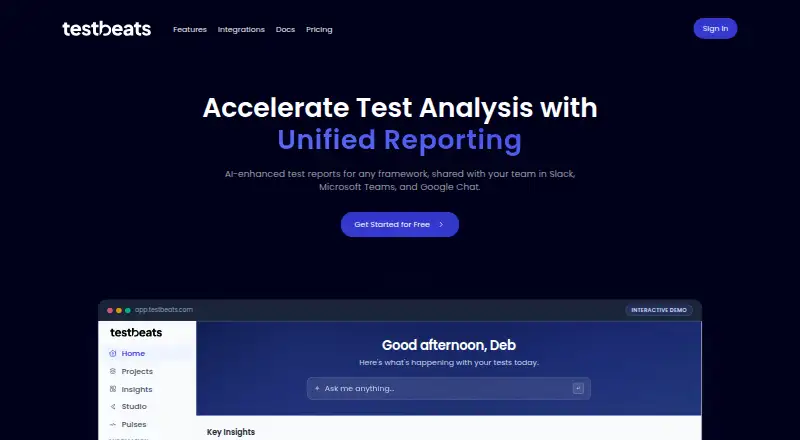
What TestBeats is
TestBeats is a test reporting and management tool for publishing results from automated testing frameworks. It provides AI failure summaries, automated failure analysis, smart analysis, failure signatures, error clusters, flaky-test detection, and execution trend reports. Teams can also manage manual test cases with version-controlled Gherkin feature files stored in Git and synced through CI/CD. Framework integrations include Playwright, Cypress, Selenium, JUnit, TestNG, Cucumber, Mocha, Jest or Vitest, PyTest, JMeter, Newman, Robot Framework, and NUnit or xUnit or MSTest. Results can be sent to Slack, Microsoft Teams, Google Chat, GitHub, InfluxDB, HTTP, or custom targets. The CLI supports npx, npm, downloadable executables, and programmatic JavaScript use; executables are available for Linux, macOS, and Windows. The Free plan provides 100 credits for the first 30 days, then 25 per month, with 30-day retention. Pro 200 costs $18 a month. Credits are used for runs, unique test cases, and AI analysis, and unused credits reset each billing cycle rather than rolling over.
Good
- Supports a broad list of testing frameworks.
- Provides failure analysis and flaky-test detection.
- Manual cases use version-controlled Gherkin files.
- Results can go to Slack, Teams, GitHub, or custom targets.
- Free plan provides monthly credits after the first 30 days.
Watch out
- Free plan results are retained for 30 days.
- Unused credits do not roll over.
- AI analysis consumes credits.
- Self-hosted deployment is not available.
Who it suits
TestBeats suits teams publishing automated test results across supported frameworks and managing manual cases in Git. It may also fit teams that want failure analysis and notifications to collaboration or monitoring targets.
Verdict
TestBeats combines test result reporting with failure analysis and Git-based manual case management. Its credit model and retention periods are worth checking against a team’s testing volume and history needs.
Plans and prices
From TestBeats's own pricing page, checked 15 Oct 2026.
| Plan | Price | What it gives you |
|---|---|---|
| Free | Free | 100 credits first 30 days, then 25/month · up to 1,000 unique test cases · about 100 test runs/month · 30-day retention · 10 attachments/run · $0 /month |
| Pro 200 | $18 a month | 200 credits · up to 400 test runs · up to 4,000 test cases · $18 /month |
| Pro 500 | $39 a month | 500 credits · up to 1,000 test runs · up to 10,000 test cases · $39 /month |
| Pro 1000 | $69 a month | 1,000 credits · up to 2,000 test runs · up to 20,000 test cases · $69 /month |
| Pro 2000 | $119 a month | 2,000 credits · up to 4,000 test runs · up to 40,000 test cases · $119 /month |
| Pro 5000 | $249 a month | 5,000 credits · up to 10,000 test runs · up to 100,000 test cases · $249 /month |
| Enterprise | Priced on request | Unlimited credits · unlimited test runs · unlimited test cases · audit logs · priority support · Custom pricing |
The facts
Each one read from TestBeats's own pages, with the date it was checked.
What it does
- AI failure summaries
- The platform generates AI summaries for failed test runs.checked 15 Oct 2026
- AI reporting
- The platform provides AI failure summaries, automated failure analysis, smart analysis, failure signatures, and error clusters.checked 30 Sep 2026
- AI Studio
- AI Studio can answer natural-language questions by generating charts that can be saved as dashboard widgets.checked 15 Oct 2026
- API authentication
- Publishing to the portal uses a TestBeats API key, including the TEST_BEATS_API_KEY environment variable.checked 15 Oct 2026
- Authentication
- The portal supports Google and Microsoft account sign-in, and users sharing a work-email domain automatically gain access to their organization’s results.checked 30 Sep 2026
- CI/CD integrations
- The site documents GitHub Actions, Azure DevOps, Jenkins, GitLab, and CircleCI workflows.checked 15 Oct 2026
- CLI
- The TestBeats CLI supports npx, downloadable executables, npm installation, and programmatic JavaScript usage.checked 30 Sep 2026
- CLI commands
- The CLI provides publish, init, and manual sync commands.checked 15 Oct 2026
- Community limitation
- A GitHub discussion records a user reporting difficulty passing a dynamic CircleCI build value into config.json for a Teams notification.checked 15 Oct 2026
- Credit limit
- Credits reset each billing period and unused credits do not roll over.checked 15 Oct 2026
- Credit rollover
- Unused credits reset each billing cycle and do not roll over to the next month.checked 30 Sep 2026
- Credit usage
- A test run costs 0.5 credits, a unique test case costs 0.05 credits, and AI analysis costs about 0.25 credits per failed run.checked 30 Sep 2026
- Documentation depth
- Reference documentation includes CLI commands, configuration schemas, targets, extensions, parameter types, examples, return values, and error codes.checked 15 Oct 2026
- Error clusters
- Error-cluster processing groups recurring error messages within runs.checked 15 Oct 2026
- Failure signatures
- Failure signatures group semantically similar failures across test runs.checked 15 Oct 2026
- Framework coverage
- Documented integrations cover Playwright, Cypress, Selenium, WebdriverIO, JUnit, TestNG, Cucumber, Mocha, Jest, Vitest, PyTest, JMeter, Newman, Robot Framework, NUnit, xUnit, MSTest, PHPUnit, RSpec, Karate, Artillery, and k6.checked 15 Oct 2026
- Frameworks
- Official integrations include Playwright, Cypress, Selenium, WebdriverIO, JUnit, TestNG, Cucumber, Mocha, Jest or Vitest, PyTest, JMeter, Newman, Robot Framework, and NUnit or xUnit or MSTest.checked 30 Sep 2026
- Independent description
- Exbridge describes TestBeats as free open-source software that automatically sends test results to major chat tools and can be self-hosted from source.checked 15 Oct 2026
- Independent example
- The public Playwright example repository installs dependencies, runs Playwright tests, and publishes results with npx testbeats publish.checked 15 Oct 2026
- Independent licence evidence
- Exbridge reports the project uses the MIT licence, is primarily JavaScript, and was publicly released on GitHub in August 2021.checked 15 Oct 2026
- Independent praise: collaboration
- A LinkedIn post by Abhilash Giridharan praises Slack, Microsoft Teams, and Google Chat integrations for keeping teams informed and collaborative.checked 15 Oct 2026
- Installation
- Users can run TestBeats with npx, install it globally from npm, download executables, or use the JavaScript package.checked 15 Oct 2026
- Licence
- The documentation and public repository identify the software as MIT licensed.checked 15 Oct 2026
Money
- Credit costs
- A test run costs 0.5 credits, a unique test case costs 0.05 credits, and AI analysis costs about 0.25 credits per failed run.checked 15 Oct 2026
The full review of TestBeats
TestBeats brings automated test reporting, failure analysis and Git-managed manual cases into one tool. It suits teams that want CI-connected reports and AI-assisted triage; its credit limits make usage volume central to choosing a plan.
Overview
TestBeats accepts results from a broad range of testing frameworks and turns failures into summaries, signatures and clusters that can help teams sort through noisy runs. It also covers manual cases through Gherkin feature files versioned in Git and synchronized through CI/CD, making it a stronger fit for teams that want both automated results and source-controlled case management than for teams seeking reporting alone.
Key features
Reporting and failure analysis
AI failure summaries and automated analysis are aimed at shortening the path from a failed run to a useful diagnosis. Flaky-test detection and execution trend reports add ways to spot recurring instability and changes over time. These capabilities are most valuable when a team has enough test activity to generate patterns; AI analysis also consumes credits, so frequent failures can raise usage.
Frameworks and delivery
Framework support spans Cypress, Playwright, Selenium, WebdriverIO, JUnit, TestNG, Cucumber, Mocha, Jest, Vitest, PyTest, JMeter, Newman, Robot Framework, NUnit, xUnit, MSTest, PHPUnit, RSpec, Karate, Artillery and k6. Results can be routed to Slack, Microsoft Teams, Google Chat, GitHub, InfluxDB, HTTP endpoints and custom targets. GitHub Actions, Azure DevOps, Jenkins, GitLab and CircleCI are supported for CI/CD.
The CLI can be used through npx, npm, downloadable executables or JavaScript code. Executables are provided for Linux, macOS and Windows. Google and Microsoft sign-in are supported, and people with the same work-email domain automatically get access to their organization’s results, a convenient default for teams but one to consider when managing organizational access.
Manual case management and security
Gherkin feature files kept in Git give manual cases version history and a place in the CI/CD workflow. That approach will suit teams comfortable treating cases as code, but may be less appealing where nontechnical testers expect a separate case-management interface. The CLI documentation recommends storing webhook URLs, tokens and API keys in environment or secret variables rather than configuration files. The project is released under the MIT License.
Pricing
The free plan is billed at $0 /month and starts with 100 credits for the first 30 days, then provides 25 credits per month. It allows about 100 test runs per month, up to 1,000 unique test cases, 10 attachments per run and 30-day result retention. That is a useful low-volume entry point, but the post-introductory credit allowance is modest and short retention limits long-term comparisons.
Paid Pro plans are billed monthly: Pro 200 costs $18 a month for 200 credits, up to 400 runs and 4,000 cases; Pro 500 costs $39 a month for 500 credits, up to 1,000 runs and 10,000 cases; Pro 1000 costs $69 a month for 1,000 credits, up to 2,000 runs and 20,000 cases; Pro 2000 costs $119 a month for 2,000 credits, up to 4,000 runs and 40,000 cases; and Pro 5000 costs $249 a month for 5,000 credits, up to 10,000 runs and 100,000 cases. Pro raises retention to 90 days. The stepped capacities make it possible to scale with activity, but unused credits reset each billing cycle rather than carrying forward.
A run costs 0.5 credits, each unique test case costs 0.05 credits, and AI analysis uses about 0.25 credits per failed run. Teams should account for both run volume and case count when estimating capacity, especially if they rely on AI analysis. Enterprise has custom pricing and unlimited credits, runs and cases, plus audit logs and priority support; it is the fit for organizations that need those controls or capacity beyond Pro.
Platforms
TestBeats supports API, Linux, macOS, web and Windows. It does not offer self-hosted deployment, which rules it out for teams that require the service to run in their own environment.
Who it's for
TestBeats is best suited to software teams already running automated tests in supported frameworks that want centralized results, failure triage and notifications, while keeping manual Gherkin cases in Git. Smaller teams can start on Free, but should check the recurring 25-credit allowance against their run, case and analysis needs. Teams needing self-hosting or longer history should look elsewhere; even Enterprise retention is unlimited only according to the plan comparison, while Enterprise’s pricing is custom.
Pros and cons
- Pros: Broad framework and CI/CD coverage lets teams connect varied test stacks and pipelines.
- Pros: Failure summaries, clustering and flaky-test detection give teams several ways to prioritize investigation.
- Pros: Git-versioned Gherkin cases keep manual test definitions alongside development workflows.
- Cons: Credits are consumed by runs, unique cases and AI analysis, and reset monthly without rollover.
- Cons: Free retention is 30 days and Pro retention 90 days, limiting how far back most teams can compare results.
- Cons: No self-hosted deployment means teams with an on-premises requirement cannot use it.
Alternatives
For self-hosted, open-source reporting with community support and Docker, Kubernetes or Google Cloud Marketplace deployment, consider ReportPortal. Teams wanting an open-source reporting tool under the Apache License 2.0 can choose Allure Report instead.
Qualflare is another freemium option, with a free Starter plan capped at one project, one active user, 200 cases and 100 reports, and a $16 a month Core plan. For explicit user, project and session allowances, Testspace offers Basic at $32 a month for four users, two private projects, unlimited public projects and 200 sessions, with Premium at $120 a month for 20 users.
Teams comparing reporting with broader build infrastructure can consider Buildkite, whose free plan includes up to five users, 10 concurrent jobs and 2,000 Linux vCPU minutes per month. For test history and assertion-failure logs with specific retention windows, BrowserStack Test Reporting & Analytics offers up to 60 days of run history and assertion logs, with video logs retained for 30 days and debug logs for 60 days. Flakiness.io is another option.
Organizations seeking a paid testing product with tailored quote-based pricing can consider Parasoft SOAtest. Browse the Test Analytics Software category for more options.
Verdict
Choose TestBeats if your team wants a single reporting workflow for many test frameworks, AI-assisted failure triage and Git-managed Gherkin cases. Its central trade-off is the credit meter: teams with heavy run volume, many unique cases or frequent AI analysis should estimate monthly consumption carefully, and those requiring self-hosting should choose another tool.
Getting started
- Visit https://testbeats.com/
- Sign in to the portal with a Google or Microsoft account
- Use npx, npm, a downloadable executable, or programmatic JavaScript to run the CLI
- Connect a supported testing framework and publish its results
- Route results to a supported notification target if needed
Limits worth knowing
The Free plan includes 100 credits for the first 30 days, then 25 per month, about 100 test runs monthly, up to 1,000 unique test cases, 30-day retention, and 10 attachments per run. Unused credits reset each billing cycle and do not roll over.
Questions
Is there a free plan?
Yes. Free is billed at $0 per month and includes 100 credits for the first 30 days, then 25 per month.
How much do Pro plans cost?
Pro 200 costs $18 a month. Other listed options are Pro 500 at 39.00 USD, Pro 1000 at 69.00 USD, Pro 2000 at 119.00 USD, and Pro 5000 at $249 a month.
Which platforms are supported?
The listed platforms are API, Linux, macOS, web, and Windows. Downloadable CLI executables are provided for Linux, macOS, and Windows.
What test frameworks does it support?
Supported frameworks include Playwright, Cypress, Selenium, JUnit, Jest, PyTest, JMeter, Newman, Robot Framework, NUnit, xUnit, MSTest, PHPUnit, RSpec, Karate, Artillery, and k6.
Is TestBeats open source?
The TestBeats documentation states that the project is released under the MIT License.
How are credits used?
A test run costs 0.5 credits, a unique test case costs 0.05 credits, and AI analysis costs about 0.25 credits per failed run. Unused credits reset each billing cycle.
Alternatives to TestBeats
- 1

TestMu AI
Free planAndroidiOSWebAPI8.3From $17 a month - 2

Qualflare
Free planAndroidiOSWebAPI8.2From $16 a month - 3

ReportPortal
Free planOpen sourceWebAPILinuxmacOS8.1From $569 a month - 4

BuildPulse
Free planWebAPILinuxmacOS7.9Free plan - 5

BrowserStack Test Reporting & Analytics
Free planWebAPIExtensionLinux7.7From $199 a month - 6

Testspace
Free planWebAPILinuxmacOS7.7From $32 a month