
ReportPortal
ReportPortal brings automated test reports together so teams can assess release health.
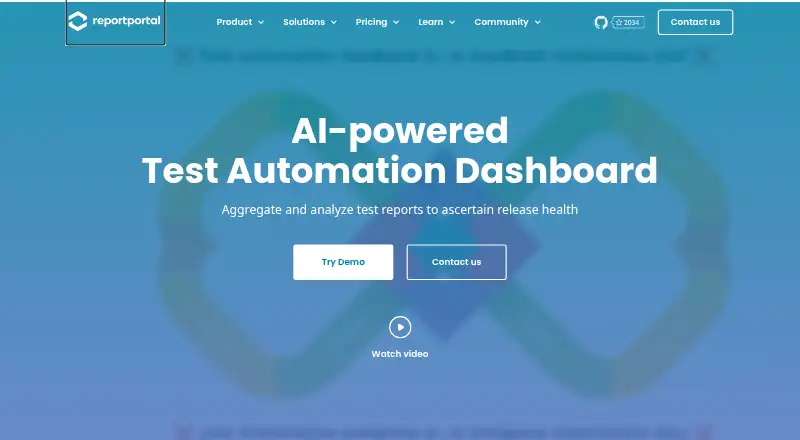
What ReportPortal is
ReportPortal brings automated test reports together so teams can assess release health. It provides real-time reporting and dashboards for results, trends and metrics. Its Auto-Analyzer applies machine-learning algorithms trained on investigated failure history to help triage failed reports. Quality Gates apply rules to report attributes and can feed pass-or-fail decisions into CI/CD tools. Plugins cover areas such as bug tracking, notifications, authorization and test-data import; the open API can exchange data with tools including Power BI and Grafana and support custom reports. Deployment paths include Docker, Kubernetes and Google Cloud Marketplace, and the free community edition is open source and self-hosted under Apache v2.0. The 30-day trial runs on a shared SaaS instance with Startup-tier storage and retention limits. Startup costs $569.00 per month, billed quarterly, with 100 GB storage and up to 12 months of retention. Business costs $2,659.00 per month, billed quarterly, with 1 TB storage and up to five years of retention. Both paid tiers include unlimited users. The site displays security certification badges, and SaaS access options include SSO and LDAP or Active Directory authentication.
Good
- Real-time unified test reporting and dashboards
- Auto-Analyzer helps triage failed reports
- Quality Gates can feed decisions into CI/CD
- Open API supports data exchange and custom reports
- Self-hosted community edition is available
Watch out
- Startup storage is limited to 100 GB
- Startup retention is up to 12 months
- The 30-day trial uses a shared SaaS instance
- Enterprise pricing requires a quote
Who it suits
ReportPortal suits software teams that want a shared view of automated test results, failure triage and release decisions. It offers a self-hosted community edition as well as SaaS plans.
Verdict
ReportPortal combines reporting, failure triage and rule-based release decisions, with both self-hosted and SaaS options. Check the storage and retention limits against your needs before choosing a SaaS tier.
Plans and prices
From ReportPortal's own pricing page, checked 30 Sep 2026.
| Plan | Price | What it gives you |
|---|---|---|
| Free community edition | Free | Open-source · self-hosted · community support · Docker, Kubernetes, or Google Cloud Marketplace deployment |
| Startup | $569 a month | shared instance · 100 GB · 12-month retention · 1 project space · unlimited users · 95% SLA · 5 support points · Quality Gates · 30-day trial · quarterly |
| Business | $2,659 a month | dedicated instance · 1 TB · 5-year retention · multiple projects · unlimited users · 99% SLA · 10 support points · Quality Gates · quarterly |
| Silver service package | $10,000 a year | 50 support hours · premium features · unlimited email support · response SLA up to 24 hours · annual |
| Gold service package | $20,000 a year | 150 support hours · premium features · unlimited email support · response SLA up to 24 hours · annual |
| Platinum service package | $50,000 a year | 600 support hours · premium features · unlimited email support · response SLA up to 24 hours · annual |
| Enterprise | Priced on request | individual instance plus services · extended storage and retention · unlimited users · Quality Gates |
The facts
Each one read from ReportPortal's own pages, with the date it was checked.
What it does
- Access control
- The SaaS comparison describes SSO through Okta SAML and Azure SAML and authentication through LDAP or Active Directory.checked 30 Sep 2026
- AI triage
- Its Auto-Analyzer uses historical execution data and machine-learning analysis to flag likely failure causes.checked 14 Oct 2026
- API
- The open reporting API can push and pull data for third-party tools such as Power BI and Grafana and support custom reports.checked 30 Sep 2026
- API authentication
- Agents use API keys while the user interface uses JWT tokens, with bearer authentication documented for API requests.checked 14 Oct 2026
- Dashboards
- Dashboards and widgets visualize test results, trends, and metrics.checked 30 Sep 2026
- Dashboards and widgets
- Users can build interactive QA dashboards with widgets such as overall statistics, unique bugs and passing-rate summaries.checked 14 Oct 2026
- Data residency
- On-premises deployments keep test data inside the customer instance; documented outbound calls check version status and optionally send anonymized Google Analytics data.checked 14 Oct 2026
- Deployment
- The installation guide provides Docker, Kubernetes, and Google Cloud Marketplace deployment paths and lists Linux, macOS, and Windows Docker support.checked 30 Sep 2026
- Deployment requirements
- The Docker guide supports Ubuntu 20.04+, macOS Intel or Apple Silicon and 64-bit Windows 11 Pro+, with Docker Compose 2.2 or newer, at least 2 CPU cores, 6 GB RAM and 20 GB free disk.checked 14 Oct 2026
- Documentation depth
- Documentation includes installation, configuration, developer guides, REST API material, plugins, troubleshooting, dashboards, quality gates and release notes.checked 14 Oct 2026
- Failure analysis
- Its Auto-Analyzer uses machine-learning algorithms trained on investigated failure history to help triage failed reports.checked 30 Sep 2026
- Failure categorization
- Failures can be classified as product bugs, automation issues, system issues or custom categories for collaborative triage.checked 14 Oct 2026
- Integrations
- Documented integrations include Jira Server and Cloud, Azure DevOps, Rally, GitLab, Monday, Sauce Labs, Slack, Telegram, LDAP, Active Directory, SAML, JUnit and Robot Framework.checked 14 Oct 2026
- License
- ReportPortal is distributed under Apache License 2.0 and the documentation says it may be used and modified commercially.checked 14 Oct 2026
- Limit: performance testing
- The FAQ says ReportPortal has no direct integration with performance-testing frameworks; users can import performance results in JUnit format as a workaround.checked 14 Oct 2026
- Limits
- The SaaS Startup tier includes 100 GB storage and up to 12 months of retention, while Business includes 1 TB and up to 5 years.checked 30 Sep 2026
- Limit: scale and imports
- G2 reviewers report performance degradation during prolonged parallel testing and crashes when importing very large Cucumber reports.checked 14 Oct 2026
- Limit: setup and support
- G2 feedback reports difficult troubleshooting, sparse documentation and slow or limited customer support during setup and customization.checked 14 Oct 2026
- Notable news
- A ReportPortal blog post dated April 2, 2026 says the project is refocusing on core test-automation reporting and analytics, with some identity features moving to paid subscriptions in version 26.1.checked 14 Oct 2026
- Praise: live analysis
- G2 reviewers highlight real-time dashboards, quick result visibility and automated bug tagging as useful for triage.checked 14 Oct 2026
The company
- Company profile
- LinkedIn lists ReportPortal as privately held, founded in 2013, headquartered in Hoboken, New Jersey, with 11–50 employees.checked 14 Oct 2026
- Company scale claim
- The company LinkedIn page claims more than 23,000 companies, over 40 Fortune 500 customers, 40 million launches per year and 1.8 million downloads.checked 14 Oct 2026
- Maker relationship
- The product site identifies EPAM as sponsor, while legal terms identify Test IO, Inc. as the platform provider.checked 14 Oct 2026
Money
- Limit: trial migration
- The SaaS pricing page states that data cannot be transferred from the shared-instance trial to a dedicated instance.checked 14 Oct 2026
The full review of ReportPortal
ReportPortal is a test analytics platform that brings automated test reports, failure triage and release-health decisions together. It is best suited to teams with established automated test suites and CI/CD workflows that need shared reporting and configurable quality gates. Its self-hosted community edition offers a no-cost route, while the paid SaaS tiers trade higher prices for larger storage allowances and longer retention.
Overview
ReportPortal centralizes test results and analyzes them to help teams assess release health. Real-time, unified reporting and dashboards make results, trends and metrics visible in one place; the Auto-Analyzer applies machine-learning algorithms trained on investigated failure history to help triage failed reports. That combination is more compelling for teams managing repeated test runs than for users seeking only a basic report viewer.
Quality Gates add a practical release-control layer: rules evaluate test-report attributes and pass or fail decisions can feed into CI/CD tools. This makes ReportPortal useful beyond retrospective analysis, though teams need to define the rules that fit their release process.
Key features
- Failure triage: The Auto-Analyzer uses patterns from investigated failures to help classify new failures, reducing the burden of sorting recurring results.
- Reporting and dashboards: Unified, real-time reports and configurable dashboards and widgets surface results, trends and metrics for teams tracking test health over time.
- Quality Gates: Rules turn report attributes into pass-or-fail decisions that can be passed to CI/CD tools, supporting automated release checks.
- Integrations and API: Documented plugins cover bug tracking, notifications, authorization, test-data import and Sauce Labs. Slack, Telegram and email are notification examples. The open API can push and pull data for third-party tools such as Power BI and Grafana, and supports custom reports.
- Broad test and CI coverage: Supported frameworks include TestNG, Pytest, Playwright, Postman, NUnit, Cypress, Jest, Vitest and others. CI/CD integrations include Azure DevOps, CircleCI, GitHub Actions, GitLab CI and Jenkins. Flaky-test detection and execution-trend reports are supported.
- Deployment and access: Teams can deploy through Docker, Kubernetes or Google Cloud Marketplace, or use SaaS. The SaaS comparison describes Okta SAML and Azure SAML SSO, plus LDAP or Active Directory authentication. The pricing page displays SOC 2, ISAE 3402, ISO 9001 and ISO 27001 certification badges.
Pricing
ReportPortal is freemium, with a free self-hosted community edition and paid SaaS plans billed quarterly. The community edition costs nothing and includes community support; its open-source license is Apache v2.0. It suits teams prepared to host and maintain their own deployment, but does not include the paid service packages' support terms.
- Startup — $569 a month, billed Quarterly: 100 GB storage, up to 12 months' retention, unlimited users, one project space and a shared instance. It includes a 30-day trial. This is the lower-cost SaaS option for a team that can work within one project space and the stated storage and retention limits.
- Business — $2,659 a month, billed Quarterly: 1 TB storage, up to five years' retention, unlimited users, a dedicated instance and multiple project spaces. Its trial uses Startup-tier limits. The substantially higher price is aimed at organizations that need longer history, more capacity or separation on a dedicated instance.
- Silver Service Package — $10,000 a year; Gold — $20,000 a year; Platinum — $50,000 a year: These packages provide, respectively, 50, 150 or 600 support hours, all premium features, unlimited email support and a response SLA of up to 24 hours. They are annual support packages rather than a lower-cost substitute for SaaS storage tiers.
- Enterprise — custom pricing: A custom offering with a dedicated instance and services, extended storage and retention, unlimited users and unlimited project spaces.
The 30-day trial provides all ReportPortal features on a shared SaaS instance with Startup storage and retention limits. That gives prospective users a meaningful feature evaluation, but not a trial of Business-tier capacity or dedicated hosting.
Platforms
ReportPortal supports API, Linux, macOS, Windows, web and self-hosted use. Docker deployment is supported on Linux, macOS and Windows, with Kubernetes and Google Cloud Marketplace also offered as deployment paths.
Who it's for
ReportPortal is a strong fit for engineering and QA teams running automated tests across multiple frameworks or CI/CD systems, especially when they want to connect failure triage with release decisions. The community edition suits teams able to self-host; Startup suits teams comfortable with one project space and capped retention; Business is better aligned with multi-project needs and longer test histories. It is less suitable for a small team seeking inexpensive hosted analytics: the paid entry point is $569 a month, billed Quarterly.
Pros and cons
- Pros: Unified reports, dashboards, failure analysis and Quality Gates connect test visibility to release decisions rather than leaving teams with results alone.
- Pros: The free Apache v2.0 community edition and several deployment paths give technically equipped teams a self-hosted option.
- Pros: Unlimited users on both SaaS tiers avoid per-seat limits as teams grow.
- Cons: SaaS starts at $569 a month, billed Quarterly, and Startup is limited to one project space, 100 GB and up to 12 months' retention.
- Cons: Business costs $2,659 a month, billed Quarterly; its larger allowance and dedicated instance are costly if a team needs only basic reporting.
- Cons: The trial uses Startup limits on a shared instance, so it cannot demonstrate Business-tier storage, retention or hosting conditions.
Alternatives
For a broader comparison, see Test Analytics Software.
- TestBeats is a freemium alternative with a free plan and paid tiers priced by credits, test runs and test cases; consider it when those metered allowances suit your workload better.
- Qualflare offers a free plan and trial, with a Starter tier capped at one project, one active user, 200 test cases and 100 reports; it may suit a small, tightly scoped project.
- Testspace has a free plan and trial, with its Basic tier limited to four users, two private projects and 200 sessions; it is an option when those project and session limits fit.
- Allure Report is a free, open-source test reporting tool under Apache License 2.0; choose it when free reporting is the priority.
- Buildkite offers a free plan capped at five users, ten concurrent jobs and 2,000 Linux vCPU minutes per month; consider it when those limits match your needs.
- BrowserStack Test Reporting & Analytics has a free plan with 60 days of test-run history and assertion failure logs, and shorter retention for video logs; it may fit teams whose history needs fall within those windows.
- Flakiness.io is a freemium alternative with a self-hosted option; consider it when that deployment model is the deciding factor.
- Parasoft SOAtest is a paid alternative with quote-based tailored pricing; consider requesting a quote if that pricing approach suits your organization.
Verdict
Choose ReportPortal if your team needs a central view of automated test health that can help triage failures and enforce rule-based CI/CD gates, particularly if self-hosting or a dedicated, multi-project SaaS tier fits your operating model. The open-source community edition is its clearest cost-conscious route. Look elsewhere if you need inexpensive hosted reporting, since the SaaS starting price is high and Startup comes with one project space and finite storage and retention.
Getting started
- Open https://reportportal.io/ to review the product and plans.
- Choose the free community edition for self-hosted use, or a SaaS plan.
- For self-hosting, use the Docker, Kubernetes, or Google Cloud Marketplace deployment path.
- For SaaS, use the 30-day trial on a shared instance with Startup-tier storage and retention limits.
- Connect supported test frameworks and CI/CD services, or use the open reporting API.
Limits worth knowing
The free community edition is self-hosted and comes with community support. The 30-day SaaS trial has Startup-tier limits. Startup includes 100 GB storage and up to 12 months of retention; Business includes 1 TB and up to 5 years.
Questions
Is ReportPortal open source?
Yes. ReportPortal is licensed under Apache v2.0, and its free community edition is self-hosted.
Is there a free plan or trial?
The free community edition costs nothing. A 30-day trial is available on a shared SaaS instance with Startup-tier storage and retention limits.
How much do the SaaS plans cost?
Startup costs $569 a month, billed quarterly. Business costs $2,659 a month, billed quarterly.
What storage and retention do the SaaS tiers include?
Startup includes 100 GB storage and up to 12 months of retention. Business includes 1 TB and up to 5 years.
Which platforms and deployment options are supported?
Listed platforms include API, Linux, macOS, self-hosted, web, and Windows. Deployment paths include Docker, Kubernetes, and Google Cloud Marketplace.
What integrations are available?
Documented plugins cover bug tracking, notifications, authorization, test-data import, and Sauce Labs. The API can exchange data with tools such as Power BI and Grafana.
Alternatives to ReportPortal
- 1

TestMu AI
Free planAndroidiOSWebAPI8.3From $17 a month - 2

Qualflare
Free planAndroidiOSWebAPI8.2From $16 a month - 3
TestBeats
Free planOpen sourceWebAPILinuxmacOS8.1From $18 a month - 4

BuildPulse
Free planWebAPILinuxmacOS7.9Free plan - 5

BrowserStack Test Reporting & Analytics
Free planWebAPIExtensionLinux7.7From $199 a month - 6

Testspace
Free planWebAPILinuxmacOS7.7From $32 a month