Telepromptme
Telepromptme is an iOS and macOS app that scrolls scripts while users read to camera.
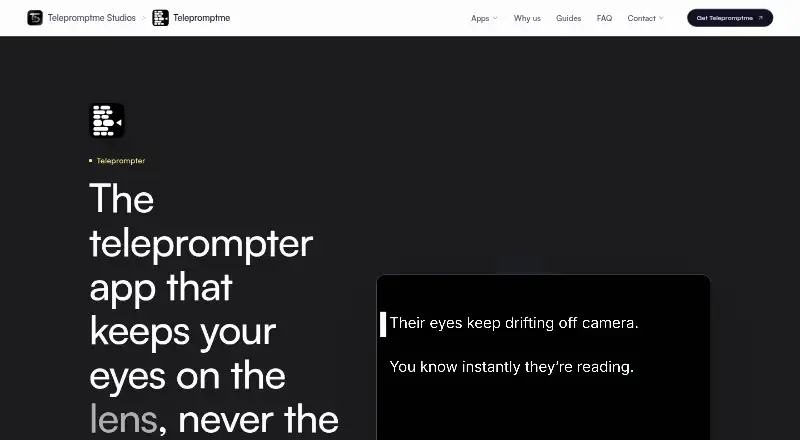
What Telepromptme is
Telepromptme is an iOS and macOS app that scrolls scripts while users read to camera. It can record video, add captions, and drive a teleprompter rig. Users can set scrolling speed, time a script to a target duration, or advance manually by page. Features include mirrored text, transparent overlays for Zoom, Microsoft Teams, and Google Meet, and duplicate prompter windows on Mac. TXT, RTF, and PDF files import on every device; macOS also imports Word documents, while Lite imports only the first PDF page. The AI Assistant can draft or improve scripts on devices supporting Apple Intelligence with it enabled. Scrolling can be controlled from another Telepromptme device, Apple Watch, keyboard, or game controller. The maker says the apps work fully offline except for optional iCloud sync, and scripts and recordings remain on-device unless users enable that sync. Lite is free with 30-second sessions, one script, and one recording. Pro costs $19.99, paid once; Pro Plus costs $19.99 a year. There is no voice-following mode.
Good
- Adjustable, timed, or manual script scrolling
- Mirrored text and meeting overlays
- Imports TXT, RTF, PDF, and macOS Word files
- Offline operation with optional iCloud sync
- Remote control and Apple Watch support on Pro Plus
Watch out
- No voice-following mode
- Lite sessions last 30 seconds
- Lite imports only the first PDF page
- Paid video recording reaches up to 8K
Who it suits
It suits presenters and video creators using iPhone, iPad, or Mac who want script scrolling and recording. It also fits users needing offline operation or overlays during video meetings.
Verdict
Telepromptme combines script control, recording, overlays, and device-based privacy for Apple platforms. The free Lite limits are strict, while paid tiers add longer sessions, imports, captions, and remote controls.
Plans and prices
From Telepromptme's own pricing page, checked 8 Oct 2026.
| Plan | Price | What it gives you |
|---|---|---|
| Lite | Free | 30 seconds per session · one script · one recording · first PDF page · iPhone, iPad and Mac |
| Pro | $19.99, paid once | Unlimited scripts and recordings · no session time limit · full PDF import · up to 8K video · iPhone, iPad and Mac · one-time |
| Pro Plus | $19.99 a year | Everything in Pro · captions and stickers · remote control and Apple Watch · camera backgrounds and filters · Studio editing · Mac duplicate windows and whole-screen mirroring · per year |
The facts
Each one read from Telepromptme's own pages, with the date it was checked.
What it does
- AI assistant
- The AI Assistant can draft or improve scripts on devices that support Apple Intelligence with it enabled.checked 8 Oct 2026
- Data and payments
- The app requires no account, has no third-party advertising or tracking SDKs, and processes purchases through Apple without the maker seeing payment details.checked 8 Oct 2026
- Import formats
- It imports TXT, RTF, and PDF on every device, and Word documents on macOS; Lite imports only the first PDF page.checked 8 Oct 2026
- Integrations
- The app names Zoom, Microsoft Teams, and Google Meet as services its transparent script overlay can sit over.checked 8 Oct 2026
- Notable limitation
- Telepromptme has no voice-following mode; the maker directs users seeking speech-following scrolling to its separate Autoprompt app.checked 8 Oct 2026
- Offline use
- The maker says its teleprompter apps work fully offline, with internet needed only for optional iCloud sync.checked 8 Oct 2026
- Privacy
- Scripts and recordings remain on the device unless users enable their own iCloud sync, and the maker says it does not upload, sell, or share user content.checked 8 Oct 2026
- Prompter features
- It supports mirrored text, transparent script overlays for Zoom, Teams, and Meet, and duplicate prompter windows on Mac.checked 8 Oct 2026
- Purpose
- Telepromptme scrolls scripts while users read to camera and can record video, add captions, and drive a teleprompter rig.checked 8 Oct 2026
- Recording
- The app records video up to 8K on paid plans; the product page also describes recording up to 4K in its feature overview.checked 8 Oct 2026
- Remote control
- Scrolling can be controlled from another Telepromptme device, an Apple Watch, or compatible external hardware such as a keyboard or game controller.checked 8 Oct 2026
- Scrolling
- Users can set a scrolling speed, time the full script to a target duration, or advance it manually by page.checked 8 Oct 2026
- Support
- The maker offers support by email and invites questions and feature requests through its support contact.checked 8 Oct 2026
Alternatives to Telepromptme
- 1

FluidPrompter
Free planAndroidiOSWebLinux8.0From $9 a month - 2
Teleprompterly
Free planAndroidiOSWebLinux8.0From $39.99 a year - 3
OtO
Free planAndroidmacOSWindows7.6From $9.90 a year - 4

Prompt+
Free planiOSmacOS7.4$19.99 one-time - 5

Teleprompter.com
Free planAndroidiOSWebmacOS7.4From $90 a year - 6

Speakflow
Free planAndroidiOSWebmacOS7.3From $19 a month