Tabbles
Tabbles is file-tagging software for individuals and teams who want to organize files with tags rather than relying only on folders and drive letters.
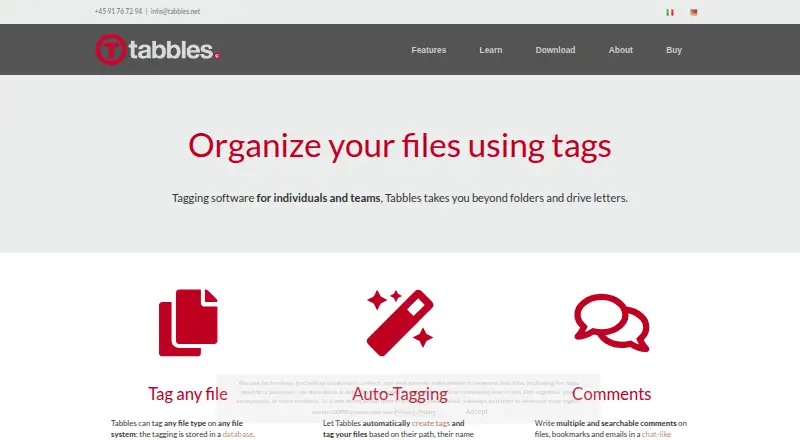
What Tabbles is
Tabbles is file-tagging software for individuals and teams who want to organize files with tags rather than relying only on folders and drive letters. It can tag files of any type on any file system, keeping tag data in a database without changing file names or adding hidden files. Rules can assign tags using a file’s path, name, content, or type, as well as data-mining matches such as email addresses and social security numbers. Unified search covers names, paths, tags, comments, and file contents; comments on files, bookmarks, and emails are searchable too. Teams can share tags and manage users, groups, and granular permissions across local disks, network drives, and cloud-synced folders. Windows Explorer integration includes context-menu actions and overlay icons, and preserves tags when files are moved or renamed there. Tabbles also describes Outlook email tagging, a Chrome extension, a browser bookmarklet, and support for Google Drive, Dropbox, and SharePoint-synced folders. Founded in 2009, it has a free plan and a 90-day trial. Listed paid plans include options for individuals, teams, and a hosted database.
Good
- Tags files without changing names or adding hidden files.
- Rules can assign tags using file details.
- Search includes content, comments, and tags.
- Teams can share tags and manage permissions.
- Preserves tags when files move or are renamed in Explorer.
Watch out
- Free plan limits personal use to 500 files.
- Free plan allows up to 15 rules.
- PDF previews cover only the first 10 pages.
- LAN mode requires Microsoft SQL Server Express 2008 or newer, or Azure SQL.
Who it suits
Tabbles suits individuals and teams handling files across local disks, network drives, and cloud-synced folders. Its shared tags and permission controls may suit organizations managing documents across teams.
Verdict
Tabbles combines file tagging, rule-based organization, and search with options for sharing tags across teams. Check the free-plan limits and database requirements for LAN mode when deciding whether it fits your setup.
Plans and prices
From Tabbles's own pricing page, checked 8 Oct 2026.
| Plan | Price | What it gives you |
|---|---|---|
| FREE | Free | personal use · up to 5.000 · up to 500 files · up to 15 rules · up to 100 emails |
| BASIC | €3 a year | up to 20.000 · up to 2000 files · up to 25 rules · up to 100 emails · share with group of up to 4 users · yearly subscription |
| PRO | €5 a year | full power for one user · yearly subscription |
| CORPORATE | €6 a year | for teams sharing tags · yearly subscription |
| CORPORATE monthly | €9 a month | for teams sharing tags · monthly |
| Hosted database | €10 a month | dedicated database hosted and managed by Tabbles · monthly |
| Tabbles Student | €36 a year | same features as Pro · yearly subscription |
The facts
Each one read from Tabbles's own pages, with the date it was checked.
What it does
- API
- Tabbles offers a growing library of APIs accessible in .NET languages and supports XML files for database creation, export, and rules.checked 8 Oct 2026
- Audience
- The maker presents Tabbles for single users and teams, including firms handling many documents and organizations sharing tagging across network drives.checked 8 Oct 2026
- Auto-tagging
- Rules can tag files based on their path, name, content, type, or data-mining matches such as email addresses and social security numbers.checked 8 Oct 2026
- Integrations
- The product pages describe Outlook email tagging, a Chrome extension and browser bookmarklet, and support for Google Drive, Dropbox, and SharePoint-synced folders.checked 8 Oct 2026
- Payment security
- The purchase page says its transaction partner Avangate is PCI DSS Level 1 certified and transactions use an SSL connection.checked 8 Oct 2026
- Previews
- The preview box supports most graphic files and PDFs, with PDF previews limited to the first 10 pages.checked 8 Oct 2026
- Privacy
- The privacy policy says Tabbles Cloud stores account email and tagging metadata but does not store file contents or email contents.checked 8 Oct 2026
- Purpose
- Tabbles is file tagging software for individuals and teams that organizes files beyond folders and drive letters.checked 8 Oct 2026
- Search and comments
- Unified search covers file names, paths, tags, comments, and file content, and comments on files, bookmarks, and emails are searchable.checked 8 Oct 2026
- Support
- The purchase page lists support by email, phone, and Skype, plus help with setup and configuration.checked 8 Oct 2026
- Tagging
- It can tag any file type on any file system, storing tagging in a database without changing file names or leaving hidden files on disk.checked 8 Oct 2026
The company
- Founded
- 2009checked 23 Sep 2026
- Team collaboration
- Teams can share tags and manage users, groups, and granular permissions across local disks, network drives, and cloud-synced folders.checked 8 Oct 2026
Where it runs
- Platforms and database
- The download page lists Tabbles 6 for Windows Vista, 7, 8, 10, and 11, with LAN mode requiring Microsoft SQL Server Express 2008 or newer and support for Azure SQL.checked 8 Oct 2026
- Windows integration
- Tabbles integrates with Windows Explorer context menus and overlay icons, and preserves tagging when files are moved or renamed in Explorer.checked 8 Oct 2026
The full review of Tabbles
Tabbles is a Windows-focused file-tagging tool for people and teams who need to organize documents across drives and synced folders. Its standout strength is combining flexible tags, automation, and search; the free and lower-cost tiers impose caps that matter for larger libraries.
Overview
Tabbles associates tags with files through a database instead of altering filenames or adding hidden files to disks. Tags can apply across file types and file systems, offering an alternative to relying on folder structure alone. In Windows Explorer, tags are preserved when files are moved or renamed, which makes it a natural fit for people who manage files there.
Key features
Rules can tag files based on their path, name, content, or type, as well as data-mining matches such as email addresses and social security numbers. That can reduce repetitive sorting, but the rule quotas on Free and Basic limit how far users can automate without upgrading.
Unified search spans names, paths, tags, comments, and file content. Search also covers comments on files, bookmarks, and emails, making the catalog useful beyond documents. Previews support most graphics and PDFs, although PDF previews are limited to the first 10 pages.
Teams can share tags and administer users, groups, and granular permissions across local disks, network drives, and cloud-synced folders. Integrations include Outlook email tagging, a Chrome extension and bookmarklet, and Google Drive, Dropbox, and SharePoint-synced folders. This breadth is useful for teams whose files span those locations, while Windows Explorer integration keeps the core workflow tied to Windows.
Tabbles Cloud stores account email and tagging metadata, not file contents or email contents. The product also offers APIs for .NET languages and XML support for database creation, export, and rules, which may suit organizations that need to work with its data programmatically.
Pricing
The Free plan costs nothing and is for personal use, with caps of 5,000 tags, 500 files, 15 rules, and 100 emails. It is a way to start with personal tagging, but the file and rule ceilings are restrictive for a growing library.
Basic costs €3 a year, billed yearly, and raises the limits to 20,000 tags, 2,000 files, 25 rules, and 100 emails. It also allows sharing with a group of up to four users. This suits a small group with modest volume; the unchanged email allowance and finite quotas remain constraints.
Pro costs €5 a year, billed yearly, and provides full power for one user. It is the individual option for users who need more than Free or Basic, but it does not target team sharing. Tabbles Student costs €36 a year, billed yearly, with the same features as Pro.
Corporate costs €6 a year, billed yearly, for teams sharing tags; the monthly Corporate option costs €9 a month, billed monthly. Hosted database costs €10 a month, billed monthly, for a dedicated database hosted and managed by Tabbles. These options address team collaboration or managed hosting rather than personal use. A 90-day trial is offered. Payment transactions use an SSL connection through Avangate, which the purchase page identifies as PCI DSS Level 1 certified.
Platforms
Tabbles is Windows-focused: version 6 is listed for Windows Vista, 7, 8, 10, and 11. LAN mode requires Microsoft SQL Server Express 2008 or newer, with Azure SQL also supported, so organizations should account for database setup when planning shared use. The platform listing also includes an API and extension.
Who it's for
Tabbles is best suited to individuals with files scattered across locations and teams that need shared tagging and permissions across network drives or cloud-synced folders. Firms handling many documents may benefit from rules and unified search, while very small collections or users outside Windows have less reason to accept its setup and plan limits.
Pros and cons
- Pro: Tags work across file types and file systems without changing names or leaving hidden files, reducing dependence on rigid folder structures.
- Pro: Rules and broad search cover file attributes, content, tags, and comments, helping users both organize and retrieve material.
- Pro: Shared tags and granular permissions support collaboration across local, network, and synced storage.
- Con: Free and Basic quotas cap files, rules, and email volume, so larger personal collections or team workflows may need a paid tier.
- Con: LAN mode depends on a compatible SQL database, adding an operational requirement for teams that want local network sharing.
- Con: The listed desktop support is Windows-oriented, making it a poor fit for users seeking a native macOS workflow.
Alternatives
Desktop Organization Software is a useful category starting point for comparing tools in this space.
Choose Desktop Broom if a free option for macOS or Windows is preferable and file tagging or team permissions are not the priority; its free plan has no ads, signup, or premium tier.
iTop Easy Desktop is another Windows freemium option, with a free plan limited to three boxes and limited wallpapers and paid Pro plans for one device.
Nimi Places is a free Windows alternative restricted to non-commercial use.
OneTab is better aligned with saving and organizing browser tabs, with a free plan and extension support across browsers and desktop platforms.
AutoShelf is a macOS alternative for rule-based folder organization, offering one free rule for one folder and its subfolders and a one-time paid option for unlimited rules.
BitDock is another freemium Windows option.
DeskBox is a free Windows alternative, with a direct-install version for Windows 10 21H2 or later and Windows 11.
Desktop Fences+ is a free, MIT-licensed portable Windows option for user-writable locations.
Verdict
Choose Tabbles if you need file-level tagging, rule-driven organization, and searchable metadata across Windows storage locations, especially when several people must share a catalog. Its breadth is the main reason to choose it; the Windows emphasis, plan quotas, and SQL requirement for LAN mode are the reasons to look elsewhere or confirm the setup before committing.
Getting started
- Visit https://tabbles.net/en/.
- Choose the free plan or a paid option; the free plan is for personal use.
- Use the 90-day trial if you want to try the software before choosing.
- Download Tabbles 6 for Windows Vista, 7, 8, 10, or 11.
- For LAN mode, use Microsoft SQL Server Express 2008 or newer.
Limits worth knowing
The free plan is for personal use and lists up to 500 files, up to 15 rules, and up to 100 emails. The BASIC plan lists up to 2,000 files, up to 25 rules, up to 100 emails, and sharing with a group of up to four users.
Questions
Is there a free plan?
Yes. The FREE plan is for personal use, with listed limits of 500 files, 15 rules, and 100 emails.
What does Tabbles cost?
Other listed plans include CORPORATE monthly at €9 a month, and Hosted database at €10 a month.
Which platforms does it support?
Platform support is listed as Windows only. Tabbles 6 is listed for Windows Vista, 7, 8, 10, and 11.
Can teams share tags?
Yes. Teams can share tags and manage users, groups, and granular permissions. The BASIC plan includes sharing with a group of up to four users; CORPORATE plans are for teams sharing tags.
Does it work with cloud-synced folders or email?
Product pages describe support for Google Drive, Dropbox, and SharePoint-synced folders, plus Outlook email tagging. A Chrome extension and browser bookmarklet are also described.
What is stored in Tabbles Cloud?
The privacy policy says Tabbles Cloud stores account email and tagging metadata, but not file contents or email contents.
Alternatives to Tabbles
- 1
BitDock
Free planWindows7.2Free plan - 2

DeskBox
Free planOpen sourceWindows7.0Free plan - 3
iTop Easy Desktop
Free planWindows6.6From $11.99 a year - 4

AutoShelf
Free planmacOS6.5$19.99 one-time - 5
Right Click Enhancer
Free planWindows6.5$9.99 one-time - 6
Desktop Organizer
Free planmacOS6.4From $19.99 a year