SysTools Video Repair
SysTools Video Repair is a desktop utility for video files that are corrupt, damaged, compressed, password-protected, or unplayable.
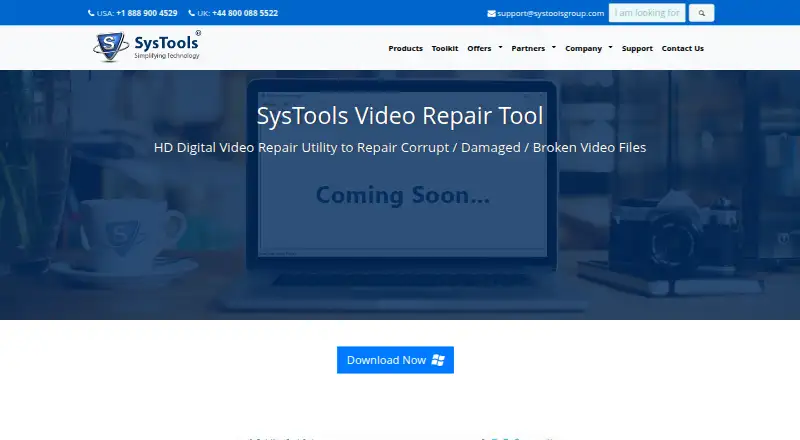
What SysTools Video Repair is
SysTools Video Repair is a desktop utility for video files that are corrupt, damaged, compressed, password-protected, or unplayable. It addresses silent playback, black screens with audio, distortion, transfer errors, codec-pack issues, and unreadable directories. An advanced scan covers MOV, MP4, F4V, M4V, 3GP, and 3G2; the wider format list includes AVI, MKV, MXF, WMV, ASF, FLV, SWF, MPEG, MPG, and RM/RMVB. Multiple videos can be repaired in one batch, including different formats. The software previews repaired footage before saving, and users choose the destination while receiving confirmation of its location. It can repair footage transferred from Android phones, iPhones, drones, digital cameras, and DSLRs. Listed systems range from Windows 2000 through Windows 10 and Mac OS X 10.8 through 10.13. SysTools was founded in 2007 and is headquartered in Delhi, India. Licenses are perpetual for a product version, with first-year support and updates included.
Good
- Repairs many listed video formats
- Batch repair supports mixed formats
- Preview before saving
- Handles footage from phones and cameras
- Perpetual product-version licensing
Watch out
- No free plan
- Listed operating systems are older releases
- Available only on macOS and Windows
Who it suits
It suits Windows and macOS users who need to recover damaged videos from phones, drones, cameras, or DSLRs. Batch processing and previewing help when handling multiple files.
Verdict
SysTools Video Repair focuses on restoring problematic video files with broad format coverage, batch processing, and preview before saving. Its perpetual licensing is clear, but the listed platform versions are dated and there is no free plan.
The facts
Each one read from SysTools Video Repair's own pages, with the date it was checked.
What it does
- Advanced scan
- The page says an advanced scan can remove corruption from video files, including MOV, MP4, F4V, M4V, 3GP, and 3G2.checked 4 Oct 2026
- Batch repair
- The software can repair multiple videos in bulk, including files in different formats.checked 4 Oct 2026
- Integrations
- The product page lists compatible players and video-source devices but does not state integrations with other software services.checked 4 Oct 2026
- License model
- SysTools' license information says its software licenses are perpetual for a product version, with first-year technical support and updates included in the initial price.checked 4 Oct 2026
- Operating systems
- The page lists Windows 10, 8.1, 8, 7, Vista, XP, and 2000, plus Mac OS X 10.8 through 10.13.checked 4 Oct 2026
- Player compatibility
- The page lists VLC, MP3 and MP4 players, iPod models, and iTunes as compatible players.checked 4 Oct 2026
- Preview
- The software generates an instant preview of a repaired video before it is saved.checked 4 Oct 2026
- Purpose
- SysTools Video Repair is a utility for repairing corrupt, damaged, broken, compressed, password-protected, or unplayable video files.checked 4 Oct 2026
- Repair cases
- The product lists playback errors with no audio, black screen with audio only, video distortion, file-transfer errors, codec-pack issues, and corrupted or unreadable file directories.checked 4 Oct 2026
- Repair preview
- The tool generates an instant preview of a repaired video before it is saved.checked 4 Oct 2026
- Save location
- Repaired videos can be saved to a location selected by the user, and the software displays a confirmation with the storage location.checked 4 Oct 2026
- Support channels
- SysTools' contact page lists dedicated product support, live chat, phone numbers, and email contact options.checked 4 Oct 2026
- Support contact
- The product page displays US and UK phone numbers and a query form requesting first name, last name, phone, and email.checked 4 Oct 2026
- Supported formats
- The page lists AVI, MOV, MP4, M4V, 3GP, 3G2, MKV, MXF, WMV, ASF, FLV, SWF, MPEG, MPG, and RM/RMVB.checked 4 Oct 2026
- Supported operating systems
- The page lists Windows 10, 8.1, 8, 7, Vista, XP, and 2000, plus Mac OS X 10.8 through 10.13.checked 4 Oct 2026
The company
- Company address
- SysTools lists its address as 528, City Centre, Sector-12, Dwarka, Delhi, India.checked 4 Oct 2026
- Company security certifications
- SysTools says its ISO 9001:2015 and ISO 27001:2013 certifications reflect its commitment to quality and compliance.checked 4 Oct 2026
- Founded
- 2007checked 28 Sep 2026
- Headquarters
- SysTools Software Pvt. Ltd. lists its head office in Dwarka, Delhi, India.checked 4 Oct 2026
Where it runs
- Device footage
- The page says it can repair videos recorded on Android phones, iPhones, drones, digital cameras, and DSLRs after moving them to a local machine.checked 4 Oct 2026
- Device sources
- The product page says it can repair videos transferred to a local machine from Android phones, iPhones, drones, digital cameras, and DSLRs.checked 4 Oct 2026
- Repair scenarios
- The product page lists playback errors, black screens, video distortion, file transfer errors, codec pack issues, and unreadable directories as problems it addresses.checked 4 Oct 2026
Alternatives to SysTools Video Repair
- 1

IntactFile
Free planWebAPILinuxmacOS7.9From €59 a year - 2
Minitooler Video Repair
Free planWeb6.8From $5 a month - 3
Restore.Media
AndroidiOSWebmacOS6.8$4.99 one-time - 4

Stellar Repair for Video
WebmacOSWindows6.8$49.99 one-time - 5

RepairMyVideo
Free planWeb6.6Free plan - 6
Fix.Video
WebmacOSWindows6.4From $99 a month