systemd-nspawn
systemd-nspawn runs commands or complete Linux-based operating systems inside lightweight namespace containers.
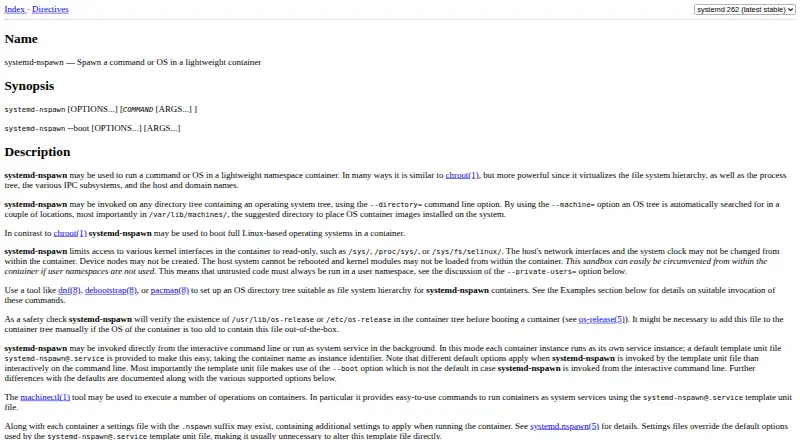
What systemd-nspawn is
systemd-nspawn runs commands or complete Linux-based operating systems inside lightweight namespace containers. It separates the filesystem hierarchy, process tree, IPC subsystems, hostname, and domain name. A container can use a directory tree or disk image as its root; named machine images are searched for under /var/lib/machines/. Containers can run interactively or as background services using the [email protected] template. Running instances register with systemd-machined, where machinectl can be used to interact with them. Per-container .nspawn files provide persistent settings, while command-line options take precedence by default. The manual warns that a user namespace should be used for untrusted code because the sandbox can be circumvented without one. Without privileges, only disk-image containers are supported, and networking is restricted to private-network and network-veth modes. Settings files beside an image or container root ignore options that elevate privileges or provide additional host access. The tool is free and requires Linux. Support options include the systemd mailing list, IRC, and Matrix; the repository lists GPL-2.0 and LGPL-2.1 licenses.
Good
- Runs from a directory tree or disk image.
- Can run interactively or as a system service.
- Integrates with systemd-machined and machinectl.
- Persistent per-container settings are available.
Watch out
- Requires a Linux system.
- Unprivileged use supports disk images only.
- Unprivileged networking has limited modes.
- Untrusted code needs a user namespace for safer isolation.
Who it suits
systemd-nspawn suits Linux users who need to run commands or operating systems in namespace containers and can work within its privilege and networking limits.
Verdict
systemd-nspawn provides container execution and systemd management integration on Linux. Its unprivileged operation has specific image and networking constraints, and the manual calls for a user namespace with untrusted code.
Plans and prices
From systemd-nspawn's own pricing page, checked 11 Oct 2026.
| Plan | Price | What it gives you |
|---|---|---|
| systemd-nspawn | Free | No paid plan or usage limits stated on the pages reviewed |
The facts
Each one read from systemd-nspawn's own pages, with the date it was checked.
What it does
- Configuration
- Per-container .nspawn files provide persistent settings, and command-line options take precedence over those settings by default.checked 11 Oct 2026
- Container images
- It can run from a directory tree or a disk image, and searches /var/lib/machines/ for named machine images.checked 11 Oct 2026
- Container inputs
- It can use an operating system directory tree or a disk image as the container root.checked 11 Oct 2026
- Container interface
- systemd-nspawn implements the systemd Container Interface specification.checked 11 Oct 2026
- Container isolation
- It virtualizes the filesystem hierarchy, process tree, IPC subsystems, hostname, and domain name.checked 11 Oct 2026
- Execution modes
- It can run interactively from the command line or as a background system service.checked 11 Oct 2026
- Image safety
- For .nspawn settings files found next to an image or container root, settings that elevate privileges or grant additional host access are ignored by default.checked 11 Oct 2026
- Integration
- Running containers register with systemd-machined, which tracks them and provides programming interfaces to interact with them.checked 11 Oct 2026
- Isolation
- It virtualizes the filesystem hierarchy, process tree, IPC subsystems, and host and domain names.checked 11 Oct 2026
- License
- The systemd repository includes an LGPL 2.1 license file.checked 11 Oct 2026
- Management integration
- Running containers can be registered with systemd-machined and interacted with through machinectl.checked 11 Oct 2026
- Persistent settings
- Optional .nspawn files store per-container settings that can also be set on the command line.checked 11 Oct 2026
- Purpose
- systemd-nspawn runs a command or a full Linux-based operating system in a lightweight namespace container.checked 11 Oct 2026
- Security
- For untrusted code, the manual says to use a user namespace because the sandbox can be circumvented without one.checked 11 Oct 2026
- Service management
- A [email protected] template can run each container as a system service, and machinectl can manage containers.checked 11 Oct 2026
- Settings safety
- Settings discovered beside an image or container root ignore options that elevate privileges or grant additional host resource access.checked 11 Oct 2026
- Support
- The systemd project lists its mailing list, IRC channel, and Matrix channel as support options.checked 11 Oct 2026
- Unprivileged limits
- Without privileges, only disk image containers are supported, and networking is limited to private-network and network-veth modes.checked 11 Oct 2026
Where it runs
- Platform
- systemd-nspawn is documented as a Linux container tool and requires a Linux system to run.checked 11 Oct 2026
Alternatives to systemd-nspawn
- 1

LXD
Free planWebAPILinuxSelf-hosted7.0From $25 a year - 2
BuildKit
Free planAPILinuxmacOSSelf-hosted6.8Free plan - 3
Incus
Free planAPILinuxmacOSSelf-hosted6.8Free plan - 4
Apptainer
Free planAPILinuxmacOSSelf-hosted6.7Free plan - 5
crun
Free planLinuxSelf-hosted6.5Free plan - 6

Buildah
Free planAPILinuxSelf-hosted6.4Free plan