Synfig Studio
Synfig Studio is free, open-source software for making 2D animation from vector and bitmap artwork.
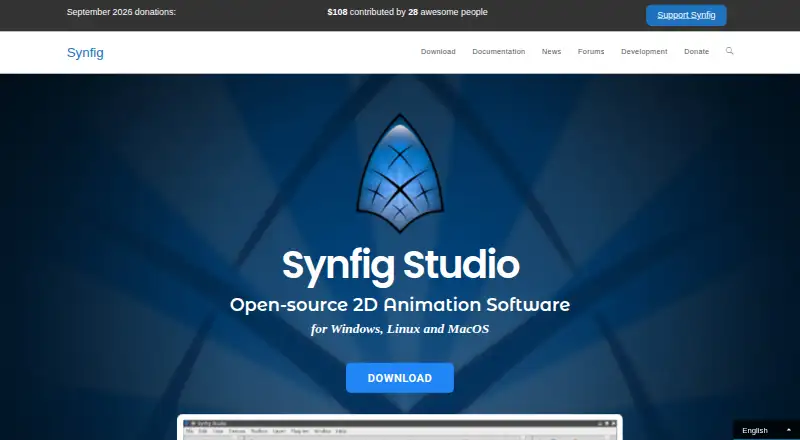
What Synfig Studio is
Synfig Studio is free, open-source software for making 2D animation from vector and bitmap artwork. Its vector tweening tools calculate intermediate frames after users set key positions. The software includes more than 50 layer types, covering geometric, gradient, filter, distortion, transformation, and fractal options. A bone system supports cutout animation with bitmap images and control of vector artwork. Layer parameters can be linked directly or through mathematical expressions. Synfig runs on Windows, Linux, and macOS, with listed requirements of a dual-core CPU at 2 GHz or better and at least 2 GB of RAM. Export options include bitmap images, video formats, animated GIF, MPG, and PNG image sequences. Users can choose stable builds for everyday use or development builds with experimental features and bug fixes. Documentation and video training courses are linked in English, Russian, German, and French, along with user forums. The project is licensed under GNU GPL v3, and its source code is available on GitHub. The Synfig Studio plan costs nothing.
Good
- Free and open-source under GNU GPL v3.
- Includes more than 50 layer types.
- Bone system supports cutout animation.
- Exports animated GIF and PNG sequences.
- Training courses are linked in four languages.
Watch out
- Requires at least 2 GB of RAM.
- Development builds include experimental features.
Who it suits
Synfig Studio suits people creating 2D animation with vector or bitmap artwork, including those interested in rigging and tweening. It is available across Windows, Linux, and macOS.
Verdict
Synfig Studio offers a broad set of 2D animation tools without a listed software charge. Its layer system, rigging, and export options suit users who can meet its stated system requirements.
Plans and prices
From Synfig Studio's own pricing page, checked 7 Oct 2026.
| Plan | Price | What it gives you |
|---|---|---|
| Synfig Studio | Free | Free and open-source software · GNU GPL v3 |
The facts
Each one read from Synfig Studio's own pages, with the date it was checked.
What it does
- 2D animation tools
- Yeschecked 21 Sep 2026
- Advanced controls
- Layer parameters can be linked directly or through mathematical expressions.checked 7 Oct 2026
- Build channels
- The site offers stable builds for everyday use and development builds with experimental features and bug fixes.checked 7 Oct 2026
- Character rigging
- Yeschecked 21 Sep 2026
- Community support
- The site links to user forums and accepts donations to fund developer work on features and bug fixes.checked 7 Oct 2026
- Export formats
- bitmap images,video formats,animated GIF,MPG,PNG image sequenceschecked 21 Sep 2026
- Frame interpolation
- Its vector tweening tools calculate in-between frames after users set key positions.checked 7 Oct 2026
- Funding model
- The maker describes one-time and recurring donations through Open Collective and recurring donations through Patreon.checked 7 Oct 2026
- Integrations
- The maker's homepage does not list third-party integrations.checked 7 Oct 2026
- Layers and filters
- Synfig provides 50+ layers, including geometric, gradient, filter, distortion, transformation, and fractal types.checked 7 Oct 2026
- Learning resources
- The site links to documentation and video training courses in English, Russian, German, and French.checked 7 Oct 2026
- License
- Synfig is licensed under GNU GPL v3, and its source code is available on GitHub.checked 7 Oct 2026
- Purpose
- Synfig Studio is free, open-source 2D animation software for creating animation with vector and bitmap artwork.checked 7 Oct 2026
- Rigging
- Its bone system supports cutout animation with bitmap images and control of vector artwork.checked 7 Oct 2026
- Supported systems
- The maker lists Windows, Linux, and macOS as supported operating systems.checked 7 Oct 2026
- System requirements
- The homepage lists dual-core 2 GHz-or-better CPU and at least 2 GB RAM requirements for Windows, OS X, and Linux.checked 7 Oct 2026
Money
- Free plan
- Yeschecked 21 Sep 2026
Where it runs
- Supported platforms
- windows,linux,macoschecked 21 Sep 2026
Alternatives to Synfig Studio
- 1

Cascadeur
Free planAndroidiOSAPILinux8.9From $96 a year - 2

Rokoko Studio
Free planAndroidiOSWebAPI8.8Free plan - 3

Rive
Free planAndroidiOSWebLinux8.7From $9 a month - 4

Powtoon
Free planAndroidiOSWebExtension8.6From $8 a month - 5

Animation Desk
Free planAndroidiOSmacOSWindows8.6From $2.49 a month - 6

Houdini
Free planWindowsmacOSLinux8.4From $95 a year