Swift Backup
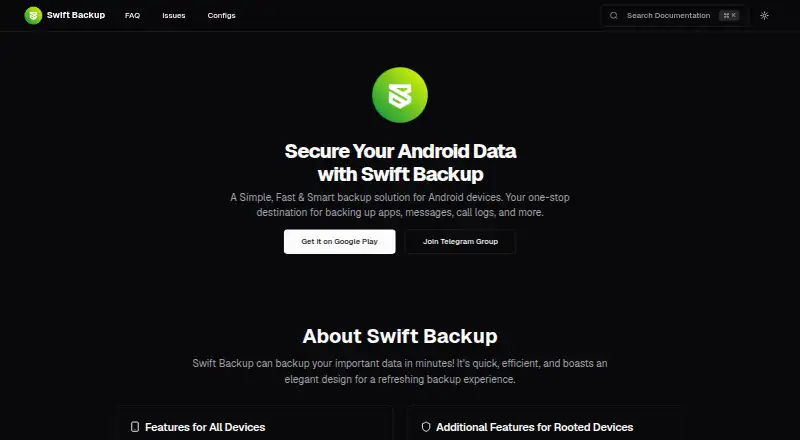
The facts below are what the maker publishes about Swift Backup, checked and dated. Our editors have not written about it yet.
Plans and prices
From Swift Backup's own pricing page, checked 12 Oct 2026.
| Plan | Price | What it gives you |
|---|---|---|
| Free | Free | Local backups; no premium features |
| Premium | Priced on request | Cloud backups for apps; app labels; custom backup configuration; scheduled backups · In-app purchase; price not stated on the pages reviewed |
The facts
Each one read from Swift Backup's own pages, with the date it was checked.
What it does
- Account and backup compatibility
- Backup files are tied to the Google account or anonymous sign-in used to create them and cannot be used across those account types.checked 12 Oct 2026
- Backup scope
- filechecked 20 Sep 2026
- Backup types
- It supports app APKs, messages, call logs, and applied wallpapers on all devices, with app data, special app data, and Wi-Fi configurations available for rooted devices.checked 12 Oct 2026
- Cloud services
- The site lists Google Drive, Dropbox, OneDrive, Box, Mega.nz, pCloud, CloudMail.Ru, Yandex, WebDAV, S3, SMB, SFTP, and FTP as supported cloud services.checked 12 Oct 2026
- Computer backup
- Nochecked 20 Sep 2026
- Encryption
- The FAQ says AES-256 encryption is enforced for backup files except APKs, expansion files, and wallpapers.checked 12 Oct 2026
- Local use
- Users can sign in anonymously and offline for local backups, but cloud backups and premium features require Google sign-in.checked 12 Oct 2026
- Mobile backup
- Yeschecked 20 Sep 2026
- Premium features
- Premium features listed include cloud backups for apps, app labels, custom backup configuration, and scheduled backups.checked 12 Oct 2026
- Privacy and deletion
- The privacy policy says users can request account deletion by email and describes removal of the sign-in account, synced settings, cloud backup metadata, telemetry, and purchase-verification data.checked 12 Oct 2026
- Purpose
- Swift Backup is an Android app for backing up and restoring apps, messages, call logs, and other data.checked 12 Oct 2026
- Restore modes
- filechecked 20 Sep 2026
- Restore requirement
- Batch restoring apps requires root access or Shizuku; manual APK restore is available without root.checked 12 Oct 2026
- Support
- The site provides support by email at [email protected] and links to Telegram support.checked 12 Oct 2026
Money
- Free plan
- Yeschecked 20 Sep 2026
The company
- Headquarters
- Ahmedabad, Gujarat, Indiachecked 28 Sep 2026
- Maker-listed location
- Google Play lists the developer address in Ahmedabad, Gujarat, India.checked 12 Oct 2026
Where it runs
- Supported platforms
- androidchecked 20 Sep 2026
Alternatives to Swift Backup
- 1
UrBackup
Free planOpen sourceAndroidWebAPILinux9.4Free plan - 2

IDrive
Free planAndroidiOSWebLinux9.2From $0.25 a month - 3

Bareos
Free planOpen sourceWebAPILinuxmacOS9.1From €480 a year - 4

MSP360 Backup
Free planAndroidiOSWebAPI9.0Free plan - 5

iCloud Backup
Free planAndroidiOSWebAPI8.6From $0.99 a month - 6

Backblaze Computer Backup
AndroidiOSWebmacOS8.5From $7.88 a month