SubLime Captions
SubLime Captions is a web-based AI editor for refining and translating subtitle files.
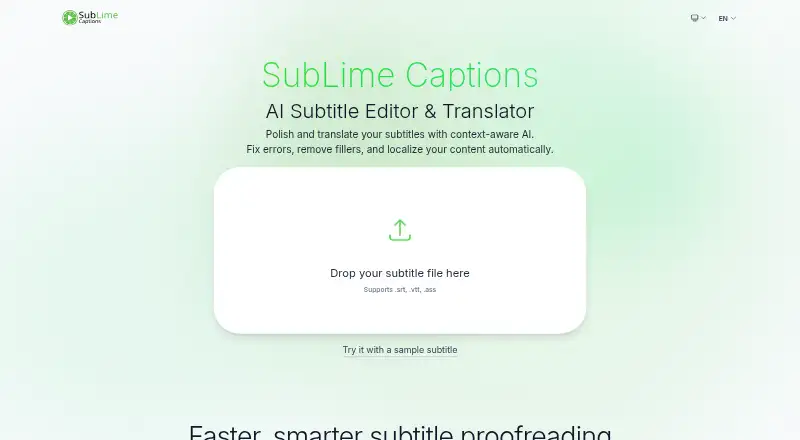
What SubLime Captions is
SubLime Captions is a web-based AI editor for refining and translating subtitle files. It works with .srt, .vtt, and .ass formats, and can proofread spelling, punctuation, and grammar. Users can also give plain-language instructions to change a subtitle’s tone, summarize its content, or adjust localization. Filters can remove filler words, stutters, or profanity, and change punctuation. For translation, SubLime says it considers surrounding captions, terminology, and style preferences, while reading the full file to follow dialogue and tone. Listed languages include Chinese, English, Japanese, Korean, French, and Spanish. SubLime says files are processed rather than kept permanently, and are wiped when the session closes; subtitle data is not used to train AI models. The Free plan costs nothing. Its daily AI allowance is an estimate, roughly 15,000–80,000 subtitle characters for typical proofreading, shared by users on the same public IP and reset daily at 00:00 UTC. Actual allowance varies with language, task, context length, and complexity.
Good
- Supports .srt, .vtt, and .ass files
- Proofreads spelling, punctuation, and grammar
- Can filter filler words, stutters, and profanity
- Free plan includes a daily AI allowance
- Files are wiped when the session closes
Watch out
- Daily allowance varies by task and language
- Allowance is shared by users on the same public IP
Who it suits
SubLime Captions suits people who need to edit, proofread, or translate subtitle files in a web browser. Its language and filtering options may also suit users adapting dialogue or cleaning up captions.
Verdict
SubLime Captions combines subtitle proofreading, filtering, and translation in one web-based editor. The free plan has an estimated, shared daily allowance rather than a fixed character limit.
Plans and prices
From SubLime Captions's own pricing page, checked 10 Oct 2026.
| Plan | Price | What it gives you |
|---|---|---|
| Free | Free | Daily AI allowance per public IP, roughly 15,000–80,000 subtitle characters for typical proofreading; shared by users on the same network; resets daily at 00:00 UTC |
The facts
Each one read from SubLime Captions's own pages, with the date it was checked.
What it does
- AI training
- The site says subtitle data is never used to train AI models.checked 10 Oct 2026
- Contextual translation
- SubLime says its translations use surrounding captions, terminology, and style preferences to produce natural subtitles.checked 10 Oct 2026
- Custom instructions
- Users can give natural-language instructions to change tone, summarize content, or apply localization adjustments.checked 10 Oct 2026
- File formats
- The site says it supports .srt, .vtt, and .ass files.checked 10 Oct 2026
- Filters
- Flexible filters can remove filler words, stutters, and profanity, and adjust punctuation.checked 10 Oct 2026
- Languages
- The site lists Chinese, English, Japanese, Korean, French, and Spanish among its supported translation languages.checked 10 Oct 2026
- Privacy
- The site says files are used for processing, not stored permanently, and wiped when the session is closed.checked 10 Oct 2026
- Proofreading
- Its AI proofreading feature detects and fixes spelling, punctuation, and grammar issues.checked 10 Oct 2026
- Purpose
- SubLime is an AI subtitle editor and translator for polishing and translating subtitle files.checked 10 Oct 2026
- Subtitle translation
- Yeschecked 20 Sep 2026
- Support
- The site invites users with questions to get in touch.checked 10 Oct 2026
- Usage allowance
- The daily allowance is an estimate, not a fixed character limit, and varies by language, task, context length, and complexity.checked 10 Oct 2026
- Whole-file context
- The site says its AI reads the entire subtitle file to understand ongoing dialogue, terminology, and tone.checked 10 Oct 2026
Money
- Free plan
- Yeschecked 20 Sep 2026
Alternatives to SubLime Captions
- 1
OOONA
Free planAndroidiOSWebAPI7.6Free plan - 2

SRTGen
Free planWebAPI7.5From $4 a month - 3

Editsub
Free planWebLinuxmacOSWindows7.4From $4 a month - 4
Avidemux
Free planOpen sourceWebLinuxmacOSWindows7.3Free plan - 5
Jubler
Free planOpen sourceAPILinuxmacOSWindows7.3Free plan - 6
Subvideo.ai
Free planWeb7.1From $9.99 a month