Stellar Repair for Outlook
Stellar Repair for Outlook is software for repairing corrupted Outlook PST files and recovering mailbox data.
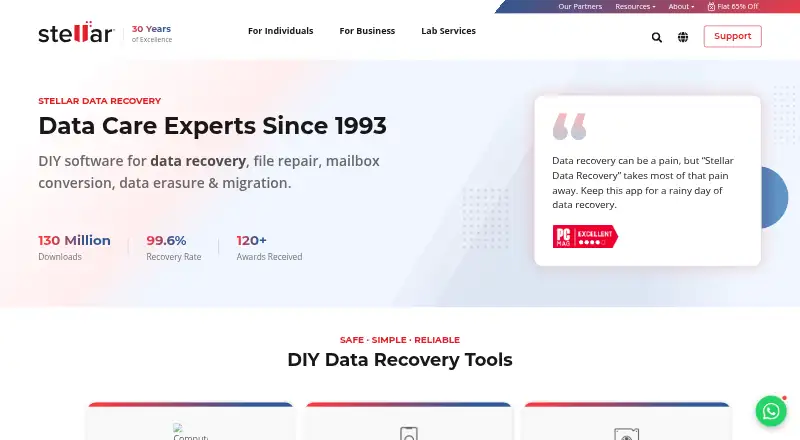
What Stellar Repair for Outlook is
Stellar Repair for Outlook is software for repairing corrupted Outlook PST files and recovering mailbox data. It can restore emails, attachments, contacts, calendars, tasks, notes, and journals, including deleted items, which it marks in red. Users can preview recoverable content before saving and filter emails to include or exclude. The desktop software saves recovered data in PST, EML, MSG, RTF, HTML, or PDF formats, and the maker says it can handle encrypted or password-protected PST files of any size. It works in read-only mode, leaving the original PST unchanged. A licensed Outlook installation is required to finish desktop repair and save to a new PST; the desktop trial only scans and previews. Desktop use requires 64-bit Windows 11, 10, 8.1, or 8 and at least 8 GB of memory. A browser-based service is also available. Online plans include a free option for one PST up to 500 MB and a $29.99 per-file option for files over 500 MB and up to 5 GB.
Good
- Recovers multiple mailbox item types, including deleted items.
- Preview and filter content before saving.
- Saves recovered data in six listed formats.
- Read-only operation preserves the original PST.
- Browser-based option needs no local installation.
Watch out
- Desktop trial cannot save recovered data.
- Desktop repair requires licensed Microsoft Outlook.
- Desktop use requires at least 8 GB of memory.
Who it suits
It suits Outlook users who need to recover mailbox items from a damaged PST and want to preview results before saving. Desktop users need a supported 64-bit Windows system, at least 8 GB of memory, and a licensed Outlook installation.
Verdict
Stellar Repair for Outlook offers several ways to recover and export mailbox data, with preview and filtering before saving. Check the desktop requirements and trial limitation, or consider the browser-based service for a single PST within its listed size limits.
Plans and prices
From Stellar Repair for Outlook's own pricing page, checked 4 Oct 2026.
| Plan | Price | What it gives you |
|---|---|---|
| Free (online) | Free | Up to 500 MB · one PST file · download available within 24 hours · No credit card required |
| Online Free | Free | One PST · up to 500 MB · download available for 24 hours |
| Online Premium | $29.99, paid once | One PST · over 500 MB up to 5 GB · download available for 48 hours · per file |
| Premium (online) | $29.99, paid once | PST files over 500 MB and up to 5 GB · one PST file · download available within 48 hours · Per file |
| Professional | $79 a year | Unlimited PST size · unlimited files · PST, EML, MSG, RTF, HTML, PDF output · 1 Year License |
| Professional (desktop) | $79, paid once | Unlimited PST file size · unlimited files · files repaired locally · Price shown; billing interval not stated |
| Technician | $149 a year | Unlimited PST size · Office 365/Live Exchange export · PST split and compact · MBOX output · 1 Year License |
| Toolkit | $199 a year | Professional and Technician features · OST converter · splitter · compactor · merge · password recovery · undelete · 1 Year License |
The facts
Each one read from Stellar Repair for Outlook's own pages, with the date it was checked.
What it does
- API and SDKs
- The opened product, licensing and support materials document file-repair workflows and Microsoft mailbox exports but provide no public API or SDK documentation.checked 14 Oct 2026
- Deleted-item recovery
- Deleted items are highlighted in red so users can identify and selectively recover them.checked 14 Oct 2026
- Deleted items
- The product can recover deleted mailbox items and marks them in red for identification.checked 4 Oct 2026
- Desktop requirement
- The desktop software requires 64-bit Windows 11, 10, 8.1, or 8 and at least 8 GB of memory.checked 4 Oct 2026
- Documentation
- Stellar provides installation guidance, a user manual, FAQs and a knowledge-base category covering Outlook versions and PST questions.checked 14 Oct 2026
- Exchange integration
- The Technician edition can export repaired mailbox items to a Live Exchange mailbox.checked 14 Oct 2026
- File handling
- The maker says the desktop software repairs PST files of any size, including encrypted or password-protected files.checked 4 Oct 2026
- Filters
- Advanced filters can include or exclude messages by address or date and omit Junk or Deleted Items folders.checked 14 Oct 2026
- License model
- The EULA grants single-user or multi-user proprietary licensed copies and does not describe an open-source license.checked 14 Oct 2026
- Limit: online preview
- An independent comparison found the online preview shows folders and item counts rather than opening individual messages or attachments.checked 14 Oct 2026
- Limit: Outlook requirement
- Independent testing notes that a licensed Outlook installation on the same machine is needed to save a repaired PST.checked 14 Oct 2026
- Limit: paid export
- Appuals reported that the demo previews data but saving the repaired file requires a paid license.checked 14 Oct 2026
- Limit: processing time
- Appuals measured about one hour to repair a 20 GB PST in its test.checked 14 Oct 2026
- Local processing
- The desktop product operates in read-only mode and does not modify or overwrite the original PST file.checked 4 Oct 2026
- Mailbox recovery
- It can recover emails, attachments, contacts, calendars, tasks, notes, and journals.checked 4 Oct 2026
- Microsoft 365 integration
- Technician and Toolkit editions export repaired PST data directly to Microsoft 365 or Office 365.checked 14 Oct 2026
- Notable news
- Stellar announced its ISO 27001 information-security certification on April 27, 2017.checked 14 Oct 2026
The company
- Company customers
- Stellar states that its products have served more than 3 million customers in 190 countries.checked 14 Oct 2026
- Company legal name
- Crunchbase identifies the legal entity as Stellar Information Technology Pvt., Ltd.checked 14 Oct 2026
- Company locations
- LinkedIn lists headquarters in Gurgaon, Haryana, with additional locations in the United States and the Netherlands.checked 14 Oct 2026
- Company size
- LinkedIn lists Stellar Information Technology Pvt. Ltd. at 501–1,000 employees.checked 14 Oct 2026
- Founded
- LinkedIn states that Stellar Information Technology Pvt. Ltd. was founded in 1993.checked 14 Oct 2026
- Headquarters
- Gurugram, Haryana, Indiachecked 28 Sep 2026
Where it runs
- Limit: Windows only
- Independent testing describes the desktop application as Windows-only and 64-bit-only.checked 14 Oct 2026
The full review of Stellar Repair for Outlook
Stellar Repair for Outlook is a PST-repair tool for people trying to recover mailbox data from a damaged Outlook file. It best suits Outlook users who need to review and selectively export recovered items, or administrators who need Technician’s direct Microsoft 365 or Live Exchange export. Its choice between local repair and a limited browser service is useful, but the desktop route depends on compatible Windows hardware and licensed Outlook.
Overview
The desktop software recovers emails, attachments, contacts, calendars, tasks, notes and journals, including deleted items, which it marks in red. Previewing results and filtering emails before saving give users a way to narrow what they export. Because it works read-only, the original PST is not modified or overwritten.
Stellar says the desktop product handles PST files of any size, including encrypted or password-protected files. Recovered data can be saved as PST, EML, MSG, RTF, HTML or PDF. Batch recovery is supported. The Technician edition also exports repaired mailbox items directly to Microsoft 365 or Live Exchange, which is more useful for administrators who need to restore data to a live service than for someone who only needs a local file.
Key features
- Selective recovery: Preview and email filters help users inspect results and choose what to include or exclude before saving.
- Multiple output formats: PST, EML, MSG, RTF, HTML and PDF accommodate Outlook use as well as access through other formats.
- Local handling: Read-only operation preserves the source PST, while the desktop product’s unlimited file-size claim makes it the more suitable route for large files.
- Browser recovery: The online service runs without local installation in Chrome, Firefox, Edge and Safari. Uploads are processed over a secure connection without a human touchpoint; files are deleted after 24 hours on Free or 48 hours on Premium. Those short download windows call for prompt retrieval.
Pricing
The online service has a clear single-file model. Free (online) costs nothing, requires no credit card, and covers one PST up to 500 MB, with the download available within 24 hours. Premium (online) costs $29.99, paid once, billed per file, and covers one PST over 500 MB and up to 5 GB, with download available within 48 hours. These are practical for an occasional file within the size cap, but neither is a fit for larger PSTs or repeated batches.
Desktop choices vary. Professional (desktop) is shown at $79, paid once, with the billing interval not stated; it includes unlimited PST size, unlimited files and local repair. The Professional plan is $99, paid once at the regular price and supports unlimited file size. Technician is $199, paid once and adds direct export to Microsoft 365 or Live Exchange. Toolkit is $499, paid once, also with unlimited file size. The available plan details do not identify what additional capabilities Toolkit includes, so the price alone does not establish a reason to choose it over a lower tier. Desktop trial users can scan and preview, but cannot save recovered data, so it does not replace a paid export route.
Platforms
The desktop software requires 64-bit Windows 11, 10, 8.1 or 8 and at least 8 GB of memory. A licensed Microsoft Outlook installation is required to complete repair and save recovered data to a new PST. That makes desktop repair a poor fit for Mac users or anyone without licensed Outlook. The browser service avoids those local requirements and supports major browsers.
Who it's for
Choose Stellar when you need to recover and inspect PST mailbox contents, especially if the file is large, you need multiple export formats, or you want the original left untouched. Technician is the relevant edition when direct Microsoft 365 or Live Exchange export matters. The browser service suits a one-off PST within its 5 GB ceiling. Look elsewhere if you need desktop repair without Outlook installed, or if online download windows do not leave enough time to retrieve the file.
Pros and cons
- Pro: Recovery spans common mailbox items and deleted data, with preview and filters before export.
- Pro: Read-only repair avoids altering the original PST, and desktop handling supports unlimited file size.
- Pro: The online option skips installation and offers a free single-file route up to 500 MB.
- Con: Desktop repair requires supported 64-bit Windows, 8 GB of memory and licensed Outlook.
- Con: The desktop trial cannot save recovered data, so users must pay to complete an export.
- Con: Online service is limited to one PST per purchase and to 5 GB on Premium, with a 24- or 48-hour download window.
Alternatives
Email Recovery Software is the broader category to compare if you have not settled on a particular recovery tool.
- BitRecover Exchange Recovery is a Windows freemium alternative whose free plan saves 25 items per folder; consider it if that cap is sufficient for your Exchange recovery.
- Exchange EDB Recovery Tool has a free version with a 25-item-per-folder saving and migration limit; choose it if that allowance meets your needs.
- Recovery Toolbox for Outlook is an alternative with a Personal License at $39, paid once for noncommercial personal use.
- WholeClear Exchange Recovery offers a Personal plan at $299 a year for up to 20 systems, or a Professional lifetime license at $399, paid once.
- PST Walker has a Lite License at $32.95 a year, billed as a one-time payment, for personal use with viewing and export of up to 15 emails per folder.
- EdbMails EDB Recovery is a Windows option without a free plan; its Personal Edition is $99, paid once for lifetime licensing and unlimited mailbox recovery and export.
- EdbMails IMAP Migration Tool is a Windows alternative for IMAP/POP3 mailbox migration, including a 100-mailbox plan at $200, paid once.
- MailXaminer is another Windows alternative.
Verdict
Stellar Repair for Outlook is a strong fit for Outlook users who need selective, read-only PST recovery and varied export options, particularly when large files or direct Microsoft 365 and Live Exchange delivery are involved. Choose the online service for a single smaller PST when browser access is preferable. Look elsewhere if you cannot meet the desktop Windows and Outlook requirements, or if the online file-size and retrieval limits are too restrictive.
Getting started
- Visit the Stellar Repair for Outlook website.
- Choose the online service to work in a supported browser without installing local software, or choose the desktop software for supported Windows.
- For the desktop route, use a 64-bit Windows 11, 10, 8.1, or 8 computer with at least 8 GB of memory.
- Install a licensed version of Microsoft Outlook to complete desktop repair and save recovered data to a new PST.
- Scan and preview recoverable items; choose a plan that allows downloading or saving recovered data.
Limits worth knowing
The free online plan handles one PST file up to 500 MB, with a download available within 24 hours. The desktop trial can scan and preview but cannot save recovered data; the online Premium option covers one file over 500 MB and up to 5 GB, with a download available within 48 hours.
Questions
Is Stellar Repair for Outlook free?
There is a free online plan for one PST file up to 500 MB, and a desktop trial that can scan and preview recoverable items but cannot save them.
How much does the online Premium plan cost?
Premium costs $29.99 per file. It covers one PST file over 500 MB and up to 5 GB, with a download available within 48 hours.
Which platforms and browsers does it support?
The listed platforms are web and Windows. The online service supports major browsers including Chrome, Firefox, Edge, and Safari.
What does the desktop software recover?
It can recover emails, attachments, contacts, calendars, tasks, notes, and journals, including deleted mailbox items.
What formats can recovered data be saved as?
The desktop product can save recovered data as PST, EML, MSG, RTF, HTML, or PDF.
Does desktop repair require Outlook?
Yes. A licensed Microsoft Outlook installation is required to complete desktop repair and save recovered data to a new PST file.
Alternatives to Stellar Repair for Outlook
- 1

Recovery Toolbox for Outlook
AndroidiOSWebmacOS7.6$10 one-time - 2

BitRecover Exchange Recovery
Free planWindows7.2$299 one-time - 3
Exchange EDB Recovery Tool
Free planWindows7.2$299 one-time - 4
WholeClear Exchange Recovery
LinuxmacOSWindows6.9From $299 a year - 5

PST Walker
Windows6.8From $32.95 a year - 6
SysInspire Exchange Recovery
Windows6.7$99 one-time