SteerMouse
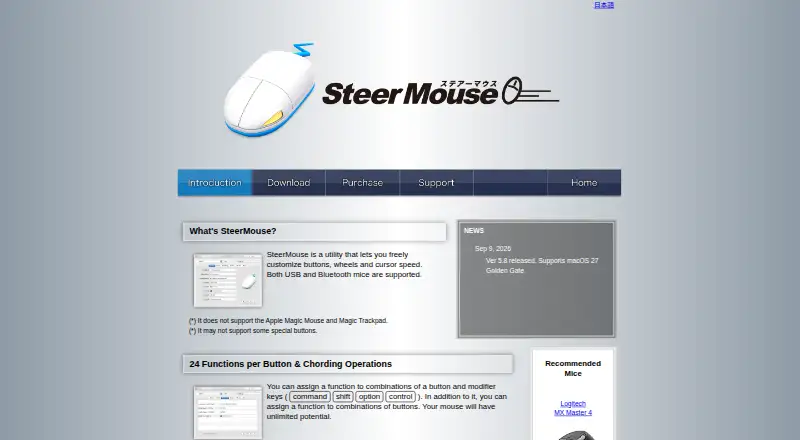
The facts below are what the maker publishes about SteerMouse, checked and dated. Our editors have not written about it yet.
Plans and prices
From SteerMouse's own pricing page, checked 5 Oct 2026.
| Plan | Price | What it gives you |
|---|---|---|
| SteerMouse 5 Upgrade | $12.99, paid once | Only for registered SteerMouse 4 users · minor upgrades free · major upgrades charged · Lifetime license; no monthly or yearly fee |
| SteerMouse 5 | $19.99, paid once | Minor upgrades free · major upgrades charged · license can be used on multiple computers in your own user accounts · Lifetime license; no monthly or yearly fee |
The facts
Each one read from SteerMouse's own pages, with the date it was checked.
What it does
- Available actions
- Functions include keyboard shortcuts, clicks, scrolling, zoom, application switching, Mission Control, system and music controls, opening files or URLs, and cursor snapping.checked 5 Oct 2026
- Button assignments
- Each button can have up to 24 functions, including assignments using modifier keys and combinations of buttons.checked 5 Oct 2026
- Cursor tuning
- SteerMouse lets users adjust cursor sensitivity in addition to the system tracking speed and offers recommended settings ranked among users.checked 5 Oct 2026
- License terms
- A registration may be used on multiple computers in the purchaser’s own user accounts, but may not be shared with other users or transferred.checked 5 Oct 2026
- Paid from
- 19.99checked 20 Sep 2026
- Purpose
- SteerMouse is a utility for customizing mouse buttons, wheels, and cursor speed, supporting USB and Bluetooth mice.checked 5 Oct 2026
- Scroll controls
- Users can adjust scroll acceleration and sensitivity, enable hands-free Auto Scroll, and use a trackball ball as a scroll ball.checked 5 Oct 2026
- Security
- The maker says SteerMouse was notarized using Apple’s Notary Service in version 5.3.7.checked 5 Oct 2026
- Sensitivity controls
- Yeschecked 20 Sep 2026
- Support
- The maker directs users to contact support from the app’s License & Support tab and asks them to include mouse, Mac, macOS, and SteerMouse version details.checked 5 Oct 2026
- Supported operating systems
- macoschecked 20 Sep 2026
- Upgrade policy
- Minor version upgrades are free, while major version upgrades are charged for.checked 5 Oct 2026
Where it runs
- Cursor snapping
- Cursor Snapping can move the cursor to destinations such as default or close buttons, with an option to return it to its original location after a window closes.checked 5 Oct 2026
- Integrations and device support
- The update history lists support for devices including Logitech MX Master 4, Kensington Expert Mouse TB800, and ELECOM HUGE PLUS.checked 5 Oct 2026
- Macro support
- Yeschecked 20 Sep 2026
- Per application settings
- Mouse settings can be configured separately for each application.checked 5 Oct 2026
- Per-app profiles
- Yeschecked 20 Sep 2026
- Platform support
- The current release requires macOS 12 Monterey or later; the page lists older downloads for earlier macOS versions.checked 5 Oct 2026
- Unsupported devices
- Apple Magic Mouse and Magic Trackpad are not supported, and some special mouse buttons may also be unsupported.checked 5 Oct 2026
Money
- Free plan
- Nochecked 20 Sep 2026
Alternatives to SteerMouse
- 1
SteelSeries GG
Free planAndroidiOSWebAPI8.3Free plan - 2
be quiet! IO Center
Free planWebLinuxmacOSWindows7.9Free plan - 3
Rebind
Free planLinuxmacOSWindows7.8$199 one-time - 4

Akko Cloud Driver
Free planWebmacOSWindows7.8Free plan - 5
MonsGeek Driver
Free planWebLinuxmacOSWindows7.8Free plan - 6
ROCCAT Swarm II
Free planAndroidiOSWindows7.8Free plan