StarWind Virtual SAN
StarWind Virtual SAN is software intended to replace physical shared SAN storage in SMB, ROBO, and Edge environments.
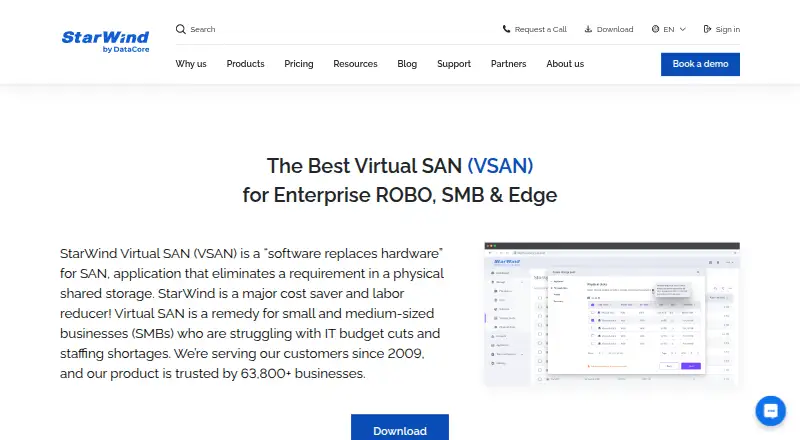
What StarWind Virtual SAN is
StarWind Virtual SAN is software intended to replace physical shared SAN storage in SMB, ROBO, and Edge environments. StarWind says it provides fault tolerance and high availability starting with two nodes. It supports iSCSI, SMB3, NFS v4.1, VVols iSCSI, NVMe over Fabrics, and iSER. Deployment options include Windows-native software in a Hyper-V partition or a Linux-based virtual machine on a chosen hypervisor. An HTML5 console manages hardware and software resources, while listed reliability features include ZFS self-healing, AI-powered telemetry, and call-home systems. Supported hypervisors include VMware vSphere ESXi 8.0 or later, Windows Server Hyper-V 2019 or later, oVirt/OLVM/RHV 4.4 or later, Proxmox VE 9.1 or later, and XCP-ng 8.3 or later. The free edition is self- or community-supported, and its web UI is listed for KVM only; the paid edition lists KVM, Hyper-V, and ESXi. A 30-day trial is available, and paid pricing is provided on request.
Good
- High availability starts with two nodes.
- Supports multiple storage protocols.
- Offers Windows-native and Linux VM deployments.
- HTML5 console manages hardware and software resources.
Watch out
- Free edition web UI is listed for KVM only.
- Free edition is self- or community-supported.
- Paid pricing is available on request.
Who it suits
It is aimed at SMB, ROBO, and Edge deployments that need shared storage software and high availability. Teams should check the free edition’s KVM-only web UI listing and support model before choosing it.
Verdict
StarWind Virtual SAN offers a broad protocol set and deployment options for smaller and edge environments. The free edition has a narrower listed web UI scope and community-oriented support; paid pricing requires a request.
Plans and prices
From StarWind Virtual SAN's own pricing page, checked 15 Oct 2026.
| Plan | Price | What it gives you |
|---|---|---|
| StarWind Virtual SAN Free | Free | functionality limitations vary by platform · support through community forum · Linux KVM version may have no functionality limits · Self-supported free edition |
| Virtual SAN Free | Free | self-supported · functionality limitations · Linux KVM version may have no limitations |
| Datacenter | Priced on request | single site/datacenter · unlimited nodes · unlimited capacity · asynchronous replication |
| Enterprise | Priced on request | per-node licensing · minimum two nodes · unlimited nodes · no storage-capacity limits · asynchronous replication available |
| StarWind Virtual SAN | Priced on request | software-only · customer supplies hardware · Hyper-V, VMware, Proxmox or KVM · optional ProActive Premium monitoring · Term license is the default; quote includes full software, professional support and assisted deployment |
The facts
Each one read from StarWind Virtual SAN's own pages, with the date it was checked.
Where it runs
- Appliance foundation
- The current controller VM appliance is based on Debian 13.7, uses UEFI-only boot templates and disables Secure Boot by default.checked 15 Oct 2026
What it does
- Azure integration
- The Microsoft Marketplace listing describes extending on-premises workloads to Azure and distributing highly available shared storage between private and public clouds.checked 15 Oct 2026
- Deployment
- It can run as Windows-native software in a Hyper-V partition or as a Linux-based virtual machine on a chosen hypervisor.checked 1 Oct 2026
- Documentation
- The official help site provides installation, TCP/IP settings, server configuration, concepts, unattended setup and license-application guides.checked 15 Oct 2026
- High availability
- StarWind states that enterprise-level high availability can be configured in minutes and supports two-node deployments.checked 15 Oct 2026
- Hypervisor integrations
- Supported virtualization platforms listed by StarWind include VMware vSphere ESXi, Microsoft Hyper-V, Proxmox VE, oVirt/OLVM/RHV, XCP-ng and KVM-based hypervisors.checked 15 Oct 2026
- Hypervisors
- Supported hypervisor versions include VMware vSphere ESXi 8.0 or later, Windows Server Hyper-V 2019 or later, oVirt/OLVM/RHV 4.4 or later, Proxmox VE 9.1 or later and XCP-ng 8.3 or later.checked 1 Oct 2026
- Knowledge base
- StarWind maintains a searchable knowledge base covering virtualization, VMware, Hyper-V, Proxmox, high availability, data protection and disaster recovery.checked 15 Oct 2026
- Latest notable release
- The September 18, 2026 release introduced Debian 13.7 appliances and offline VM-based migration from Ubuntu- or CentOS-based deployments while retaining configuration and storage.checked 15 Oct 2026
- Licence
- The commercial agreement grants a non-exclusive, non-transferable software licence and says StarWind source code is proprietary trade-secret material.checked 15 Oct 2026
- Limit: documentation and monitoring
- Reviewers report confusing documentation, gaps in free-edition guidance, limited dashboards and a desire for more granular alerting.checked 15 Oct 2026
- Limit: scalability
- TrustRadius review synthesis identifies scalability limitations, especially around three-node cluster scenarios and synchronization after ungraceful shutdowns.checked 15 Oct 2026
- Limit: setup complexity
- TrustRadius reviewers repeatedly cite challenging initial configuration, command-line LUN work and the need for networking expertise.checked 15 Oct 2026
- Management
- The product provides a Web Management Console and a StarWind Management Console for storage, licensing, pools, disks, users and LUN operations.checked 15 Oct 2026
- Network requirements
- StarWind requires dedicated replication and data interfaces plus management networking, with at least 1-GbE replication bandwidth and under-5-ms replication latency.checked 15 Oct 2026
The company
- Company headquarters and founding
- LinkedIn lists StarWind Inc. headquarters in Beverly, Massachusetts and a 2003 founding year.checked 15 Oct 2026
- Company investors
- Crunchbase lists three investors, including Almaz Capital and ABRT, with a Series B funding record.checked 15 Oct 2026
- Company legal identity
- Crunchbase identifies the legal entity as StarWind Software Inc. and lists it as a subsidiary of DataCore Software.checked 15 Oct 2026
- Company size
- LinkedIn categorizes StarWind as a privately held software-development company with 201–500 employees.checked 15 Oct 2026
- Founded
- 2003checked 28 Sep 2026
- Headquarters
- Beverly, Massachusetts, USAchecked 28 Sep 2026
Money
- Free-edition limit
- The free-versus-paid comparison lists the free edition's web UI as KVM only, while the paid edition lists KVM, Hyper-V and ESXi.checked 1 Oct 2026
- Free-use terms
- StarWind's licensing guidance says free licences can be used in production, but free products receive support only through the online community forum.checked 15 Oct 2026
- Limit: free-edition management
- A G2 reviewer reports that the free VMware virtual-machine deployment lacks a Web GUI and relies on community support, while TrustRadius reviewers mention PowerShell-based management.checked 15 Oct 2026
The full review of StarWind Virtual SAN
StarWind Virtual SAN is software-defined shared storage intended to replace a physical SAN, particularly in SMB, remote-office and edge deployments. It suits infrastructure teams building a compact, high-availability storage environment around supported hypervisors. Its protocol range and two-node design are strong draws; the free edition’s support and web-console constraints are meaningful trade-offs.
Overview
Virtual SAN targets Enterprise ROBO, SMB and Edge environments that need shared storage without a physical SAN. StarWind says it provides fault tolerance and high availability starting with two nodes, a practical option for smaller sites that cannot justify a larger cluster. The product line began as Native SAN in 2011 and was later renamed Virtual SAN.
Deployment is flexible within a virtualization environment: it can run as Windows-native software in a Hyper-V partition or as a Linux-based virtual machine on a chosen hypervisor. That choice can suit teams with different infrastructure preferences, though the management interface available to free users is narrower than the paid edition's.
Key features
Protocols and hypervisors
Supported protocols include iSCSI, SMB3, NFS v4.1, VVols iSCSI, NVMe over Fabrics and iSER. That breadth makes Virtual SAN relevant to teams serving varied storage workloads rather than a single protocol. Supported hypervisors include VMware vSphere ESXi 8.0 or later, Windows Server Hyper-V 2019 or later, oVirt/OLVM/RHV 4.4 or later, Proxmox VE 9.1 or later and XCP-ng 8.3 or later; deployments outside those versions are not covered by this compatibility range.
Management and reliability
An HTML5 console monitors and manages hardware and software resources, while capacity monitoring and performance optimization are included capabilities. StarWind also describes ZFS self-healing, AI-powered telemetry and call-home systems as automated reliability features. These are relevant to teams seeking a managed storage layer, but they do not replace the support that comes with the paid edition: Free is self-supported or community-supported through StarWind Forums.
Pricing
Virtual SAN uses a freemium model, with custom pricing for paid plans and a 30-day trial of the full-force product.
| Plan | Price | What it includes | Best fit |
|---|---|---|---|
| Virtual SAN Free | free | Self-supported, with functionality limitations; the Linux KVM version may have no limitations. The free-versus-paid comparison limits the web UI to KVM. | Teams able to manage the system themselves or rely on community support, especially those using KVM. |
| Enterprise | Custom pricing | Per-node licensing, minimum two nodes, unlimited nodes and no storage-capacity limits; asynchronous replication is available. Paid web UI support covers KVM, Hyper-V and ESXi, and includes deployment, configuration, integration and responsive technical support. | Organizations needing support, broader web UI coverage or room to grow beyond a small deployment. |
| Datacenter | Custom pricing | Single site or datacenter, unlimited nodes and capacity, with asynchronous replication. | Single-site deployments needing an uncapped node and capacity model. |
The free edition avoids licensing cost but shifts support to the user or community and restricts the web UI to KVM. Enterprise has a two-node minimum and per-node licensing, so its custom price should be weighed against the support and capacity flexibility it adds. Datacenter is scoped to one site or datacenter; teams with multiple sites should assess whether that scope fits before choosing it.
Platforms
Virtual SAN is available for Linux, Windows, web and self-hosted environments. Its supported hypervisor versions are VMware vSphere ESXi 8.0 or later, Windows Server Hyper-V 2019 or later, oVirt/OLVM/RHV 4.4 or later, Proxmox VE 9.1 or later and XCP-ng 8.3 or later.
Who it's for
Virtual SAN is aimed at SMB, ROBO and Edge deployments that need resilient shared storage with a two-node starting point. It is a stronger fit for infrastructure teams comfortable managing storage on their own hypervisors than for buyers seeking a no-cost product with broad included support. Teams that need paid technical assistance or web UI access for Hyper-V and ESXi should consider a paid plan.
Pros and cons
Pros
- High availability and fault tolerance starting at two nodes suit compact deployments.
- Six supported storage protocols provide options for varied workloads.
- Windows-native and Linux virtual-machine deployment approaches accommodate different hypervisor environments.
- Enterprise offers unlimited nodes and storage capacity, with asynchronous replication available.
Cons
- Free support is self-service or community-based, not included technical support.
- The free web UI is limited to KVM, while paid access also covers Hyper-V and ESXi.
- Enterprise requires at least two nodes and per-node licensing; paid plan prices are custom.
- Datacenter is limited to a single site or datacenter.
Alternatives
TrueNAS is worth considering for a free software download that runs on any x86 hardware and offers community support.
MinIO AIStor has a free single-node plan with its full feature set, a better match when a single-node deployment is the priority.
Quobyte offers a free edition for up to 150 TB of storage, which may fit teams whose needs stay within that capacity.
Everpure Resilience is a community edition for VM disaster recovery as a service, with guided setup and resilience testing.
Ceph is free distributed storage software; block storage requires a running Ceph cluster.
BeeGFS is another freemium storage option.
openmediavault is free software under GNU GPL v3.
SUSE Multi-Linux Manager is a paid Linux management option with subscription plans.
Browse Storage Management Software and Software-Defined Storage Software for more options.
Verdict
StarWind Virtual SAN is best for SMB, ROBO and Edge teams that want high availability from a small hypervisor-based storage deployment and can choose between self-support and paid technical help. Its broad protocol set and two-node starting point are the clearest reasons to choose it. Look elsewhere if you need broad free-edition web management, included free technical support or a solution outside its supported virtualization environments.
Alternatives to StarWind Virtual SAN
- 1
JuiceFS
Free planOpen sourceAPILinuxmacOSSelf-hosted7.9From $0.02 a month - 2

MinIO AIStor
Free planWebAPILinuxmacOS7.3Free plan - 3

MooseFS
Free planWebAPILinuxmacOS7.1€9 one-time - 4

SeaweedFS
Free planAPILinuxmacOSSelf-hosted7.0From $20 a year - 5

Ceph
Free planAPILinuxSelf-hostedWindows6.6Free plan - 6

Cloudian HyperStore
WebAPILinuxSelf-hosted6.5