Stabilizo
Stabilizo is a web-based tool for reducing shake in video footage captured with a GoPro, drone, or mobile phone such as an iPhone.
What Stabilizo is
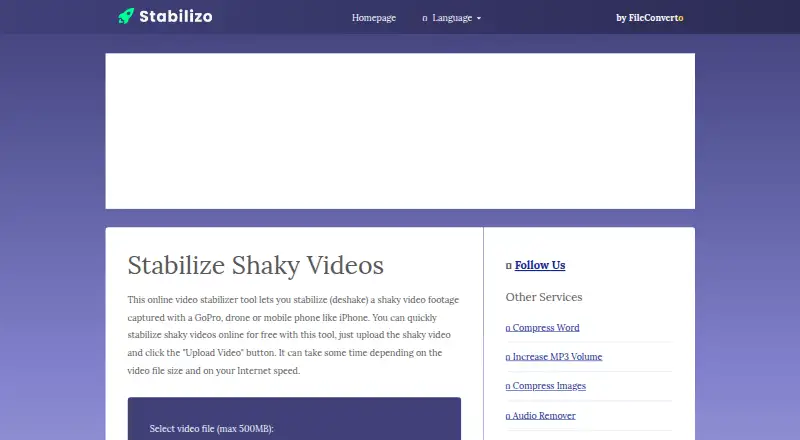
Stabilizo is a web-based tool for reducing shake in video footage captured with a GoPro, drone, or mobile phone such as an iPhone. The workflow is simple: upload a video and select “Upload Video” to begin stabilization. Its Free plan costs nothing and accepts files up to 500MB. Processing takes place in the cloud, and the time required can vary with the video size and internet speed. The page provides an example of shaky footage and a corresponding stabilized video. Stabilizo’s homepage identifies FileConverto in its menu and copyright notice. FileConverto says uploaded files are automatically deleted from its servers after a few hours and cannot be recovered afterward. It also says there is no upload progress display, and points users to Chrome’s built-in upload progress as an option. For support, FileConverto recommends emailing its webmaster and following up if there is no response within 24 to 72 hours.
Good
- Free web-based video stabilization
- Accepts footage from GoPros, drones, and phones
- Includes examples of shaky and stabilized video
Watch out
- Maximum upload size is 500MB
- Processing time depends on file size and internet speed
- Uploads are deleted after a few hours and cannot be recovered
- No upload progress display
Who it suits
Stabilizo suits people who want to stabilize a supported video through a web browser without paying. It may be useful for footage from action cameras, drones, or phones, provided the file is no larger than 500MB.
Verdict
Stabilizo offers a straightforward cloud workflow for video files within its 500MB limit. Keep in mind that processing time varies and uploaded files are removed after a few hours.
Plans and prices
From Stabilizo's own pricing page, checked 10 Oct 2026.
| Plan | Price | What it gives you |
|---|---|---|
| Free | Free | video upload up to 500MB |
The facts
Each one read from Stabilizo's own pages, with the date it was checked.
What it does
- Brand association
- The Stabilizo homepage identifies FileConverto in its site menu and copyright notice.checked 10 Oct 2026
- Examples
- The page includes an example shaky video and an example stabilized video.checked 10 Oct 2026
- File deletion
- FileConverto says files uploaded to its services are automatically removed from its servers after a few hours and cannot be recovered afterward.checked 10 Oct 2026
- Processing time
- Stabilization can take time depending on the video file size and internet speed.checked 10 Oct 2026
- Purpose
- Stabilizo is an online tool for stabilizing shaky video footage captured with a GoPro, drone, or mobile phone such as an iPhone.checked 10 Oct 2026
- Related tool
- FileConverto lists a Video Stabilizer among its video tools.checked 10 Oct 2026
- Support
- FileConverto recommends contacting its webmaster by email and says to follow up if there is no reply within 24 to 72 hours.checked 10 Oct 2026
- Upload limit
- The page sets a maximum video file size of 500MB.checked 10 Oct 2026
- Upload progress
- FileConverto says it does not show upload progress and suggests Chrome's built-in upload progress as an option.checked 10 Oct 2026
- Workflow
- Users upload a video and click “Upload Video” to start stabilization.checked 10 Oct 2026
Money
- Free use
- The maker describes the online stabilization tool as free to use.checked 10 Oct 2026
Alternatives to Stabilizo
- 1
TensorPix
Free planAndroidiOSWebAPI8.3From $5.50 a month - 2
Cutout.Pro
Free planAndroidiOSWebAPI8.2From $5 a month - 3

CyberLink PowerDirector
Free planAndroidiOSmacOSWindows8.2From $59.99 a year - 4
Wondershare Filmora
Free planAndroidiOSWebmacOS7.9From $49.99 a year - 5

Adobe Premiere
AndroidiOSmacOSWindows7.8From $19.99 a month - 6

Gyroflow
Free planOpen sourceAndroidiOSLinuxmacOS7.8Free plan