SSD Benchmark
SSD Benchmark is a free command-line utility for measuring disk write performance.
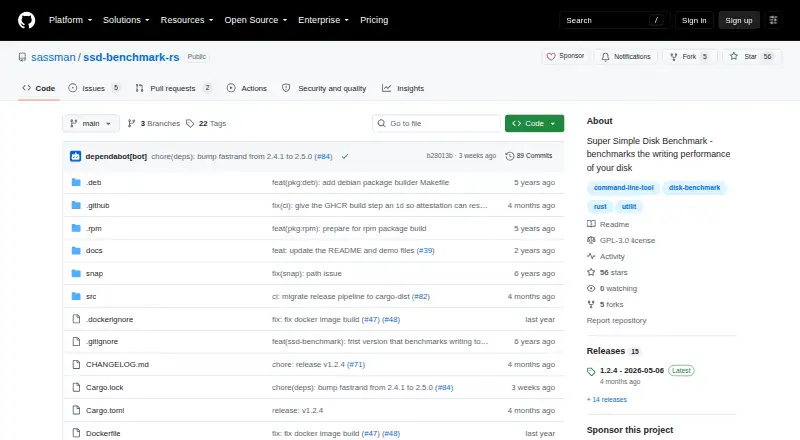
What SSD Benchmark is
SSD Benchmark is a free command-line utility for measuring disk write performance. It writes random 8 MB chunks sequentially until 1 GB has been written, repeats that workload for eight cycles, and records timing and throughput. Results include write throughput, IOPS, and minimum, maximum, mean, and standard deviation for cycle times. By default, it tests the disk associated with the current working directory; the -d or --directory option selects another location. The --block-size option changes the chunk size from the documented 8 MB default. The project lists Linux, macOS, and Windows support, with binaries for Apple Silicon and Intel macOS, ARM64 and x64 Windows, and ARM64 and x64 MUSL Linux. Installation methods include Docker, Homebrew, Snap, and Cargo. The public repository identifies a GPL-3.0 license. Its purpose is deliberately narrow: sequential write testing rather than random I/O testing.
Good
- Free plan
- Reports throughput, IOPS, and cycle timing statistics
- Directory and block-size options adjust the test
- Supports Linux, macOS, and Windows
- Docker, Homebrew, Snap, and Cargo installation options
Watch out
- Measures disk writes only
- Does not run random I/O tests
- Command-line interface may not suit graphical-tool users
- Default workload writes 1 GB across eight cycles
Who it suits
It suits users who need a focused command-line check of disk write performance on macOS, Linux, or Windows.
Verdict
SSD Benchmark provides a focused sequential-write measurement with configurable directory and block size. Choose it when write throughput and IOPS are the metrics you need.
The facts
Each one read from SSD Benchmark's own pages, with the date it was checked.
What it does
- Audience
- The project describes itself as a simple command-line disk benchmark tool.checked 8 Oct 2026
- Block size
- The `--block-size` option changes the block size; the documented default is 8 MB.checked 8 Oct 2026
- Block size option
- Users can set the block size with --block-size; the documented default is 8 MB.checked 8 Oct 2026
- Directory option
- The -d or --directory option lets users choose the directory to test.checked 8 Oct 2026
- Install options
- The README lists Docker, Homebrew, Snap, and Cargo installation methods.checked 8 Oct 2026
- Intended audience
- The README presents it as a command-line disk benchmark for users checking disk write performance on macOS and Linux.checked 8 Oct 2026
- License
- The public repository identifies its license as GPL-3.0.checked 8 Oct 2026
- Notable limitation
- The project describes the tool as having one purpose: measuring disk write performance.checked 8 Oct 2026
- Purpose
- SSD Benchmark is a simple disk benchmark that measures writing performance.checked 8 Oct 2026
- Results
- The example output reports write throughput and IOPS, along with cycle timing statistics such as the minimum, maximum, mean, and standard deviation.checked 8 Oct 2026
- Support
- The README directs users who want a feature to file an issue on GitHub.checked 8 Oct 2026
- Target directory
- By default, it measures the disk under the current working directory, and the `--directory` option selects another directory.checked 8 Oct 2026
- Test method
- It writes random 8 MB chunks sequentially until 1 GB has been written, then repeats those writes for eight cycles and measures time and throughput.checked 8 Oct 2026
Where it runs
- Download platforms
- The latest listed release provides binaries for Apple Silicon and Intel macOS, ARM64 and x64 Windows, and ARM64 and x64 MUSL Linux.checked 8 Oct 2026
The company
- Maker
- The GitHub account identifies Sven Kanoldt as a software engineer and Rust enthusiast.checked 8 Oct 2026
- Maker location
- The maker's GitHub profile lists Munich, Germany.checked 8 Oct 2026
Alternatives to SSD Benchmark
- 1

GitHub CodeQL
Free planWebExtensionLinuxmacOS7.5From $30 a month - 2
Parkdale
Free planAndroidmacOSWindows7.2Free plan - 3
CrystalDiskMark
Free planWindows6.9$9.99 one-time - 4
fio
Free planLinuxmacOSWindows6.6Free plan - 5

AJA System Test
Free planmacOSWindows6.5Free plan - 6
DiskSpd
Free planLinuxmacOSWindows6.5Free plan