Spritedrop
Spritedrop is a web tool for turning prompts or reference images into game-ready sprite sheets and animation packs.
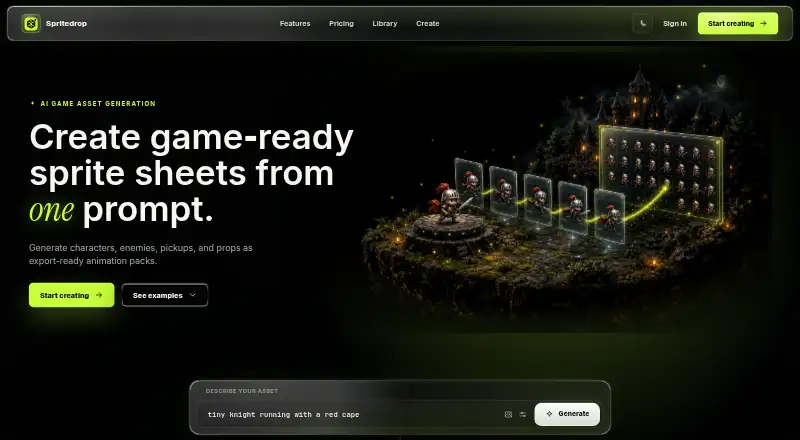
What Spritedrop is
Spritedrop is a web tool for turning prompts or reference images into game-ready sprite sheets and animation packs. Users can adjust motion settings and preview an animation loop before creating the full package. It supports characters, enemies, pickups, props, effects, and environments. Exports may include a GIF, sprite sheet, PNG frames, and JSON metadata for an existing game-engine workflow. Individual frames can be reviewed and downloaded as transparent PNGs. Spritedrop says its loops keep character proportions consistent across frames. Completed packs remain attached to an account so users and teams can revisit them. The free plan provides one game animation without requiring a card, with a preview GIF and sprite-sheet export. Creator costs $9 a month for 60 animations, no watermark, PNG frames, and metadata. Studio costs $29 a month for 250 animations, a priority queue, and larger library volume.
Good
- Starts from prompts or reference images
- Supports multiple game asset categories
- Preview loop before full export
- Exports PNG frames and JSON metadata
- Saved packs remain attached to accounts
Watch out
- Free plan provides one animation
- Studio costs $29 a month
Who it suits
Creator suits indie developers making prototypes and small games. Studio suits teams building larger game-asset libraries.
Verdict
Spritedrop focuses on prompt-based animation assets with previews, transparent frames, and engine-oriented exports. Its free plan allows a single animation, while paid tiers raise monthly volume for individual creators and teams.
Plans and prices
From Spritedrop's own pricing page, checked 7 Oct 2026.
| Plan | Price | What it gives you |
|---|---|---|
| Free | Free | 1 animation · Preview GIF · Sprite sheet export |
| Creator | $9 a month | 60 animations monthly · No watermark · PNG frames and metadata |
| Studio | $29 a month | 250 animations monthly · Priority queue · Large library volume |
The facts
Each one read from Spritedrop's own pages, with the date it was checked.
What it does
- Asset types
- The product supports characters, enemies, pickups, props, effects, and environments.checked 7 Oct 2026
- Engine workflow
- The product provides sheet PNG and metadata for use in an existing game engine workflow.checked 7 Oct 2026
- Exports
- A completed animation package can include a GIF, sprite sheet, PNG frames, and JSON metadata.checked 7 Oct 2026
- Intended users
- The Creator plan is described for indie developers shipping prototypes and small games, while Studio is for teams building larger game asset libraries.checked 7 Oct 2026
- Motion consistency
- Spritedrop says it generates clean loops with matching character proportions across frames.checked 7 Oct 2026
- Preview
- Users can preview the animation loop before committing to the full export pack.checked 7 Oct 2026
- Product
- Spritedrop creates game-ready sprite sheets and animation packs from a prompt.checked 7 Oct 2026
- Reference input
- Users can start from a prompt or reference image and tune motion settings.checked 7 Oct 2026
- Saved library
- Completed packs are attached to an account so users and teams can revisit them.checked 7 Oct 2026
- Transparent frames
- Users can review the loop and download each frame as a transparent PNG.checked 7 Oct 2026
Money
- Free access
- The free plan offers one game animation without requiring a card.checked 7 Oct 2026
Alternatives to Spritedrop
- 1

Meshy
Free planAndroidiOSWebAPI8.3From $20 a month - 2

Tripo AI
Free planAndroidiOSWebAPI8.2From $20 a month - 3

AnnoMotion
Free planWebAPIWindows7.6From £4.50 a month - 4

Scenario
Free planWebAPI7.5From $15 a month - 5
PixelLab
AndroidiOSWebAPI7.0From $12 a month - 6

Hyper3D Rodin
Free planWebAPI6.9From $30 a month