SpaceSniffer
SpaceSniffer is a portable Windows utility that visualizes disk and folder usage as a treemap.
What SpaceSniffer is
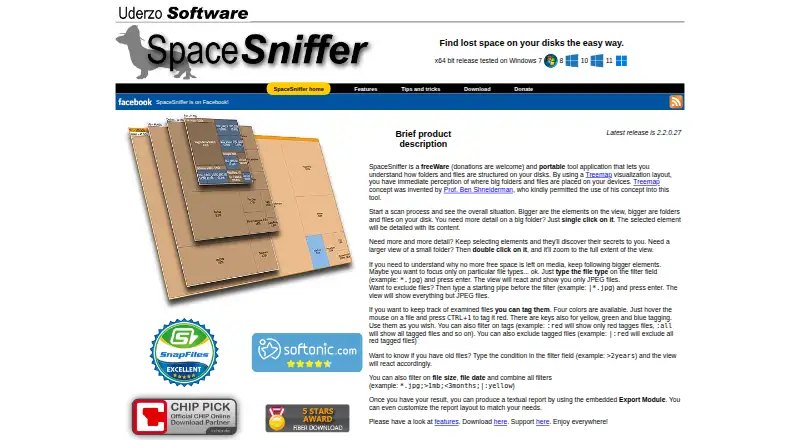
SpaceSniffer is a portable Windows utility that visualizes disk and folder usage as a treemap. You can select folders to reveal their contents and zoom into areas for closer inspection. Filters can match file types, sizes, dates, and temporary colour tags, with combinations and exclusions available. An export module creates customizable text reports from filtered results. During scans, you can navigate, open multiple filtered views of the same media, and run a secondary scan on a zoomed area. The display reacts to file-system events by blinking changed elements, and NTFS Alternate Data Streams can be scanned. SpaceSniffer runs without installation, uses a plain XML configuration file, and can be added to Explorer’s context menu or launched from the command line. It operates read-only and is free for personal and commercial use. The maker notes that complex statistical needs may exceed its simplicity.
Good
- Portable, no installation required
- Treemap view of disk usage
- Flexible file, size, date, and tag filters
- Customizable text report export
- Free for personal and commercial use
Watch out
- Windows only
- May be too simple for complex statistics
- Declining privilege access shows less detail
- No free trial distinction; freeware only
Who it suits
It suits Windows users who want a visual, portable way to inspect storage and export filtered reports. It is less suited to users requiring complex statistical analysis.
Verdict
SpaceSniffer provides portable, visual storage analysis with filtering, tagging, and report export at no cost. Its Windows focus and limited statistical depth define its scope.
Plans and prices
From SpaceSniffer's own pricing page, checked 16 Sep 2026.
| Plan | Price | What it gives you |
|---|---|---|
| Freeware | — | Free for personal and commercial use · Portable application · Donations accepted |
| SpaceSniffer | Free | Free for personal and commercial use · donations welcome |
The facts
Each one read from SpaceSniffer's own pages, with the date it was checked.
What it does
- Configuration
- The maker says SpaceSniffer uses a plain XML configuration file and does not clutter the Windows registry.checked 11 Oct 2026
- Exportable reports
- Yeschecked 16 Sep 2026
- File system changes
- SpaceSniffer reacts to file system events during scans and signals changes by blinking elements.checked 11 Oct 2026
- File-type breakdown
- Yeschecked 16 Sep 2026
- Filtering
- Filters can match file types, sizes, dates, and tags, and can be combined or used to exclude matches.checked 11 Oct 2026
- Navigation
- Users can select folders to reveal their contents and zoom into them for a larger view.checked 11 Oct 2026
- Notable limit
- The maker says SpaceSniffer may be too simplistic for users who need complex statistical functions.checked 11 Oct 2026
- NTFS support
- SpaceSniffer can scan NTFS Alternate Data Streams.checked 11 Oct 2026
- Portability
- SpaceSniffer requires no installation and can be run by placing the executable wherever desired.checked 11 Oct 2026
- Purpose
- SpaceSniffer is a portable disk space analysis tool that visualizes the folder and file structure of disks as a treemap.checked 11 Oct 2026
- Reports
- The export module creates customizable textual reports from filtered search results.checked 11 Oct 2026
- Scanning
- Users can navigate during a scan, open multiple filtered views of the same media from one scan, and refine a zoomed area with a secondary scan.checked 11 Oct 2026
- Scan scope
- files_folderschecked 16 Sep 2026
- Security
- The maker says SpaceSniffer runs in read-only mode and requests backup operator privilege to access most files; declining the request shows less detail.checked 11 Oct 2026
- Tagging
- Users can temporarily tag files with four colors and filter by those tags.checked 11 Oct 2026
- Treemap view
- Yeschecked 16 Sep 2026
Where it runs
- Desktop platforms
- windowschecked 16 Sep 2026
- Platform
- The current download page lists an x64 release tested on Windows 7, 8, 10, and 11.checked 11 Oct 2026
- Windows integration
- The maker documents adding SpaceSniffer to the Windows Explorer folder context menu and launching scans from the command line.checked 11 Oct 2026
Money
- Free plan
- Yeschecked 16 Sep 2026
Alternatives to SpaceSniffer
- 1

WizTree
Free planmacOSWindows8.0Free plan - 2
LumaDisk
Free planmacOSWindows7.9$6.89 one-time - 3

Disk Usage Analyzer
Free planOpen sourceLinuxmacOS7.7Free plan - 4

FolderSizes
Free planWindows7.7$30 one-time - 5
SizeTrend
Free planWindows7.7$69.99 one-time - 6
dust
Free planOpen sourceLinuxmacOSWindows7.6Free plan