SoundTools Soundboard
SoundTools Soundboard is a browser app for creating and playing boards of audio clips.
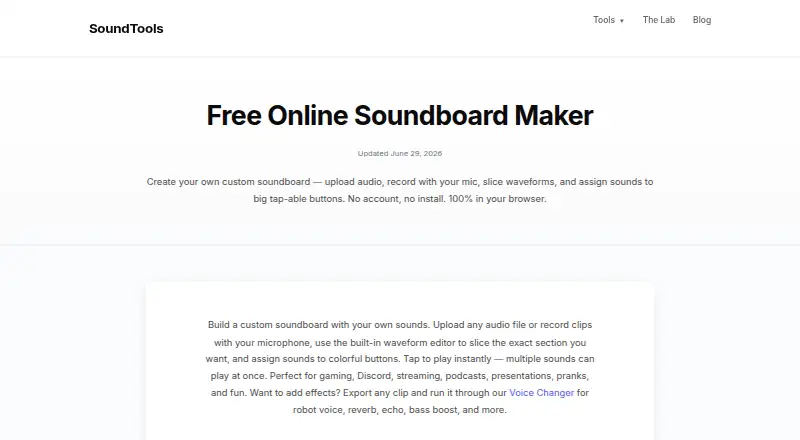
What SoundTools Soundboard is
SoundTools Soundboard is a browser app for creating and playing boards of audio clips. Users can upload files, record from a microphone, slice waveforms, and assign clips to tappable buttons; multiple sounds can play at once. It accepts MP3, WAV, OGG, FLAC, AAC, and M4A files. Boards save automatically in browser local storage, and users can export an entire board for backup or transfer. The app has no fixed sound-count limit, though performance depends on device memory. Audio processing happens locally in the browser, and uploaded sounds are not sent to a server. Users can export clips as WAV, apply effects in SoundTools Voice Changer, then re-import them. It works in desktop Chrome, Safari, Edge, and Firefox, as well as on iPhone and Android. The free plan requires no account or installation and has no watermarks or limits. SoundTools says the service is supported by non-intrusive display advertising. Playback comes through speakers or headphones; the app does not provide virtual microphone routing.
Good
- Supports six listed audio formats.
- Can play multiple sounds at once.
- Boards save locally and can be exported.
- Audio processing stays in the browser.
- Free plan has no account, installation, or watermarks.
Watch out
- No virtual microphone routing is provided.
- Performance depends on device memory.
- Playback is through speakers or headphones.
Who it suits
It suits people who want to build and trigger sound clips in a browser for gaming, streaming, presentations, teaching, or other listed uses. It may also work for people who prefer local browser processing and no account or installation.
Verdict
SoundTools Soundboard offers clip recording, editing, and playback without installing an app or creating an account. Its speaker-or-headphone playback may not suit workflows that require a virtual microphone input.
Plans and prices
From SoundTools Soundboard's own pricing page, checked 1 Oct 2026.
| Plan | Price | What it gives you |
|---|---|---|
| Free | Free | no account · no install · no watermarks · no limits |
The facts
Each one read from SoundTools Soundboard's own pages, with the date it was checked.
What it does
- Audio formats
- The soundboard supports MP3, WAV, OGG, FLAC, AAC, and M4A uploads.checked 1 Oct 2026
- Core function
- SoundTools Soundboard lets users upload audio, record from a microphone, slice waveforms, and assign clips to tappable buttons.checked 1 Oct 2026
- Discord limitation
- SoundTools does not provide virtual microphone routing; it plays sounds through speakers or headphones.checked 1 Oct 2026
- Funding model
- SoundTools is supported by non-intrusive display advertising and says it does not gate processed files behind ads or use pop-ups, overlays, or interstitials.checked 1 Oct 2026
- Local saving
- Boards are automatically saved in browser local storage, and the entire board can be exported for backup or transfer.checked 1 Oct 2026
- Playback
- Multiple sounds can play at the same time.checked 1 Oct 2026
- Privacy
- Audio processing happens locally in the browser and sounds are not uploaded to a server.checked 1 Oct 2026
- Privacy rights
- The privacy policy describes access, correction, deletion, objection, and portability rights for EU and UK users and rights under the CCPA for California residents.checked 1 Oct 2026
- Security statement
- SoundTools says it implements reasonable security measures and does not collect or store uploaded files because they remain on the user's device.checked 1 Oct 2026
- Sound capacity
- There is no fixed sound limit, although performance depends on device memory and most devices handle 50+ sounds easily.checked 1 Oct 2026
- Support
- Users can contact SoundTools for bug reports, feature requests, technical support, feedback, business inquiries, and privacy questions, with typical replies within 24–48 hours.checked 1 Oct 2026
- Use cases
- The maker describes uses including gaming, Discord, streaming, podcasts, presentations, teaching, pranks, and fun.checked 1 Oct 2026
- Voice Changer integration
- Users can export clips as WAV, process them in SoundTools Voice Changer with effects such as robot voice, reverb, echo, bass boost, chipmunk pitch, or deep voice, and re-import them.checked 1 Oct 2026
Where it runs
- Browser support
- The soundboard works on desktop Chrome, Safari, Edge, and Firefox, as well as iPhone and Android.checked 1 Oct 2026
The full review of SoundTools Soundboard
Overview
SoundTools Soundboard is a browser-based board for making audio clips and triggering them from buttons. It is best for people who want a free, install-free soundboard for playback on their device. Its strongest case is private, local clip handling; its clearest drawback is that it cannot send sound through a virtual microphone.
Key features
Create and trigger clips
Users can upload audio or record from a microphone, slice waveforms into clips, and assign them to tappable buttons. Support for MP3, WAV, OGG, FLAC, AAC and M4A covers common audio files, while simultaneous playback makes layered cues possible. There is no fixed sound-count ceiling, but performance depends on device memory; the maker says most devices handle 50 or more sounds easily.
Keep boards and change clips
Boards save automatically in browser local storage, and the full board can be exported for backup or transfer. That is convenient on the device where a board was made, but exporting is important when moving it or keeping a separate copy. Clips can also be exported as WAV, run through SoundTools Voice Changer for effects such as echo, reverb, robot voice, bass boost, chipmunk pitch or deep voice, then imported again.
Audio processing happens locally in the browser, and sounds are not uploaded to a server. That is a meaningful privacy advantage for recordings users prefer to keep on their own device. SoundTools says it uses reasonable security measures and does not collect or store uploaded files. The service is supported by display ads, which it says are non-intrusive and do not put processed files behind ads or use pop-ups, overlays or interstitials.
Pricing
The Free plan costs nothing. It has no account or installation requirement, no watermarks and no limits. That makes it a strong fit for casual use and for anyone who wants a board without a recurring bill. There is no paid tier to weigh against it; the trade-off is the browser playback model rather than a dedicated desktop application.
Platforms
SoundTools Soundboard is a browser app, not a desktop app. It works on desktop Chrome, Safari, Edge and Firefox, as well as iPhone and Android, and the directory lists Android, iOS, Linux, macOS, web and Windows support. This broad browser reach is useful for people switching among devices, though local browser storage means exporting a board is the practical way to carry it elsewhere.
Who it's for
The board suits gamers, streamers, podcasters, teachers and presenters who need quick clip playback, as well as anyone making a soundboard for casual use. Multiple simultaneous sounds and generous memory-dependent capacity support more than a handful of cues. Discord users should note the distinction between playing a sound while on a call and routing it as microphone input: SoundTools plays through speakers or headphones and offers no virtual microphone routing.
Pros and cons
Pros
- No-cost access without account or install: The free plan has no watermarks or usage limits, making it easy to start a board without a paid commitment.
- Local audio handling: Sounds stay on the device rather than being uploaded to a server, a useful privacy property for personal recordings.
- Flexible clip creation: Uploads, microphone recording, waveform slicing and simultaneous playback cover both simple cue boards and layered sound use.
- Easy backup route: Automatic local saves reduce routine effort, while full-board export supports transfer and backup.
Cons
- No virtual microphone output: Anyone who needs soundboard clips to enter Discord or another app as mic audio will need a different tool or workflow.
- Browser-local storage: Boards are tied to the browser and device until exported, so automatic saving alone is not a cross-device backup.
- Device-dependent capacity: There is no fixed cap, but larger boards rely on available memory and may not perform equally on every device.
Alternatives
Soundboard Software is the broader category page for comparing soundboard options.
Choose Blerp if a freemium service with a 500+ voice library, basic voice filters, moderation queue and word censorship better fits your needs. Choose Sound Show if you want a free option with up to 10 tabs and 40 sounds per tab, or a Pro plan priced at €45, paid once. Resanance is another free option, with unlimited sounds and hotkeys and multiple output devices.
Stadium Sound is a free and open-source alternative. Voicemod AI Voice Cleaner offers a free AI voice cleaner. AudioPad is a free option for Linux and Windows. Soundboard Online is a free web option with no cap on rooms, clips or sessions. LitPads suits Apple users who can work within its free limit of 6 boards and 20 pads per board, with a 29.99 USD one-time Pro plan for unlimited boards and pads.
Verdict
SoundTools Soundboard is an easy recommendation for people who want a free browser board to create and play clips without sending audio to a server. Local saving, export and simultaneous playback make it practical for a wide range of personal and presentation uses. Look elsewhere if your workflow depends on virtual-microphone routing or on boards syncing automatically across devices.
Getting started
- Open https://soundtools.io/soundboard/ in a supported desktop browser, iPhone, or Android device.
- Upload audio or record from a microphone.
- Slice waveforms as needed and assign clips to tappable buttons.
- Export the board if you want a backup or transfer copy.
- Optionally export clips as WAV, process them in SoundTools Voice Changer, and re-import them.
Limits worth knowing
The free plan has no stated watermarks or limits. There is no fixed sound-count cap, but performance depends on device memory; the app does not provide virtual microphone routing.
Questions
How much does SoundTools Soundboard cost?
The free plan costs nothing.
Do I need an account or installation?
No. The free plan requires neither an account nor an installation.
Which audio formats can I upload?
MP3, WAV, OGG, FLAC, AAC, and M4A.
Which devices and browsers does it support?
It works on iPhone and Android, and in desktop Chrome, Safari, Edge, and Firefox.
Can it route sound through a virtual microphone?
No. Playback comes through speakers or headphones.
Are sounds uploaded to a server?
No. Audio processing happens locally in the browser, and sounds are not uploaded to a server.
Alternatives to SoundTools Soundboard
- 1

Blerp
Free planAndroidiOSWebExtension8.1From $4.99 a month - 2
Resanance
Free planAndroidWebWindows7.0Free plan - 3

Sound Show
Free planAndroidLinuxmacOSWindows7.0€45 one-time - 4
Voicemod AI Voice Cleaner
Free planAndroidiOSmacOSWindows6.9Free plan - 5

Soundpad
APIWindows6.8 - 6
Go Button
Free planiOS6.6$99.99 one-time