SoftOrbits AI Background Remover
SoftOrbits AI Background Remover is a Windows desktop app for isolating subjects and replacing photo backgrounds.
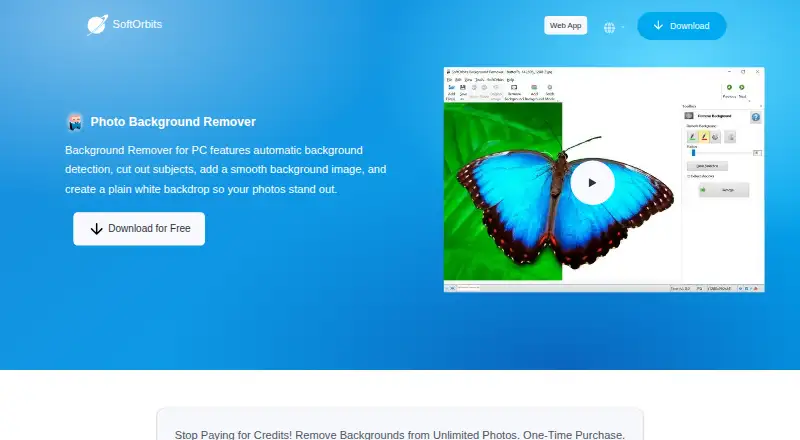
What SoftOrbits AI Background Remover is
SoftOrbits AI Background Remover is a Windows desktop app for isolating subjects and replacing photo backgrounds. One-click AI removal handles automatic cutouts, while manual mode uses foreground and background markers for more control. Batch processing can clear or recolor backgrounds across folders, including sets of 100 or more product photos. Replacement choices include a custom image, a solid color, white, or transparency. The app can also remove shadows, adjust brightness and contrast, and resize, crop, or rotate images. It supports popular image formats and can save transparent GIF or PNG files. SoftOrbits says processing runs offline with AI models included in the program, so photos are not sent to a server or used to train AI. The product is presented for product photography and online-shop listings such as Amazon, eBay, and Etsy. It supports Windows 11, 10, 8.1, 8, and 7, requiring at least 4 GB RAM and 1 GB free disk space. A free trial includes full cutout tools, with unregistered evaluation limited to no more than 20 days.
Good
- One-click AI and manual cutout modes
- Batch processing for large photo folders
- Supports transparent GIF and PNG output
- Runs offline without sending photos
- No account or email required to start
Watch out
- Windows-only availability
- No free plan
- Unregistered evaluation limited to 20 days
- Business use requires a business plan
Who it suits
This app suits Windows users preparing product photos for online shops. It also fits people wanting offline background processing with automatic and manual controls.
Verdict
SoftOrbits AI Background Remover focuses on background isolation and replacement, with batch and manual tools alongside offline processing. Its Windows requirements and trial limit should be checked before choosing a plan.
Plans and prices
From SoftOrbits AI Background Remover's own pricing page, checked 8 Oct 2026.
| Plan | Price | What it gives you |
|---|---|---|
| Monthly | $4.99 a month | Non-commercial use · Unlimited usage · Unlimited email support · Free minor-version upgrades · Auto-renew; cancel anytime |
| Monthly Business | $5.99 a month | Corporate, government, or business use · Unlimited usage · Unlimited email support · Free minor-version upgrades · Auto-renew; cancel anytime |
| Annual | $9.99 a year | Non-commercial use · Unlimited usage · Unlimited email support · Free minor-version upgrades · Billed annually ($ 9.99); auto-renew, cancel anytime |
| Annual Business | $11.99 a year | Corporate, government, or business use · Unlimited usage · Unlimited email support · Free minor-version upgrades · Billed annually ($ 11.99); auto-renew, cancel anytime |
| Lifetime | $14.99, paid once | Non-commercial use · Unlimited usage · Unlimited email support · Free minor-version upgrades · One-time price shown |
| Lifetime Business | $23.99, paid once | Corporate, government, or business use · Unlimited usage · Unlimited email support · Free minor-version upgrades · One-time price shown |
The facts
Each one read from SoftOrbits AI Background Remover's own pages, with the date it was checked.
What it does
- Account requirement
- The product page says no sign-up, account, or email is required to get started.checked 8 Oct 2026
- Additional editing
- The app can detect and remove shadows, adjust brightness and contrast, and resize, crop, or rotate photos.checked 8 Oct 2026
- Automatic and manual editing
- It offers one-click AI background removal and manual mode with markers to identify the foreground and background.checked 8 Oct 2026
- Background options
- Users can replace a removed background with a custom image or solid color, including white or transparent options.checked 8 Oct 2026
- Batch processing
- Batch mode can clear or recolor backgrounds across a folder, including sets of 100+ product photos.checked 8 Oct 2026
- File formats
- The product page says it supports popular image formats and can save GIF or PNG images with transparency.checked 8 Oct 2026
- Intended users
- The maker presents it for product photography and online-shop listings, mentioning Amazon, eBay, and Etsy.checked 8 Oct 2026
- Offline processing
- The maker says the app runs offline using AI models included in the program, and photos are not sent to a server or used to train AI.checked 8 Oct 2026
- Purpose
- The Windows PC app automatically detects and removes photo backgrounds, cuts out subjects, and can add a smooth or plain white backdrop.checked 8 Oct 2026
- Support
- SoftOrbits says registered users receive free technical support by email and patches, fixes, and related product information.checked 8 Oct 2026
- System requirements
- The listed operating systems are Windows 11, 10, 8.1, 8, and 7 (32/64-bit), with at least 4 GB RAM and 1 GB free disk space.checked 8 Oct 2026
The company
- Company background
- SoftOrbits says it was founded in 2006 to develop tools and utilities for home users.checked 8 Oct 2026
- Founded
- 2006checked 28 Sep 2026
- Headquarters
- The company’s About page lists an office at 9/19, Moo 7, Koh Phangan, Surat Thani 84280, Thailand.checked 8 Oct 2026
Money
- Trial terms
- The product page says the full app can be downloaded and tried free with the same automatic and manual cutout tools; the maker’s EULA limits unregistered evaluation to no more than 20 days.checked 8 Oct 2026
Alternatives to SoftOrbits AI Background Remover
- 1

Photoroom
Free planAndroidiOSWebAPI8.3From $7.50 a month - 2

Pixelcut
Free planAndroidiOSWebAPI8.3From $8 a month - 3
Cutout.Pro
Free planAndroidiOSWebAPI8.2From $5 a month - 4

Erase.bg
Free planAndroidiOSWebAPI8.2Free plan - 5

Artguru Background Remover
Free planAndroidiOSWebAPI8.1From $39.99 a year - 6

BG0
Free planOpen sourceAndroidiOSWebAPI7.8Free plan