
Snap Backup
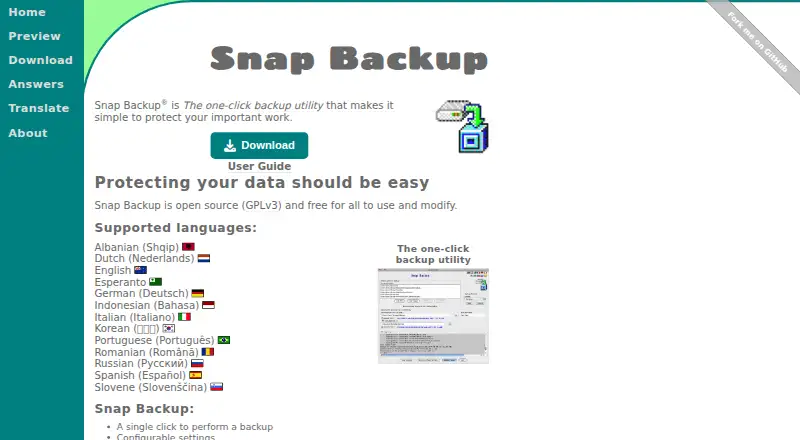
The facts below are what the maker publishes about Snap Backup, checked and dated. Our editors have not written about it yet.
Plans and prices
From Snap Backup's own pricing page, checked 12 Oct 2026.
| Plan | Price | What it gives you |
|---|---|---|
| Snap Backup | Free | Full backups of selected data files · no incremental or whole-drive backups · no built-in restore feature · Free for all to use; open source under GPLv3. |
The facts
Each one read from Snap Backup's own pages, with the date it was checked.
What it does
- Archive copies
- It can copy a backup to another location, such as a USB drive, external hard drive, or cloud backup destination.checked 12 Oct 2026
- Archive copy
- It can optionally copy the backup file to another location, such as a USB drive or external hard drive.checked 12 Oct 2026
- Automation
- The command-line option can launch backups from scripts and operating system schedulers.checked 12 Oct 2026
- Backup behavior
- Snap Backup makes full backups and includes files even if they have not changed since the previous backup.checked 12 Oct 2026
- Backup format
- It creates a single compressed ZIP file that can be opened with standard ZIP utilities.checked 12 Oct 2026
- Backup naming
- Snap Backup automatically adds the current date to the backup filename.checked 12 Oct 2026
- Backup scope
- filechecked 20 Sep 2026
- Backup selection
- Users can choose files and folders and apply include or exclude filters, including wildcard rules.checked 12 Oct 2026
- Backup type
- It creates full backups and does not create incremental backups.checked 12 Oct 2026
- Computer backup
- Yeschecked 20 Sep 2026
- Filters
- Backup filters support wildcards and can exclude files based on size.checked 12 Oct 2026
- Integrations
- The FAQ describes using a USB drive as a backup destination by specifying its location in the “Copy Backup To” option.checked 12 Oct 2026
- Intended users
- The site describes Snap Backup as a simple tool for individual users at home or in a corporation who want to protect valuable data.checked 12 Oct 2026
- Java requirement
- The generic JAR download instructions say to install Java before running the application.checked 12 Oct 2026
- License
- The software is open source under GPLv3 and free for everyone to use.checked 12 Oct 2026
- Notable limitation
- The FAQ says Snap Backup is intended for data files rather than backing up an entire hard drive.checked 12 Oct 2026
- Profiles
- Multiple profiles can keep separate backup settings, such as for work and personal files.checked 12 Oct 2026
- Purpose
- Snap Backup is a one-click utility for backing up individual users’ valuable data files.checked 12 Oct 2026
- Restore
- It has no built-in restore feature; users can open a ZIP backup and expand its contents with the operating system.checked 12 Oct 2026
- Restore limitation
- It has no built-in restore feature; the FAQ says to open the ZIP backup with the operating system to expand its contents.checked 12 Oct 2026
- Restore modes
- filechecked 20 Sep 2026
The company
- Founded
- 1999checked 28 Sep 2026
Money
- Free plan
- Yeschecked 20 Sep 2026
Where it runs
- Platforms
- The download page offers macOS and Windows installers and a generic executable JAR for Java platforms.checked 12 Oct 2026
Alternatives to Snap Backup
- 1
UrBackup
Free planOpen sourceAndroidWebAPILinux9.4Free plan - 2

IDrive
Free planAndroidiOSWebLinux9.2From $0.25 a month - 3

Bareos
Free planOpen sourceWebAPILinuxmacOS9.1From €480 a year - 4

MSP360 Backup
Free planAndroidiOSWebAPI9.0Free plan - 5

iCloud Backup
Free planAndroidiOSWebAPI8.6From $0.99 a month - 6

Backblaze Computer Backup
AndroidiOSWebmacOS8.5From $7.88 a month